CP45松下驱动器部分.pdf
9. Motor & Driver Ver. Date CP45 CP45NEO 00 2004/11 O O 9-2 9-1. Servo Motor Driver Replacement *T o o l s a) Motor Driver Data Ca ble (for PY Motor, Q-Motor, P-Motor) *P a r t a) Drive r (Ref . t he Table of Next Ch…
9. Motor & Driver
Ver. Date CP45
CP45NEO
00 2004/11 O O
9-2
9-1. Servo Motor Driver Replacement
*Tools
a) Motor Driver Data Cable (for PY Motor, Q-Motor, P-Motor)
*Part
a) Driver (Ref. the Table of Next Chapter for Part Number)
1) When Replacing Motor Driver, Download Parameter Saved in Former Driver First and Load to New
Driver
(Same Parameter is Downloaded for Any Axis of Equipment Shipped from Factory, but Parameter
can be Slightly Modified for Precise Tuning)
2) If Parameter Downloading from Existing Driver is not Possible, Download Standard Parameter
Distributed and Use it.
3) In Case Standard Parameter is L oaded for Use, Contact C/S Department of this Company right
away to Take Measures if Noise or Vibration Occurs to Equipment
4) Parameter Adjustment of Servo Motor is not Allowed for any Case Except Parameter is Distributed
for Service Information
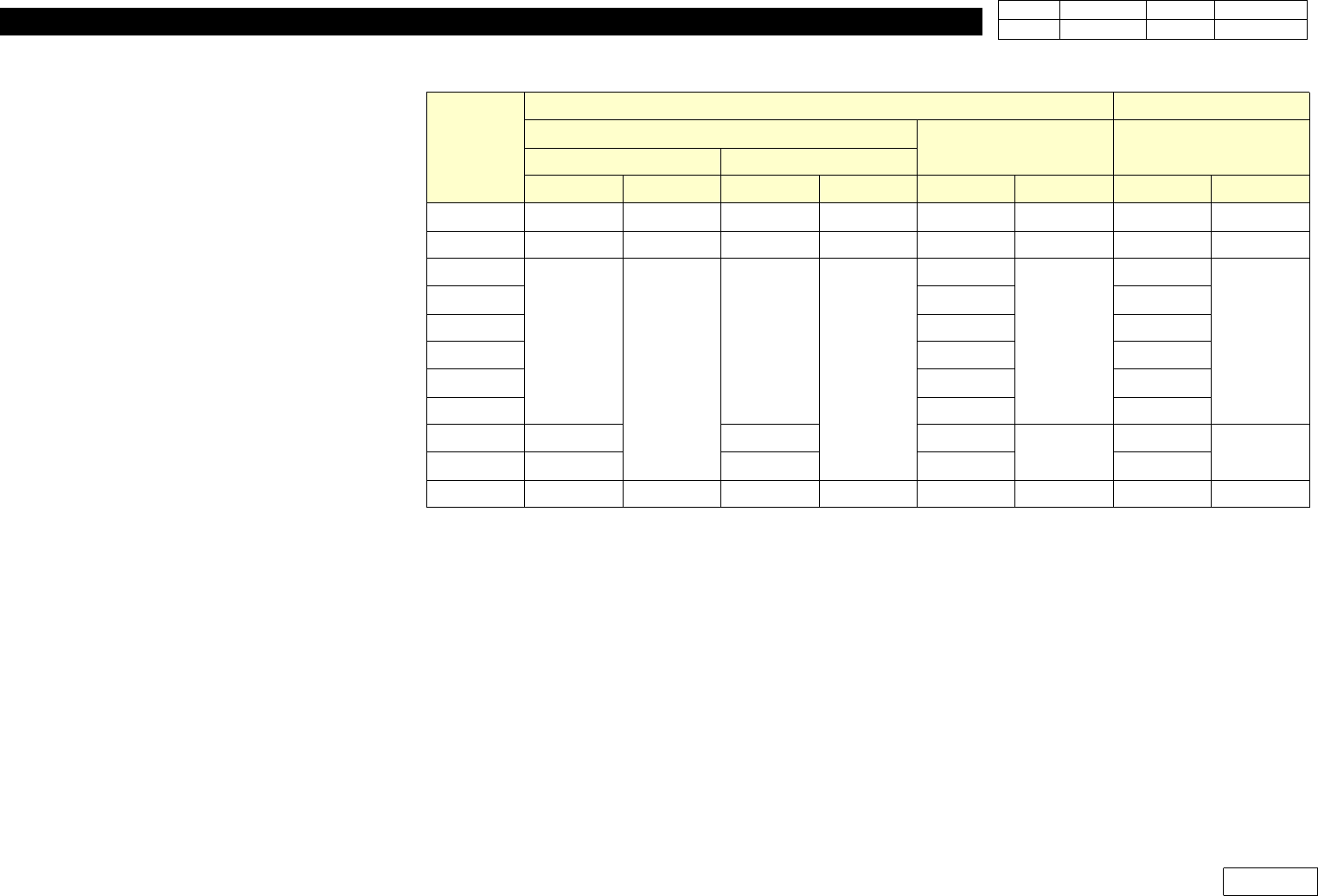
5) Refer the Table of Next Page for Part Number by Motor and Motor Driver of Each Model
6) Refer Extra Procedure for Download and Upload Procedure of Parameter
7) Class of Motor Parameter is Basically Distinguished as Follows:
- Class by Axis: X,Y,Z(1,3,5 2,4,6 2 sort,Swing, Width(C/V)
- Motor and Driver Class : PY/Q => CP45F(V) , P => CP45F(V)NEO)
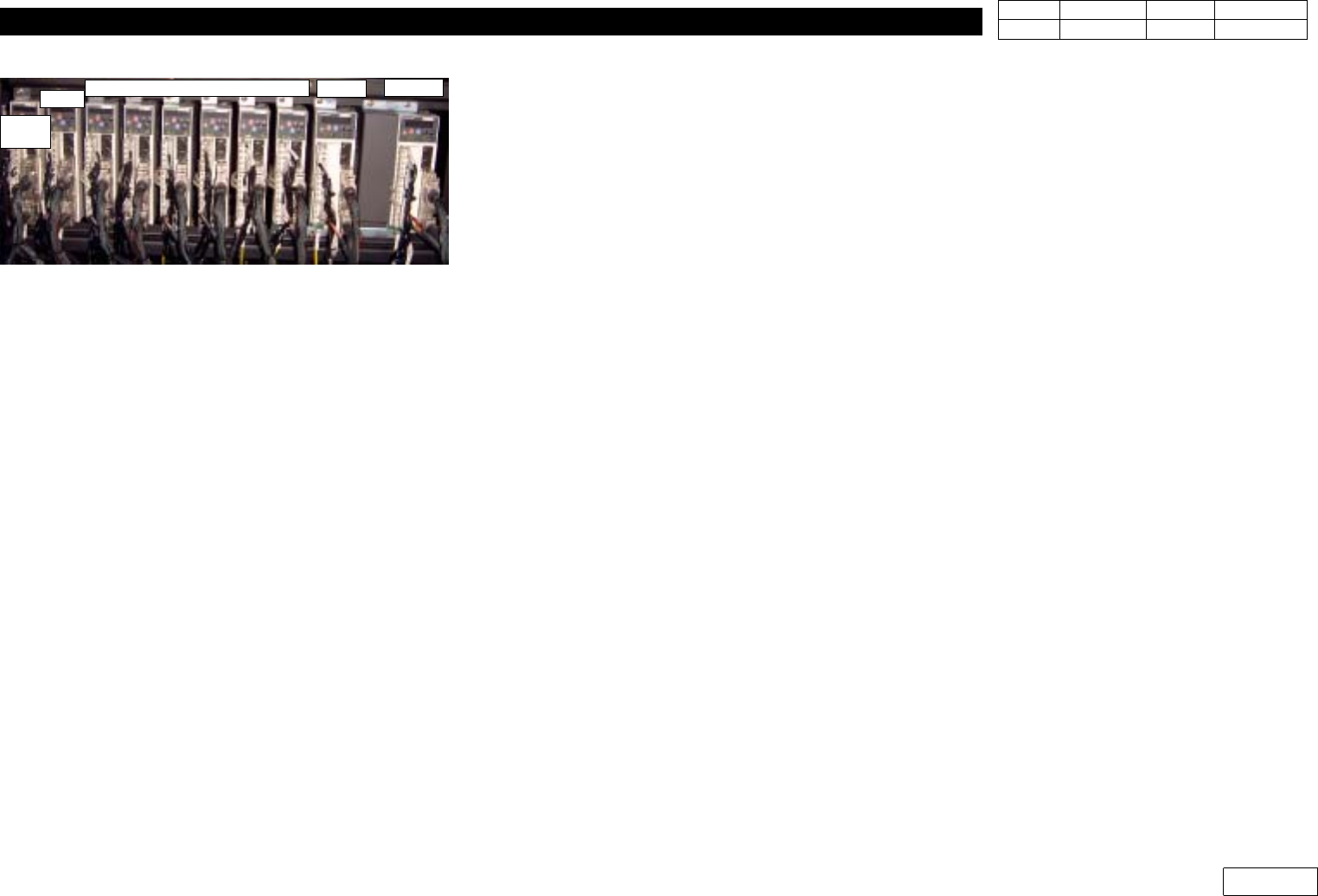
Y-Axis
X-Axis
Z6, Z5, Z4, Z3, Z2, Z1
Swing
C/V
Width
Fig.9-1-1 Servo Driver ( P Y Motor Driver)
9. Motor & Driver
Ver. Date CP45
CP45NEO
00 2004/11 O O
9-2
Part Number by Motor and Motor Driver Class of Model
Axis
CP45F(V) CP45F(V)NEO
PY Type(Sanyo)
Q Type (Sanyo) PType(Panasonic)
CE NON-CE
Motor Driver Motor Driver Motor Driver Motor Driver
X
J9061225B J3153012A J9061931B J3153026A J9075955A J3153044A J9080103A J3153034A
Y
J3108012A J1301684 J3108022A J3153025A J3108049A J3153045A J3108040A J3153052A
Z1
J9061962A
J3153014A
J9061968A
J3153024A
J9061962A
J3153043A
J9080110A
J3153032A
Z2
J9061963A J9080111C
Z3
J9061964A J9080112A
Z4
J9061965A J9080115A
Z5
J9061966A J9080116A
Z6
J9061967A J9080117B
Swing
J9061238D J9061934C J9075961A
J3153043A
J9080120B
J3153033A
C/V Width
J9061238D J9061935C J9075963B J9080123A
Theta
J3104008A J3152008A J3104012A J3152008A J3104012A J3152008A J3104012A J3152008A
9. Motor & Driver
Ver. Date CP45
CP45NEO
00 2004/11 O O
9-2
9-2 panasonic Motor Driver(=Amplifier) of Parameter Load/Unload
9-2-1 Connection of Panasonic Motor Amplifier and Computer
* Tools
a) Notebook Computer
b) Cable for interface
1) Open the Rear Cover of Equipment
2) Turn on All the Power of Equipment or Approve the Power of A pplying Motor Amplifier
3) Prepare Laptop Installed with Panaterm S oftware
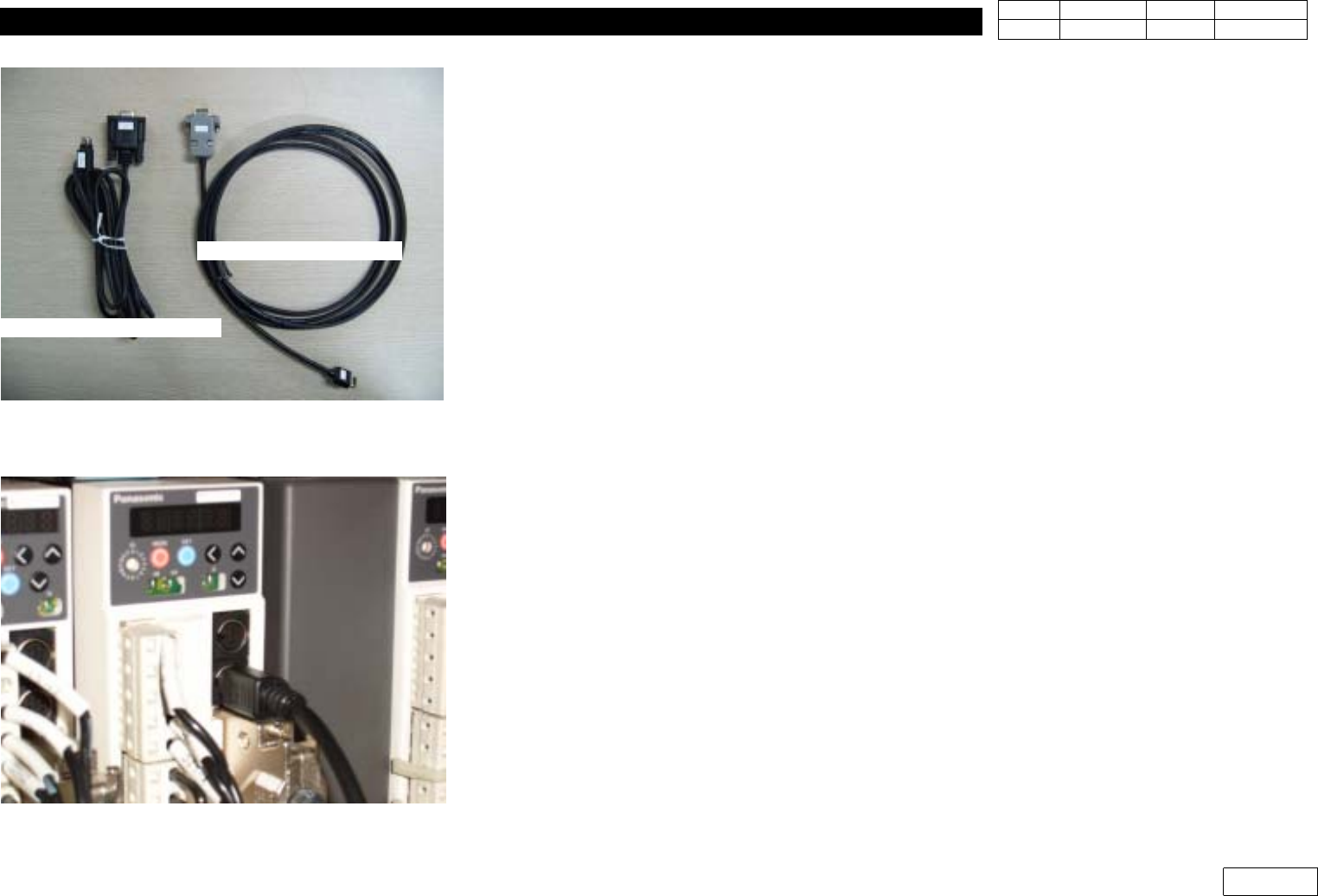
4) Prepare Interface Cable and Connect to Laptop as Fig 9-2-1-1(RS232 Port)
5) Connect Cable to the Lower Port of 2 Ports of Applying Amplifier as Fig 9-2-1-2
9-2-2 Software Run and Connection with Amplifier
1) Run Panaterm Software of Laptop
2) W hen Message of Fig 9-2-2-1 Appears by Running Panaterm Software,
Select "Communicate with Amplifier directly c onnected with RS232" Part and Click OK
Button
3) When "Series Setting" Appears as Fig9-2-2-2, Select MINAS-C Specification at the Lowest
Part
4) When "Detect the Amplifier at COM1. Do you connect?" Message Appears, Click "Yes"
Fig9-2-1-1 Interface Cable for Pana. Amplifier
Fig.9-2-1-2 Connect I/F cable to Amplifier
Cable for Panasonic
Cable for Q-series