manual-pa120-micro-tweezers-0030218_ID-228617.pdf
INSTRUCTION MANUAL P A120 Micr o T weezers
INSTRUCTION MANUAL
PA120
Micro Tweezers
2
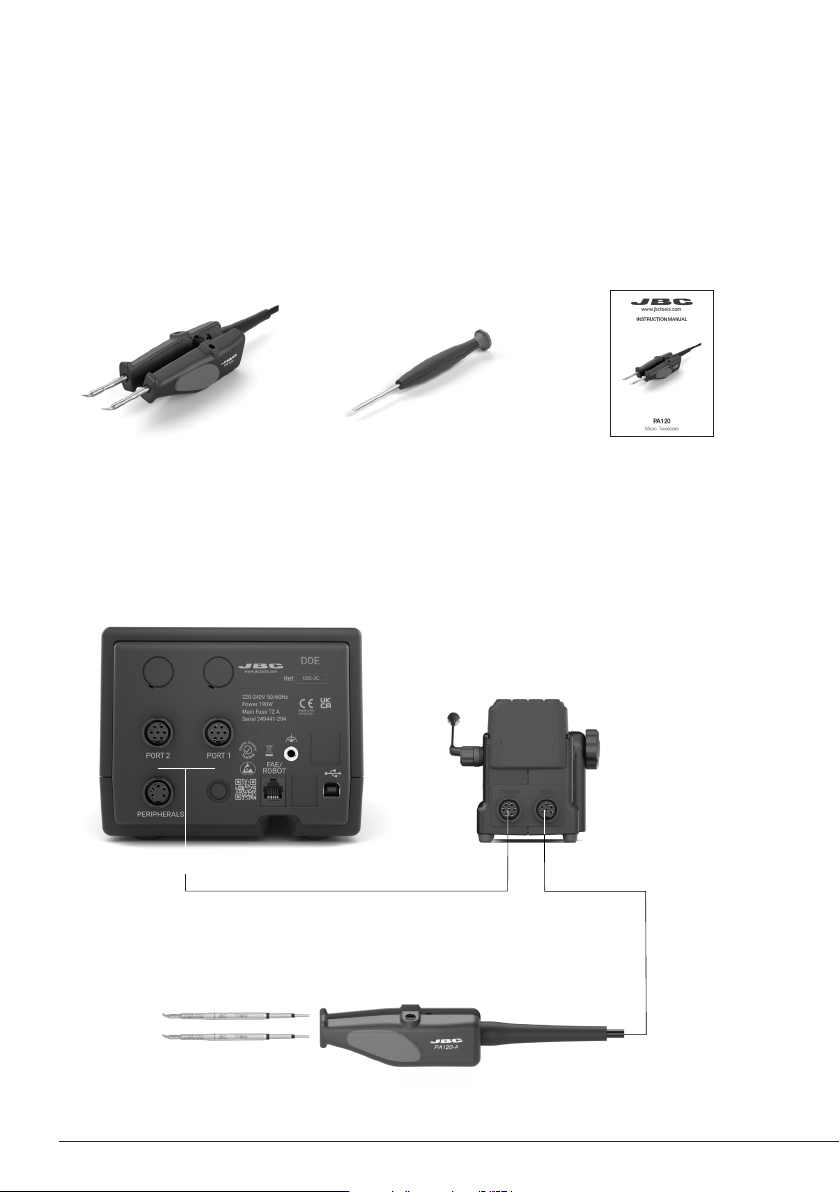
Connections
DDE*
2-Tool Control Unit
Manual ......................... 1 unit
Ref. 0030218
Packing List
The following items are included:
PA120
Micro Tweezers ........... 1 unit
Screwdriver.......................1unit
Ref. 0023074
AMS*
Stand for PA120 &
AM120 Micro Tweezers
PA120
Micro TweezersC120 Cartridges*
This manual corresponds to the following reference:
PA120-A
*not included, sold separately
AM-SA
PA120-A
PA120-A
AM-SA
PA120-A
PA120-A
AM-SA
PA120-A
PA120-A
AM-SA
PA120-A
PA120-A
3
The PA120 works with C120 cartridge range.
Find the model that best suits your soldering
needs at www.jbctools.com
Compatible cartridges
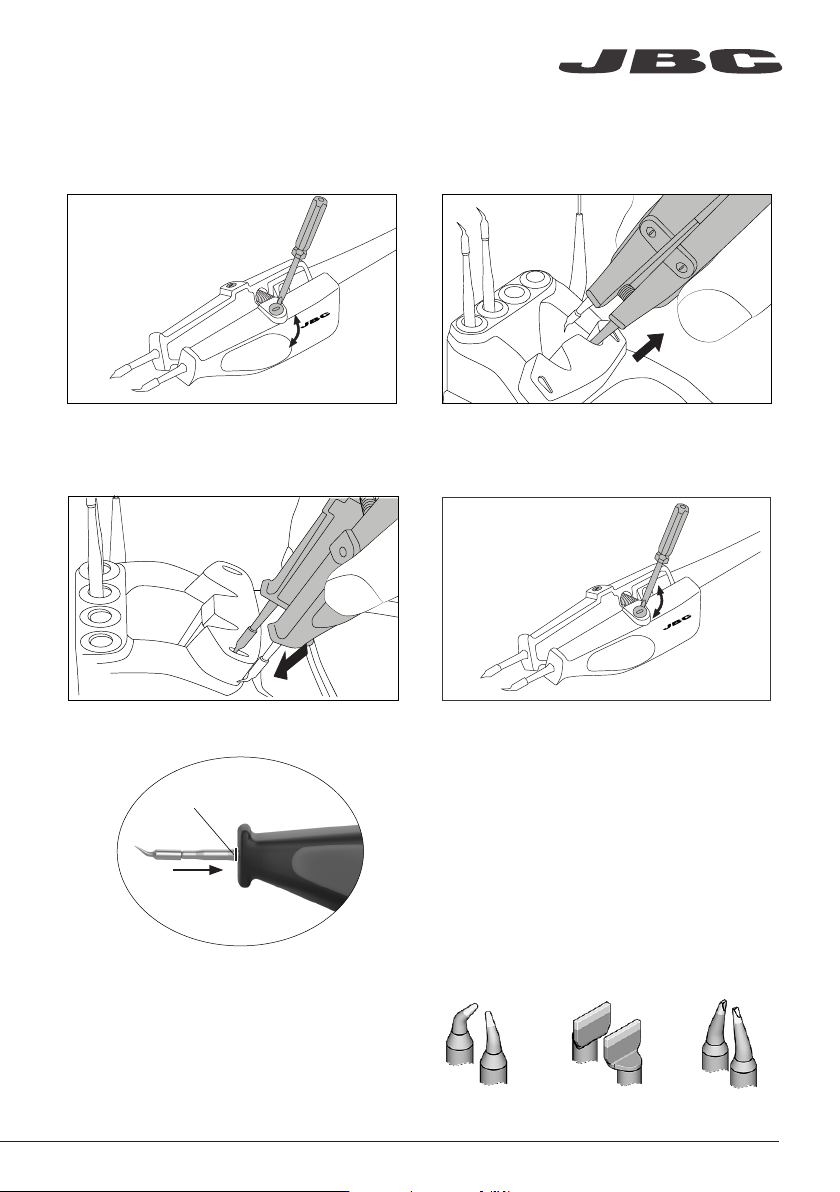
2. Removing1. Unlocking
Unlock the fixing screws.
Place the cartridges in the extractor and pull
the tweezers to remove the cartridge.
Use the grooves to insert the cartridges as
far as the mark*.
3. Inserting 4. Locking
Lock the fixing screws.
Changing Cartridges
Mark
*Important
It is essential to insert the cartridges as far
as the mark for a proper connection.
Conical Bent Chisel BentBlade
www.jbctools.com