1009615_H175LARD_EN.pdf
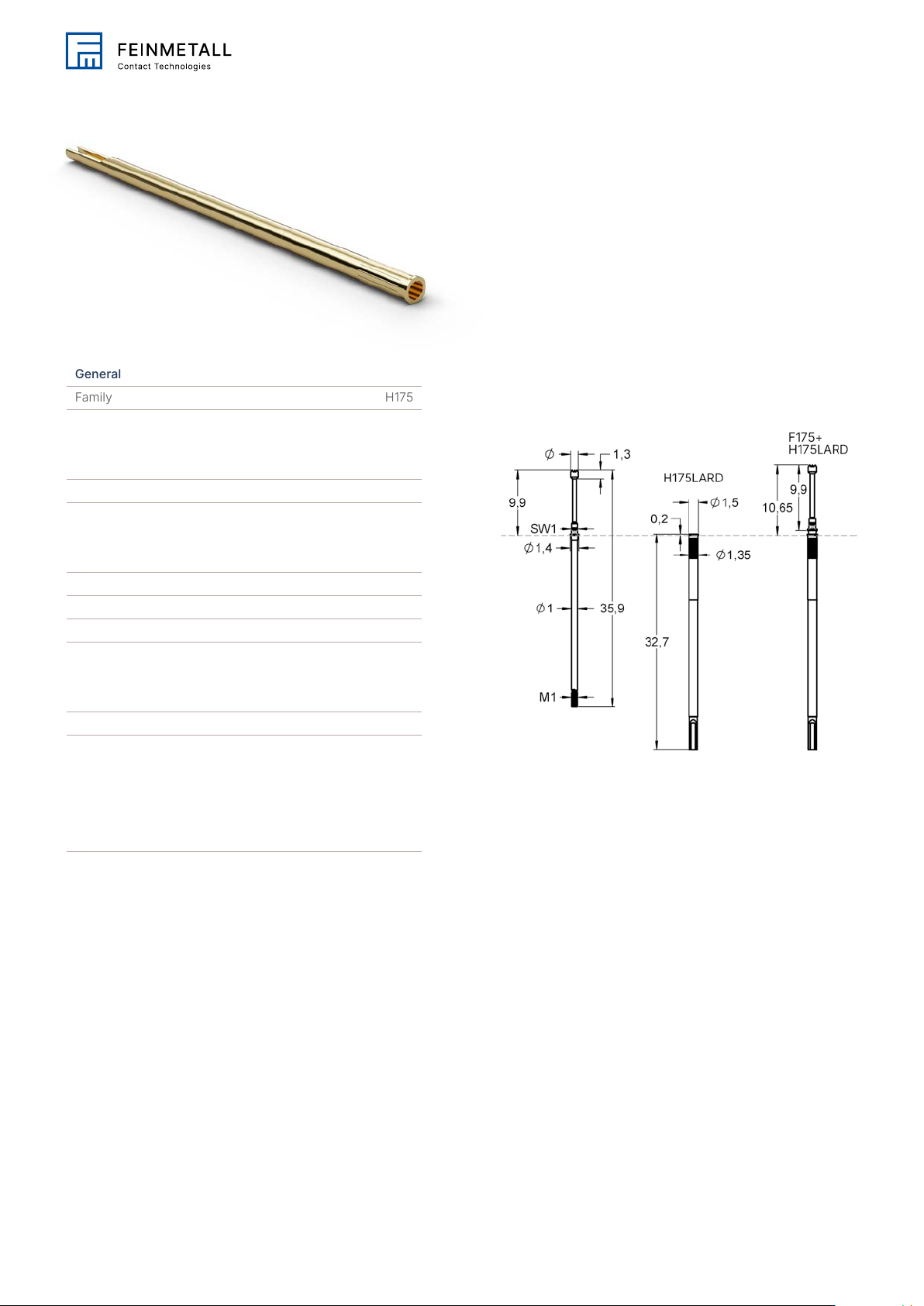
Gener al F amil y H17 5 Pitch [mm/mil] 1.90 / 75 Mechanical specifications Internal thread 1.0 Connection type (flux-proof) Solder Connection Dimensions T otal length [mm] 32.70 Press ring diameter [mm] 1.50 Outer diamet…
General
Family H175
Pitch [mm/mil] 1.90 / 75
Mechanical specifications
Internal thread 1.0
Connection type (flux-proof) Solder Connection
Dimensions
Total length [mm] 32.70
Press ring diameter [mm] 1.50
Outer diameter [mm] 1.32
Collar height [mm] 0.20
Accessories
H175LARD
Order code 1009615
Family drawing
All measurements are in mm.
This is an Adobe® Illustrator® File that was
saved without PDF Content.
To Place or open this le in other
applications, it should be re-saved from
Adobe Illustrator with the "Create PDF
Compatible File" option turned on. This
option is in the Illustrator Native Format
Options dialog box, which appears when
saving an Adobe Illustrator le using the
Save As command.
This is an Adobe® Illustrator® File that was
saved without PDF Content.
To Place or open this le in other
applications, it should be re-saved from
Adobe Illustrator with the "Create PDF
Compatible File" option turned on. This
option is in the Illustrator Native Format
Options dialog box, which appears when
saving an Adobe Illustrator le using the
Save As command.
This is an Adobe® Illustrator® File that was
saved without PDF Content.
To Place or open this le in other
applications, it should be re-saved from
Adobe Illustrator with the "Create PDF
Compatible File" option turned on. This
option is in the Illustrator Native Format
Options dialog box, which appears when
saving an Adobe Illustrator le using the
Save As command.
This is an Adobe® Illustrator® File that was
saved without PDF Content.
To Place or open this le in other
applications, it should be re-saved from
Adobe Illustrator with the "Create PDF
Compatible File" option turned on. This
option is in the Illustrator Native Format
Options dialog box, which appears when
saving an Adobe Illustrator le using the
Save As command.
This is an Adobe® Illustrator® File that was
saved without PDF Content.
To Place or open this le in other
applications, it should be re-saved from
Adobe Illustrator with the "Create PDF
Compatible File" option turned on. This
option is in the Illustrator Native Format
Options dialog box, which appears when
saving an Adobe Illustrator le using the
Save As command.
This is an Adobe® Illustrator® File that was
saved without PDF Content.
To Place or open this le in other
applications, it should be re-saved from
Adobe Illustrator with the "Create PDF
Compatible File" option turned on. This
option is in the Illustrator Native Format
Options dialog box, which appears when
saving an Adobe Illustrator le using the
Save As command.
This is an Adobe® Illustrator® File that was
saved without PDF Content.
To Place or open this le in other
applications, it should be re-saved from
Adobe Illustrator with the "Create PDF
Compatible File" option turned on. This
option is in the Illustrator Native Format
Options dialog box, which appears when
saving an Adobe Illustrator le using the
Save As command.
This is an Adobe® Illustrator® File that was
saved without PDF Content.
To Place or open this le in other
applications, it should be re-saved from
Adobe Illustrator with the "Create PDF
Compatible File" option turned on. This
option is in the Illustrator Native Format
Options dialog box, which appears when
saving an Adobe Illustrator le using the
Save As command.