00193463-01.pdf - 第167页
User Manual SIPLAC E S-25 HM 5 Station extensions Software Vers ion SR.503.xx 04/2002 US Edition 5.2 Component barcode 167 5.2 Component barcode 5.2. 1 Gene ral With the p lacemen t sys tem, a b arcode re ader can be use…
5 Station extensions User Manual SIPLACE S-25 HM
5.1 Nozzle changer for the 12-segment Collect&Place head Software Version SR.503.xx 04/2002 US Edition
166
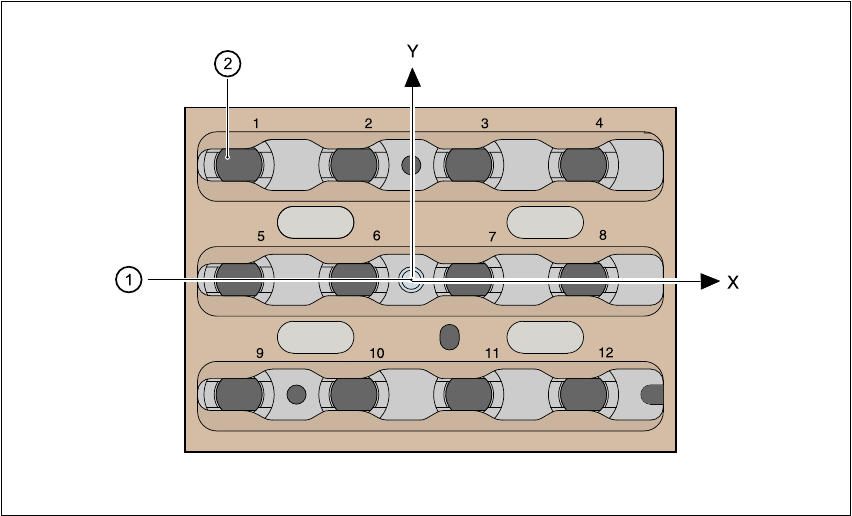
5.1.7 Position detection
There is a position detection fiducial on every magazine. 5
Fig. 5.1 - 5 Nozzle changer - position detection
(1) Positioning fiducial
(2) Position of the nozzles in the magazine with respect to the positioning fiducial
5
User Manual SIPLACE S-25 HM 5 Station extensions
Software Version SR.503.xx 04/2002 US Edition 5.2 Component barcode
167
5.2 Component barcode
5.2.1 General
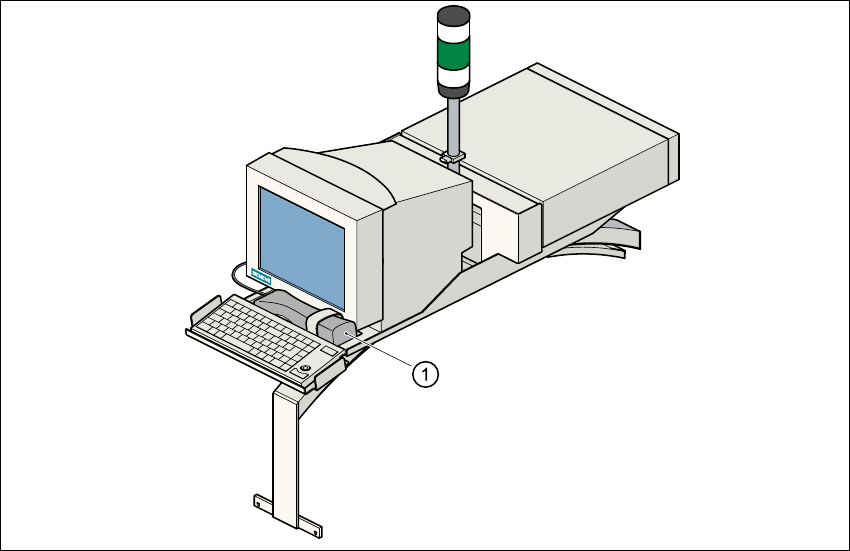
With the placement system, a barcode reader can be used to check that the track allocation is
correct and to read component data from component reels. 5
Fig. 5.2 - 1 Component barcode reader
(1) Component barcode reader
5
Track allocation 5
Four-digit barcode strips are attached to the lateral safety screens for the purposes of track allo-
cation. The first digit is used to identify the component table (1 or 2), while the remaining three
digits specify the track number. There are also return barcodes at both ends of the barcode strip.
The barcode strips are numbered consecutively in intervals of two (1, 3, 5, 7...) and each repre-
sents 2 tracks (barcode 1 = track 1 and 2). 5
Components 5
Data can be read from the component reels to compare the stock of components against the quan-
tity specified in the set-up file (refill check), for example.
An audible signal is given when each dataset has been read successfully. 5
5 Station extensions User Manual SIPLACE S-25 HM
5.2 Component barcode Software Version SR.503.xx 04/2002 US Edition
168
PLEASE NOTE 5
The component barcode reader option must be configured on the line computer.
Barcodes that start with the number 1 or 2 and are five digits long are interpreted as track bar-
codes. All other barcodes that do not start with number 1 or 2 are regarded as component bar-
codes. 5
5.2.2 Notes on operation
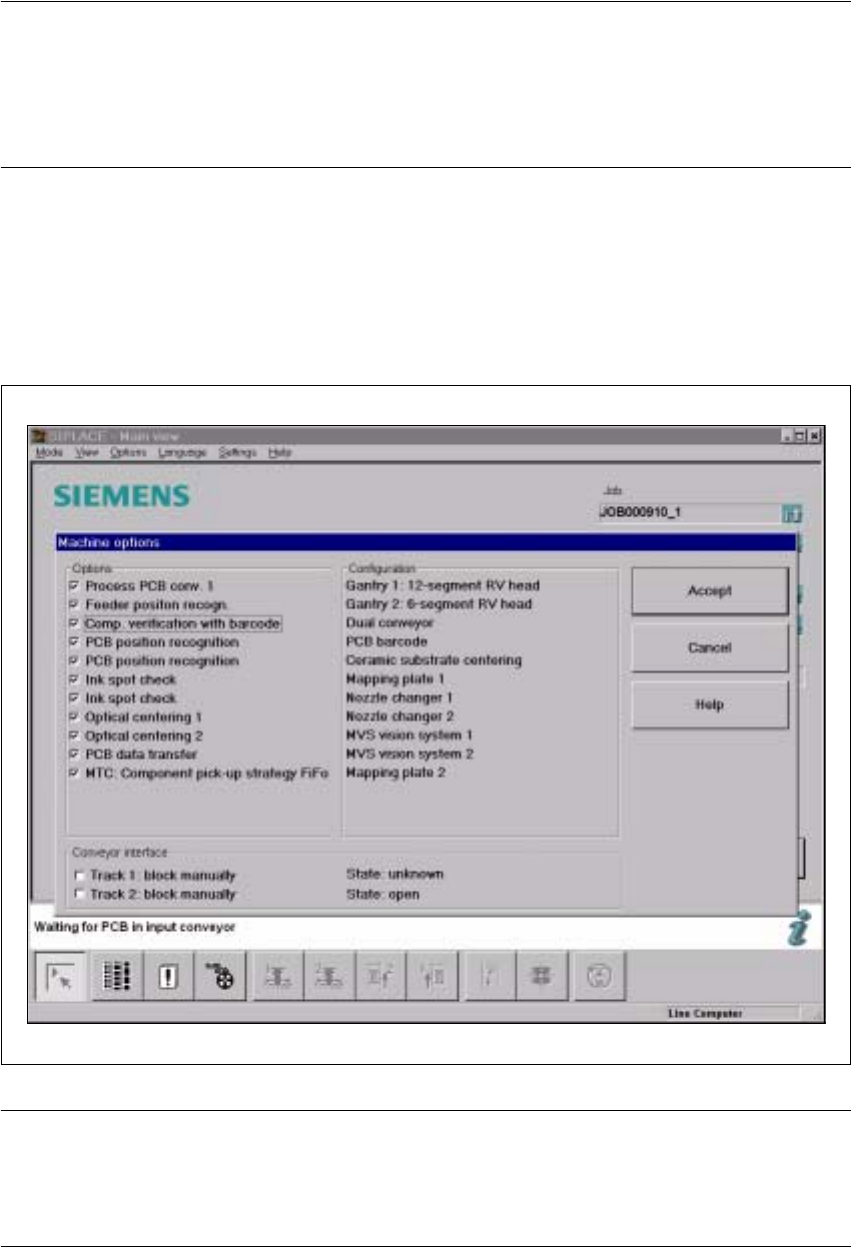
– The barcode reader must connected.
– The barcode for each component must entered on the line computer.
Æ To do this, select the "Set-up check with barcode" function from the Machine options menu.
Fig. 5.2 - 2 Set-up check with barcode
PLEASE NOTE: 5
If one of the digits of the barcode has been assigned to a filter (i.e. a star *), this digit will not be
evaluated. This enables data contained in the barcode, such as the date or company name, to be
skipped. 5