00193463-01.pdf - 第74页
2 Operational Safety User Manual S IPLACE S-25 H M 2.1 Safety instructions Software Version SR.503.xx 04/2002 US Edition 74 PLEAS E NOTE T o open or close the prote ctive cov ers, hol d the reces sed gri ps with both han…

User Manual SIPLACE S-25 HM 2 Operational Safety
Software Version SR.503.xx 04/2002 US Edition 2.1 Safety instructions
73
Key to Fig. 2.1 - 10
(1) Recessed grips for opening and closing the protective
(2) Protective cover
(3) Monitor traverse
(4) Narrow gap (between 4 and 10 mm) between
the monitor traverse and protective cover
(5) Do NOT place your hand on this surface!
Every protective cover on the automatic placement machine has two recessed grips (1). 2
2 Operational Safety User Manual SIPLACE S-25 HM
2.1 Safety instructions Software Version SR.503.xx 04/2002 US Edition
74
PLEASE NOTE
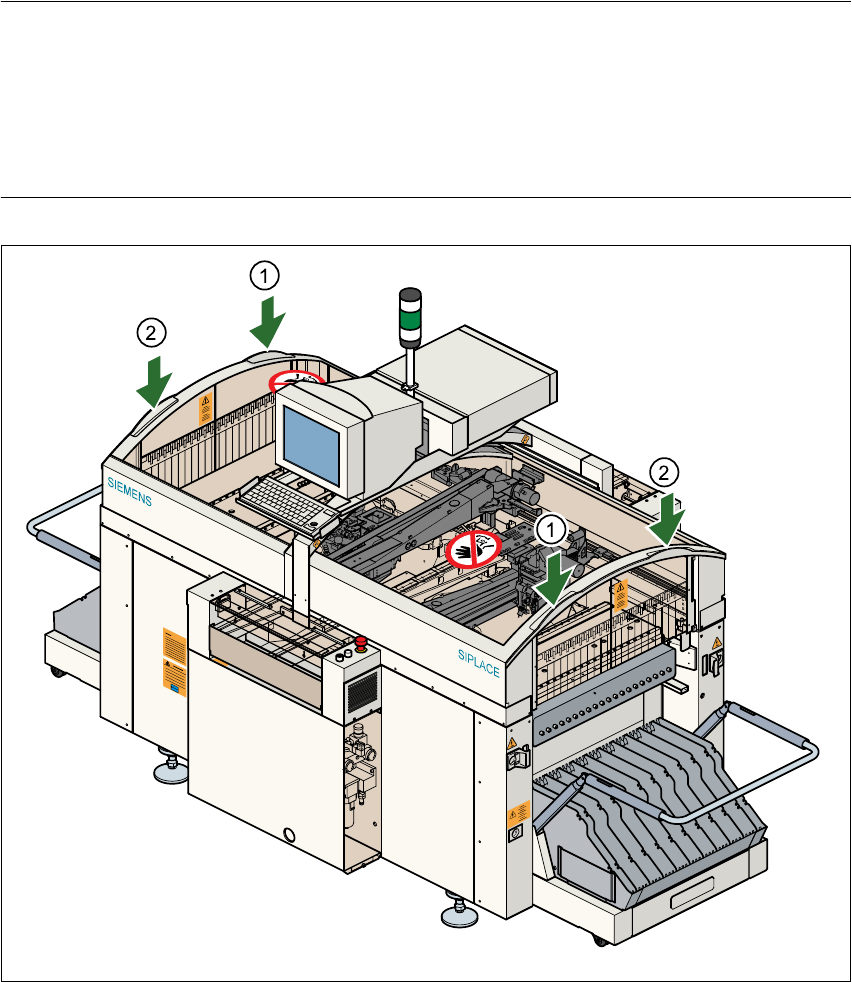
To open or close the protective covers, hold the recessed grips with both hands (see points (1)
and (2) in Fig. 2.1 - 11). This “two-handed operation” will prevent any risk of injuring your hands.
You will also avoid tilting the protective covers during opening or closing, which would place an
excessive load on the guides. 2
Fig. 2.1 - 11 Two-handed operation
(1) Left hand
(2) Right hand
User Manual SIPLACE S-25 HM 2 Operational Safety
Software Version SR.503.xx 04/2002 US Edition 2.1 Safety instructions
75
2.1.12 Securing the placement machine to prevent it slipping
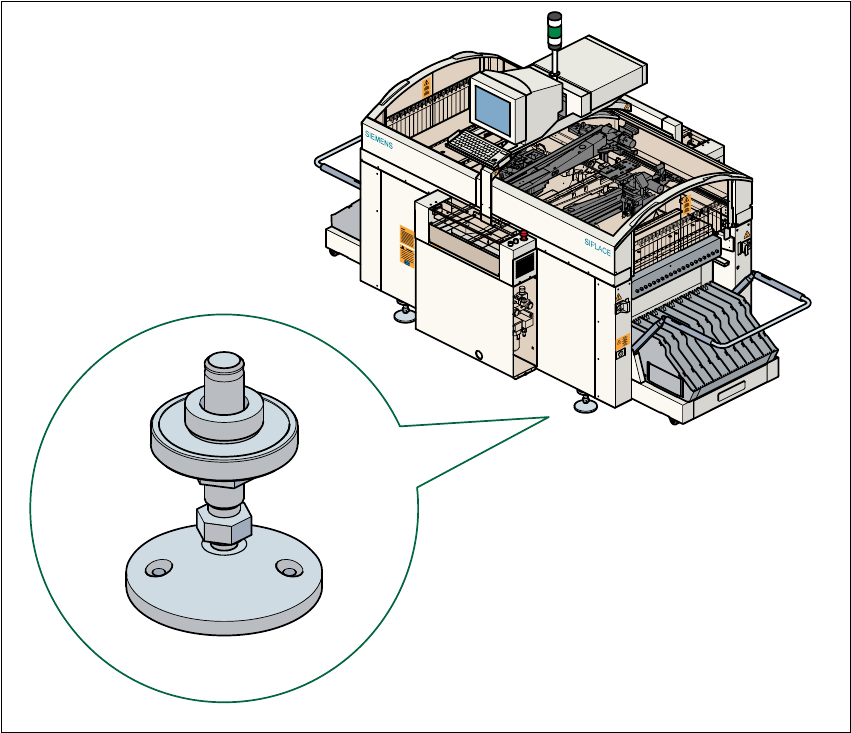
In areas with an earthquake risk, it is essential to secure the placement machine to prevent it slip-
ping. 2
Two holes for M8 bolts are provided in the machine feet for this purpose. 2
Æ Use the bolts to fix the placement machine to the floor as shown in the diagram below.
Fig. 2.1 - 12 Securing the placement machine to prevent it slipping