00193463-01.pdf - 第81页
User Manual SIPLACE S-25 HM 2 Operational Safety Software Vers ion SR.503.xx 04/2002 US Edition 2.2 Safety equipment 81 2.2.2 Guard on the input / output conveyor DANGER The guard mus t always be set to the height of the…
2 Operational Safety User Manual SIPLACE S-25 HM
2.2 Safety equipment Software Version SR.503.xx 04/2002 US Edition
80
2.2.1.1 General
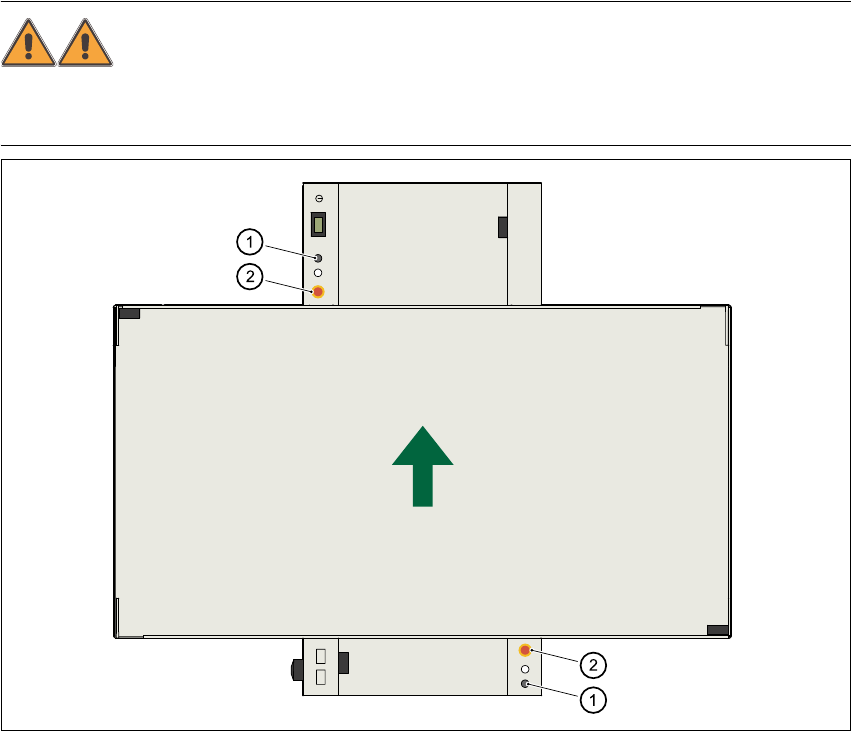
The gantry positioning range is covered by two protective covers. If you want to open the protec-
tive covers, first press the Stop button (item 1 in Fig. 2.2 - 2) or the emergency stop mushroom-
head push-button (item 2 in Fig. 2.2 - 2). The power to the gantry axes will be switched off and the
gantries will stop immediately. 2
If you open one of the protective covers or a guard on the incoming or outgoing conveyor, the
power to the gantry axes will be switched off and they will stop immediately. 2
If the key switch is closed (position I), you can continue to pace the star at reduced speed while
the protective covers are open. 2
Placement will stop if you press the emergency stop button. You can then either cancel or continue
placement of the PCB. The protective covers at the sides can be opened in order to refill with com-
ponents when the machine has stopped. 2
WARNING
The protective covers must only be opened, with the key switch closed (position I), by appropri-
ately qualified and trained personnel. 2
Fig. 2.2 - 2 Stop and emergency stop mushroom-head push-buttons
(1) Stop button
(2) EMERGENCY STOP mushroom-head push-button
User Manual SIPLACE S-25 HM 2 Operational Safety
Software Version SR.503.xx 04/2002 US Edition 2.2 Safety equipment
81
2.2.2 Guard on the input / output conveyor
DANGER
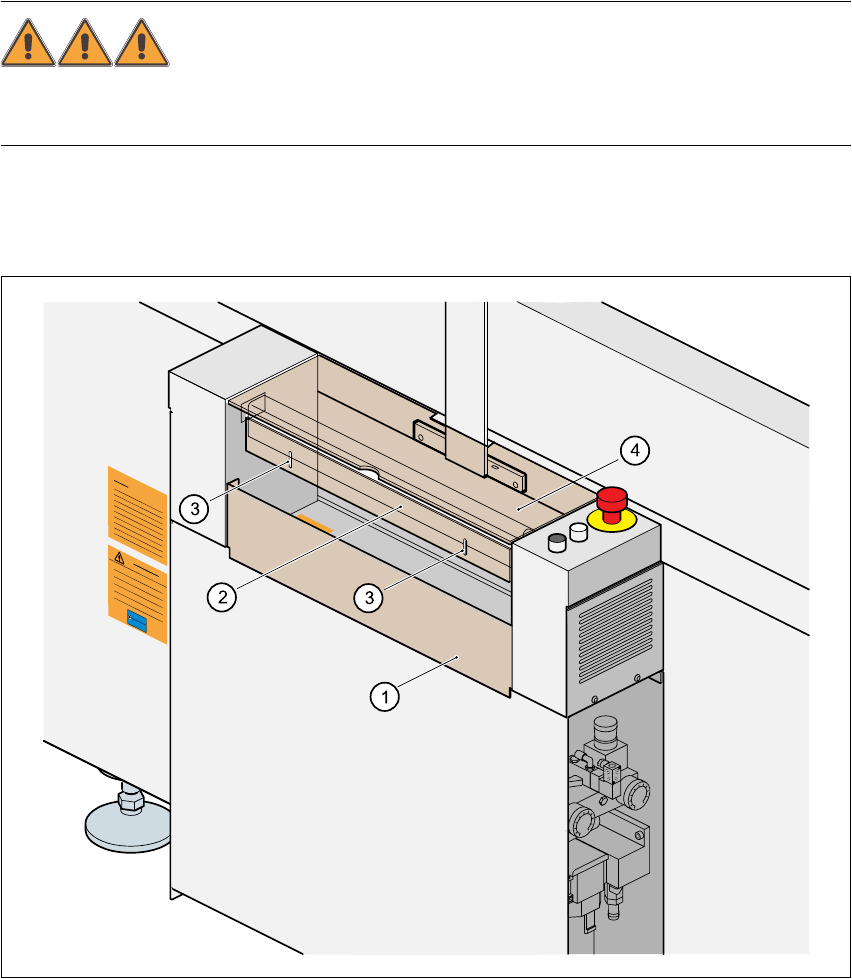
The guard must always be set to the height of the PCB to be processed. Ensure that the gap be-
tween the guard and the safety bar is as small as possible. 2
Guards are fitted on the input and output belts of the PCB conveyor. 2
The height of the guard must be set using the slots so that the processed PCB can travel through.2
Fig. 2.2 - 3 Guard on the placement machine
(1) Safety bar (fixed)
(2) Guard (adjustable)
(3) Slots for adjusting the height
(4) Cover
2 Operational Safety User Manual SIPLACE S-25 HM
2.2 Safety equipment Software Version SR.503.xx 04/2002 US Edition
82
2.2.3 EMERGENCY STOP mushroom-head push-buttons, protective cover
switches ...
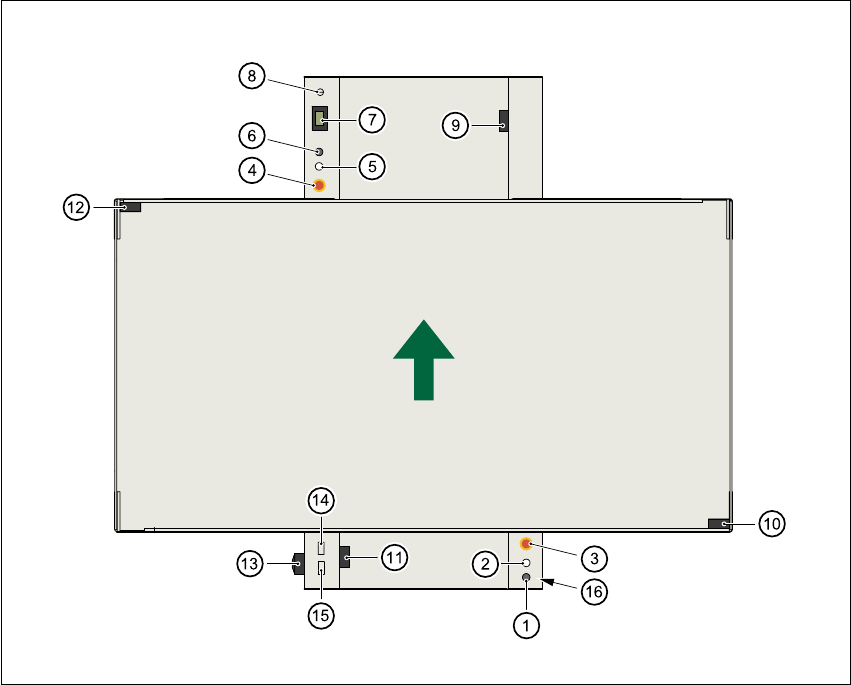
Fig. 2.2 - 4 Location of the buttons and protective contactor combinations K1, K2
(1) Stop button
(2) Start button
(3) EMERGENCY STOP mushroom-head push-button
(4) EMERGENCY STOP mushroom-head push-button
(5) Start button
(6) Stop button
(7) Component counter
(8) Key switch open: position 0 for normal mode
Key switch closed: position
I for service purposes
(9) Protective cover switch (output conveyor, 00303617-xx)
(10) Protective cover switch (right, 00321417-xx)
(11) Protective cover switch (input conveyor, 00303614-xx)