ACT - Accuracy Check Tool mit SSW 6xx User Manual 2017.pdf - 第109页
ACT with SSW 6xx / User Manual 07/2017 Edition 45 4.2.3 Inserting the Plate ► Insert the glass plat e with the incident l ight plate (blac k metal plate) underneath it in the input section. NOTICE The measuring pl ate ne…
ACT with SSW 6xx / User Manual 07/2017 Edition
44
4.2.2 Setting Up Components in a WPC/MTC
► Move the tray changer into the refill position.
► Remove an empty plate (waffle pack tray carrier) from the tower.
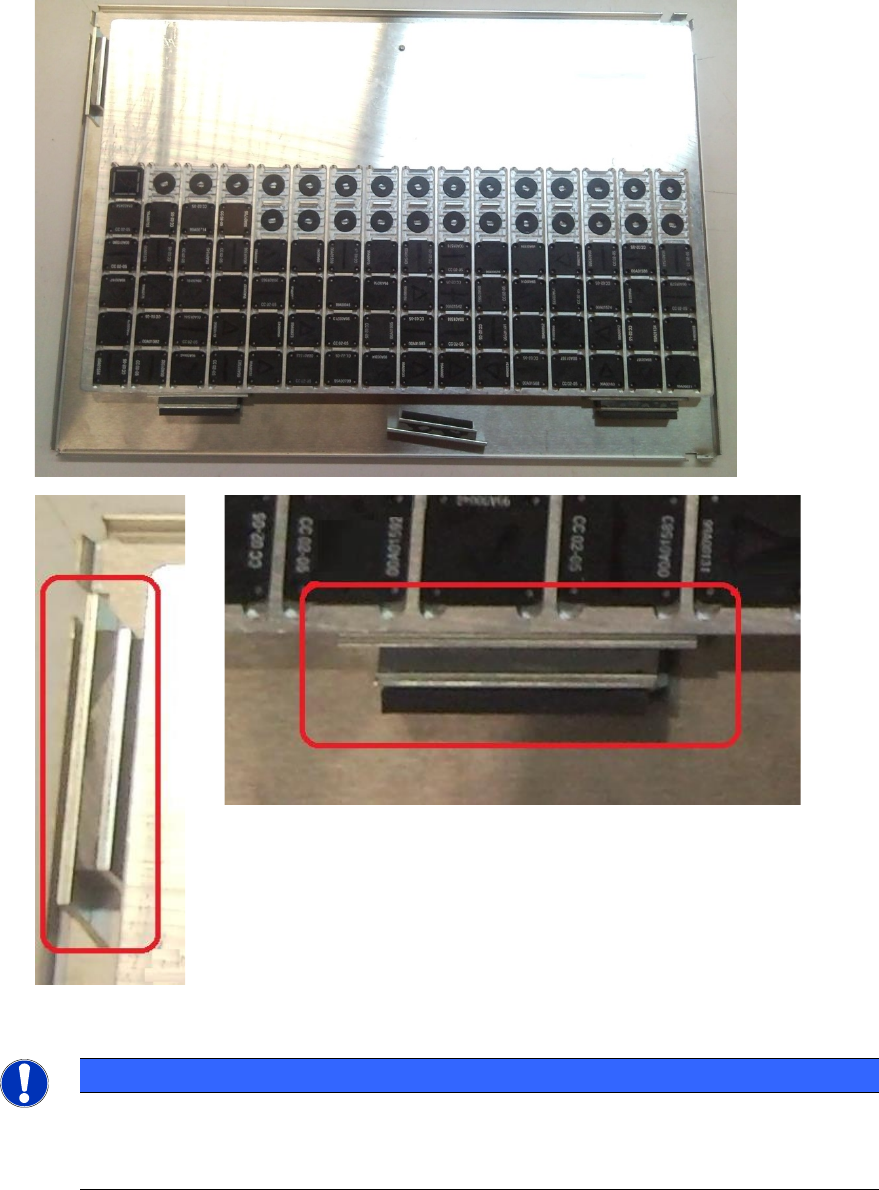
► Fasten the tray on the plate as displayed below.
► Push the plate into the corresponding level according to the specified setup.
Figure 4-17: Fastening tray on plate
NOTICE
The tray has a cutout at the bottom of the long side.
► Therefore, use the magnets for fastening the tray so that the high plate side of the
magnet faces the tray and not the rubber side.
ACT with SSW 6xx / User Manual 07/2017 Edition
45
4.2.3 Inserting the Plate
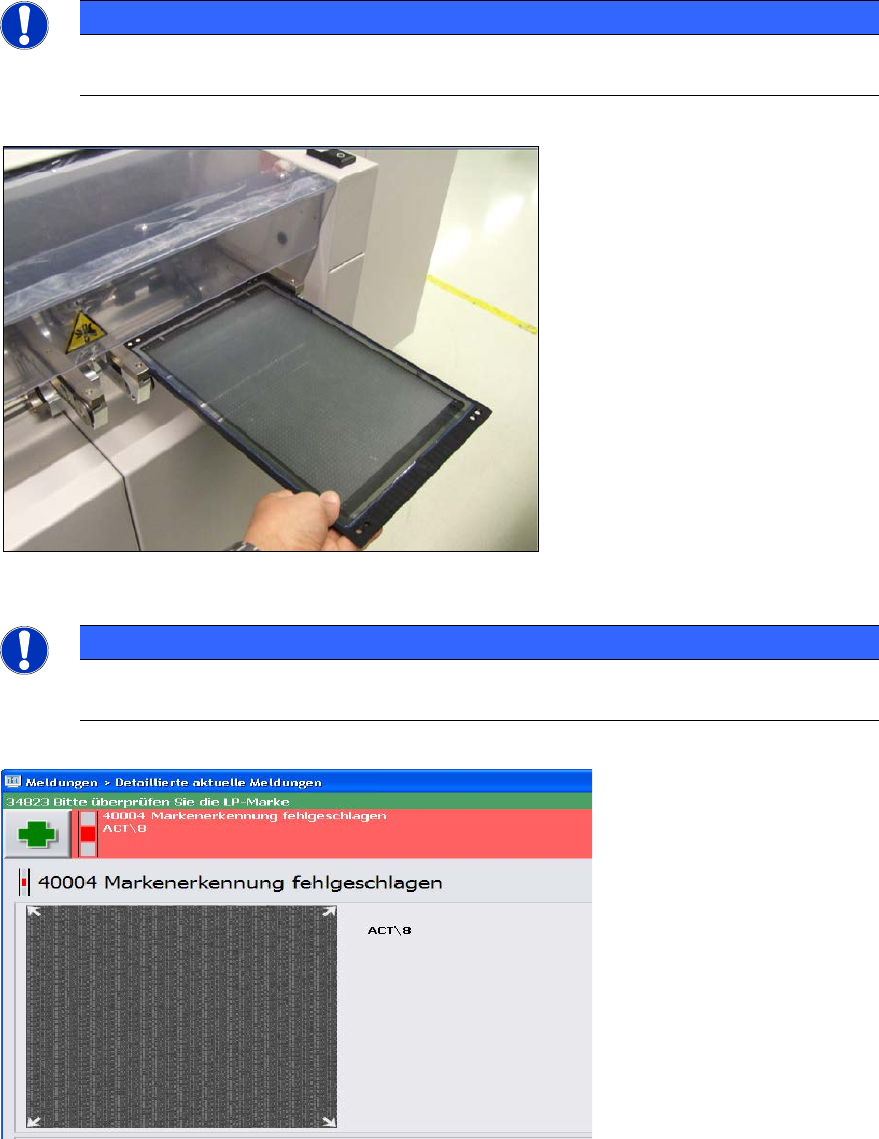
► Insert the glass plate with the incident light plate (black metal plate) underneath it in the input
section.
NOTICE
The measuring plate needs to be inserted so that the arrows marked on the plate show
in the transport direction.
Figure 4-18: Placing the measuring plate in the conveyor (example SIPLACE X4)
NOTICE
► Check the orientation of the inserted plate if you see the following error message
(ACT cross cannot be measured).
Figure 4-19: Error message caused by faultily inserted plate
ACT with SSW 6xx / User Manual 07/2017 Edition
46
4.2.4 Loading the Plate into the Measuring Machine
4.2.4.1 D- and X-Series
On the SIPLACE D- and X-series machines the glass plate can be inserted into the conveyor by
opening the covers of the input section (extension kit) or the machine cover.
► Insert the plate directly into the input section of the measuring machine so that the sensor is
activated.
► Press Start.
The board is automatically moved into the placement area and gets placed.
Thereafter, the measurement is automatically started, see section 4.2.5.
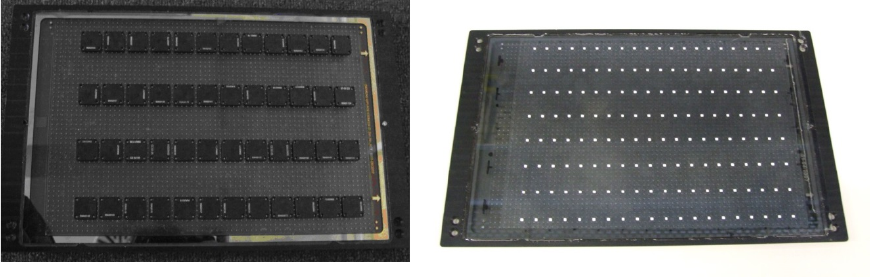
Figure 4-20 and Figure 4-21 show an assembled ACT plate, in one example with glass
components and in the other with ceramic components.
Figure 4-20: Measuring plate with placed glass comp. Figure 4-21: Measuring plate with placed ceramic comp.