00198271-02_UM_ShuttleExtensionTX_EN.pdf - 第31页
Assembly and User Manual 2 Operational safety Shuttle Extension Edition 06/2017 2.3 Safety 29 Function 2 If the top cover is swung upwar ds, the SIPLACE TX will be immed iately stopped and the power switched off. A messa…
2 Operational safety Assembly and User Manual
2.3 Safety Shuttle Extension Edition 06/2017
28
2.3 Safety
2.3.1 Top Cover
The board conveyor is covered with a movable top cover. The top cover and covers serve as pro
-
tective devices which prevent unauthorized access to the inside of the Shuttle Extension TX.
2
2
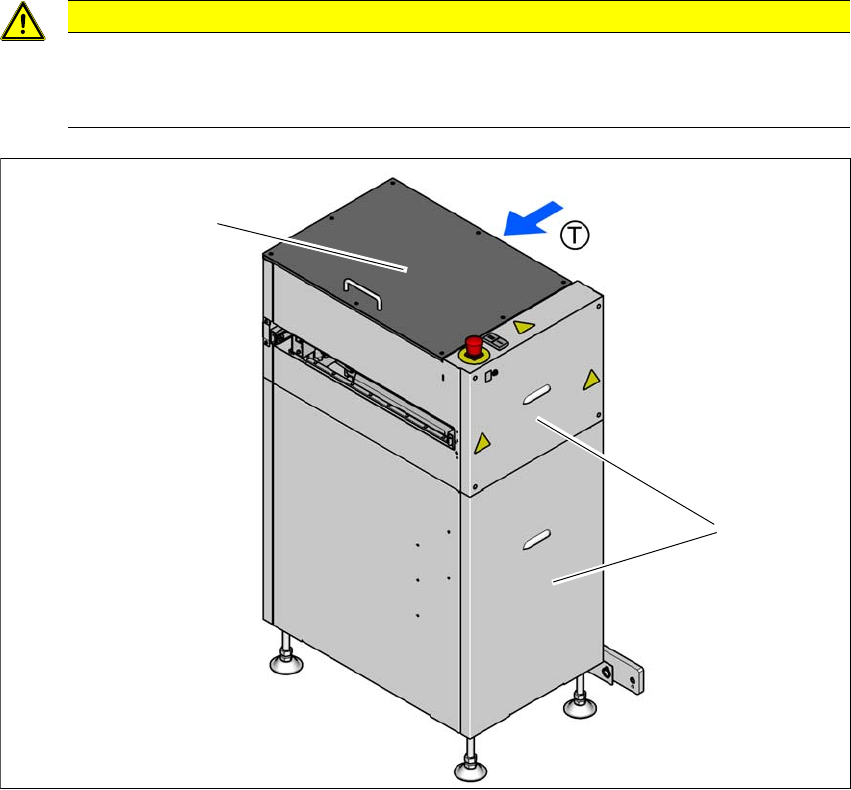
Fig. 2.3 - 1 Top cover and protective covers
(1) Top cover
(2) Protective covers (on both sides)
(T) Direction of travel
CAUTION
Risk of damage!
The top cover and other covers could be damaged if too much force is exerted.
Do not stand on or climb up the top cover and other covers.
(1)
(2)
Assembly and User Manual 2 Operational safety
Shuttle Extension Edition 06/2017 2.3 Safety
29
Function 2
If the top cover is swung upwards, the SIPLACE TX will be immediately stopped and the power
switched off. A message is displayed on the SIPLACE TX Station GUI.
Close the top cover and press the START button (item 2 in fig. 2.3 - 2), to continue operation.
2.3.2 Switches and buttons
2.3.2.1 Positions of switches and buttons
2
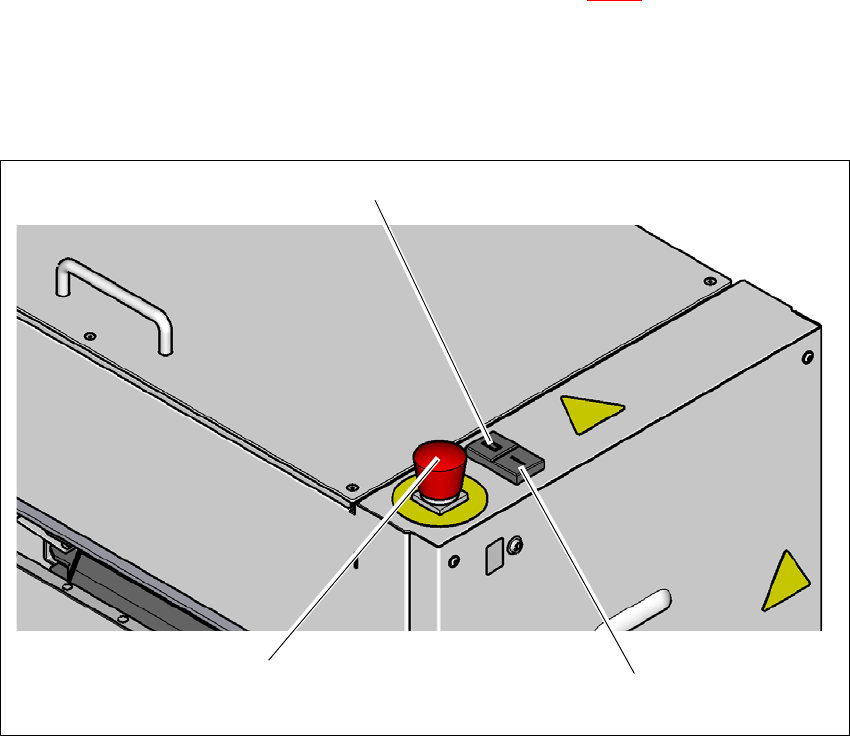
Fig. 2.3 - 2 Position of switches and buttons
(1) Stop button (black)
(2) Start button (green)
(3) EMERGENCY STOP button
(3)
(1)
(2)
2 Operational safety Assembly and User Manual
2.3 Safety Shuttle Extension Edition 06/2017
30
2.3.2.2 Position of protective switch
2
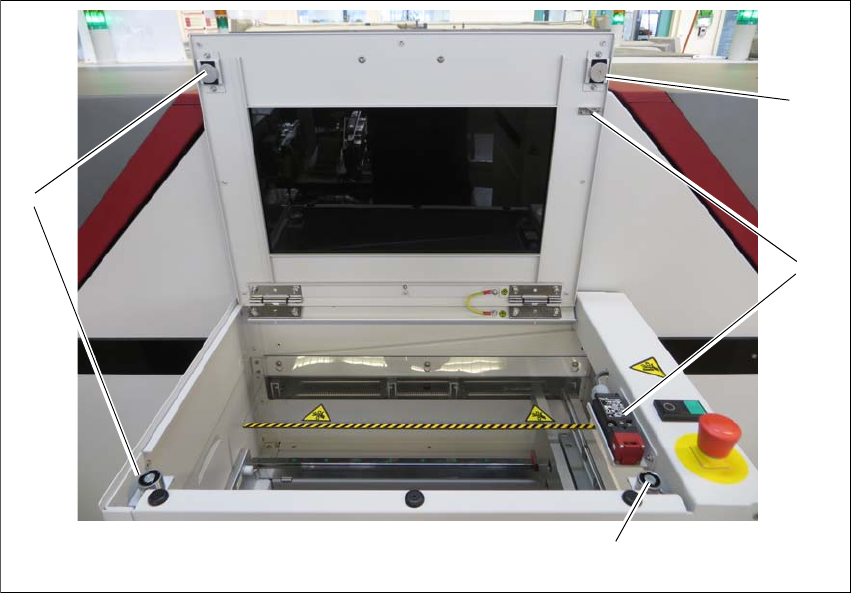
Fig. 2.3 - 3 Position of protective switch
(1) Electromagnetic lock
(2) Top cover protective switch
The top cover switches are mechanically locked during placement machine operation. The pro
-
tective covers can only be opened once the stop button has been pressed.
(1)
(1)
(2)
(1)