00198271-02_UM_ShuttleExtensionTX_EN.pdf - 第53页
Assembly and User Manual 4 Calibration Shuttle Extension Edition 06/2017 4.1 Machine Configuration 51 4 Calibration 4.1 Machine Configuration After successful installation, t he s huttle is shown in the mach ine configur…
3 Assembly Instruction Assembly and User Manual
3.4 Electrical Connections Shuttle Extension Edition 06/2017
50
Assembly and User Manual 4 Calibration
Shuttle Extension Edition 06/2017 4.1 Machine Configuration
51
4 Calibration
4.1 Machine Configuration
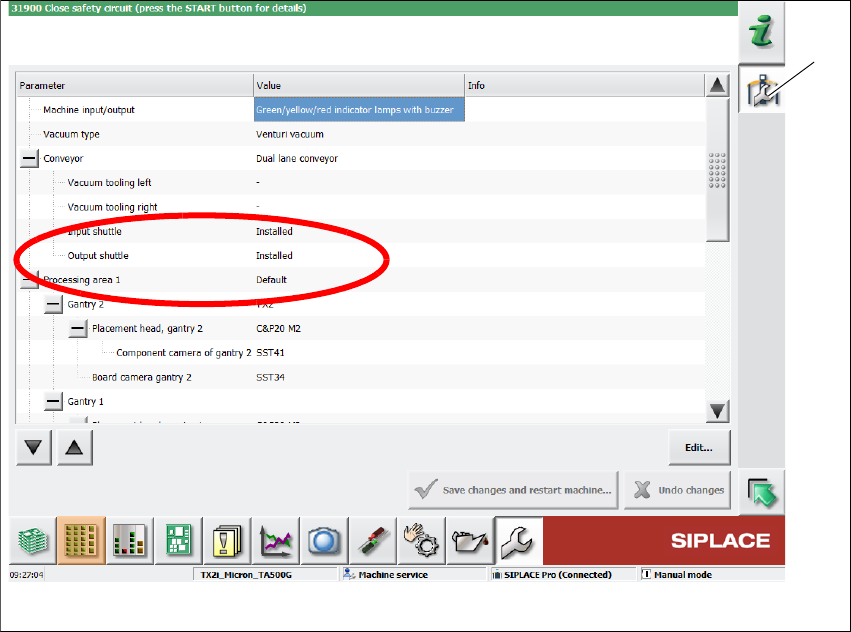
After successful installation, the shuttle is shown in the machine configuration of the station soft
-
ware.
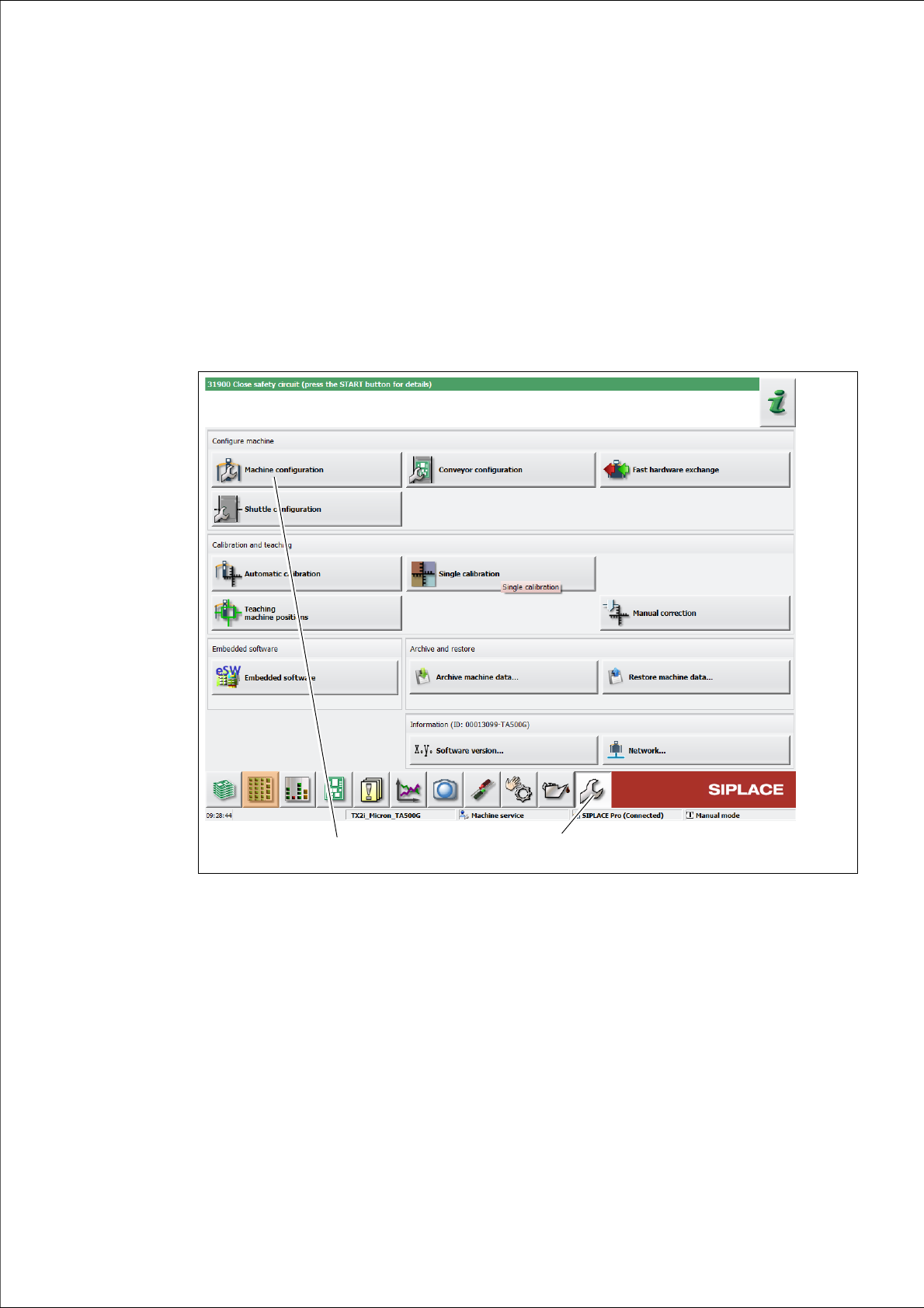
Click Service (1) icon from the station GUI tool bar.
Fig. 4.1 - 1 Station Software - "Service" view
Click Machine configuration icon (2).
The Machine configuration view is shown: 4
(1)
(2)
4 Calibration Assembly and User Manual
4.1 Machine Configuration Shuttle Extension Edition 06/2017
52
Fig. 4.1 - 2 Station Software - Machine configuration
Click Machine configuration icon (2).
–Example: Input Shuttle and Output Shuttle are installed.
(1)