00198271-02_UM_ShuttleExtensionTX_EN.pdf - 第81页
Assembly and User Manual 6 Barcode Reader Extension Shuttle Extension Edition 06/2017 6.4 Assembly Instruction 79 6.4.13 Step 13 Remove SIPLACE TX machi ne cover of Box PC (1) Install PCIe LAN card 03118 416- into th…
6 Barcode Reader Extension Assembly and User Manual
6.4 Assembly Instruction Shuttle Extension Edition 06/2017
78
6.4.12 Step 12
6
6
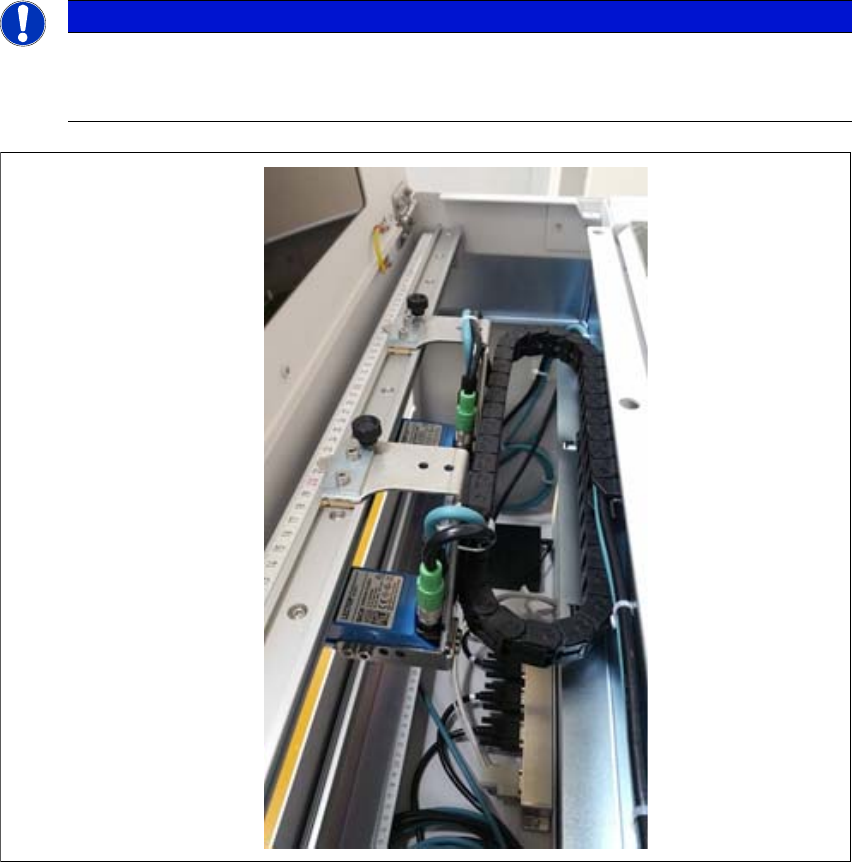
Fig. 6.4 - 12
Barcode Readers - Example
PLEASE NOTE
Barcode readers will be assembled according to customers order
The number of barcode readers will be assembled according to customers order. Max.
number of barcode readers is 4pcs per assembly kit.
Assembly and User Manual 6 Barcode Reader Extension
Shuttle Extension Edition 06/2017 6.4 Assembly Instruction
79
6.4.13 Step 13
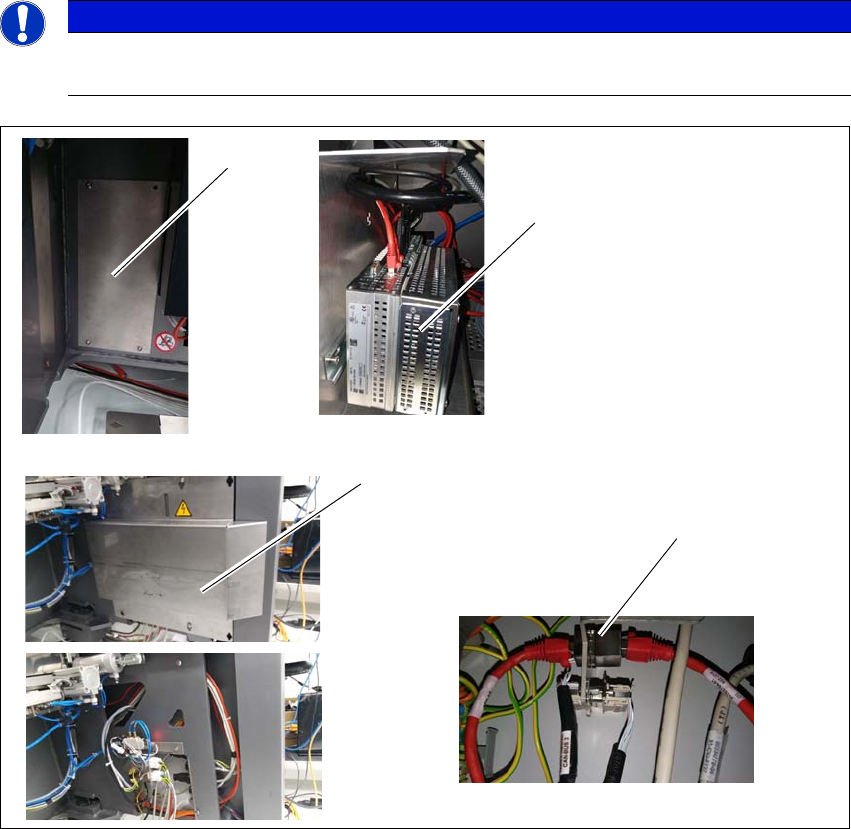
Remove SIPLACE TX machine cover of Box PC (1)
Install PCIe LAN card 03118416- into the Box PC (2).
Remove SIPLACE TX machine cover of external connections (3).
Install RJ45 adapter 03098416- into SIPLACE TX external connections (4).
Route the LAN cable 03148161- from the Box PC to the RJ45 adapter.
6
6
Fig. 6.4 - 13 Step 13
PLEASE NOTE
Powered down for this installation
SIPLACE TX machine must be powered down for this installation.
(1)
(2)
(3)
(4)
6 Barcode Reader Extension Assembly and User Manual
6.4 Assembly Instruction Shuttle Extension Edition 06/2017
80
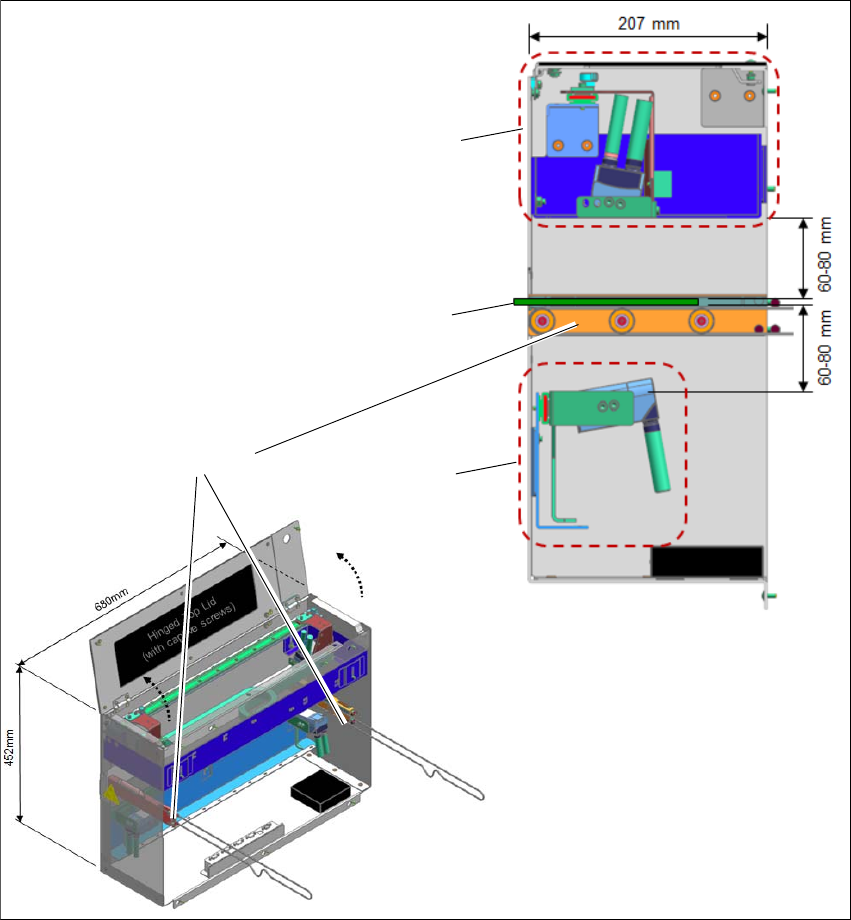
6.4.14 Barcode Readers - Overview
The default scanning distance for barcode reader is at 80 mm from the face of the PCB. Nonethe
-
less, both top and bottom barcode reader assembly can be adjusted to 60mm to allow reading
smaller code cells.
6
Fig. 6.4 - 14 Barcode Readers - Overview
Assembly kit PCB
Barcode Top
Assembly kit PCB
Barcode Bottom
PCB
Rail Extension +
Belt+ Pulleys