00198271-02_UM_ShuttleExtensionTX_EN.pdf - 第82页
6 Barcode Reader Extension Assembly and User Manual 6.4 Assembly Instruction Shuttle Extension Edition 06/2017 80 6.4.14 Barcode Readers - Overview The default scan ning distance for barcode reader is at 80 mm fr om t he…
Assembly and User Manual 6 Barcode Reader Extension
Shuttle Extension Edition 06/2017 6.4 Assembly Instruction
79
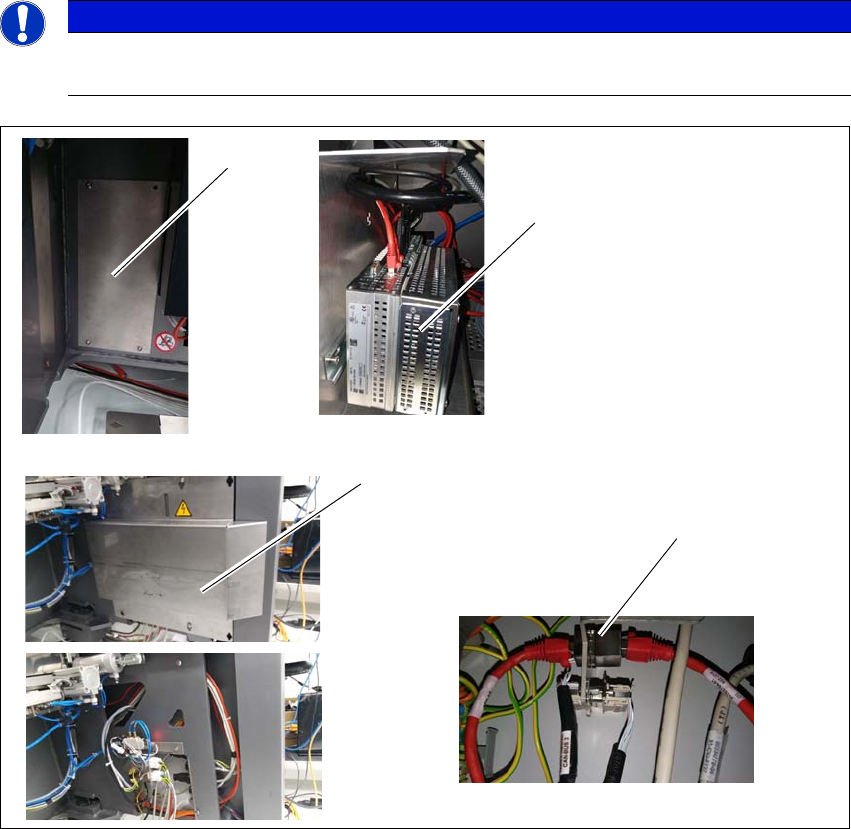
6.4.13 Step 13
Remove SIPLACE TX machine cover of Box PC (1)
Install PCIe LAN card 03118416- into the Box PC (2).
Remove SIPLACE TX machine cover of external connections (3).
Install RJ45 adapter 03098416- into SIPLACE TX external connections (4).
Route the LAN cable 03148161- from the Box PC to the RJ45 adapter.
6
6
Fig. 6.4 - 13 Step 13
PLEASE NOTE
Powered down for this installation
SIPLACE TX machine must be powered down for this installation.
(1)
(2)
(3)
(4)
6 Barcode Reader Extension Assembly and User Manual
6.4 Assembly Instruction Shuttle Extension Edition 06/2017
80
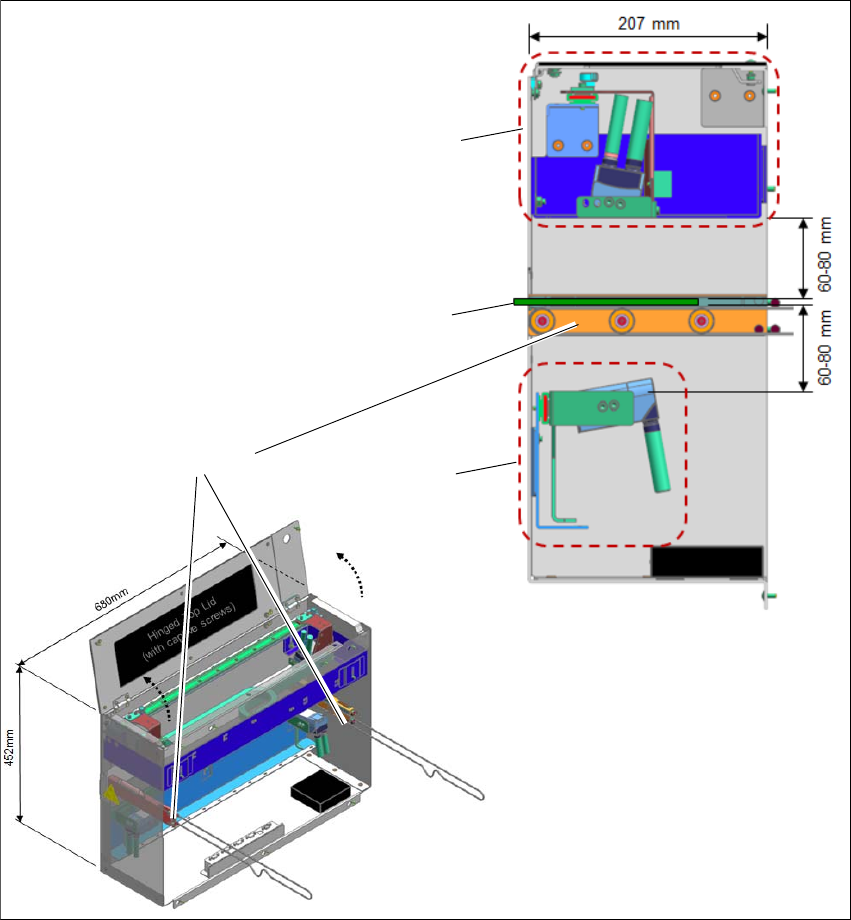
6.4.14 Barcode Readers - Overview
The default scanning distance for barcode reader is at 80 mm from the face of the PCB. Nonethe
-
less, both top and bottom barcode reader assembly can be adjusted to 60mm to allow reading
smaller code cells.
6
Fig. 6.4 - 14 Barcode Readers - Overview
Assembly kit PCB
Barcode Top
Assembly kit PCB
Barcode Bottom
PCB
Rail Extension +
Belt+ Pulleys
Assembly and User Manual 6 Barcode Reader Extension
Shuttle Extension Edition 06/2017 6.4 Assembly Instruction
81
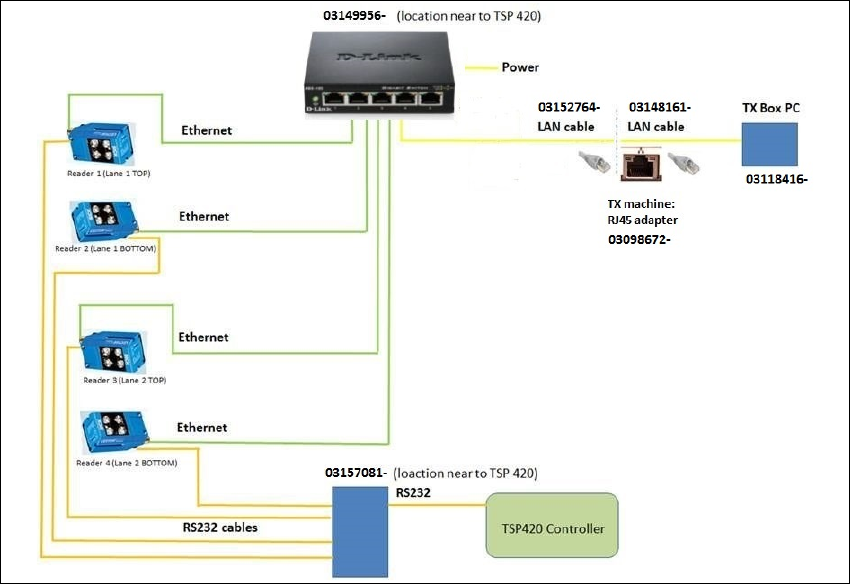
6.4.15 Barcode Readers - Wiring Connection
6
Fig. 6.4 - 15 Barcode Readers - Wiring Connection