ASM_MANUAL_TYPHOON_USC_en_100620_online.PDFA - 第42页
3 TYPHOON UNDER STENCIL CLEANER 3.8 ADJUSTMENTS AND SETTINGS 42 STANDALONE MANUAL TYPHOON UNDER STENCIL CLEANER 06/2020 33. Using a 4mm Allen key and two M5 cap head screws (10), install a setting jig block (11) at the l…
3 TYPHOON UNDER STENCIL CLEANER
3.8 ADJUSTMENTS AND SETTINGS
STANDALONE MANUAL TYPHOON UNDER STENCIL CLEANER 06/2020 41
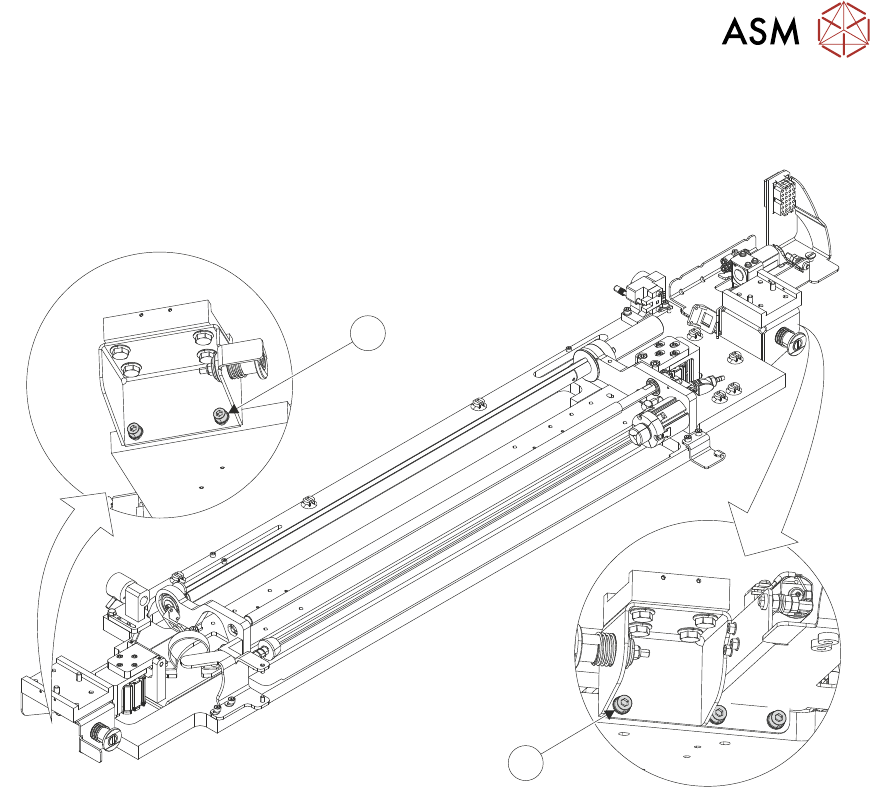
31. At the right-hand end of the USC assembly, use a 4mm Allen key to loosen end bracket
fasteners (8).
7
8
32. At the left-hand end of the USC assembly, use a 4mm Allen key to loosen end bracket fasten-
ers (7).
3 TYPHOON UNDER STENCIL CLEANER
3.8 ADJUSTMENTS AND SETTINGS
42 STANDALONE MANUAL TYPHOON UNDER STENCIL CLEANER 06/2020
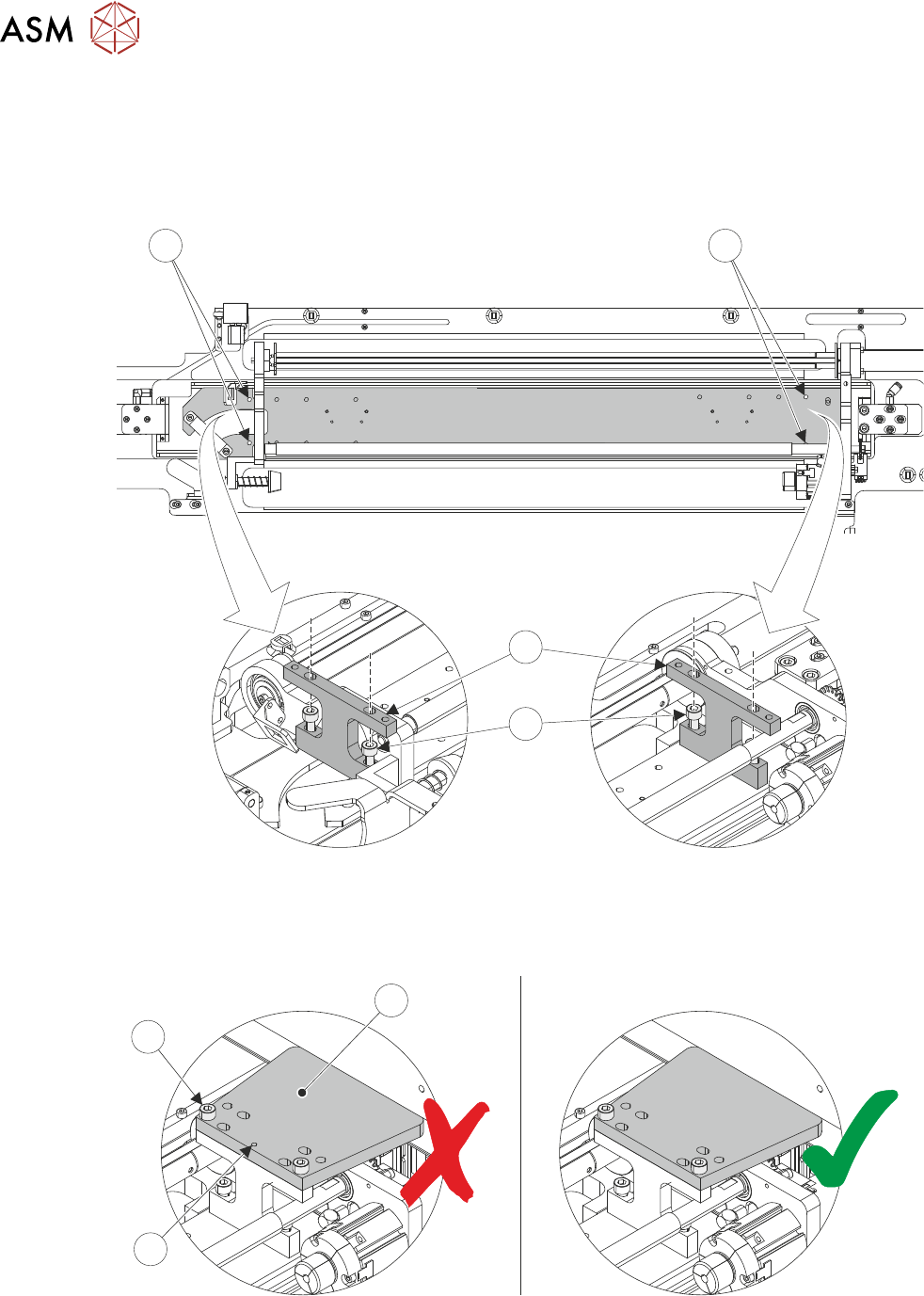
33. Using a 4mm Allen key and two M5 cap head screws (10), install a setting jig block (11) at the
left-hand end (12) of the USC assembly.
NOTE
The setting blocks (11) have extra holes in the top to make tightening the lower retaining
screws (6) easier.
9
12
11
10
34. Repeat Step 33 for the right-hand end (9) of the USC assembly.
35. Using a 4mm Allen key and two M5 cap head screws (15), install a setting jig plate (13) onto
the right-hand setting jig block. Ensure the jig plate datum mark (14) is on the underside.
13
14
15
3 TYPHOON UNDER STENCIL CLEANER
3.8 ADJUSTMENTS AND SETTINGS
STANDALONE MANUAL TYPHOON UNDER STENCIL CLEANER 06/2020 43
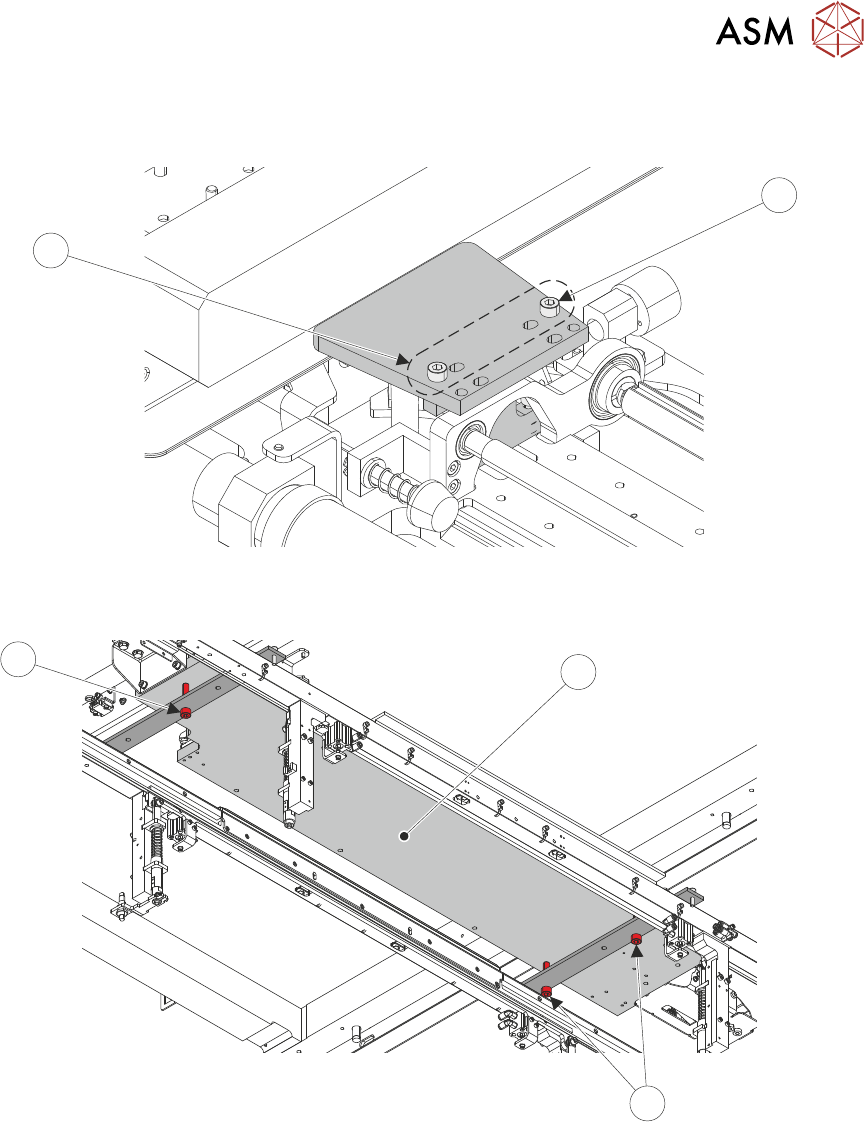
36. Repeat Step 35 for the left-hand setting jig block. Use the inner set of holes (16) for the M5
cap head screws (15).
15
16
37. Move USC assembly (17) over the transport rails, ensuring that the base of the cleaner is
resting on the setting jig rail red adjustment screws (18).
18
17
18
38. Close the printhead cover.
39. Select the System button.
40. Select Exit.
41. Use Next or Previous to highlight Screen Cleaner.
42. Select Select Module.
43. Use Next or Previous to highlight Toggle Dry Wipe Blade.
44. Select Run Diagnost.
45. Open the front printhead cover.