ASM_MANUAL_TYPHOON_USC_en_100620_online.PDFA - 第48页
3 TYPHOON UNDER STENCIL CLEANER 3.10 MAINTENANCE 48 STANDALONE MANUAL TYPHOON UNDER STENCIL CLEANER 06/2020 3.10 MAINTENANCE The following table and accompanying illustrations details the monthly maintenance for the USC.…
3 TYPHOON UNDER STENCIL CLEANER
3.9 CALIBRATIONS
STANDALONE MANUAL TYPHOON UNDER STENCIL CLEANER 06/2020 47
3.9 CALIBRATIONS
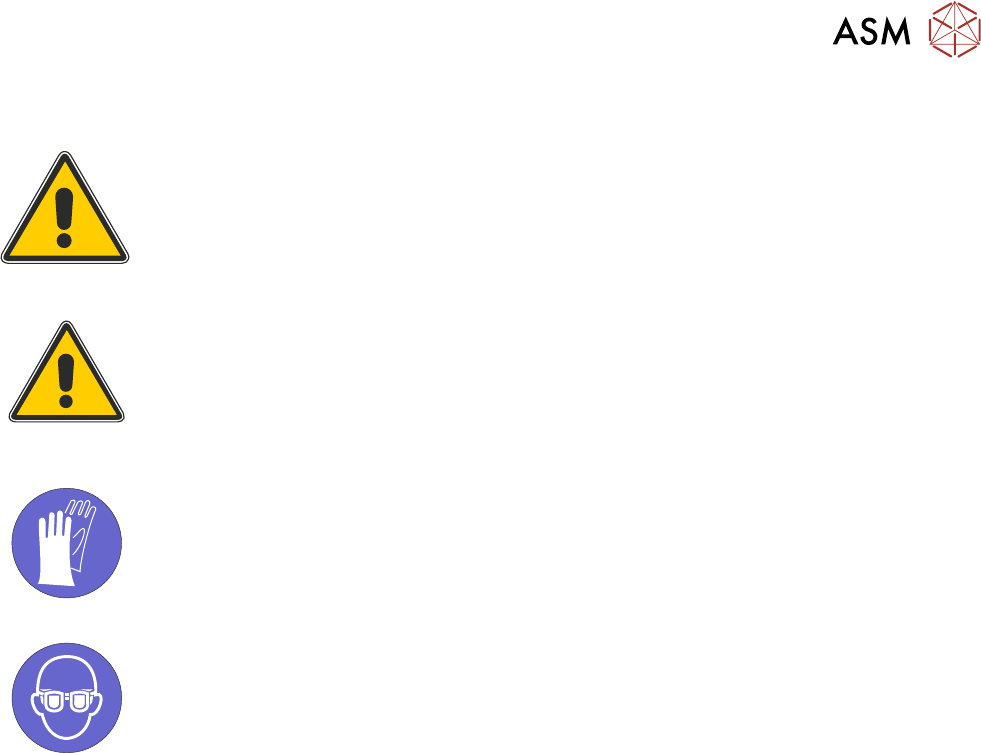
WARNING
RECOMMENDED SOLVENTS. ANY SOLVENTS USED MUST COMPLY WITH
LOCAL ENVIRONMENTAL GUIDELINES. ASM RECOMMEND USING
SOLVENTS THAT ARE ENVIRONMENTALLY FRIENDLY, IE CFC FREE AND
WATER BASED. SOLVENTS USED MUST HAVE FAST EVAPORATION RATES
AND FLASHPOINT SPECIFICATIONS GREATER THAN 39°C.
CAUTION
PRINT MEDIUM AND SOLVENTS. WHEN USING OR HANDLING ANY PRINT
MEDIUM OR SOLVENT FORMULATION THE MANUFACTURER’S SAFETY
DATA SHEETS MUST BE STRICTLY ADHERED TO.
MANDATORY
TOXIC SUBSTANCES MAY BE PRESENT. SAFETY GLOVES MUST BE WORN.
MANDATORY
TOXIC SUBSTANCES MAY BE PRESENT. EYE PROTECTION MUST BE WORN.
3.9.1 External Solvent Tank
To enable the machine software to calculate when solvent is low, the weight of an "empty" solvent
container and a full solvent container need to be measured by the external solvent tank's load cell.
NOTE
To prevent air locks being created in the solvent tubing during an USC cleaning cycle, it is import-
ant that the solvent tank is never completely empty of solvent. For the purposes of this procedure
the "empty" solvent tank should contain a level of solvent that just covers the filter at the end of the
solvent tubing.
To calibrate the software carry out the following procedure:
1. Ensure that the external solvent tank is fitted with an "empty" 5 litre container.
2. Select Maintenance.
3. Select Calibrations.
4. Select Classic Calibrations.
5. Select Solvent.
6. Select Set Solv Empty.
7. Confirm by selecting Yes.
8. Replace the "empty" 5 litre container with a full 5 litre container of solvent to be used.
9. Select Set Solv Full and confirm by selecting Yes.
10. Select Exit.
11. Select Exit.
12. Select Back.
NOTE
Due to solvents having different densities, this calibration must be performed when changing
solvents.
3 TYPHOON UNDER STENCIL CLEANER
3.10 MAINTENANCE
48 STANDALONE MANUAL TYPHOON UNDER STENCIL CLEANER 06/2020
3.10 MAINTENANCE
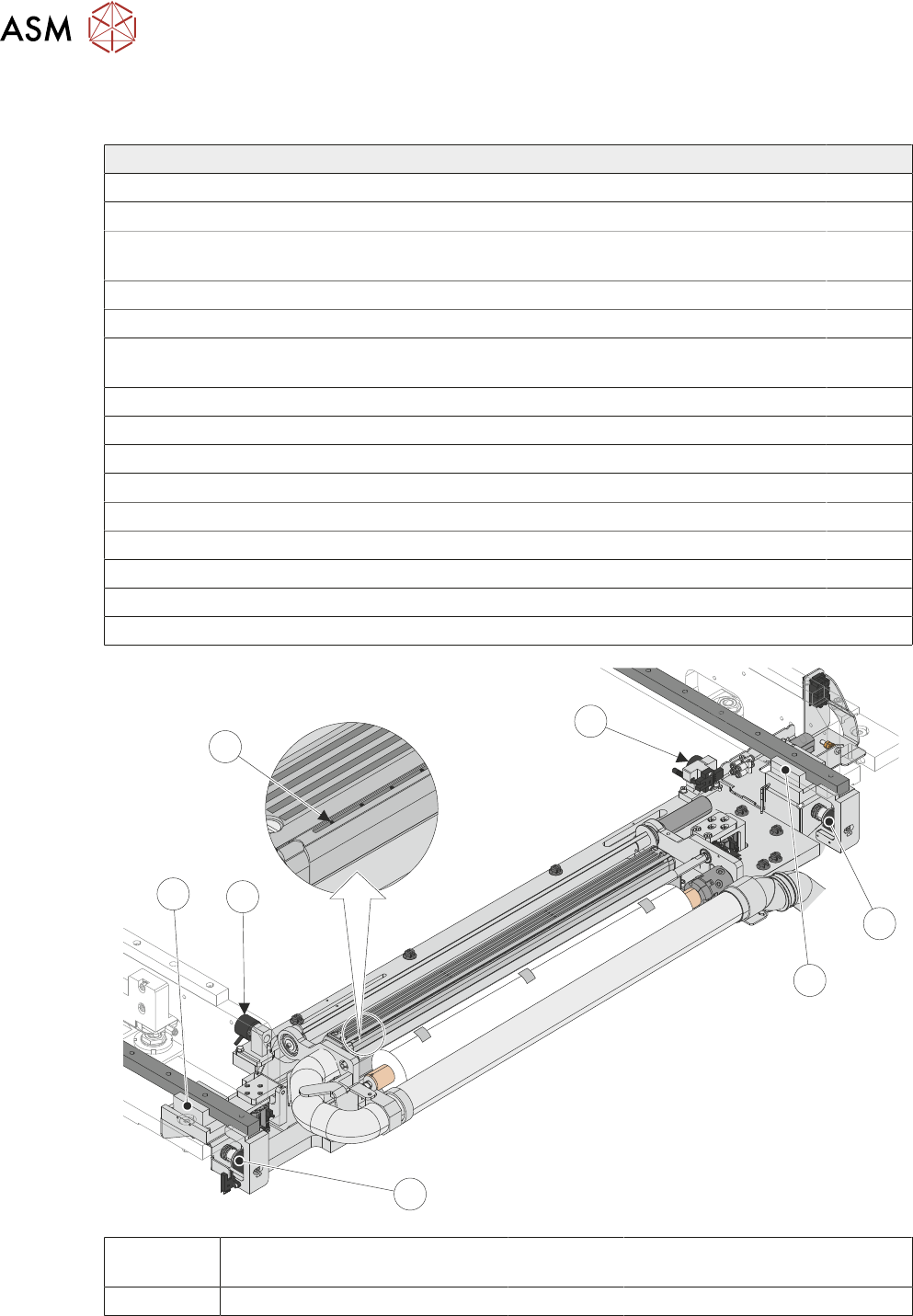
The following table and accompanying illustrations details the monthly maintenance for the USC.
Typhoon Under Stencil Cleaner Tick
Remove any debris and clean the linear bearings.
Remove any debris and clean the magnet assemblies.
Check the condition of the squeegee blades (Poly Blade Insert Option Only).
Squeegee blades must be replaced every 6 months.
Check the condition of all hoses and connections.
Check the condition and security of all earthing looms.
Using 0.35mm cleaning tool (ASM Part 03228698-01 - purchasable option), check and
clear the solvent spray holes of any blockage/build-up.
Check external solvent tank for leaked solvent, drain into suitable solvent container.
Check the oscillating motor moves the cleaner mechanism back and forth (Option).
Check that the fabric feed mechanism operates correctly.
Check that the fabric roll clamp operates correctly.
Check that the cleaner mechanism raises and lowers smoothly.
Check the stencil cleaner height.
Check that solvent dispenses evenly across the fabric and it is at a suitable pressure.
Check the operation of the vacuum filtration unit.
Perform a USC cycle and confirm correct operation.
1
2
1
3
2
3
4
1 Home Magnets 3 Camera Beam
Attachment Magnets
2 Linear Bearing Blocks 4 Solvent Spray Holes
3 TYPHOON UNDER STENCIL CLEANER
3.11 TROUBLESHOOTING
STANDALONE MANUAL TYPHOON UNDER STENCIL CLEANER 06/2020 49
3.11 TROUBLESHOOTING
3.11.1 Stencil Cleaner Blade Error (Optional Lift Sensors Fitted)
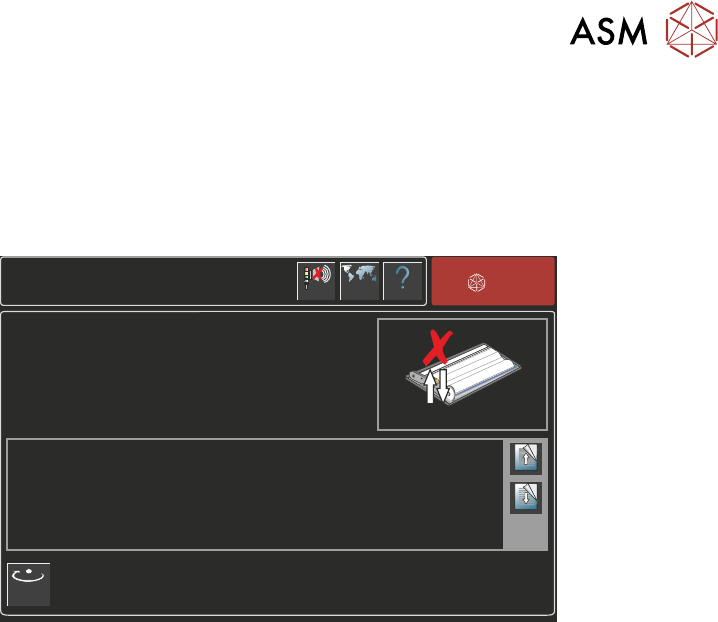
During clean operations, should the USC chamber get stuck in either the UP or DOWN position,
the machine goes into an error state. A cleaner blade error page will be shown on the machine HMI
monitor and the machine beacon will light to signify an error:
Screen Cleaner Blade Error
Help
Language
ASM
Cancel
Buzzer
Page Up
Page
Down
The cleaner blade has failed to move to the required position.
Select Retry to automatically repeat this operation.
OTHERWISE
Escalate the issue to a suitably qualified ASM trained engineer.
Retry
3.11.1.1 Recovery Process
The following procedure is a recovery process for the USC stuck error message:
1. Select Retry to perform the previous cleaner action again.
If the error has cleared, the error message is no longer displayed and the USC will carry on
with the cleaner action. Recovery complete.
If the error has not cleared after multiple retry attempts, the error message will still be dis-
played, continue at Step 2.
2. Select Windows key on the machine keyboard. Shut down Windows.
If Windows shutdown cannot be performed, continue at Step 3.
3. Switch the mains isolator switch to the OFF position.
4. Switch the mains isolator switch to the ON position.
5. When prompted, select Diagnostics.
6. Select System button.
7. Use Next or Previous to highlight Screen Cleaner.
8. Select Select Module.
9. Use Next or Previous to highlight Toggle Dry Wipe Blade.
10. Select Run Diagnost.
11. Use Next or Previous to move the menu list downwards until Cleaner Blade Down and
Cleaner Blade Up are visible.
Check the state of the Cleaner Blade Down and Cleaner Blade Up sensors.
12. Use Next or Previous to highlight Toggle Dry Wipe Blade.
13. Select Run Diagnost.
14. Check that the states of the Cleaner Blade Down and Cleaner Blade Up have changed from
Step 11.
If the states have changed (from ON and OFF to OFF and ON or vice versa), the USC cham-
ber is performing as normal. Recovery complete.
If the states have NOT changed, then the USC chamber is still stuck. Continue at Step 15.
15. Open the front cover.