DECAN_S2_Maintenance(Eng_Ver4.3).pdf - 第12页
chapt er 1 This Chapter describes the work environment and working tools for the maintenance of the machine. Conditions fo r Main t e nanc e Advanced Chip Shooter DE CAN S2 M ain ten an ce H and bo ok 1 -2 Common W orkin…
chapter 1
This Chapter describes the work environment and working tools for the maintenance of
the machine.
Conditions for Maintenance
Advanced Chip Shooter
DECAN S2 Maintenance Handbook
1-1
Common Working Procedure before Maintenance
Conditions for Maintenance
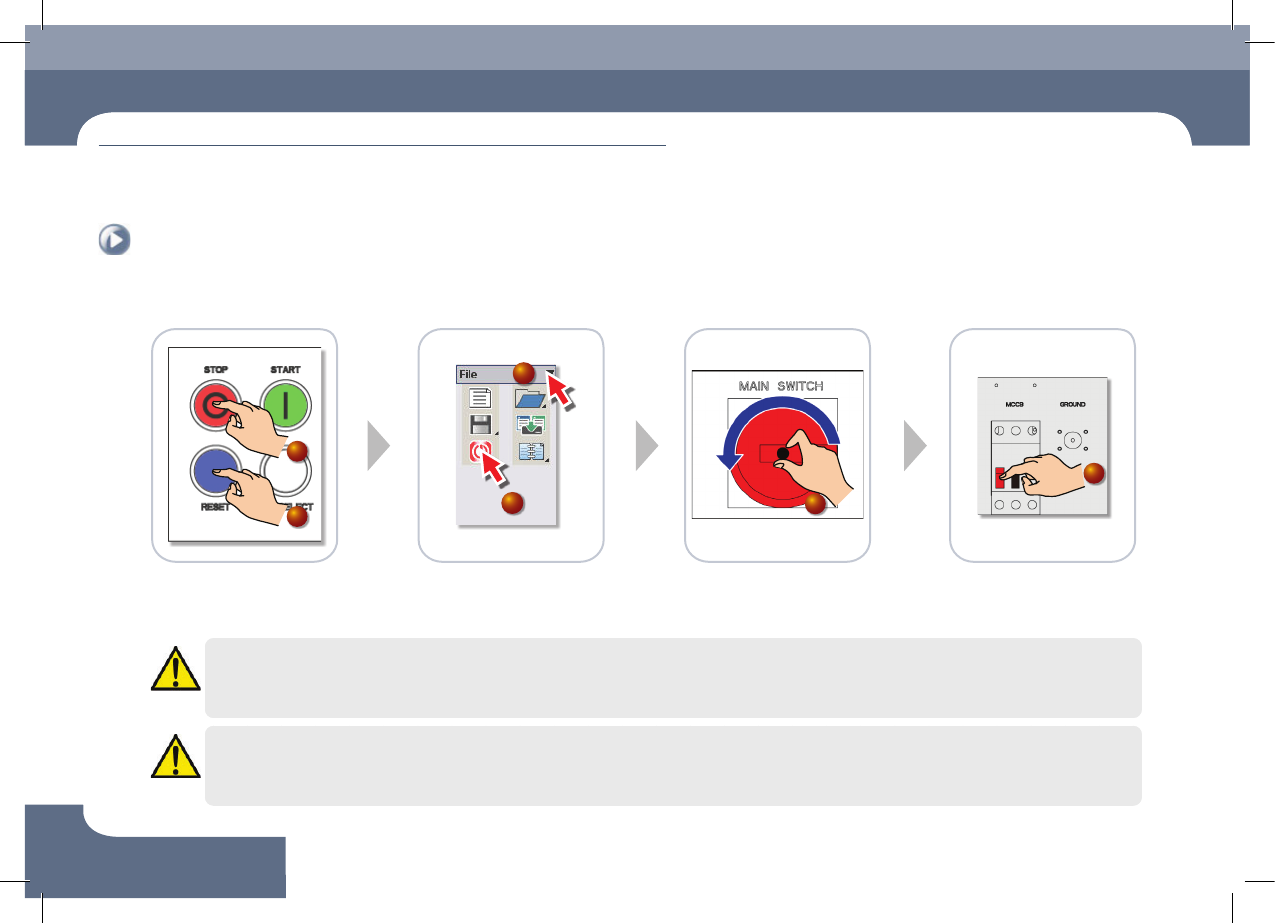
1. How to turn off the power supply
Turn off the main switch
①Press the 'STOP' button
②Press the 'RESET' button
③Select the File Menu
④Click the MMI 'EXIT' icon
⑤If a message reading “You can
turn off the system power supply
now” appears on the monitor,
turn off the main switch.
⑥Main Circuit Breaker OFF
1
2
4
3
5
6
Warning
System needs to be shut down after normally ending the MMI, otherwise, the machine might be damaged and injury could occur due to system error caused by
irregular shut down. Be sure to shut down the system after normally ending the MMI
Warning
If you do not turn off the main circuit breaker in the left lower cover of rear side before the maintenance, serious injury could happen. Must turn off the Main
Circuit Breaker before servicing. (Press the red switch.)
chapter 1
Conditions for Maintenance
This Chapter describes the work environment and working tools for the maintenance of the machine.
Common Working Procedure before Maintenance
chapter 1
This Chapter describes the work environment and working tools for the maintenance of
the machine.
Conditions for Maintenance
Advanced Chip Shooter
DECAN S2 Maintenance Handbook
1-2
Common Working Procedure before Maintenance
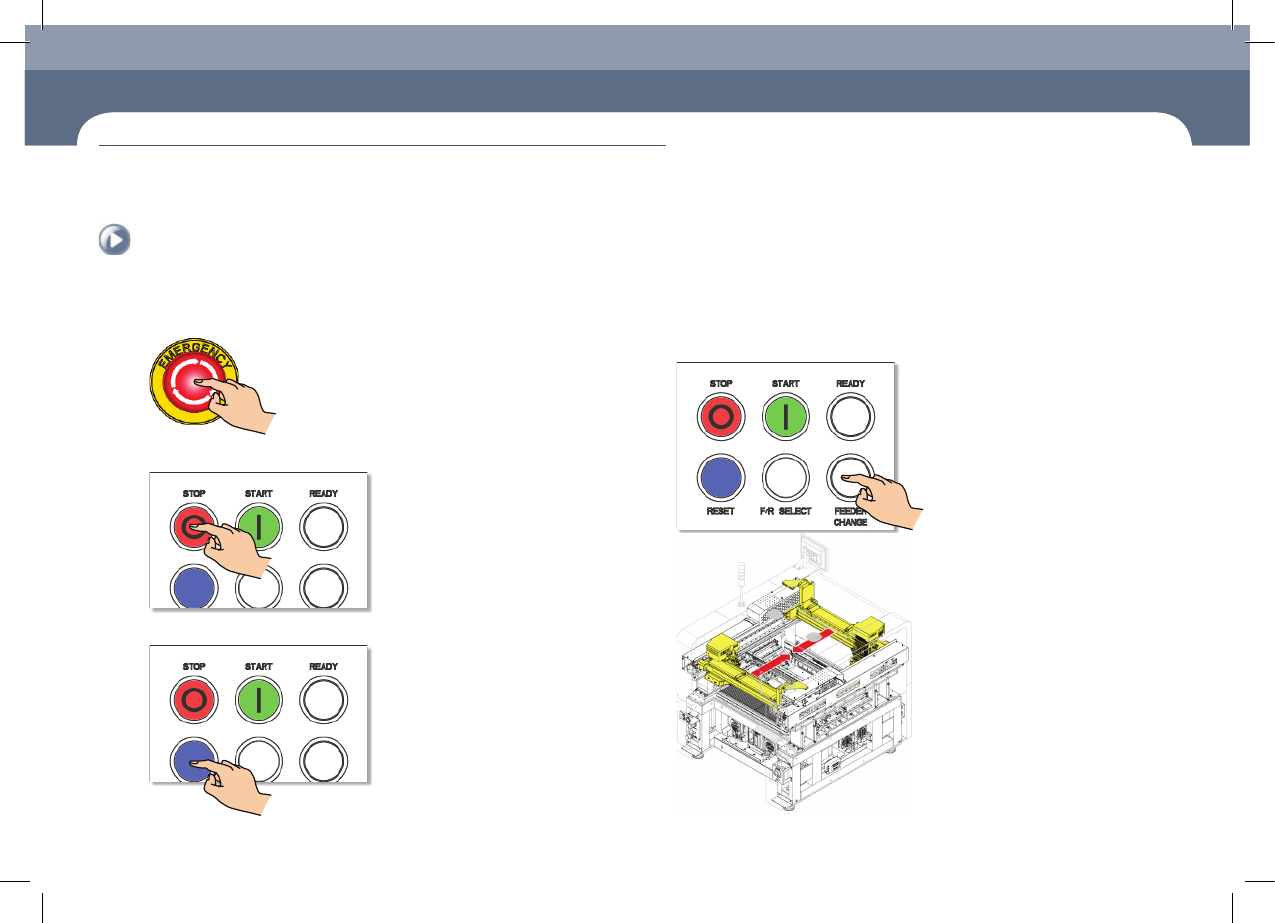
2. How to perform emergency stop
Step 1.
Press the 'EMG' switch
Step 2.
Press the 'STOP' button
Step 3.
Press the 'RESET' button
3. Move the front and rear X frames to the center
of the machine
Step 1.
Press the 'FEEDER CHANGE' switch
chapter 1
This Chapter describes the work environment and working tools for the maintenance of
the machine.
Conditions for Maintenance
Advanced Chip Shooter
DECAN S2 Maintenance Handbook
1-3
Common Working Procedure before Maintenance
Conditions for Maintenance
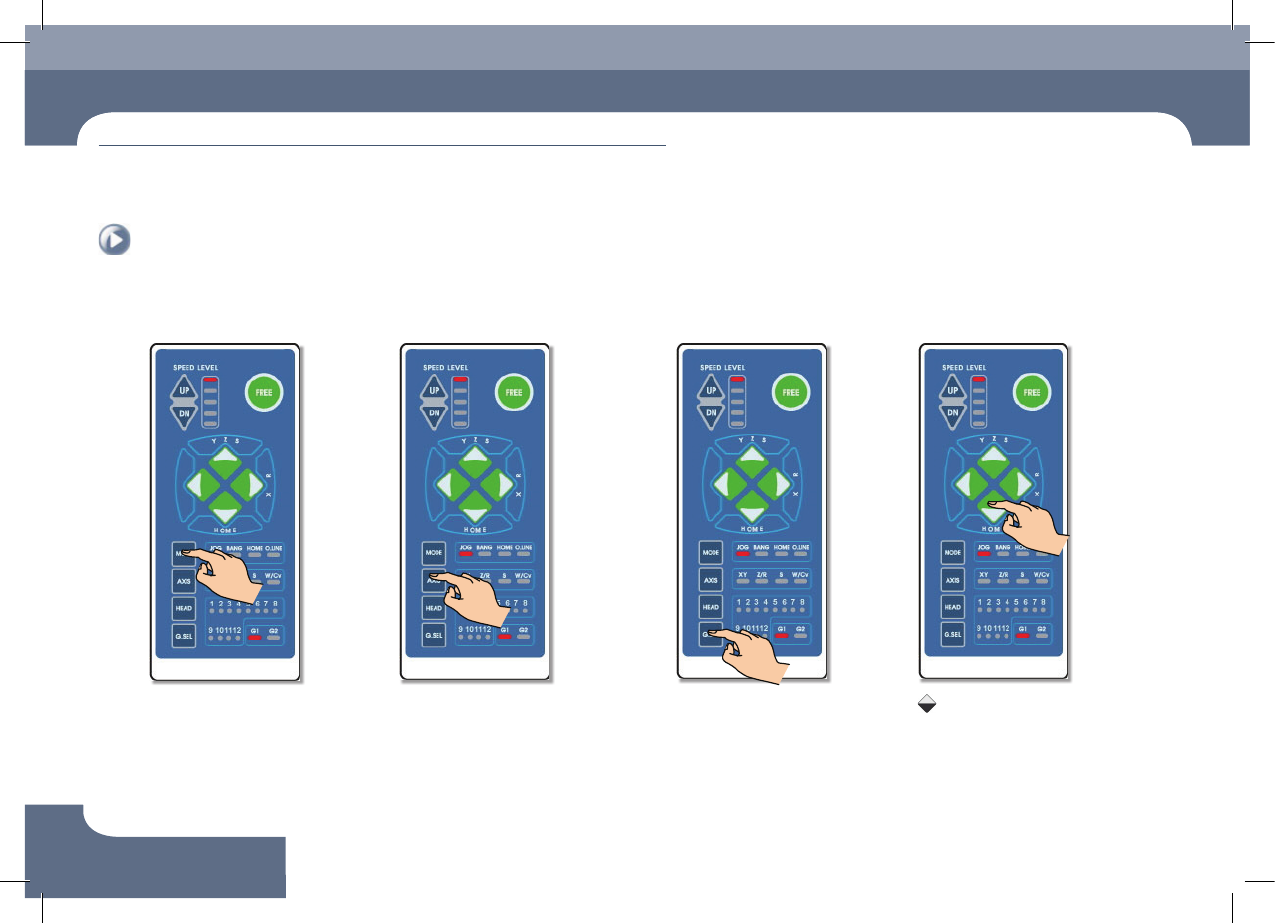
1. Press the 'MODE' button
Select JOG
2. Press the 'AXIS' button
Select XY
3. Press the 'G.Sel' button
Select G1
4. Press the 'Direction' button
Press the Key
Keep pressing the key until
the front X-frame move to
the desired position.
4. Forward movement of the front X-frame