DECAN_S2_Maintenance(Eng_Ver4.3).pdf - 第18页
chapt er 1 This Chapter describes the work environment and working tools for the maintenance of the machine. Conditions fo r Main t e nanc e Advanced Chip Shooter DE CAN S2 M ain ten an ce H and bo ok 1-8 Common W orking…
chapter 1
This Chapter describes the work environment and working tools for the maintenance of
the machine.
Conditions for Maintenance
Advanced Chip Shooter
DECAN S2 Maintenance Handbook
1-7
Common Working Procedure before Maintenance
Conditions for Maintenance
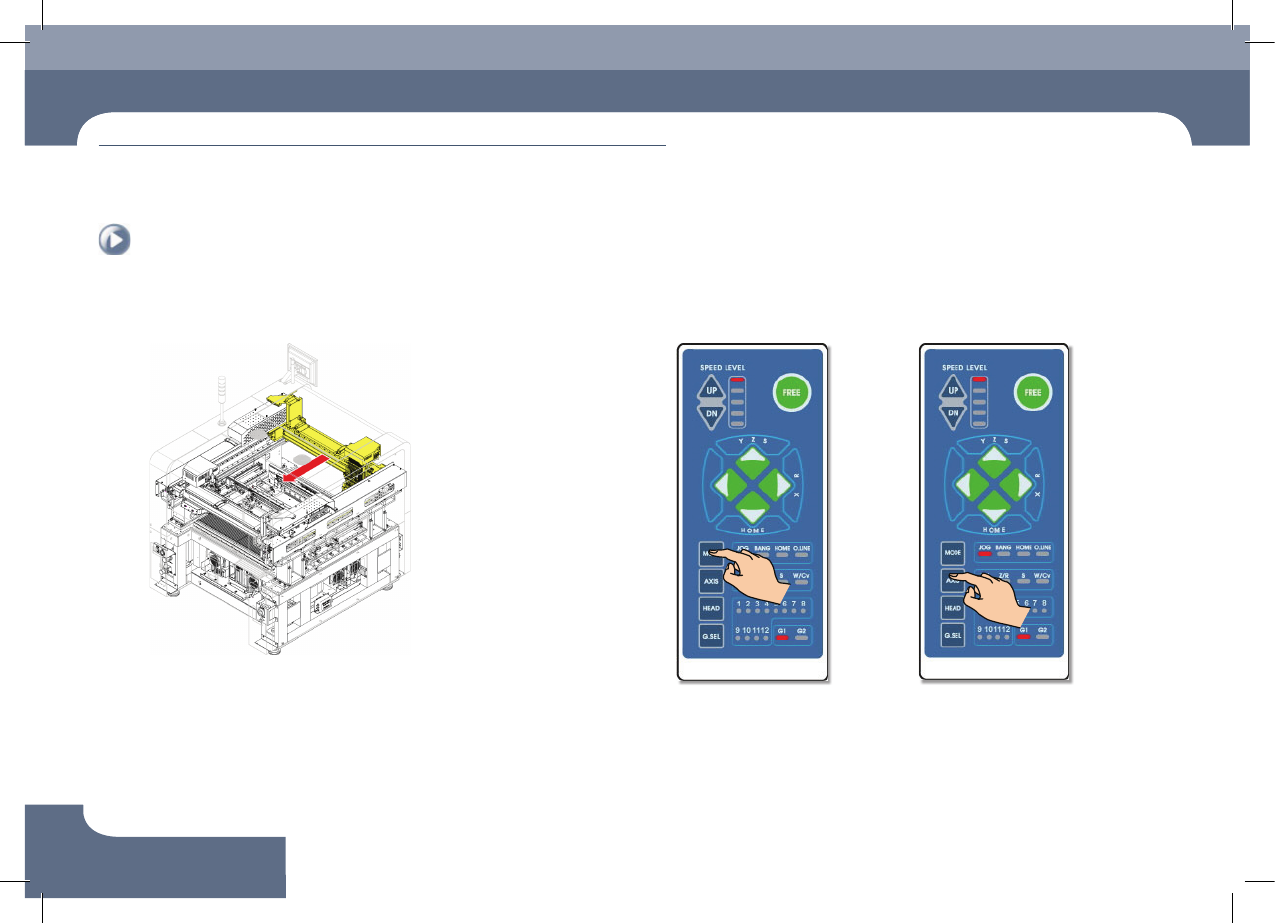
5. Forward movement of the rear X-frame 1. Press the 'MODE' button
Select JOG
2. Press the 'AXIS' button
Select XY
7. Backward movement of the rear X-frame
chapter 1
This Chapter describes the work environment and working tools for the maintenance of
the machine.
Conditions for Maintenance
Advanced Chip Shooter
DECAN S2 Maintenance Handbook
1-8
Common Working Procedure before Maintenance
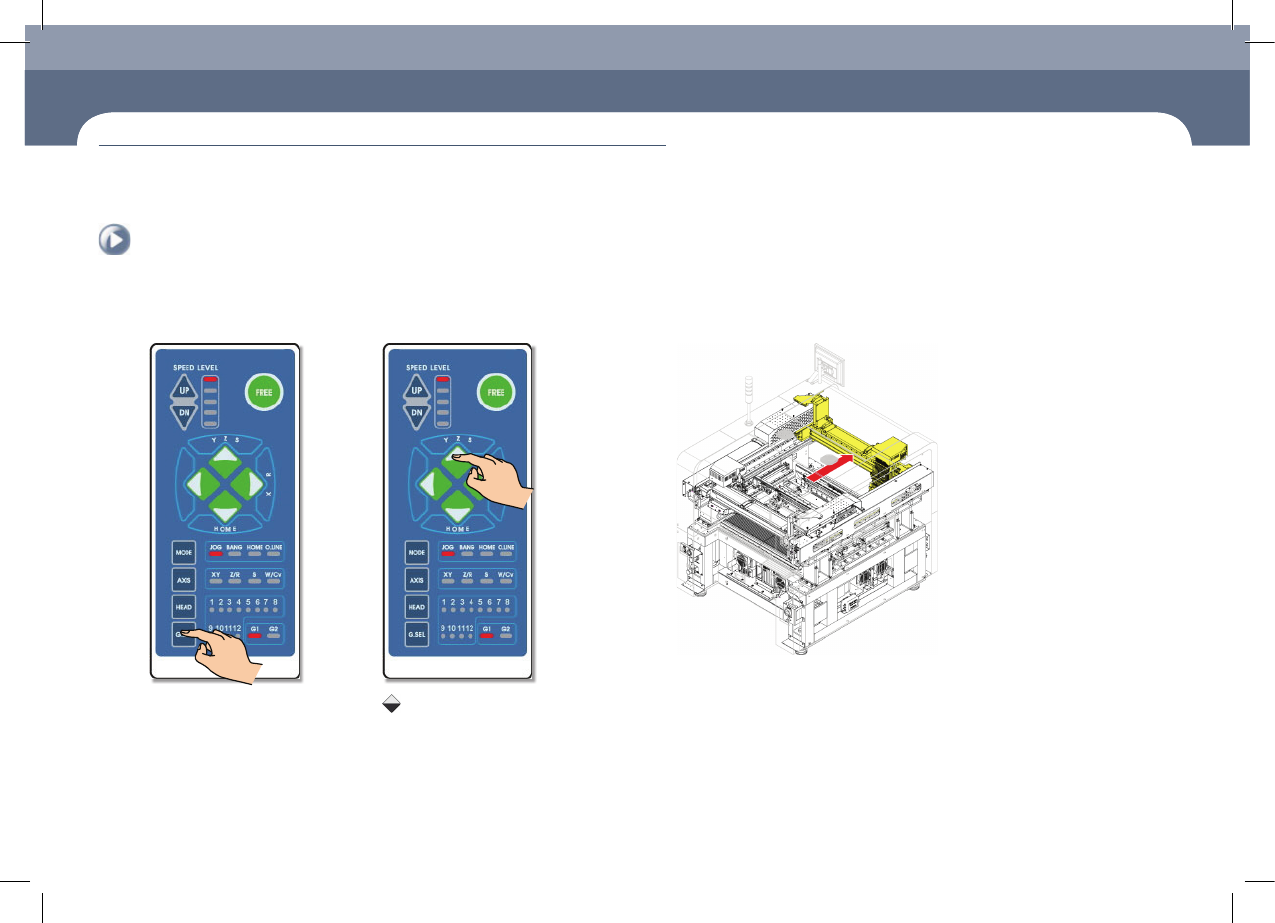
3. Press the 'G.SEL' button
Select G1
5. Backward movement of the rear X-frame4. Press the 'Direction' button
Press the Key
Keep pressing the key until
the front X-frame move to
the desired position.
chapter 1
This Chapter describes the work environment and working tools for the maintenance of
the machine.
Conditions for Maintenance
Advanced Chip Shooter
DECAN S2 Maintenance Handbook
1-9
Common Working Procedure before Maintenance
Conditions for Maintenance
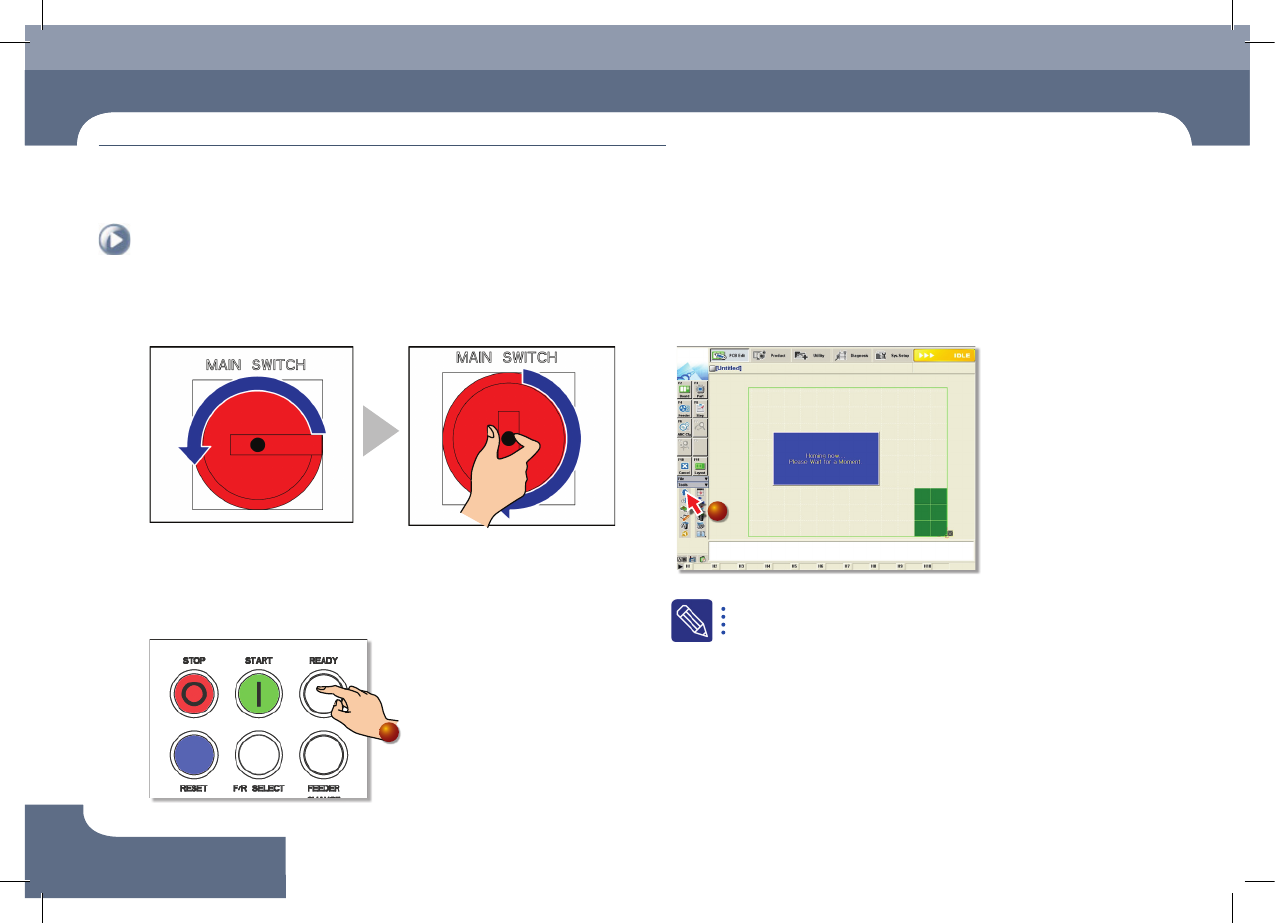
1. Power supply procedure
Step 1.
Main Switch On
- Power supply turned off - Power supply turned on
2. Home
Step 1.
Press the machine's 'Ready' button
1
Step 2.
Perform homing by clicking the 'Start Home' icon
2
When the machine is in 'Ready' state, it can be returned to the
origin.(homing)
Common Working Procedure before Maintenance