DECAN_S2_Maintenance(Eng_Ver4.3).pdf - 第41页
DE CAN S2 M ain ten an ce H and bo ok 3-6 chapt er 3 Daily Inspe ction Advanced Chip Shooter Cleaning feeder and feeder base Daily Inspection Cleaning the feeder and feeder base can prevent feeder installation error and …
DECAN S2 Maintenance Handbook
3-5
chapter 3
Daily Inspection
Advanced Chip Shooter
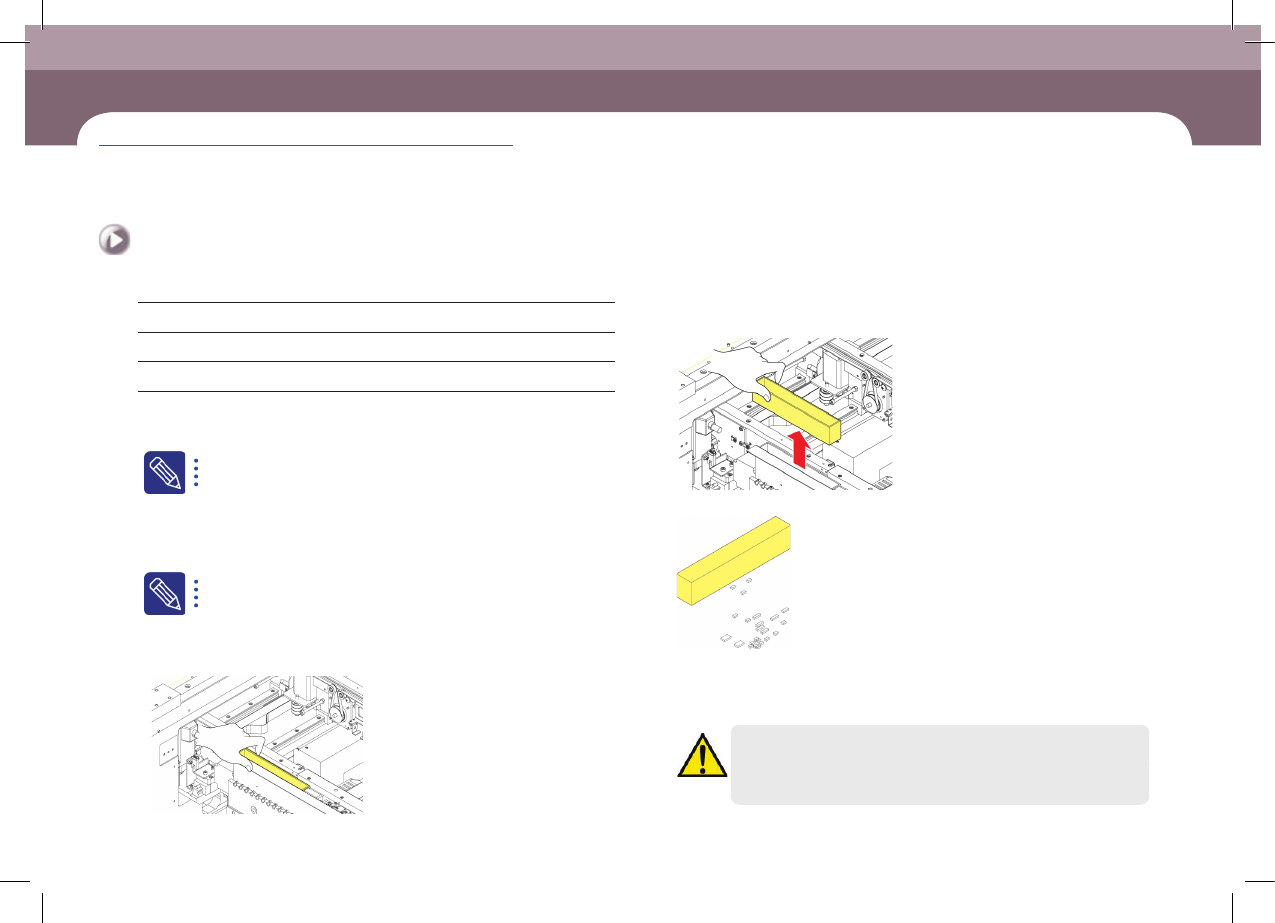
Cleaning Dump Box
Prevent defective parts from filling the dump box and spilling over into the machine.
Tool for Maintenance
Cloth, Flat Brush
Measures
Step 1.
Press the 'Feeder Change' and move the front and rear X
frames to the center of the machine.
For further details, refer to "Move the front and rear X frames to the
center of the machine" on page 1-2 .
Step 2.
Press the 'STOP' and 'RESET' buttons in order after
pressing the 'EMG' button on the OP panel to stop
operation.
For more details, refer to "How to perform emergency stop" on page
1-2.
Step 3.
Empty the dump box of defective parts.
①Lifting dump box
②Remove the dump box
③Empty the dump box of defective parts
Step 4.
Release the emergency stop as described in "Releasing
'Emergency Stop' mode" on page 1-10 and perform the
operation again.
Caution
Remove the part that dropped down without being put in the
dump box.
Cleaning Dump Box
(Time required: 5min / No. D-2)
DECAN S2 Maintenance Handbook
3-6
chapter 3
Daily Inspection
Advanced Chip Shooter
Cleaning feeder and feeder base
Daily Inspection
Cleaning the feeder and feeder base can prevent feeder installation error and
defective contact of the connector.
Tool for Maintenance
Brush
Measures
Step 1.
Press the 'Feeder Change' and move the front and rear X
frames to the center of the machine.
For further details, refer to "Move the front and rear X frames to the
center of the machine" on page 1-2 .
Step 2.
Press the 'STOP' and 'RESET' buttons in order after
pressing the 'EMG' button on the OP panel to stop
operation.
For more details, refer to "How to perform emergency stop" on page
1-2.
Step 3.
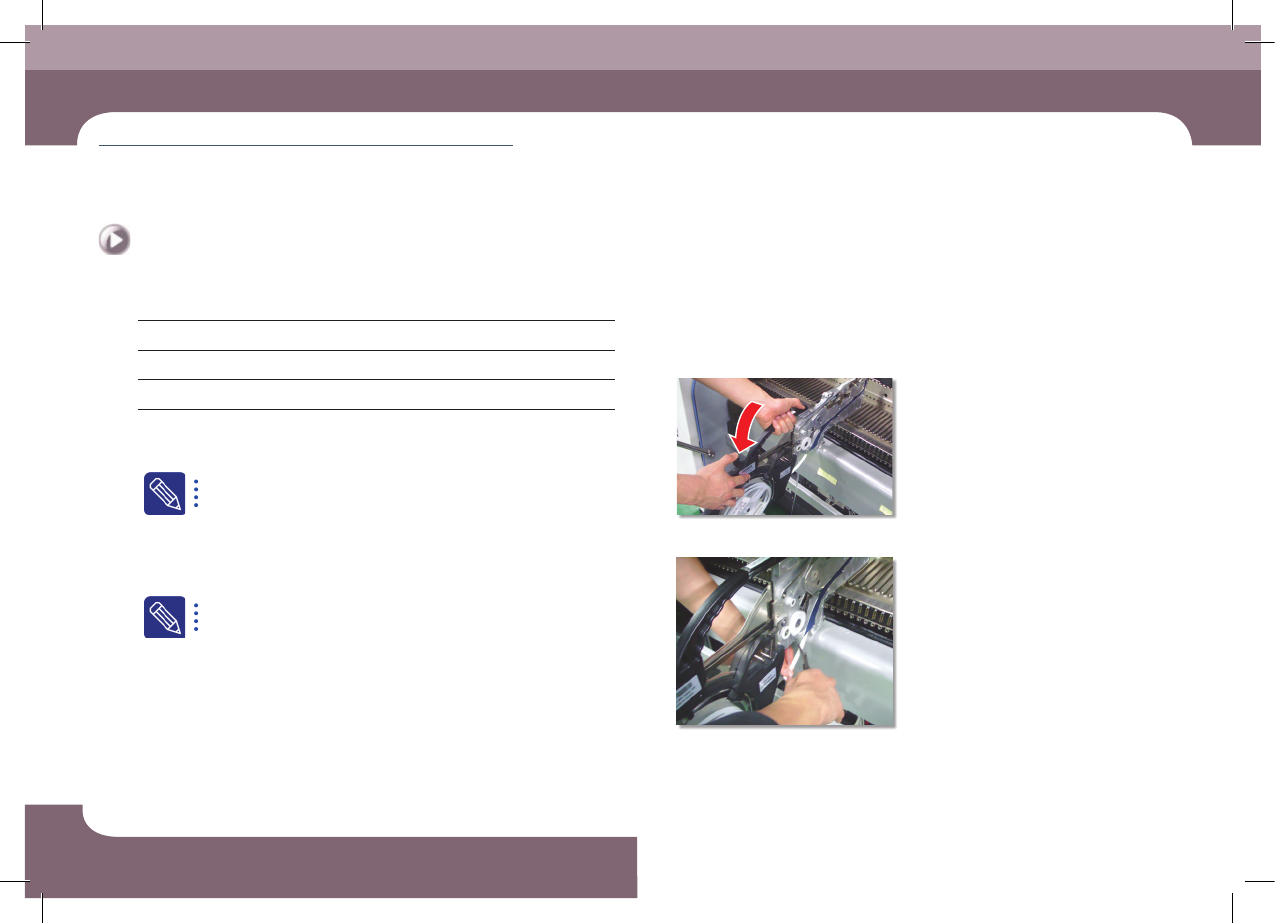
Remove the feeder from the feeder base.
①Pull the grip back
②Remove the cover tape
Cleaning feeder and feeder base
(Time required: 10min / No. D-3)
DECAN S2 Maintenance Handbook
3-7
chapter 3
Daily Inspection
Advanced Chip Shooter
Cleaning feeder and feeder base
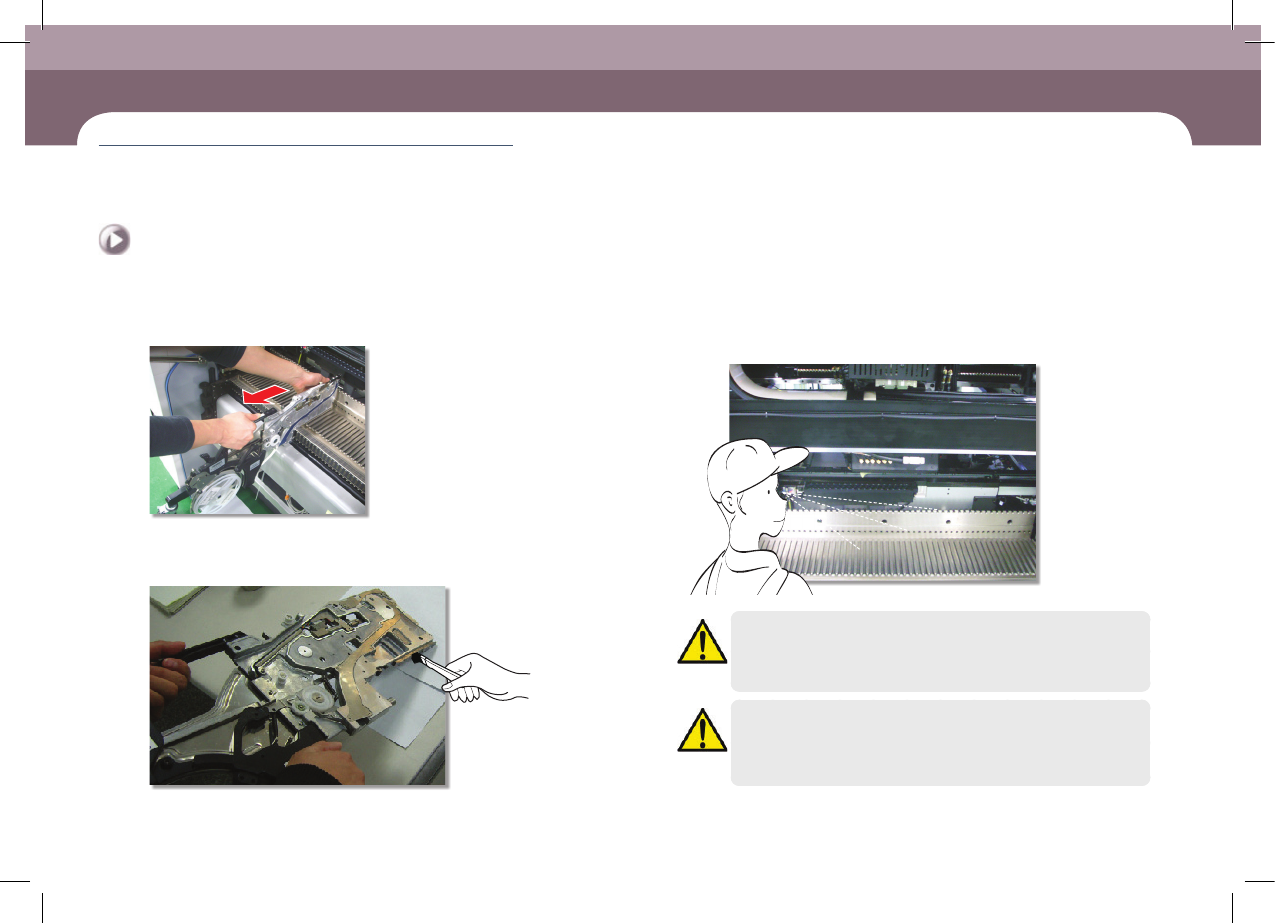
③Remove the feeder
Step 4.
Clean the feeder connector and the installation guide
using a brush.
Step 5.
Check visually for any foreign materials in the feeder
base slot and connector.
Caution
In case the feeder is installed on the feeder base without visually
checking and cleaning the feeder base upper surface and feeder
slot, the feeder could not be installed and removed smoothly.
Caution
When the feeder is felt stuck during the installation of the feeder
unlike normal feeling, do not apply excessive force to the feeder.
After removing the feeder, Check it visually and clean it if necessary.