DECAN_S2_Maintenance(Eng_Ver4.3).pdf - 第44页
DE CAN S2 M ain ten an ce H and bo ok 3-9 chapt er 3 Daily Inspe ction Advanced Chip Shooter Cleaning the Backup T able If foreign materials such as solder enter the machine, they may cause it to fail. Therefore, clean t…
DECAN S2 Maintenance Handbook
3-8
chapter 3
Daily Inspection
Advanced Chip Shooter
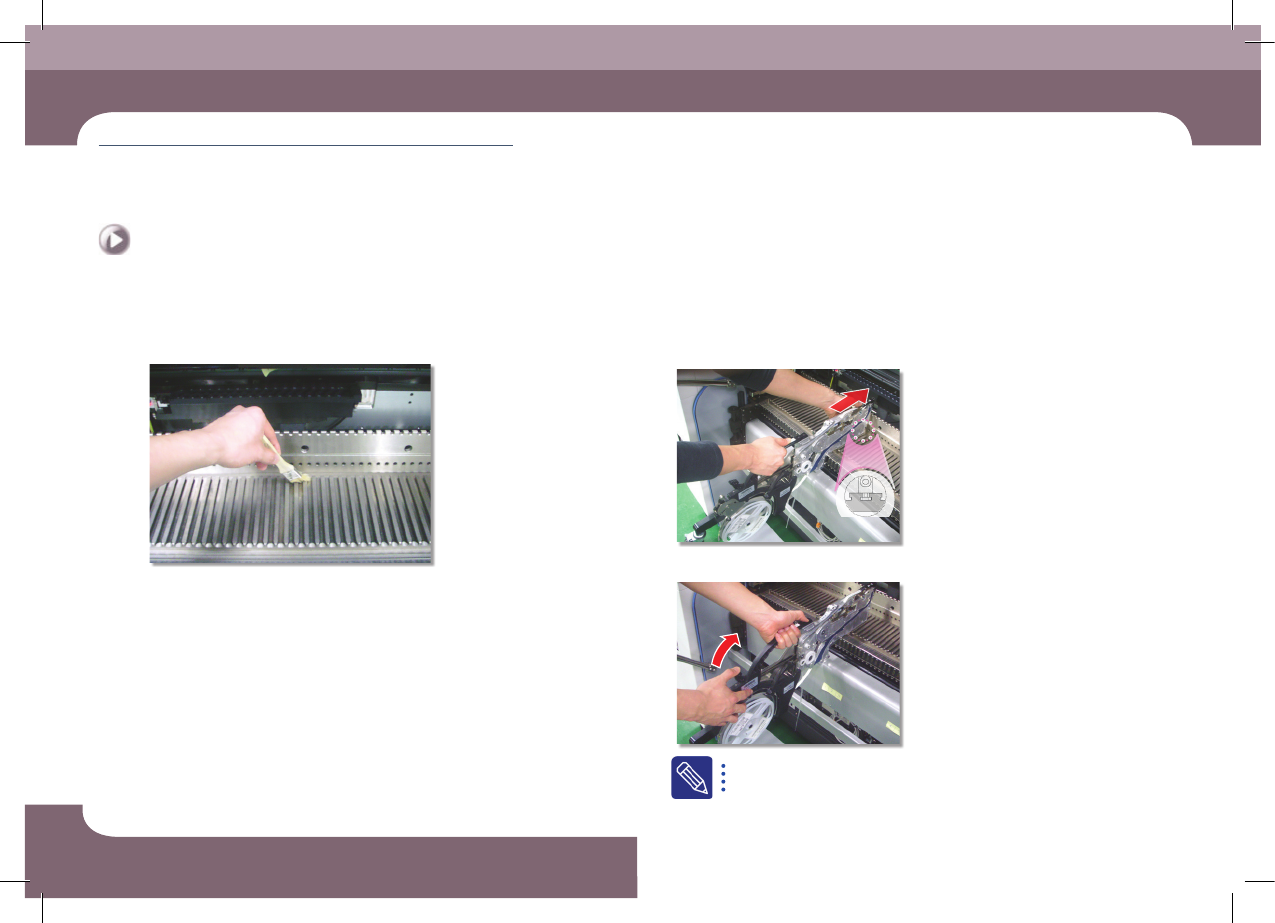
Cleaning feeder and feeder base
Daily Inspection
Step 6.
Clean the feeder base slot and connector using a flat
brush.
Step 7.
Install the feeder
①Fixing the feeder in the slot
②Fixing the grip
If it is properly installed, the LED color turns green.
DECAN S2 Maintenance Handbook
3-9
chapter 3
Daily Inspection
Advanced Chip Shooter
Cleaning the Backup Table
If foreign materials such as solder enter the machine, they may cause it to fail.
Therefore, clean the Backup Table to prevent this problem from happening.
Tool for Maintenance
Ultra fine fiber cloth, cleaning liquid
Measures
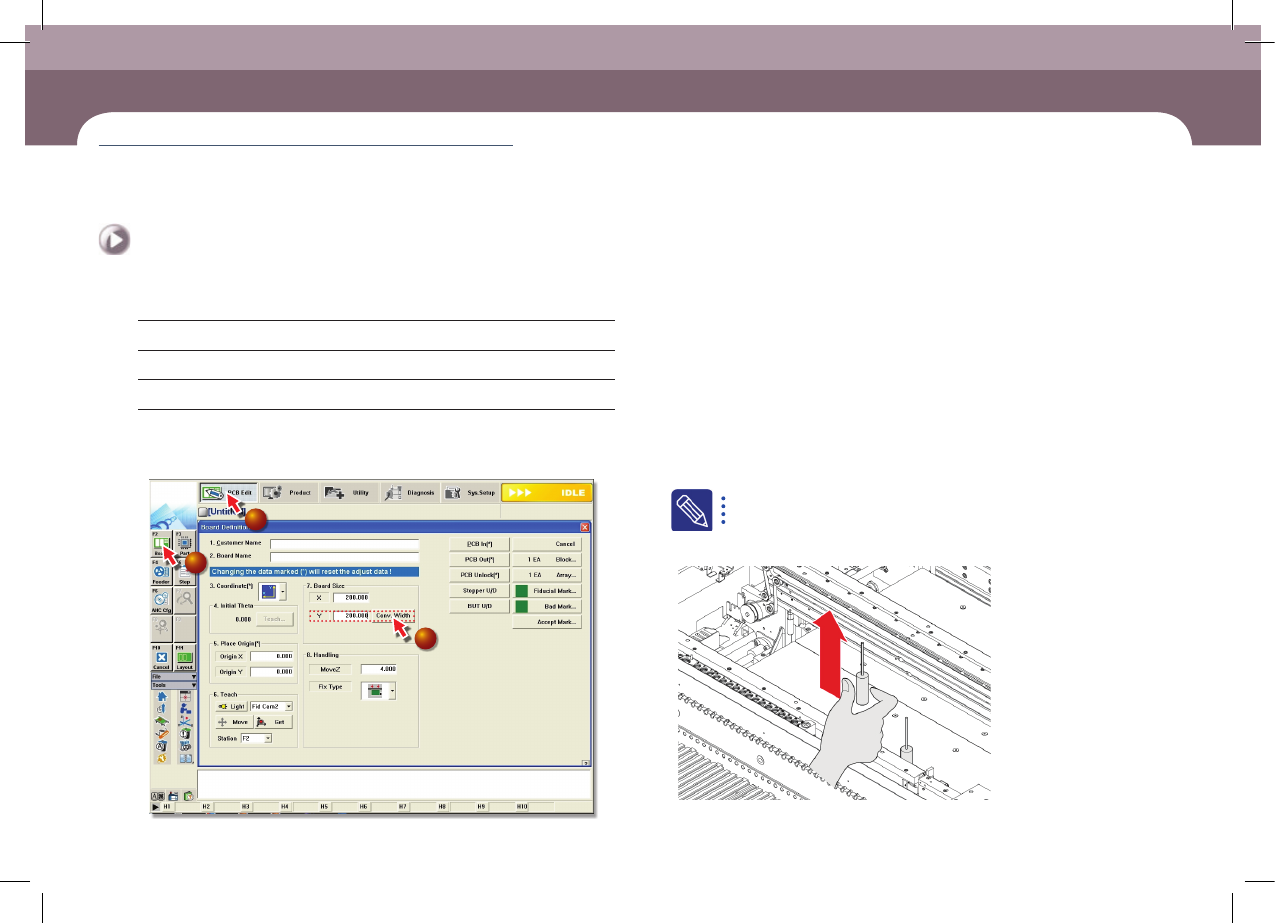
Step 1.
Select 'Board' from the submenu of the 'PCB Edit' menu
of the MMI and enter '200' for Board Size Y value and
then click the <Conv. Width> button
1
2
3
Step 2.
Move the Front X Frame assembly backward as
described in "Backward movement of the front X-frame"
on page 1-4.
Step 3.
Press the 'STOP' and 'RESET' buttons in order after
pressing the 'EMG' button on the OP panel to stop
operation.
For more details, refer to "How to perform emergency stop" on page
1-2.
Step 4.
Remove the backup pin
Cleaning the Backup Table
(Time required: 5min / No. D-4)
DECAN S2 Maintenance Handbook
3-10
chapter 3
Daily Inspection
Advanced Chip Shooter
Cleaning the Backup Table
Daily Inspection
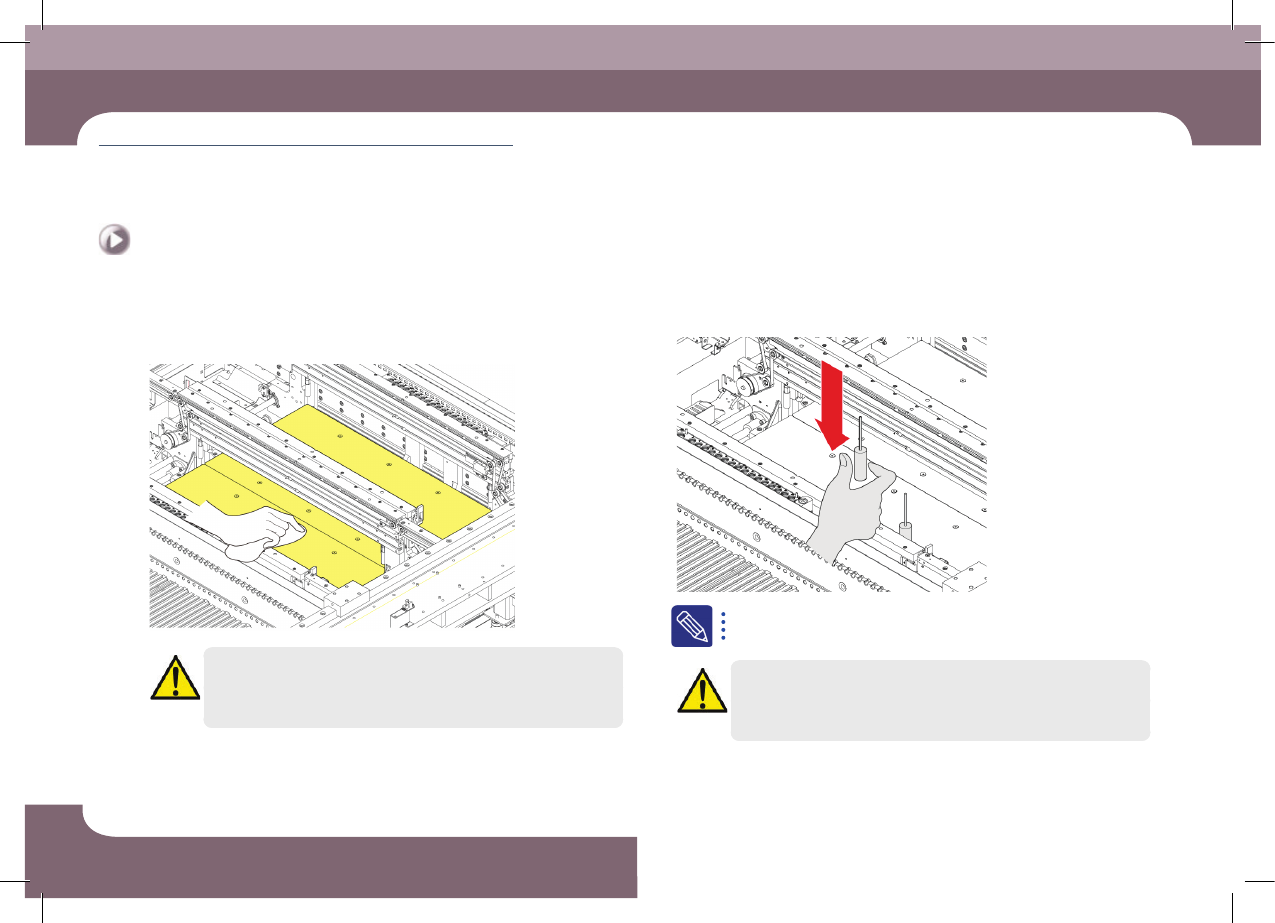
Step 5.
Clean the upper surface of the Backup Table with an
ultra fine fiber cloth.
Caution
If air is used to clean the table, the foreign material including solder
drops down, causing failure.
Step 6.
Install the backup pins to support the PCB.
For further details of the back up pin, refer to 'PART VI> Backup Pin
Arrangement' in the Operation Handbook.
Caution
Arrange the backup pins after moving the backup table up.
Step 7.
Release the emergency stop as described in "Releasing
'Emergency Stop' mode" on page 1-10 and perform the
operation again.