DECAN_S2_Maintenance(Eng_Ver4.3).pdf - 第52页
DE CAN S2 M ain ten an ce H and bo ok 3-1 7 chapt er 3 Daily Inspe ction Advanced Chip Shooter Checking and Cleaning and Fix Camera Lens Remove foreign material on the camer a lens to prevent part recognition error . T o…
DECAN S2 Maintenance Handbook
3-16
chapter 3
Daily Inspection
Advanced Chip Shooter
Checking and Cleaning Fix Camera Cover Glass
Daily Inspection
Step 4.
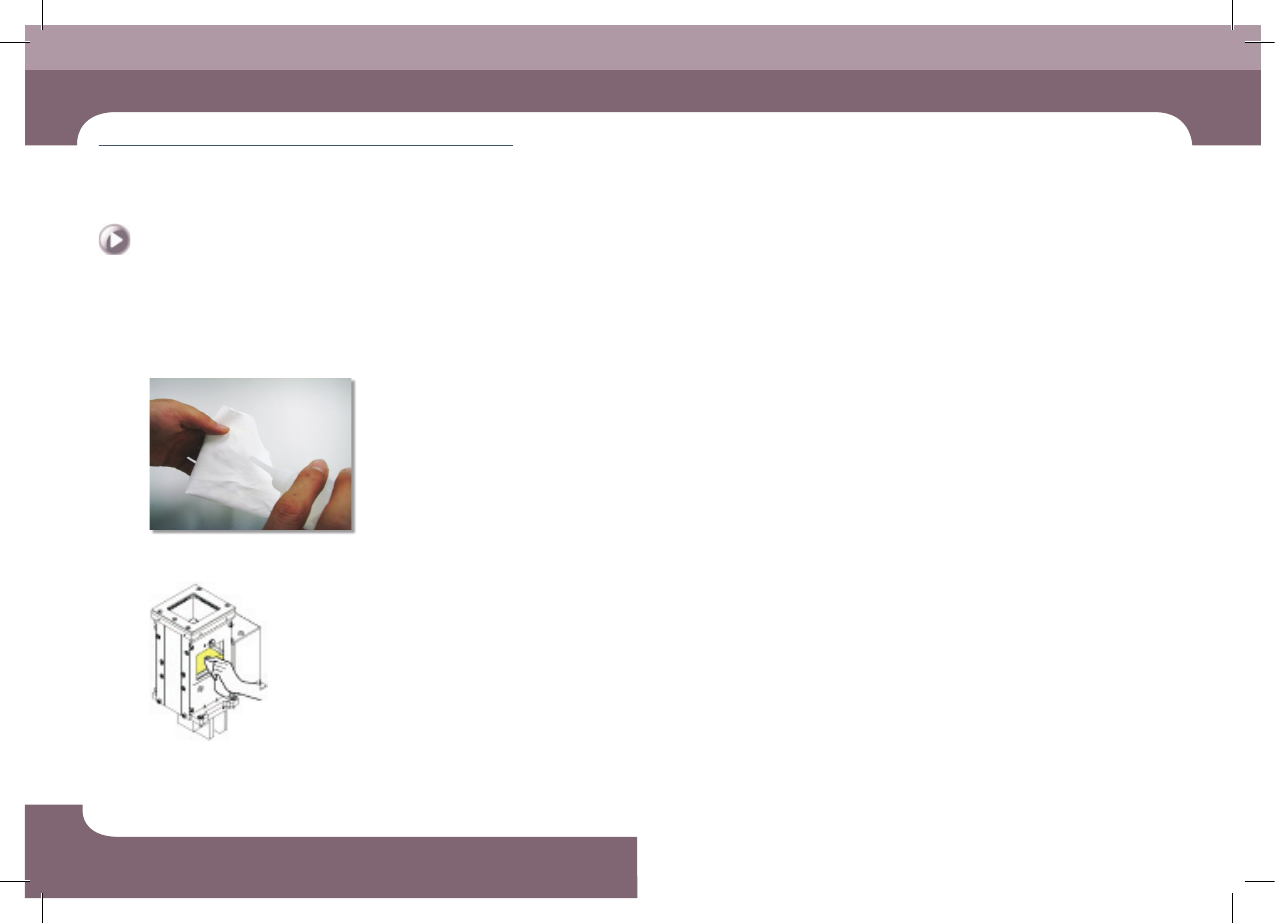
Remove the backup pin
①Moisten the clean cloth with alcohol
②Clean the cover glass
DECAN S2 Maintenance Handbook
3-17
chapter 3
Daily Inspection
Advanced Chip Shooter
Checking and Cleaning and Fix Camera Lens
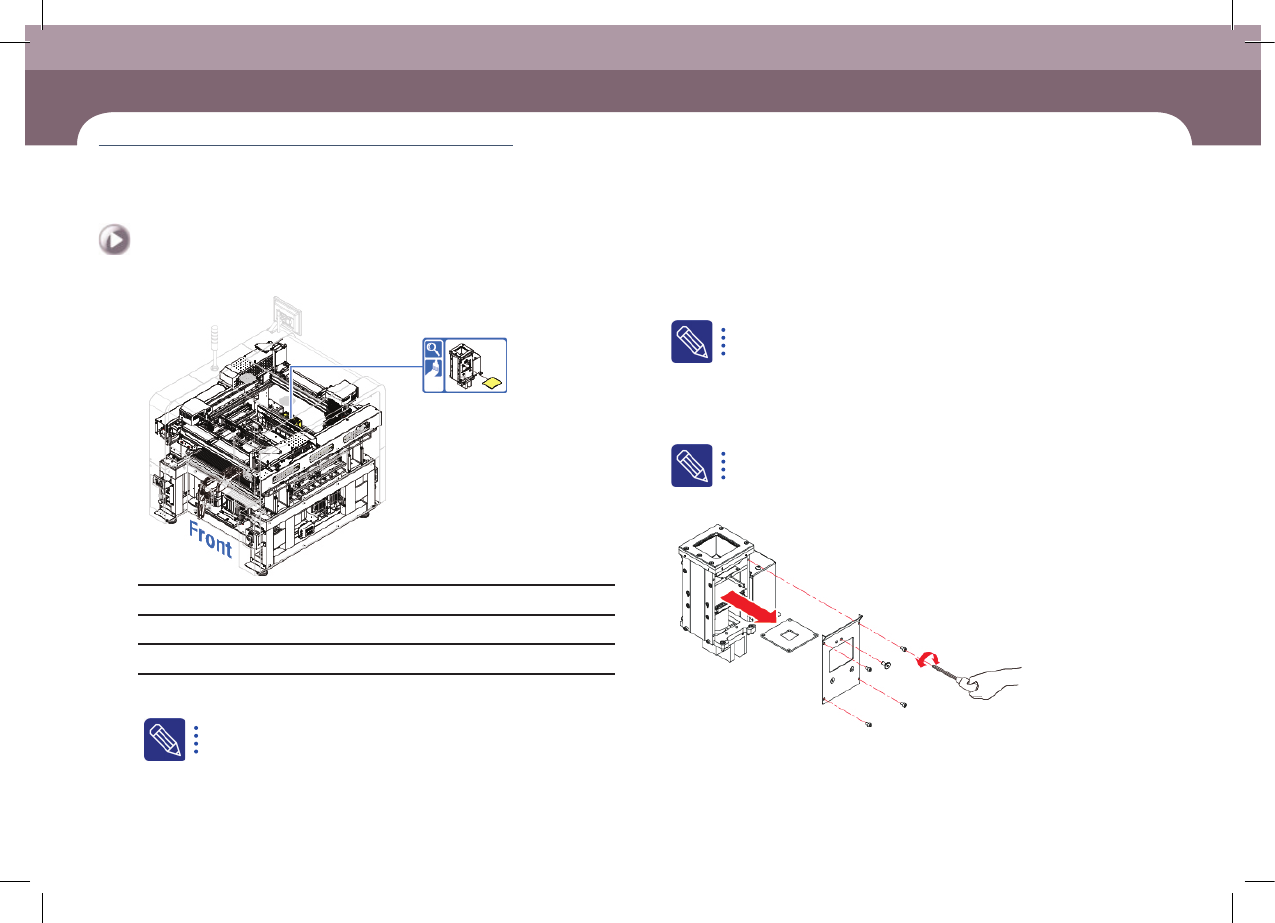
Remove foreign material on the camera lens to prevent part recognition error.
Tool for Maintenance
Ultra fine fiber cloth, alcohol, Wrench
Measures
Step 1.
Move the X-frame to the rear.
For more details, refer to "Forward movement of the front X-frame"
on page 1-3.
When the fix camera is located at the front according to the option,
move the X frame to the rear.
Step 2.
Press the 'STOP' and 'RESET' buttons in order after
pressing the 'EMG' button on the OP panel to stop
operation.
For more details, refer to "How to perform emergency stop" on page
1-2.
Step 3.
Separate cover glass
Checking and Cleaning and Fix Camera Lens
(Time required: 10min / No. D-8)
DECAN S2 Maintenance Handbook
3-18
chapter 3
Daily Inspection
Advanced Chip Shooter
Checking and Cleaning and Fix Camera Lens
Daily Inspection
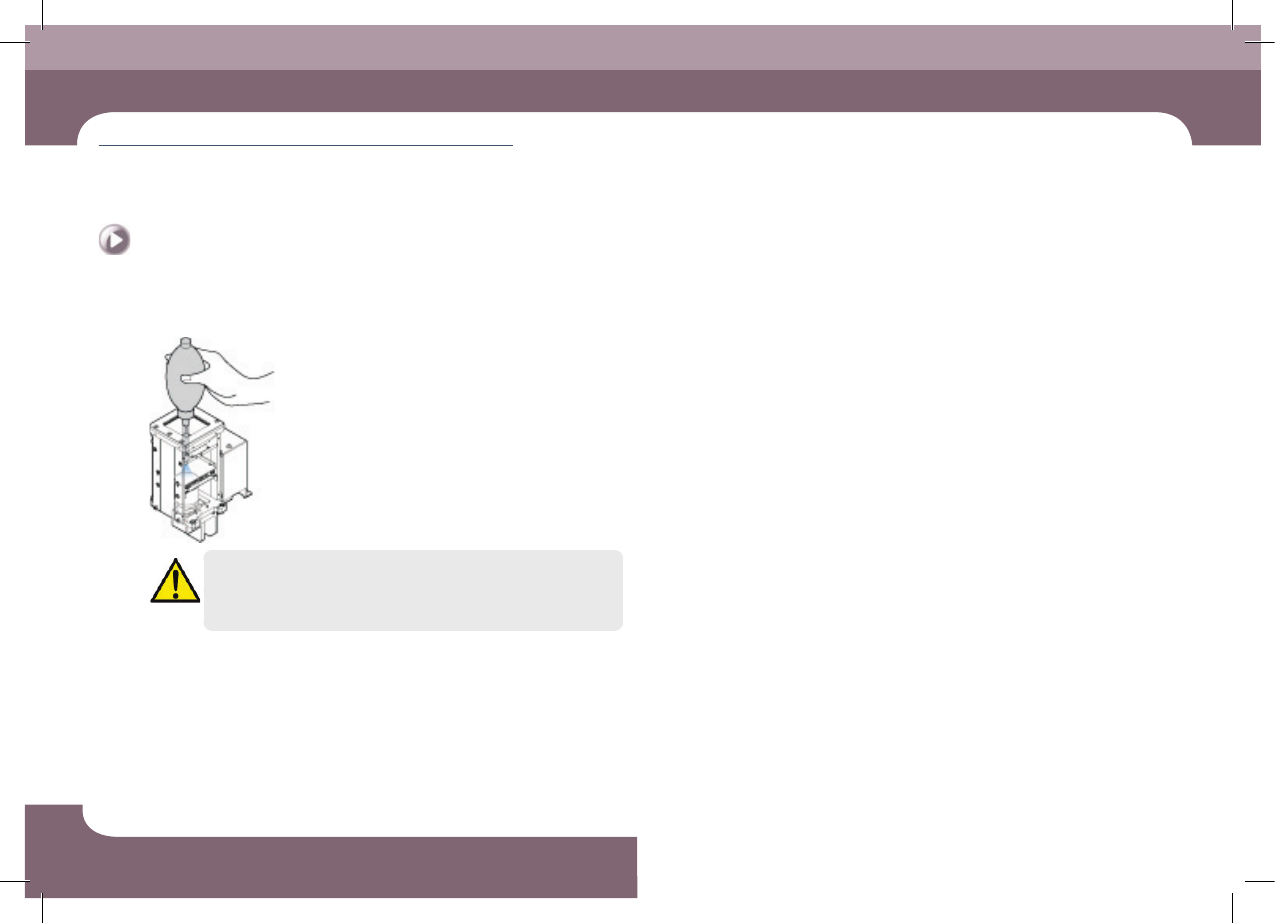
Step 4.
Clean the lens using an air spray
Caution
The cover glass is fragile. Take care.