00197963-01_AI_Power_Supply_Conversion_SIPLACE_E_en - 第26页
Conversion Installing the Power Conversion Kit 3.3.3 Configuring the Vacuum Pump and the Overload Relay for US Option 26 Assembly Instructions SIPLACE E Configuring the Vacuum Pump Connection Vacuum pump wiring connectio…
Conversion
3.3.3 Configuring the Vacuum Pump and the Overload Relay for US Option Installing the Power Conversion Kit
Assembly Instructions SIPLACE E 25
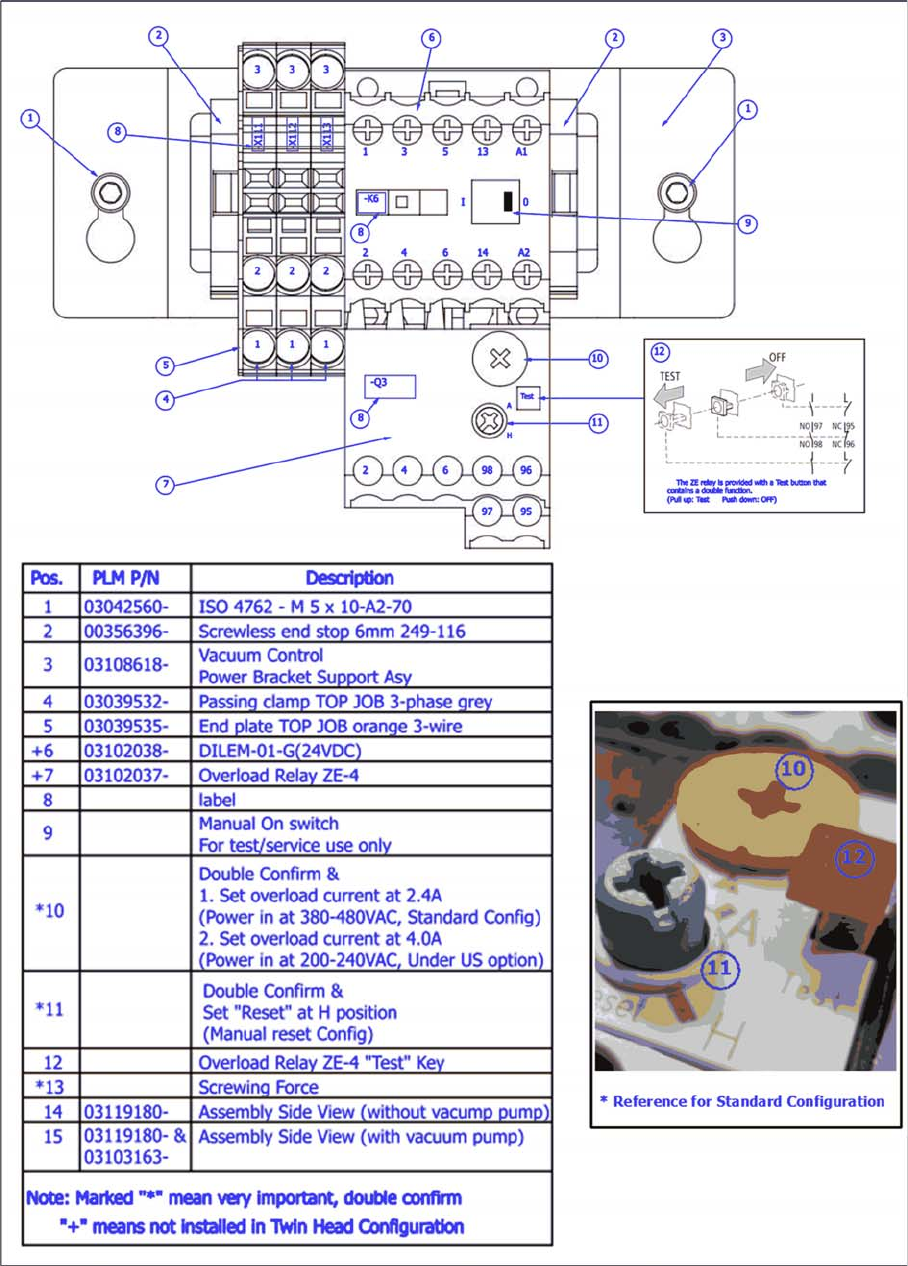
Configuring the Overlay Relay on the Vacuum Pump Control Unit
Vacuum pump control unit assembly and setting
► Adjust the over current setting of the overload relay Q3 (10) to 4.0 A for the US option.
Conversion
Installing the Power Conversion Kit 3.3.3 Configuring the Vacuum Pump and the Overload Relay for US Option
26 Assembly Instructions SIPLACE E
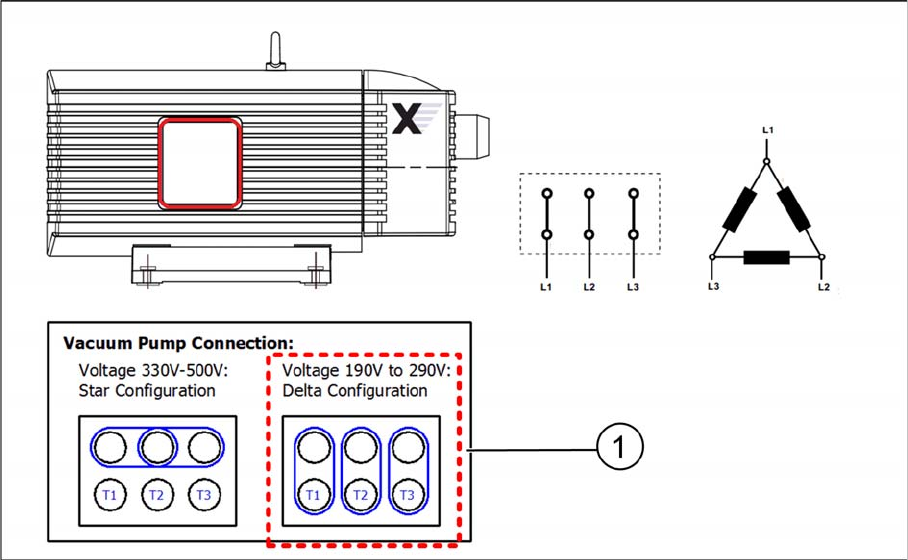
Configuring the Vacuum Pump Connection
Vacuum pump wiring connection – delta configuration
► Switch the vacuum pump connection plate to the delta configuration (1).
► Proceed with the final safety checks ("3.5 Carrying out Final Safety Checks" [ ➙ 32]).
► Install all covers that you previously removed.
See also
3.3.3 Configuring the Vacuum Pump and the Overload Relay for US Option [ ➙ 24]
Conversion
3.4.1 Removing the Power Conversion Kit Restoring the Standard Configuration of 3x400V
Assembly Instructions SIPLACE E 27
3.4
3.4 Restoring the Standard Configuration of 3x400V
Restoring the Standard Configuration of 3 x 400 V
If the standard configuration of 3 x 400 V has to be restored, remove the power conversion kit and reset
the electrical settings and the vacuum pump connection.
3.4.1
3.4.1 Removing the Power Conversion Kit
Removing the Power Conversion Kit
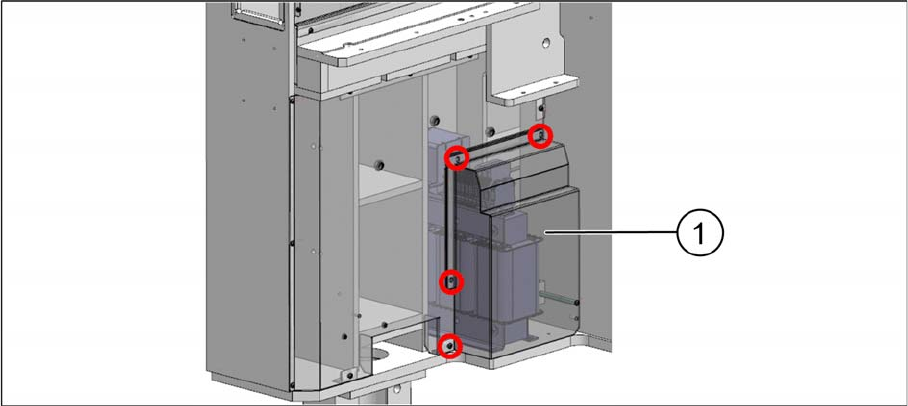
Fixing screws on the transformer cover
► Remove the four screws that are fixing the transformer cover (1).
► Disconnect the cables from the transformer.
► Remove the transformer from its installation location.
See also
3.3.3 Configuring the Vacuum Pump and the Overload Relay for US Option [ ➙ 24]