00197963-01_AI_Power_Supply_Conversion_SIPLACE_E_en - 第28页
Conversion Restoring the Standard Configura tion of 3x400V 3.4.2 Removing the Cable Har ness Assembly 28 Assembly Instructions SIPLACE E 3.4.2 3 . 4 . 2 R e m o v in g t h e C a b le H a r n e s s A s s e m b ly Remov…
Conversion
3.4.1 Removing the Power Conversion Kit Restoring the Standard Configuration of 3x400V
Assembly Instructions SIPLACE E 27
3.4
3.4 Restoring the Standard Configuration of 3x400V
Restoring the Standard Configuration of 3 x 400 V
If the standard configuration of 3 x 400 V has to be restored, remove the power conversion kit and reset
the electrical settings and the vacuum pump connection.
3.4.1
3.4.1 Removing the Power Conversion Kit
Removing the Power Conversion Kit
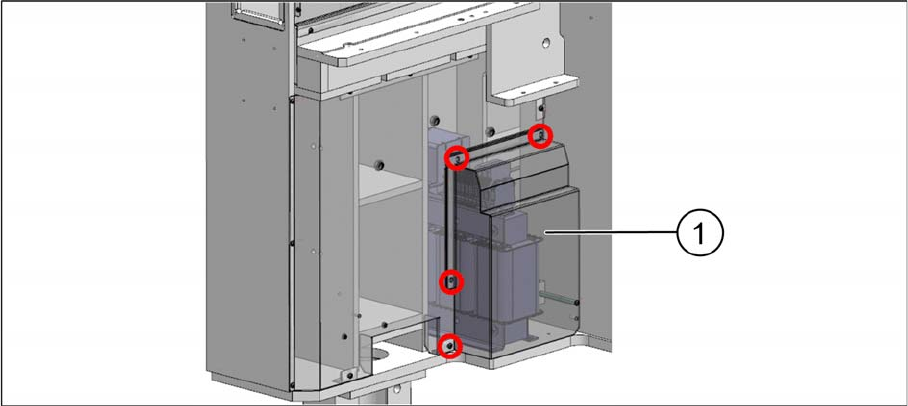
Fixing screws on the transformer cover
► Remove the four screws that are fixing the transformer cover (1).
► Disconnect the cables from the transformer.
► Remove the transformer from its installation location.
See also
3.3.3 Configuring the Vacuum Pump and the Overload Relay for US Option [ ➙ 24]
Conversion
Restoring the Standard Configuration of 3x400V 3.4.2 Removing the Cable Harness Assembly
28 Assembly Instructions SIPLACE E
3.4.2
3.4.2 Removing the Cable Harness Assembly
Removing the Cable Harness Assembly
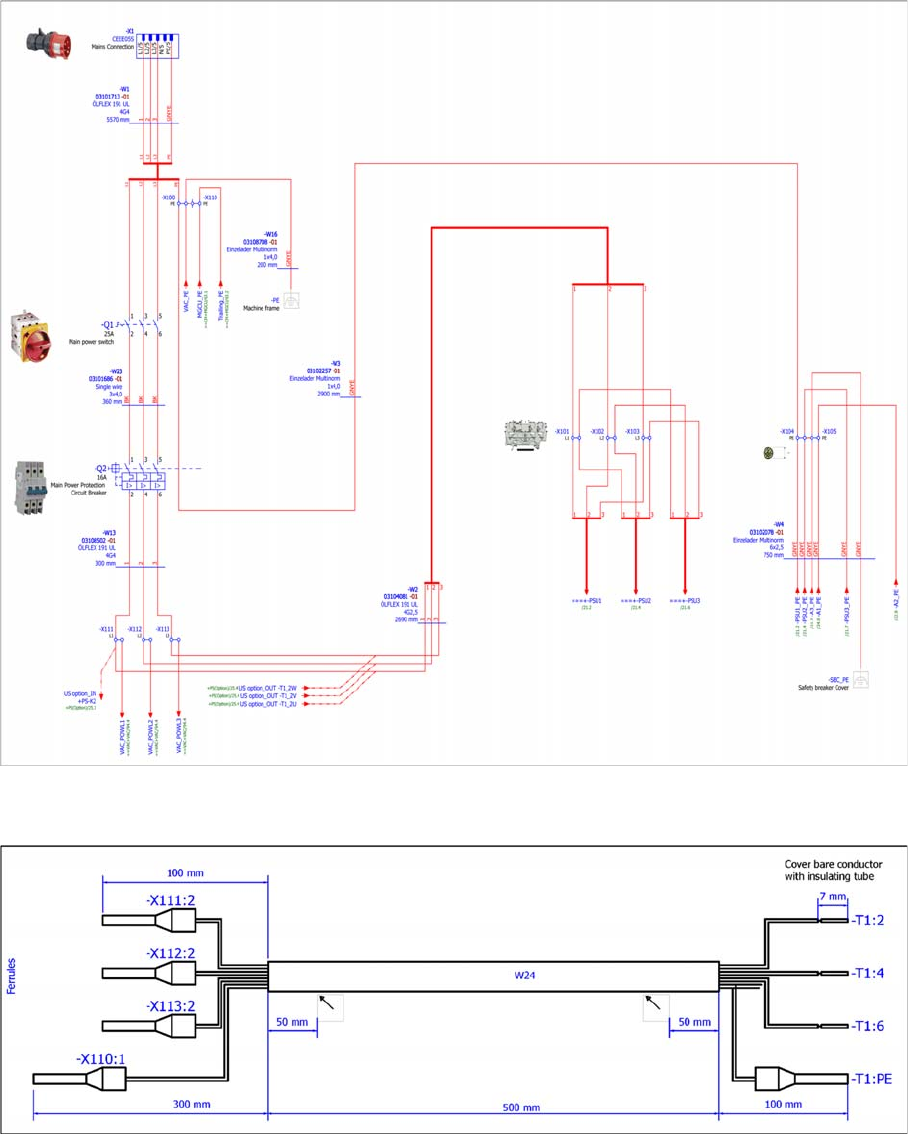
Standard power distribution configuration
► Restore the standard power distribution configuration:
Main breaker cable [03101687-xx]
► Remove the main breaker cable [03101687-xx] between –X111/-X112/-X113 pin 2 and transformer
input T1:2/4/6.
Conversion
3.4.2 Removing the Cable Harness Assembly Restoring the Standard Configuration of 3x400V
Assembly Instructions SIPLACE E 29
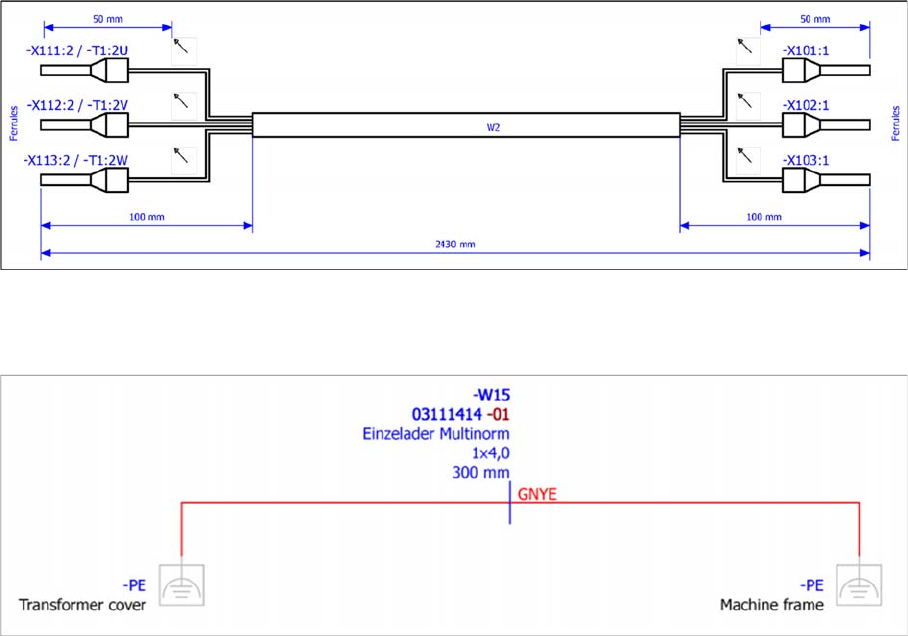
Main switch cable [03104081-xx]
► Disconnect the main switch cable [03104081-xx] from the transformer output T1:2U/2V/2W and re
-
connect it to terminal -X111/-X112/-X113 pin 2.
Grounding cable [03111414-xx]
► Remove the grounding cable [03111414-xx] from the transformer cover and the machine frame.