00198481-01_Technical_Training_E_by_DEK_EN - 第107页
11 Benchmark Test Technical Training E by DEK 12/2017 107 Perform Benchmark Test and record results Apply small amount of paste or suitable lubricant to stencil to lubricate squeegees. Run QC-Calc package on printer. C…
11 Benchmark Test
106 Technical Training E by DEK 12/2017
Set up machine for benchmark test
Load the 265test1 product file and ensure that the following parameters are set correctly:
Note: Calibration stencil, Calibration board and SPC Benchmark board are NOT supplied. They
need to be ordered separately.
Front Print speed 25 mm/s
Rear Print speed 25 mm/s
Front Pressure 5kg
Rear Pressure 5kg
Separation Speed 1 mm/s
Under Clearance 20mm
No paste dispense or Screen Cleaner rate
SPC Configuration:
●
Data output rate = Every cycle
●
Start Rate = 1
●
Sample Rate = 0
●
Start Rate Limit = 0
●
SPC data mode = Disc
●
SPC Format = Windows
●
Update On Start = No
●
Align Inspect mode = Post
Ensure that the following hardware is set-up correctly:
●
9 Tooling support pillars are used
●
Squeegees fitted are of the correct length to suit board and heights calibrated
●
DEK alignment test board (Part Number 137071) is used
●
Screen loaded is the calibration/dry align screen
Adjust machine parameters for benchmark test
●
Transport Mode Left to Left (or Right to Right)
●
Upline Protocol No FMI
●
Downline Protocol No FMI
●
Screen size 265
11 Benchmark Test
Technical Training E by DEK 12/2017 107
Perform Benchmark Test and record results
Apply small amount of paste or suitable lubricant to stencil to lubricate squeegees.
Run QC-Calc package on printer.
Carry out a minimum of 100 full machine cycles.
On completion of the test record the following information:
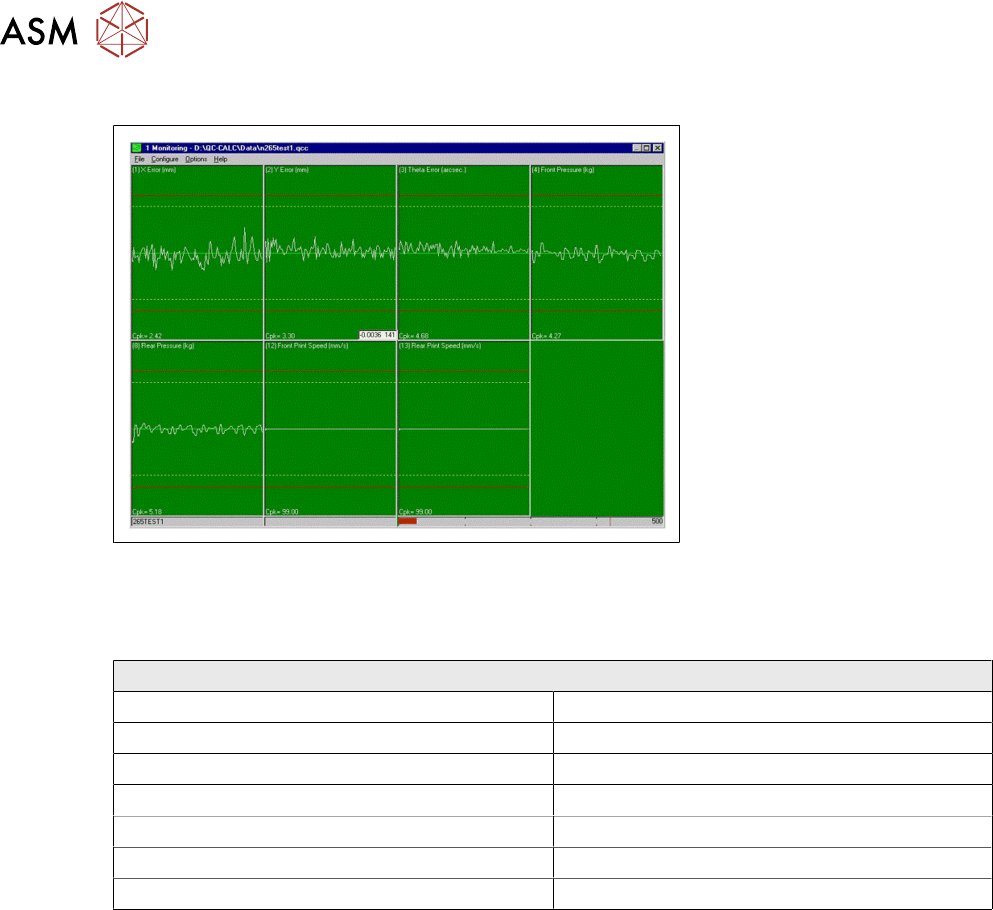
Front Print Speed Cp/Cpk = ………………………………………………………….
Rear Print Speed Cp/Cpk = ………………………………………………………….
Separation Speed Cp/Cpk = ………………………………………………………….
X alignment Cp/Cpk = ………………………………………………………….
Y alignment Cp/Cpk = ………………………………………………………….
Theta alignment Cp/Cpk = ………………………………………………………….
Front Pressure Cp/Cpk = ………………………………………………………….
Rear Pressure Cp/Cpk = ………………………………………………………….
NOTICE
Error message
The error message "No variation in selected data – Increase significant digits" may appear
for pressure and speeds due to the lack of variation. In this instance, no values are re-
quired.
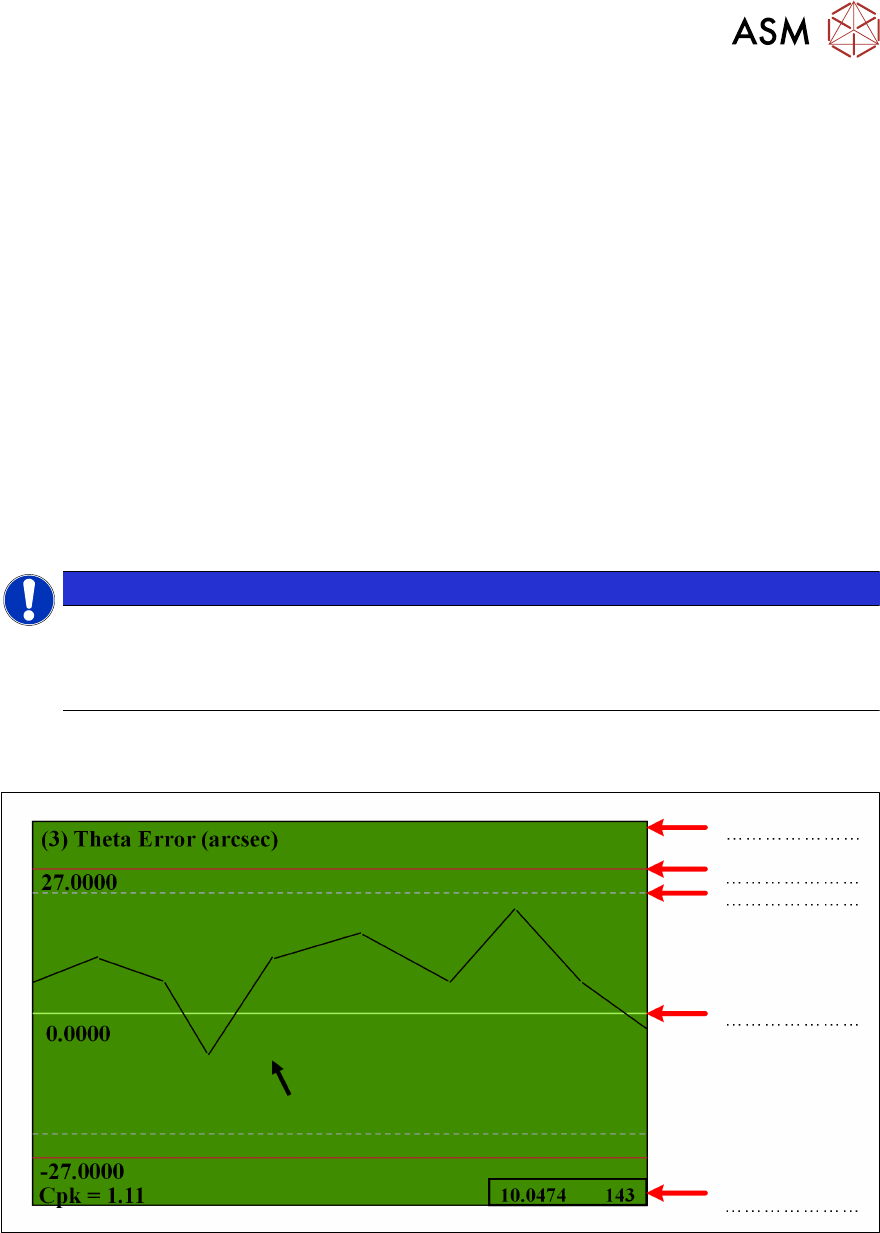
Exercise
Identify the arrowed items below:
11 Benchmark Test
108 Technical Training E by DEK 12/2017
Our Goal
Exercise
Identify common causes of poor performance
With the instructor, discuss the typical causes and solutions to any poor results.
Summery of Adjustment
Board move- Rail parallelism Reduce board width 1mm
Fiducial capture Try video model mode
Board move – belts Remove tooling
Print carriage bearings Run dry align
Screen move –Chase clamps Disconnect chase clamps –no pressure
Calibrations Calibrate
Screen move - Stretch Try new screen