00198481-01_Technical_Training_E_by_DEK_EN - 第34页
5 Gantry Systems 5.1 Print Carriage 34 Technical Training E by DEK 12/2017 5.1.4.2 Print Carriage Calibrations Overview Print Carriage Home position setup 1. Right Hand Printhead A – Detailed view 2. Front Rail 4. Print …
5 Gantry Systems
5.1 Print Carriage
Technical Training E by DEK 12/2017 33
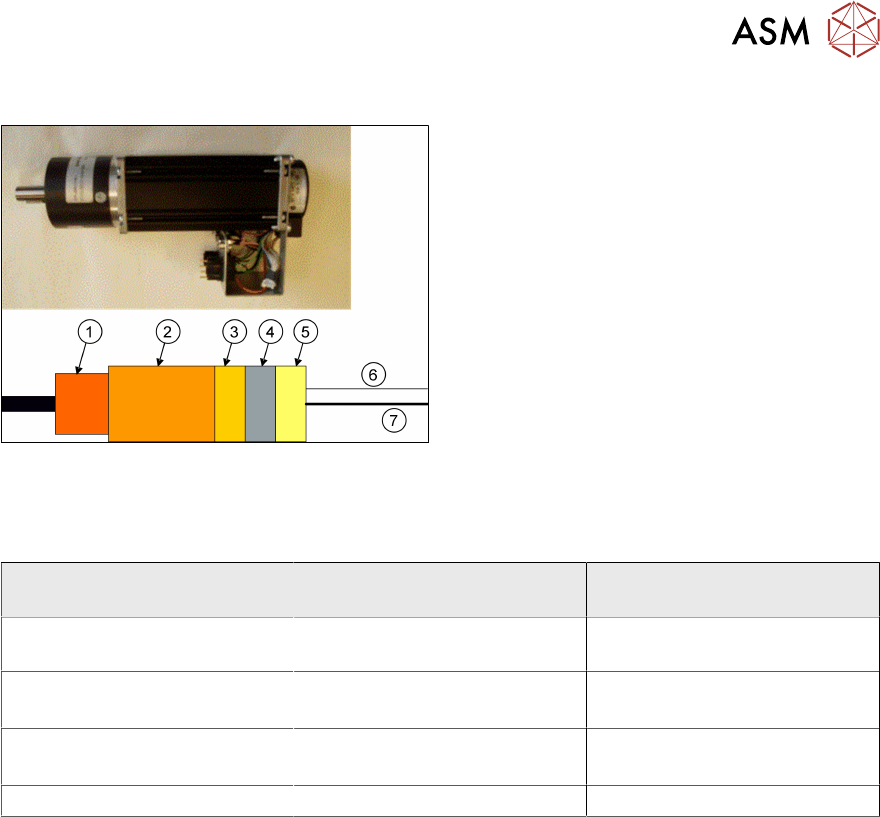
5.1.3 Print Carriage Motor
1. Gearbox
2. Servo motor
3. Drive electronics
4. Processor
5. CAN Open interface
6. CAN bus
7. Power
CAN bus controlled
5.1.4 Parts Exchange / Settings / Calibrations
5.1.4.1 Parts Exchange / Settings / Calibrations
Print Carriage Parts
Exchange
Tools/ Setting Calibration
Node 3 Board Squeegee pressure feedback
calibration
Print Carriage belt Force Meter with hook
12kgs.
Print Carriage Motor Force Meter with hook
12kgs.
Home Sensor / Vane Check Home Position
For the defined measuring position please refer to the technical reference manual
5 Gantry Systems
5.1 Print Carriage
34 Technical Training E by DEK 12/2017
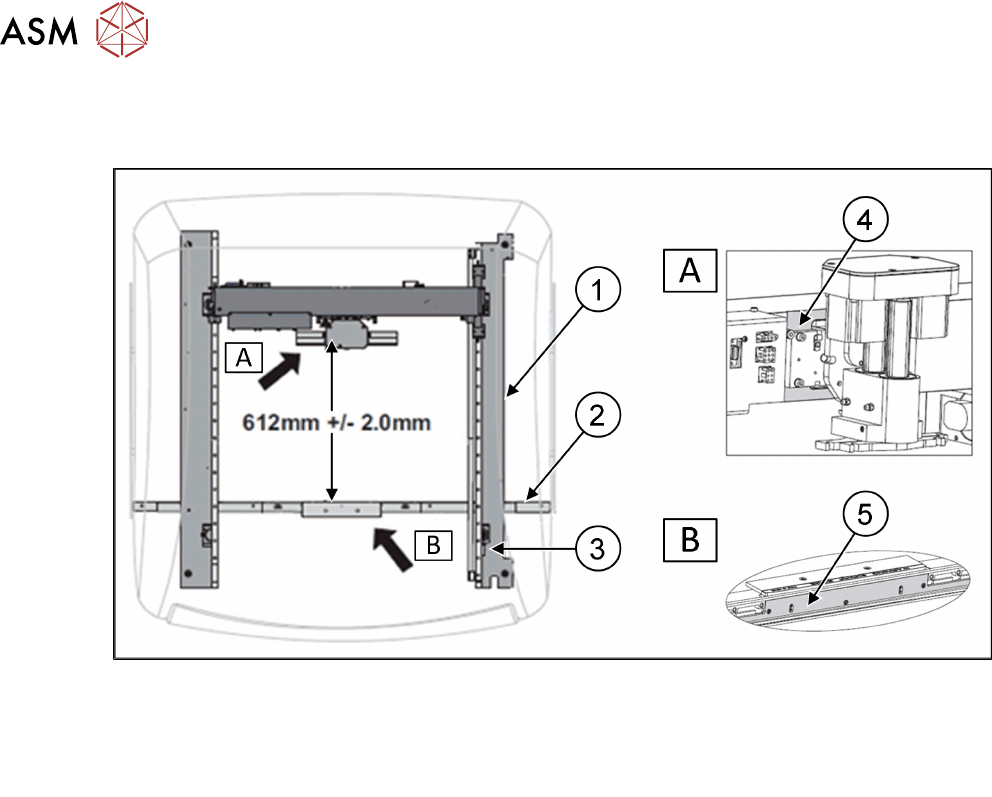
5.1.4.2 Print Carriage Calibrations
Overview Print Carriage Home position setup
1. Right Hand Printhead A – Detailed view
2. Front Rail 4. Print Carriage Machined Face
3. Home Sensor Vane B – Detailed view
5. Belt Support Plate
5 Gantry Systems
5.1 Print Carriage
Technical Training E by DEK 12/2017 35
5.1.5 Analyse Common error list
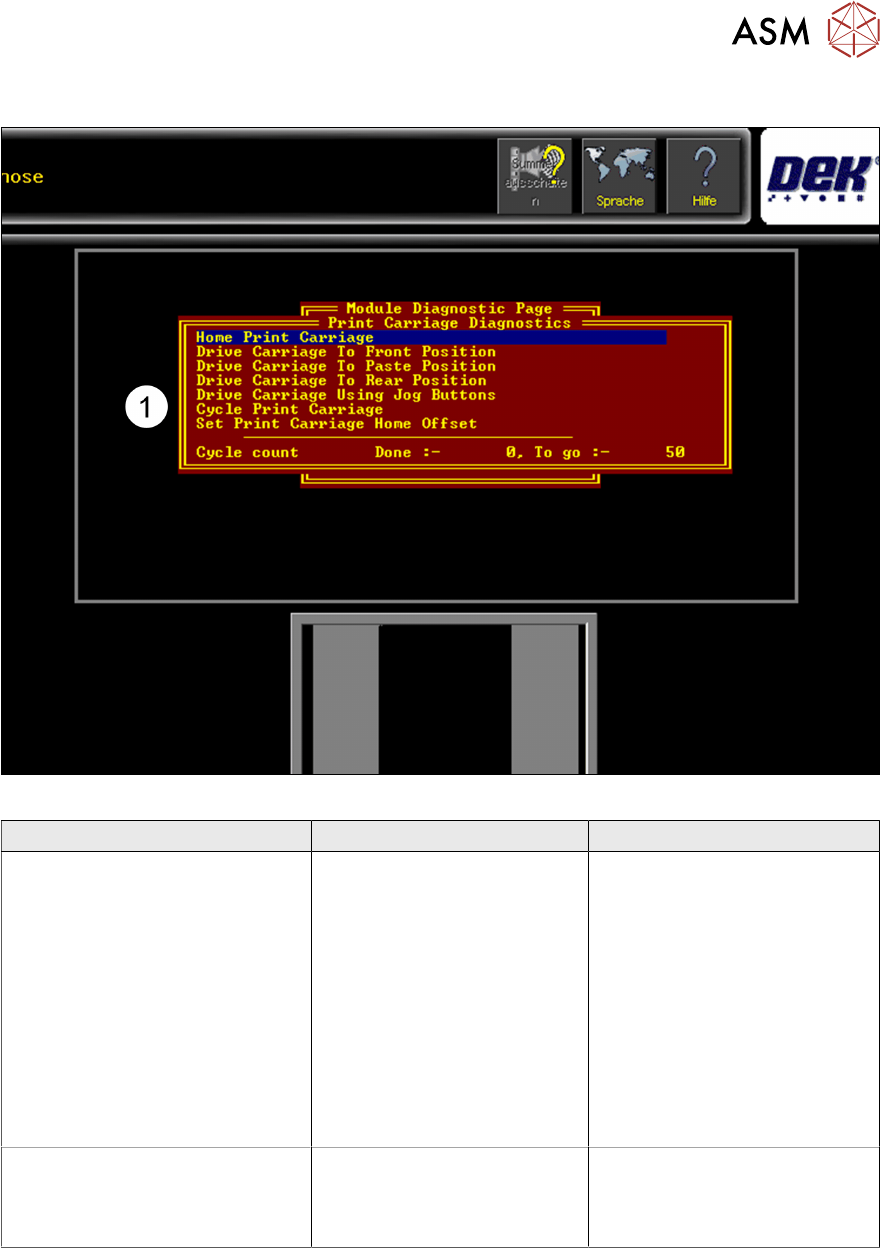
Fig.3: Menu for setting up and calibrating the Print Carriage home positions
Error Description Possible Cause Action
Print Carriage not moving or
jamming
●
Mechanical problem
●
Electrical or control
problem
●
Remove voltages and
check mechanical
movement
●
Check supply voltage,
DEK Power Monitor/
Fuses
●
Check Nextmove ES
Interface Card
●
Check if Motor/Node
defect
●
Check Nextmove Card
Fiducial offset in Y direction when
creating a new product or
importing a product from an other
printer
Play or difficulty with the
Stencil loading
●
Check home position
●
Check Stencil loader
actuators