00198481-01_Technical_Training_E_by_DEK_EN - 第70页
8 Communication and Control 8.1 M36 70 Technical Training E by DEK 12/2017 Next Move Interface Card 1. TP 1 + LED 1 = 24V US 4. TP 4 + LED 4 = -12V 2. TP 2 + LED 2 = 24V SW 5. TP 5 + LED 5 = +5.5V 3. TP 3 + LED 3 = +12V …
8 Communication and Control
8.1 M36
Technical Training E by DEK 12/2017 69
8.1.3 Control Enclosure M36 Module - Next Move
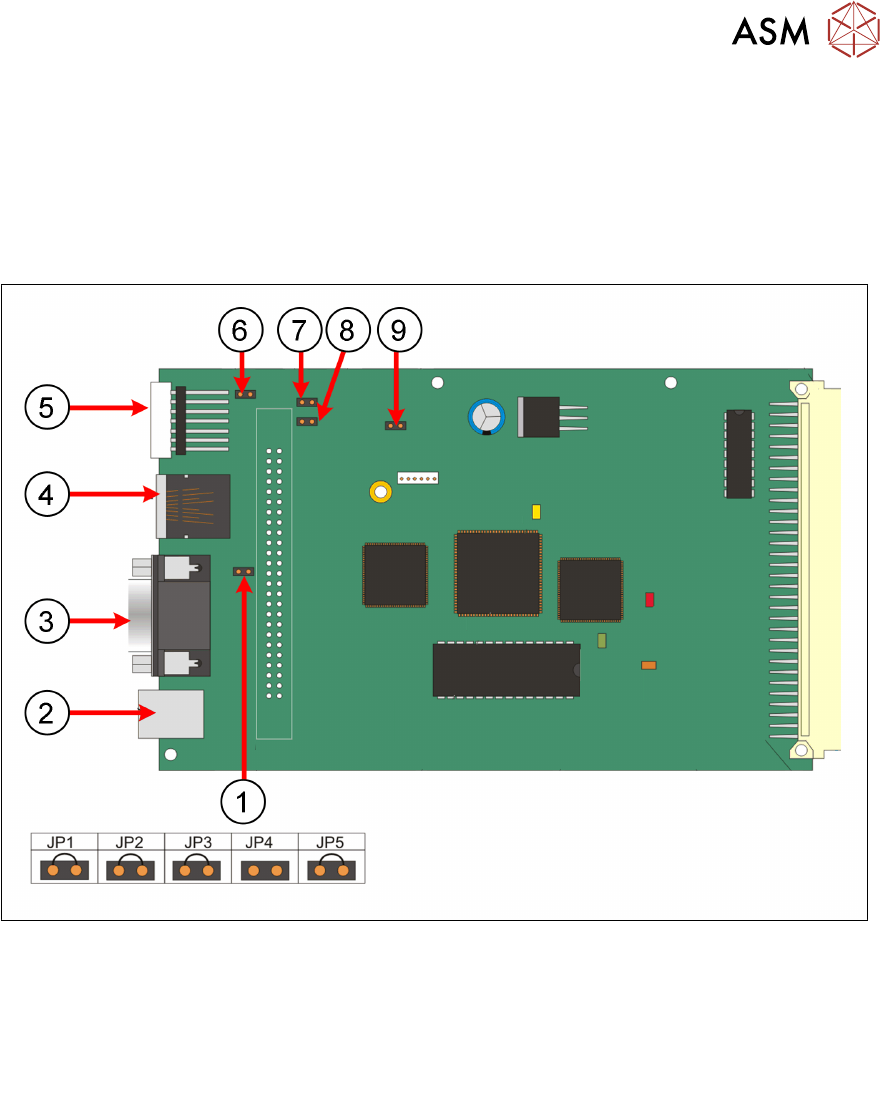
Next Move ES Card
The Next Move ES can control six stepper motor axes via stepper drive cards.
The card also incorporates a CAN encoder/decoder which connects to I/O Node boards and Servo/
Stepper Nodes using a CAN bus network.
When exchanging the card ensure that the correct jumper setting are set.
1. JP2 6. JP1
2. USB connector: M36SK27 7. JP3
3. Not used 8. JP4
4. CAN bus connector: M36SK28 9. JP5
5. 7 Segment: LED display
8 Communication and Control
8.1 M36
70 Technical Training E by DEK 12/2017
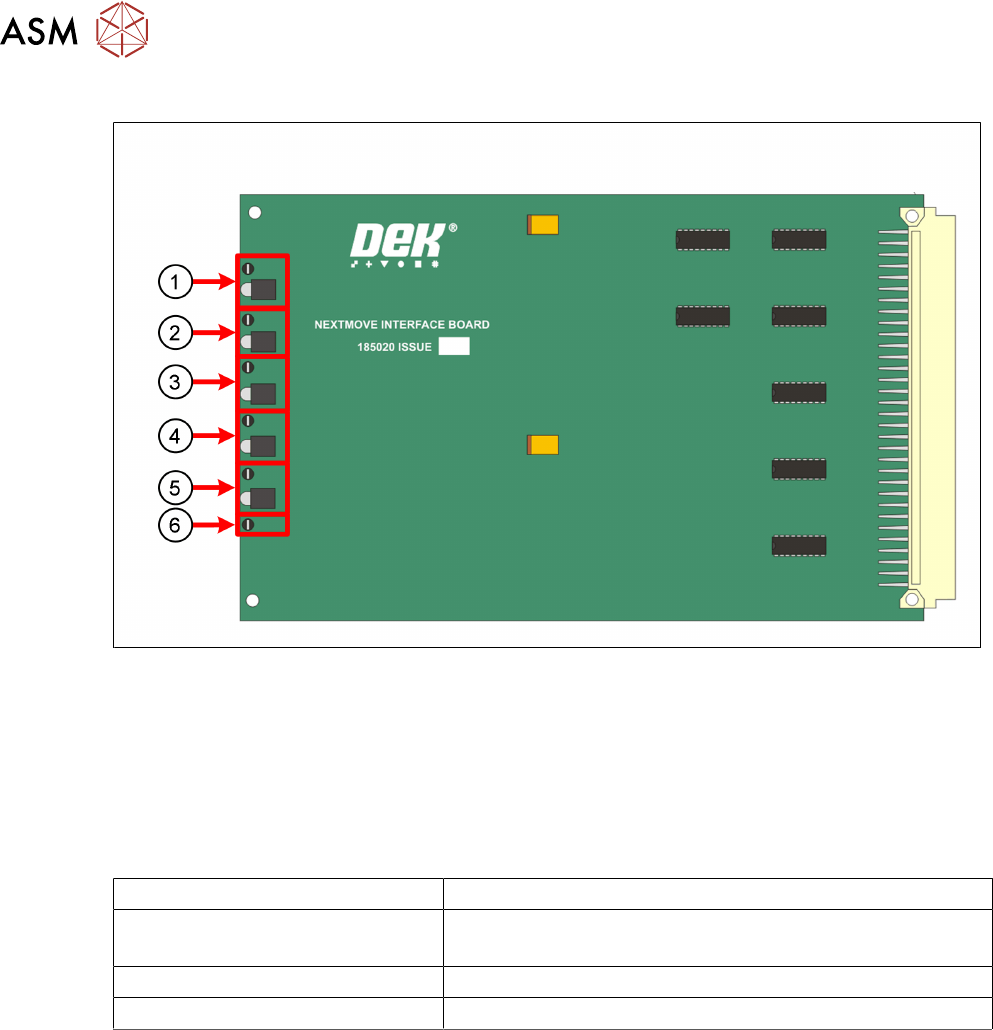
Next Move Interface Card
1. TP 1 + LED 1 = 24V US 4. TP 4 + LED 4 = -12V
2. TP 2 + LED 2 = 24V SW 5. TP 5 + LED 5 = +5.5V
3. TP 3 + LED 3 = +12V 6. TP 6 =DGND
The NextMove Interface Card displays the machine voltages status.
The voltages can be measured at the Test Points.
Next Move ES 7 Segment Display
7 Segment DISPLAY Meaning
- (minus) followed by . (point) If this stays on the display it indicates a 'Fail to Boot'
Possible reasons Corrupt firmware or a low +5.5V
1 Initialized and normal function
E Error missing communication to Machine PC
8 Communication and Control
8.2 Control Area Network (CAN Bus)
Technical Training E by DEK 12/2017 71
8.2 Control Area Network (CAN Bus)
Why CAN?
●
Reduced wiring
●
Future proof – ease of adding options
●
CAN open specification allows multiple manufactures to be sourced
●
Short reaction times for priority commands
●
Fault analysis built into architecture – ability to recover
●
Simplicity of interface (mechanical and electrical)
CAN Features
●
Uses line topology: participants are connected parallel via bus (DEK)
●
Data transmission speed of 500 Kbit/sec (DEK)
●
Data exchange: Each device (Node) may send data if bus is not occupied
●
COB´s are read by all nodes but any action is only performed by the addressed Node(s)
●
A COB-ID (COB identifier) determines the receiving Nodes address and the priority of the
message
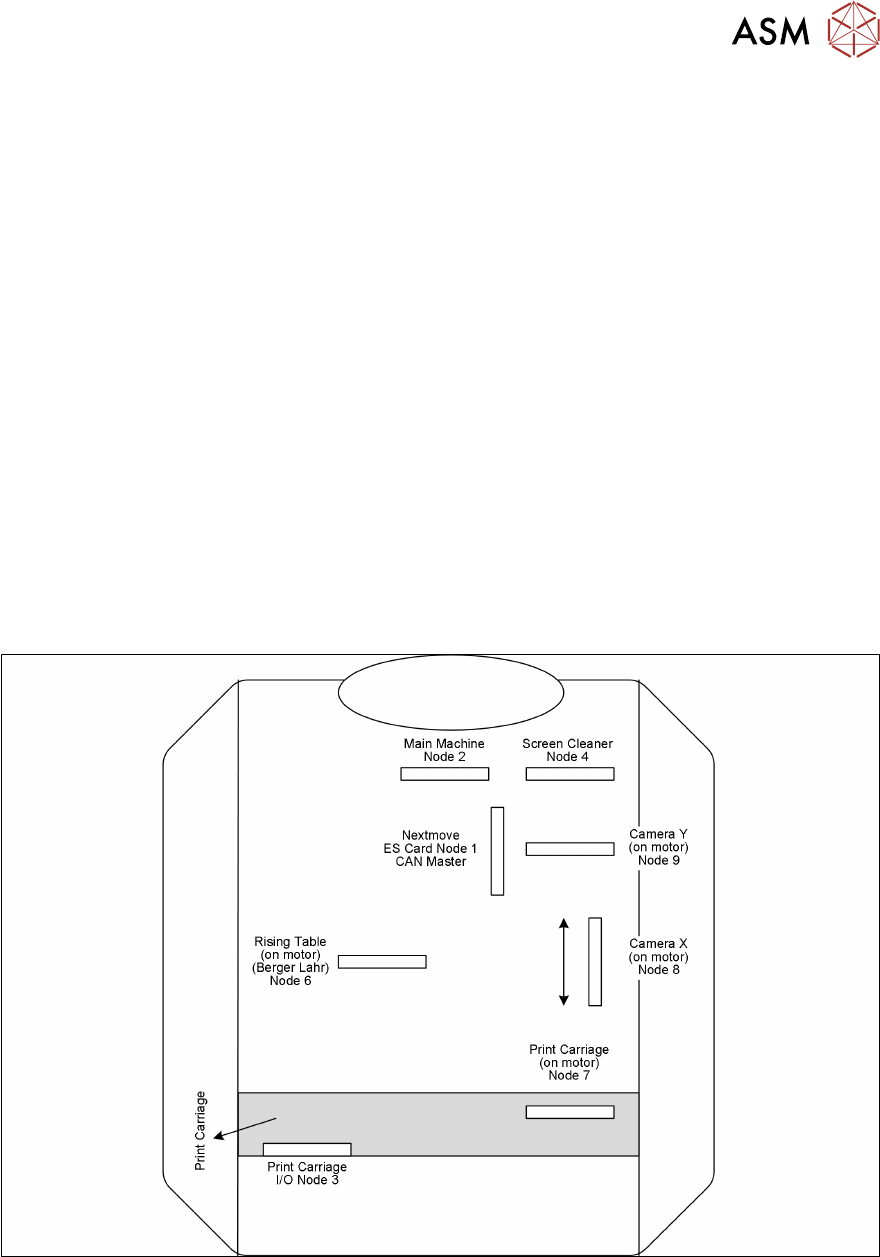
Nodes Positions in Machine