00198481-01_Technical_Training_E_by_DEK_EN - 第73页
8 Communication and Control 8.3 PC Overview Technical Training E by DEK 12/2017 73 8.3 PC Overview PC Configuration Summary The machine PC controls all machine, camera and MMI functions through the CAN bus and local Host…
8 Communication and Control
8.2 Control Area Network (CAN Bus)
72 Technical Training E by DEK 12/2017
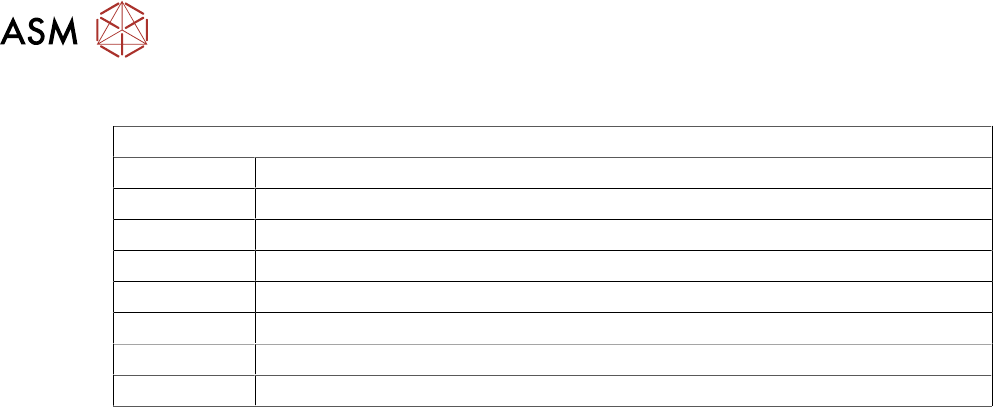
Overview Nodes Functions
List of nodes in the order they appear in the CAN bus chain
Node 1 Nextmove ES
Node 2 Main Machine I/O
Node 3 Print Carriage I/O
Node 4 Screen Cleaner I/O (optional)
Node 6 Rising Table
Node 7 Print Carriage Motor
Node 8 Camera X Motor (710)
Node 9 Camera Y Motor (710)
8 Communication and Control
8.3 PC Overview
Technical Training E by DEK 12/2017 73
8.3 PC Overview
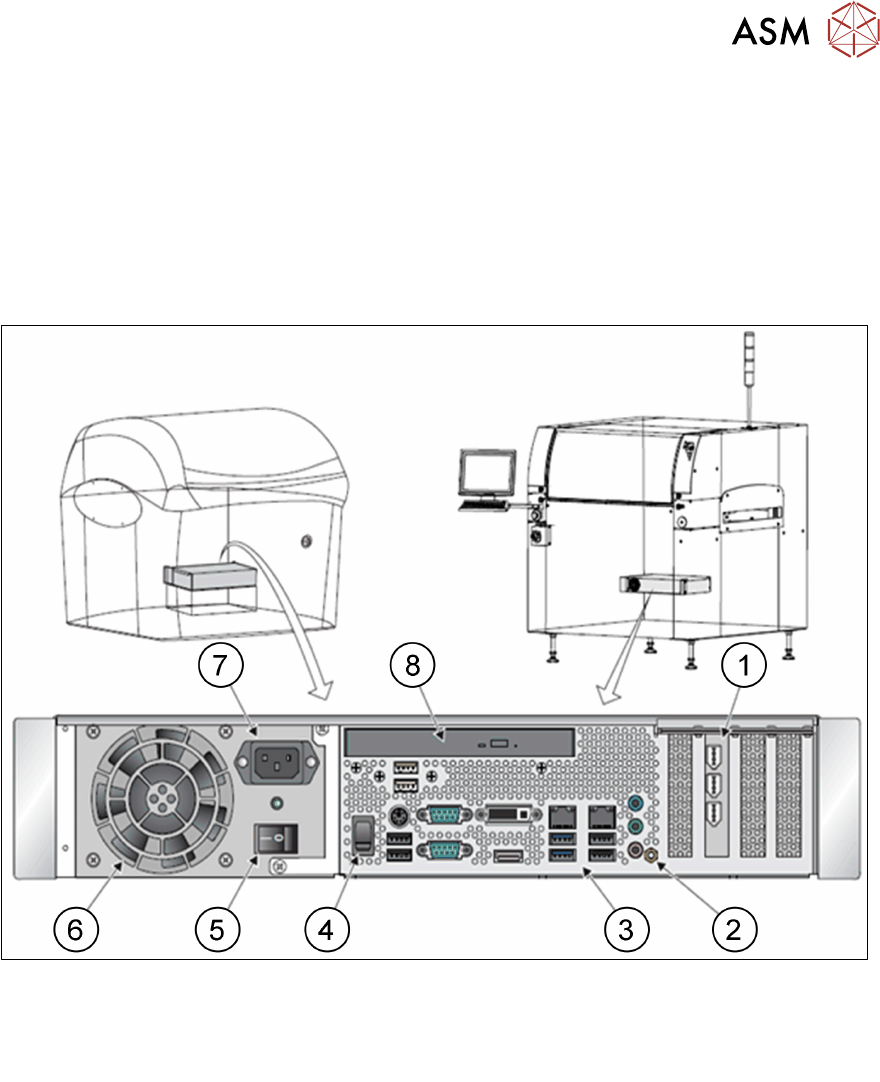
PC Configuration Summary
The machine PC controls all machine, camera and MMI functions through the CAN bus and local
Host comms.
There are several versions of machine PC depending on machine age.
The current version is H81 PC.
Please check the technical information on the web page for the latest versions.
1.
2.
3.
4.
PC Interface Card
Earth Bonding Connector
Peripheral Connector Panel
Reset Switch
5.
6.
7.
8.
Mains Power On / Off Switch
Cooling Fan
Mains Input Connector
DVD ROM Drive
8 Communication and Control
8.4 Analysis Common error list
74 Technical Training E by DEK 12/2017
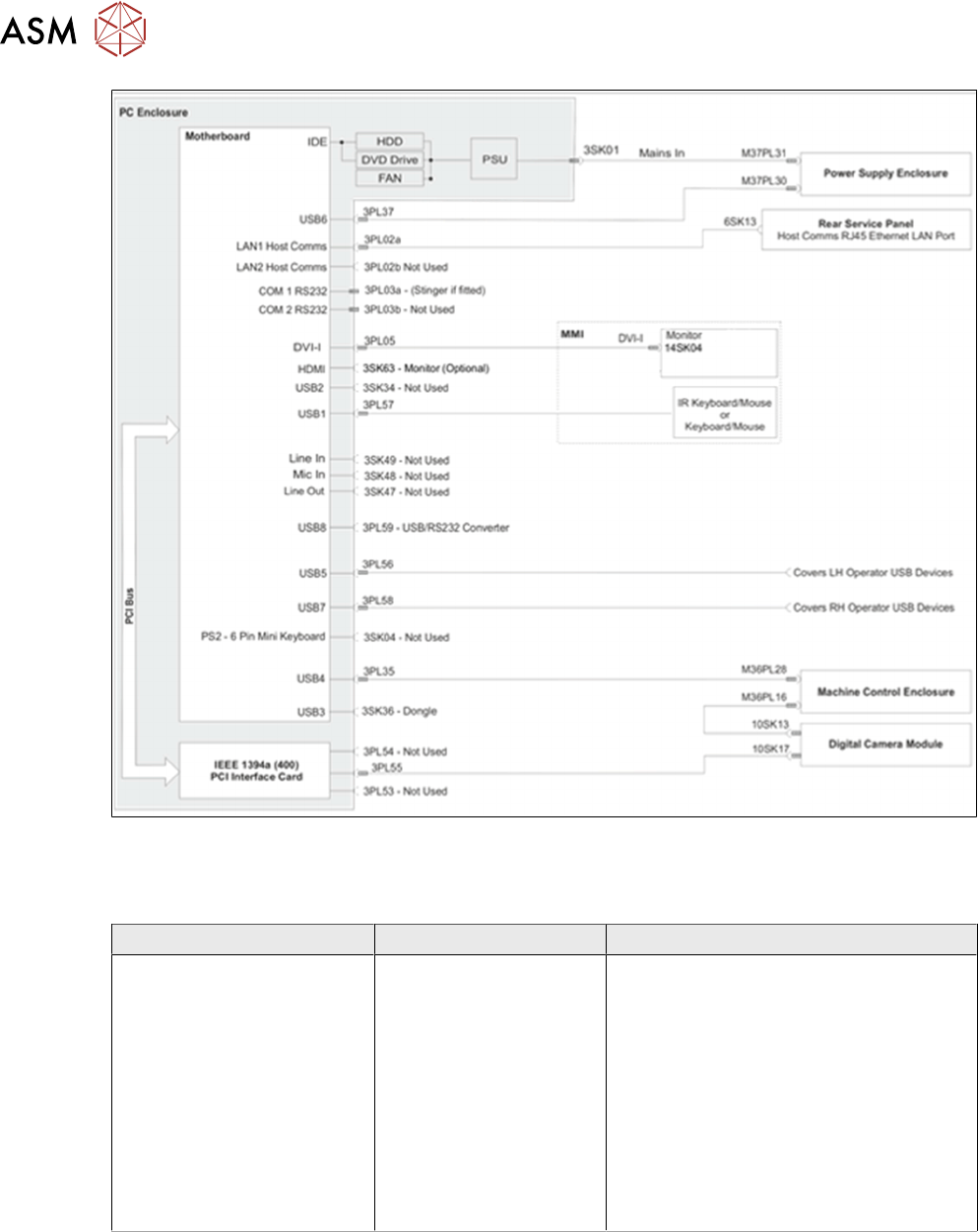
PC schematic
8.4 Analysis Common error list
Error Description Possible Cause Action
CAN bus error messages
●
Mechanical
●
Electrical
●
Look at the Event Log for clues
●
Check CCT breakers
●
Determine which Node is causing
the problem
This can be done using ISCAN*
●
Test CAN bus wire for continuity
and resistance
●
Check Nextmove ES has initialised
OK
●
Check voltages to node(s)