晶圆测试说明书Cascade-11861-6-Manual.pdf - 第4页
ii • Summit 11K/12K Probe St ations User’s Guide C HAPTER C ONTENTS N OTATIONAL C ONVENTIONS This manual uses the following conventions: • When directing the user to a command found on the menus, a vertical ha sh ma rk i…

Before You Begin
•
i
Before You Begin Chapter 1
About This Guide
Welcome to the Summit 11000- and 12000-Series Probe Station User’s Guide. This
guide contains information about installing, verifying, operating, and
maintaining your probe station.
• The Summit 12000-series 200-mm (8-inch) probe stations are referred to in this
manual as the 12000-series.
• The Summit 11000-series 200-mm (8-inch) probe stations are referred to in this
manual as the 11000 -series.
• A member of either series is referred to as a probe station.
Variations of these series are available, such as the 150-mm (6-inch) probe station,
and those stations with high-temperature (HT) configurations.
GUIDE CONTENTS
This guide covers hardware installation, operation, and maintenance for the
Summit 11000- and 12000-series probe stations.
The 12000-series probe station comes with the following information:
• Programming Communications Guide
• Prober Control Software User’s Guide and online Help
• Probe plan Editor User’s Guide and online Help
• WinCal User Guide and online Help (if ordered)
• GPIB online Help
• Verify online Help
• DDE online Help
• DC/CV Parametric Configuration Guide
For information on installing, operating, and maintaining other parts of your test
system, see the following:
• Software documentation
•Probe documentation
• Positioner documentation
• Test equipment literature
• Microscope documentation
• Thermal equipment documentation
ii
•
Summit 11K/12K Probe Stations User’s Guide
CHAPTER CONTENTS
NOTATIONAL CONVENTIONS
This manual uses the following conventions:
• When directing the user to a command found on the menus, a vertical hash
mark is used to indicate that a command is nested. So, to direct the user to the
Wafer Map command from the Tools item on the menu, we use Tools | Wafer
Map.
•
Screen text and syntax strings appear in this font.
• All numbers are decimal unless otherwise stated.
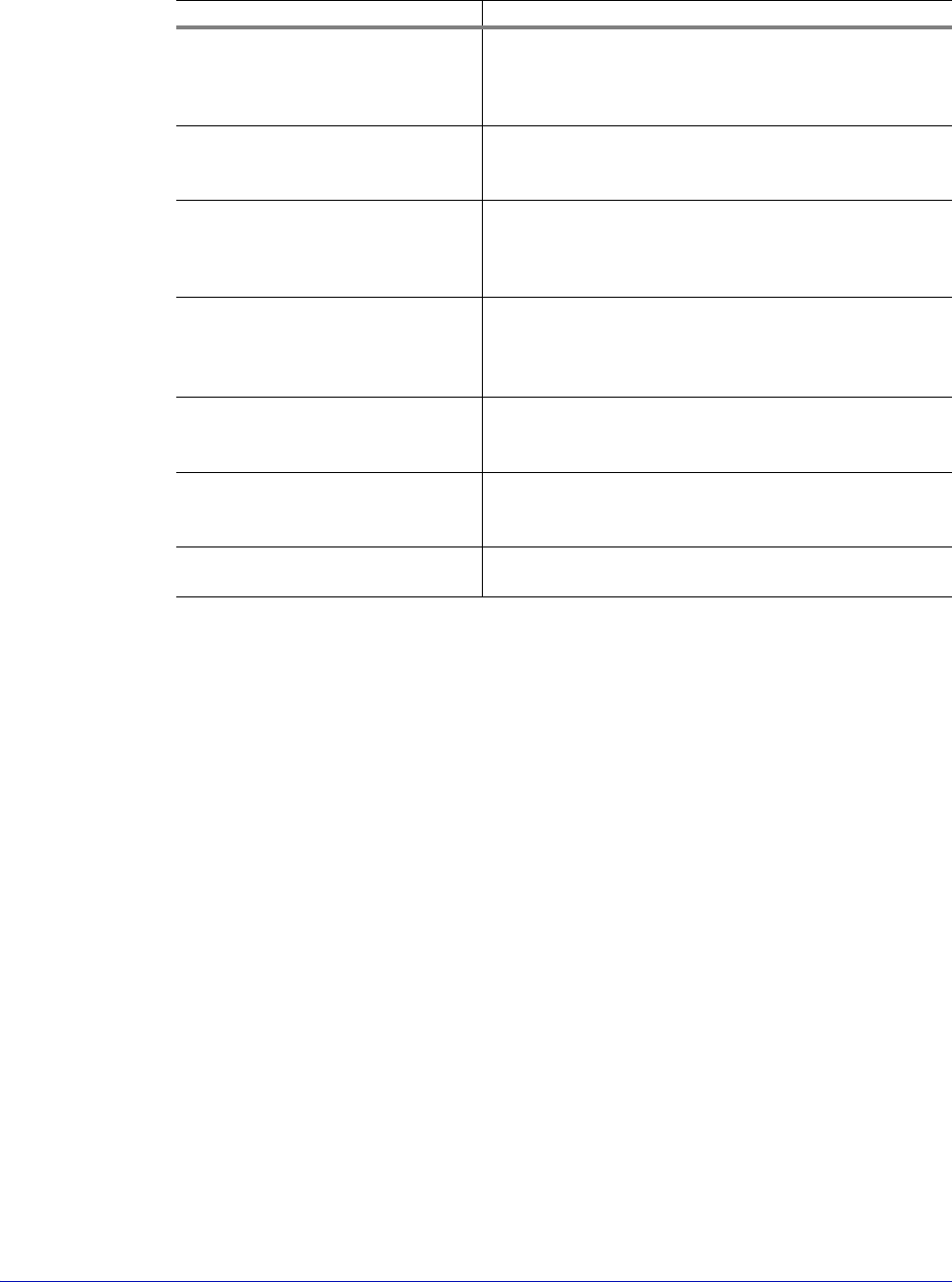
Chapter Description
1 Station Overview Describes general features, applications,
accessories, requirements, considerations and
recommendations for using the probe stations
and how to use the emergency stop button.
2 Station Specifications Describes specifications, dimensions and
requirements for all stations in the Summit
series.
3 Installing Provides an overview to installation as well as
requirements for lifting the probe station.
Continues with the unpacking of the station
and its setup.
4 Verifying and Operating Describes how to use the emergency stop
button, verify and use the probe station, and
explains how to test the thermal chuck and
joystick
.
5 Maintaining Explains how to maintain a Summit probe
station using preventative maintenance
procedures.
6 Troubleshooting Lists problems you may encounter while using
Summit probe stations, and explains how to
avoid or resolve those problems.
7 Service Provides contact phone numbers and
instructions to prepare the station for shipping.
Before You Begin
•
iii
• Bit 0 is the low-order bit. If a bit is set to 1, the associated description is true
unless otherwise stated.
IDENTIFYING LABELS—IDENT - SYMBOLE—ETIQUETTES D'IDENTIFICATION
These labels identify parts or system numbers, and grounding points.
IDENT-Symbole – bezeichnen Teile, System-Nummerierungen und
Erdungspunkte
D'autres étiquettes permettent d'identifier les pièces, la numérotation de
l'équipement et des points mis à la terre.
• Model number is located on the lower I/O panel at the rear of the station.
—die Modell-Nummer befindet sich am I/O-Panel an der Rueckseite der
Station.
—Le numéro du modèle se situe sur le panneau inférieur des «entré / sortie»
à l'arrière de l'appareil.
• Serial number is located on the frame rail at the front of the station, inside the
lower-right door.
—die Serien-Nummer befindet sich am Rahmen an der Vorderseite der
Station, Innenseite der rechten Tuer
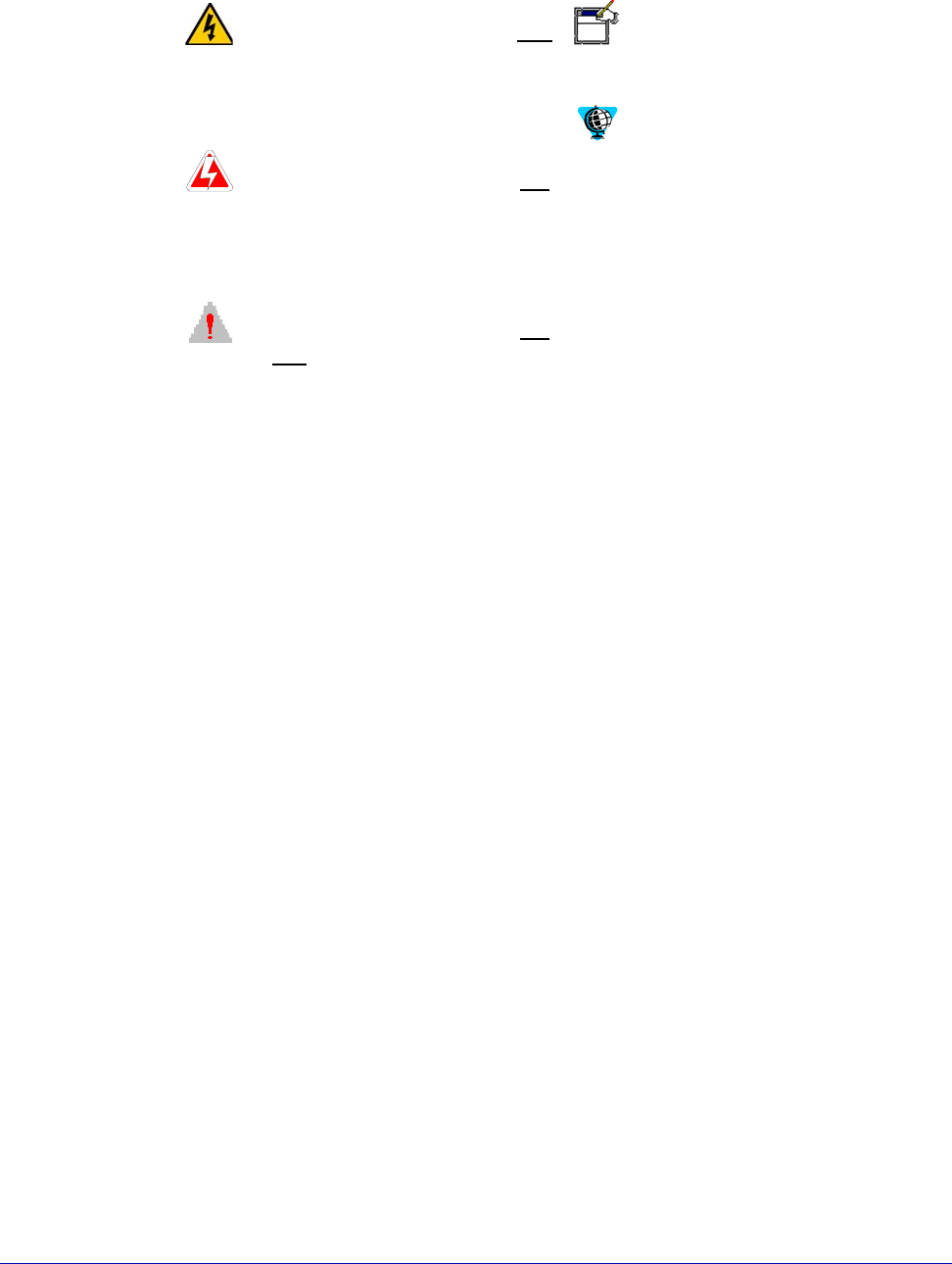
WARNING is used to indicate the
presence of a hazard which
can
cause severe personal injury,
death, or substantial property
damage if the warning is
ignored.
D
ANGER is used to indicate the
presence of a hazard which
will
cause severe personal injury,
death, or substantial property
damage if the warning is
ignored.
C
AUTION is used to indicate the
presence of a hazard which
will
or
can cause minor personal
injury or property damage if the
warning is ignored.
This includes situations that may
cause damage to hardware via
electrostatic discharge (ESD).
N
OTE is used to indicate
important information about the
product that is not hazard
related.
The globe indicates a World
Wide Web address.