晶圆测试说明书Cascade-11861-6-Manual.pdf - 第71页
Chapter 3: Installing • 47 9. Check the positioner for clearance. The probe mount rests approximately 8 mm to 13 mm (0.3 inch to 0.5 in.) above the chuck top. 10. Mount the probes and probe cables. 11. Planarize the prob…
46
• Summit 11K/12K Probe Station User’s Guide
To install the positioners one at a time
1. Lower the Z-lever.
CAUTION
Positioners are precision instruments, so handle them carefully. Avoid bumping or
dropping the positioners. Avoid handling that may cause scratches or burrs on
mating surfaces.
2. Inspect the surface of the positioner, the positioner mounting plate, and the
platen. They should be free of contaminants.
3. Adjust the Z-axis micrometer counterclockwise to raise the positioner all the
way up. This ensures clearance between the chuck top and the probe you
install.
4. Set the X-axis and Y-axis micrometers to half (between index mark 2 and 3) of
their range.
5. Mount the two rails to the platen, using the four mounting screws.
6. Slide the positioner between the rails.
CAUTION
The positioner can scratch the chuck top if it tilts forward and falls.
7. Mount the positioner close to where you want the probe mounted. The
standard position is to mount the positioner's front flush with the end of the
rails. For wider probe separation, mount the positioner farther away from the
wafer chuck.
8. Secure each positioner to the platen by tightening the clamping knob.
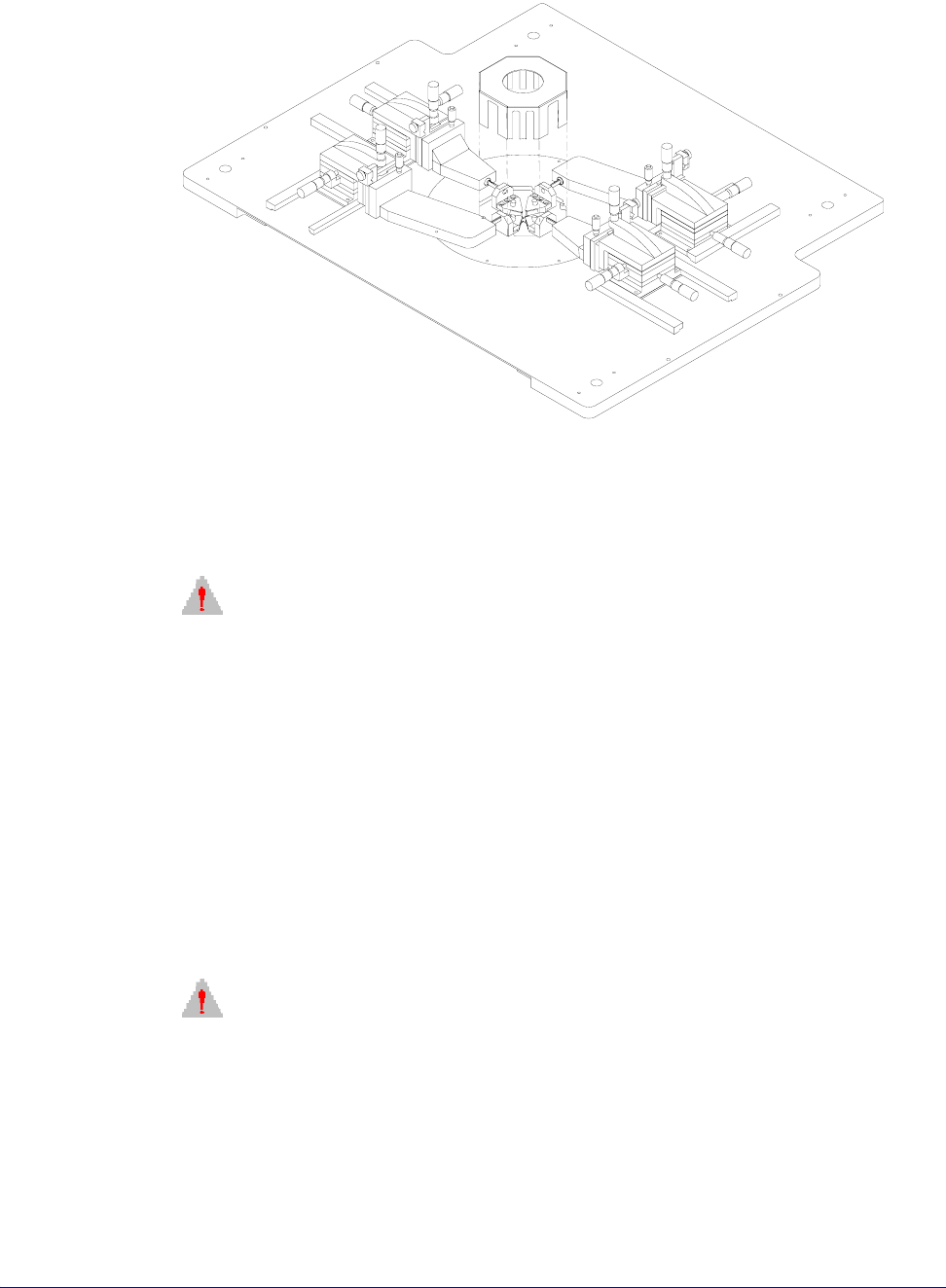
Fig. 33. Positioner configuration for four probes.
Chapter 3: Installing •
47
9. Check the positioner for clearance. The probe mount rests approximately 8
mm to 13 mm (0.3 inch to 0.5 in.) above the chuck top.
10.Mount the probes and probe cables.
11.Planarize the probe head. See ACP probe documentation.
INSTALLING THE PROBE CARD HOLDER
See the instructions that are included with the probe card holder.
INSTALLING THE TOPHAT
(MicroChambered Stations Only)
To install the MicroChamber TopHat
1. Remove the blank seals from the positioner entry areas.
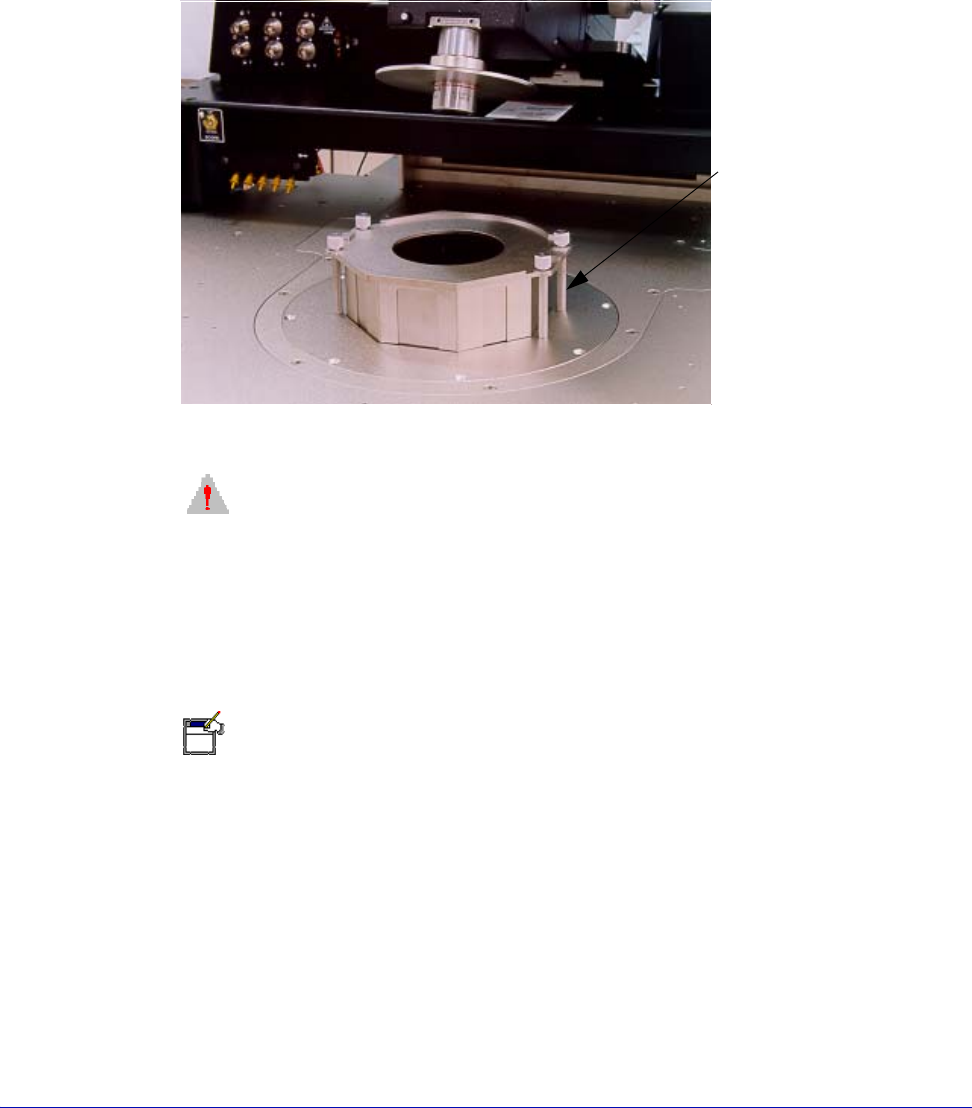
2. Screw in the four standoffs on the platen. See figure 36 on p. 48.
3. Insert the TopHat ring on top of the platen.
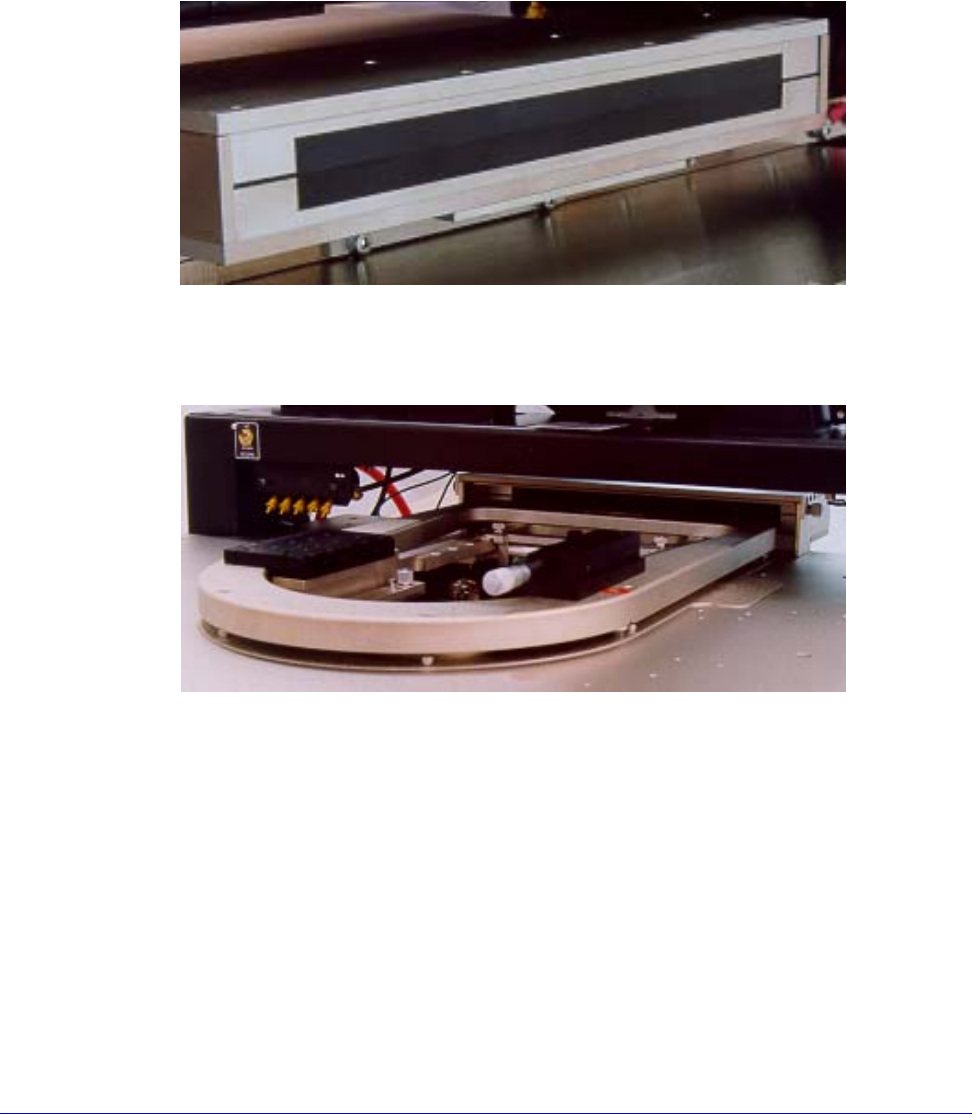
Fig. 34. Exit box (rear view).
Fig. 35. Probe card holder.
48
• Summit 11K/12K Probe Station User’s Guide
4. Slide the slotted seals into the TopHat ring and push over the positioner
extender arm.
5. Install the TopHat cover and seal the cover with the objective.
6. Push down the screws to catch the standoffs and finger-tighten.
CAUTION
TILT-BACK BRIDGE
Center the programmable scope transport before raising or lowering the tilt-back
bridge or damage can occur to the probe station and/or accessories. Scope travel
is limited to 1-inch in the x-, y-axes when using the TopHat.
7.Nucleus software supports the programmable scope transport if the optional
autoprobe module (PN 123-567) is purchased. This module controls the ECX-56
Box accessories.
N
OTE
The DC configuration of the TopHat is similar to the preceding graphic. However,
steel/rubber seals slide to allow positioning of the probe arms. This seal provides a
“light tight” environment for the wafer. Note that the TopHat is inverted to allow the
removal of positioners when the lid is removed. A comparable TopHat is shown
below.
INSTALL CHUCK BIAS AND DOOR INTERLOCK
Electrical isolation and chuck biasing
(11500, 11700, 11800, 12500, 12700 and 12800 only)
Fig. 36. TopHat for RF.
Standoffs (4)