晶圆测试说明书Cascade-11861-6-Manual.pdf - 第76页
52 • Summit 11K/12K Probe Station User’ s Guide Install coolant 1. Fill the cool ant reservoir. See also , the Temptronic manual for additional information. 2. Check thermal functions.
Chapter 3: Installing •
51
computer and the controller.
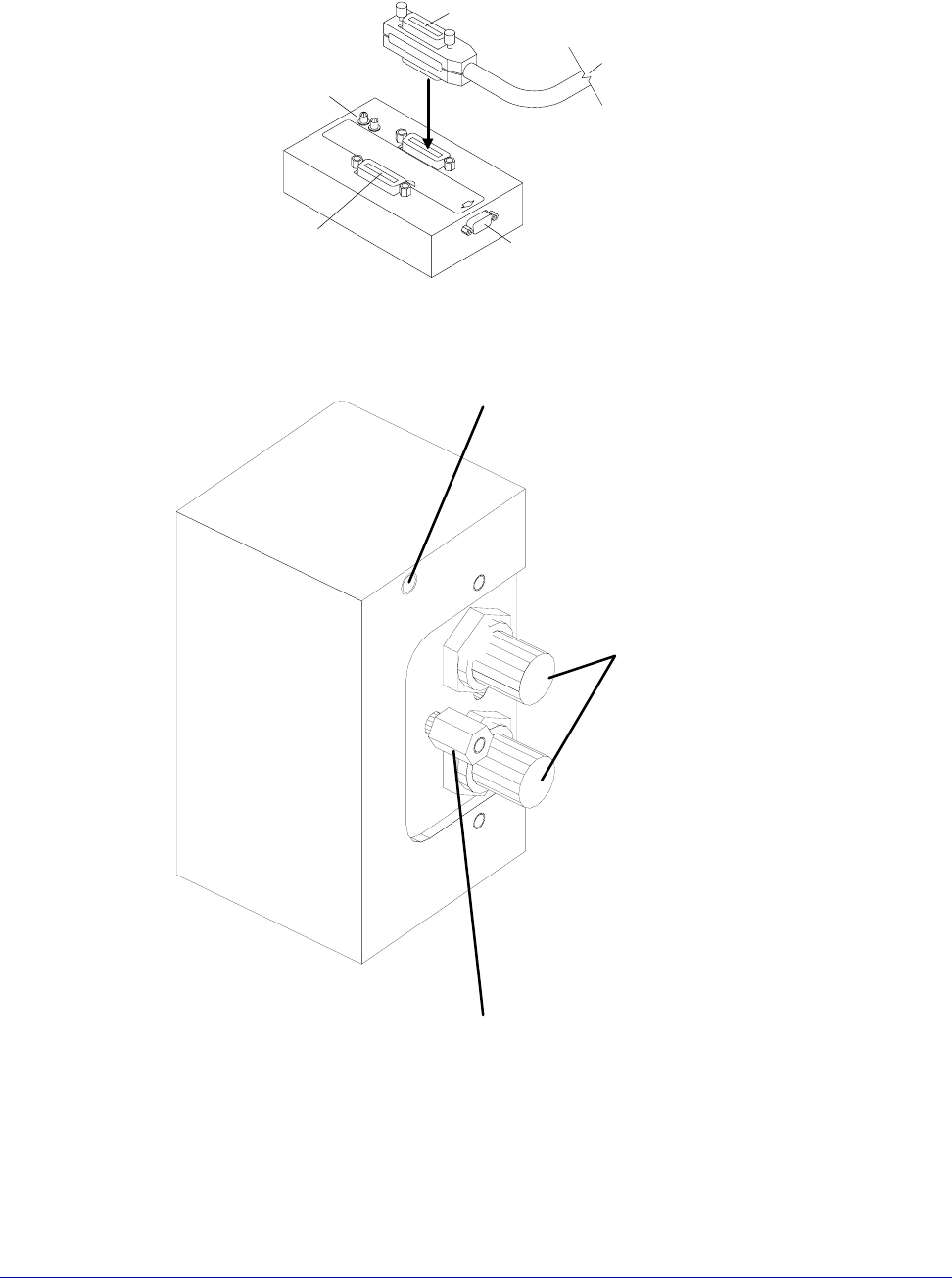
Fig. 39. GPIB switch box.
To probe station connector
To probe-station computer
GPIB card connector
(VNA Cal or Aux IN, depending on model)
To remote host
T
o pro
b
e-s
t
a
ti
on con
t
ro
ll
e
d
i
ns
t
rumen
t
s
Indicator LEDs
Green for power on
Red for host disconnected
Store standoff here if not needed
Install standoff here if you are using
a Dual Triax cable (HD4156), or a Quadrax
cable with an HP4142 or HP4145
Triax Connectors for
Guarded Chuck
Fig. 40. Dual Triax or Quadrax Cable Standoff Position:11500, 11700, 11800, 12500, 12700, and
12800 Only.

52
• Summit 11K/12K Probe Station User’s Guide
Install coolant
1. Fill the coolant reservoir. See also, the Temptronic manual for additional
information.
2. Check thermal functions.
Chapter 4: Verifying and Operating •
53
CHAPTER
4
Verifying and Operating Chapter 6
This chapter explains how to:
• Use the Emergency Off button (EMO)
• Verify and use the 11000 or 12000-series probe station
• Test the thermal chuck (thermal stations only)
• Test the joystick
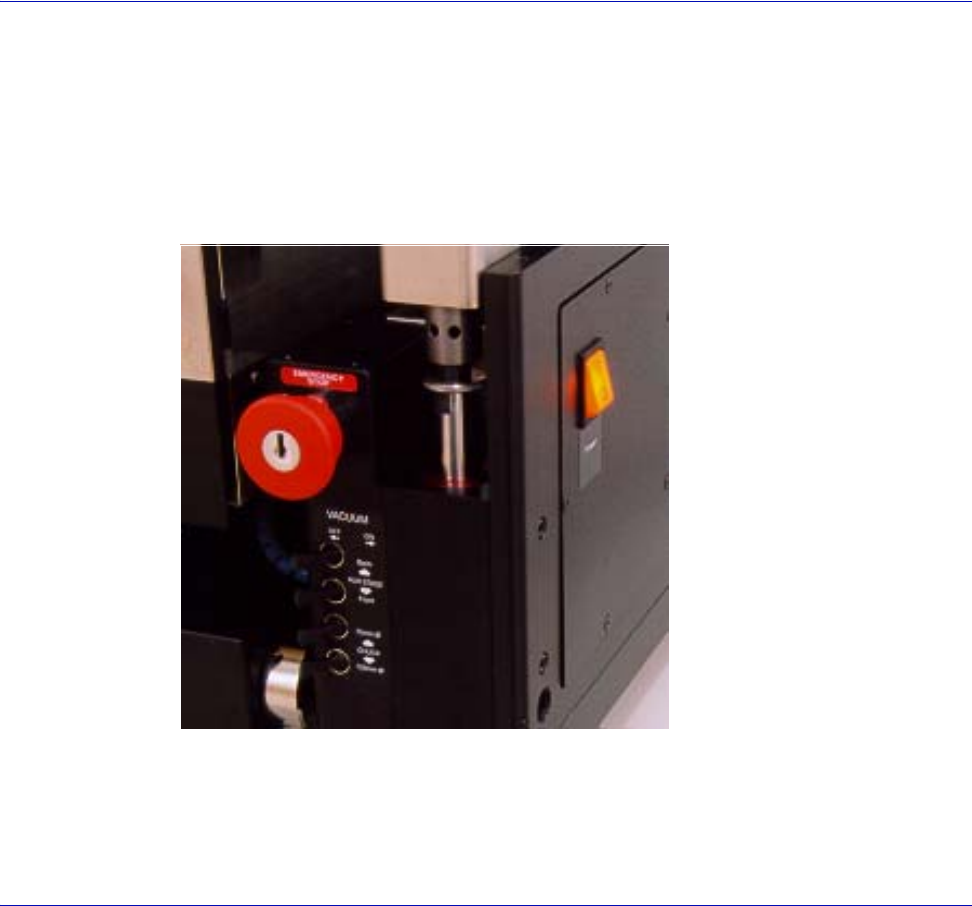
Using the Emergency Off Button (EMO)
The button will not lock unless it’s pushed, or keyed to lock for maintenance.
1. Identify the “red” button on the right front of the station.
2. Push to stop all movement on station.
3. The system key must be inserted and turned clockwise to release the button
and restore power.
Fig. 41. Emergency Off button (EMO).