00195374-0202_AI_LBO-D1D2_DE+EN.pdf - 第49页
Long bo ard option 2 Assembly instructions Long board op tion SIPLACE D1 / D2 06/2007 Edition 49 2.7 Functions in the SITEST program The option does not ha ve to be selected in the SITEST program: it is detected auto mat…
2 Assembly instructions Long board option SIPLACE D1 / D2 Long board option
06/2007 Edition
48
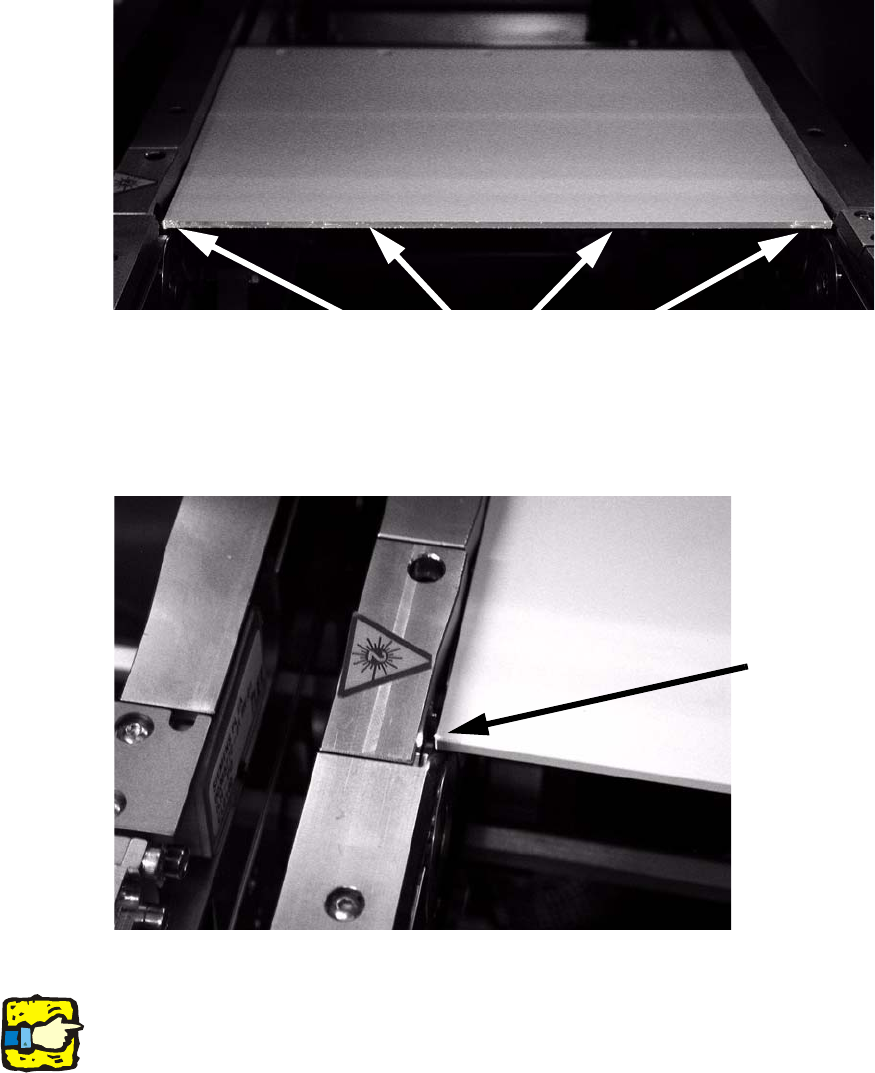
: Check whether the laser beam can be seen on the entire front edge of the adjusting gauge. If
this is not the case, adjust the stopper so that the laser beam is visible.
: To do this, loosen the fixing screws on the stoppe
r, align the stopper and then tighten the
screws once more.
Laser dots must be visible.
2
The adjusting gauge should therefore not lie inside the light barrier because it will interrupt the
beam on one side: 2
The beam does not
fall along the adjust-
ing gauge.
2
: Adjust all the stoppers on all the conveyor tracks.
2
The adjustment must be repeated whenever the stopper unit is dismantled and refitted. 2
2
Long board option 2 Assembly instructions Long board option SIPLACE D1 / D2
06/2007 Edition
49
2.7 Functions in the SITEST program
The option does not have to be selected in the SITEST program: it is detected automatically when
it is plugged into the conversion board. 2
2.7.1 Setting the laser light barrier
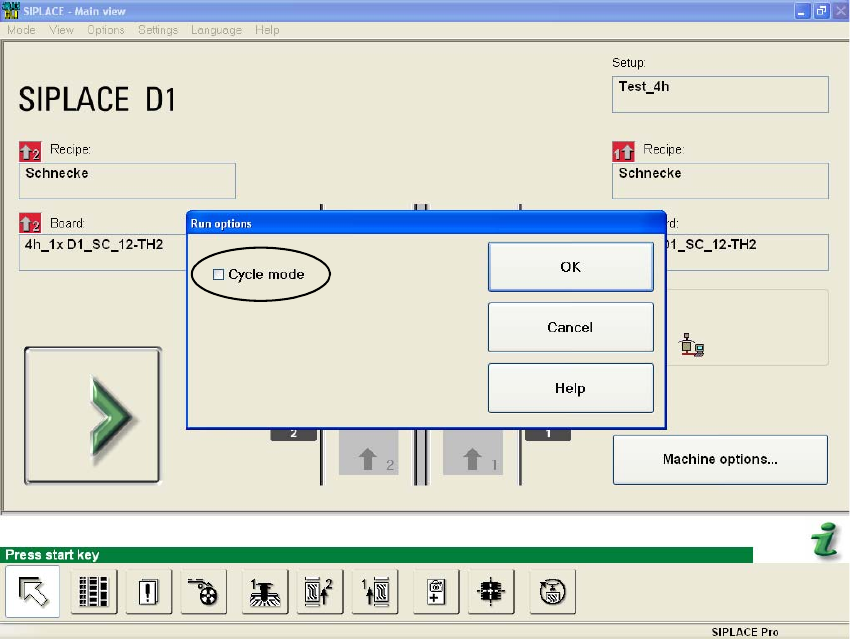
: Select in the Main view "General Functions" --> "Running Options" --> "Cycle mode".
2
2
: Start the SITEST program.
2
2
2
2
2
2 Assembly instructions Long board option SIPLACE D1 / D2 Long board option
06/2007 Edition
50
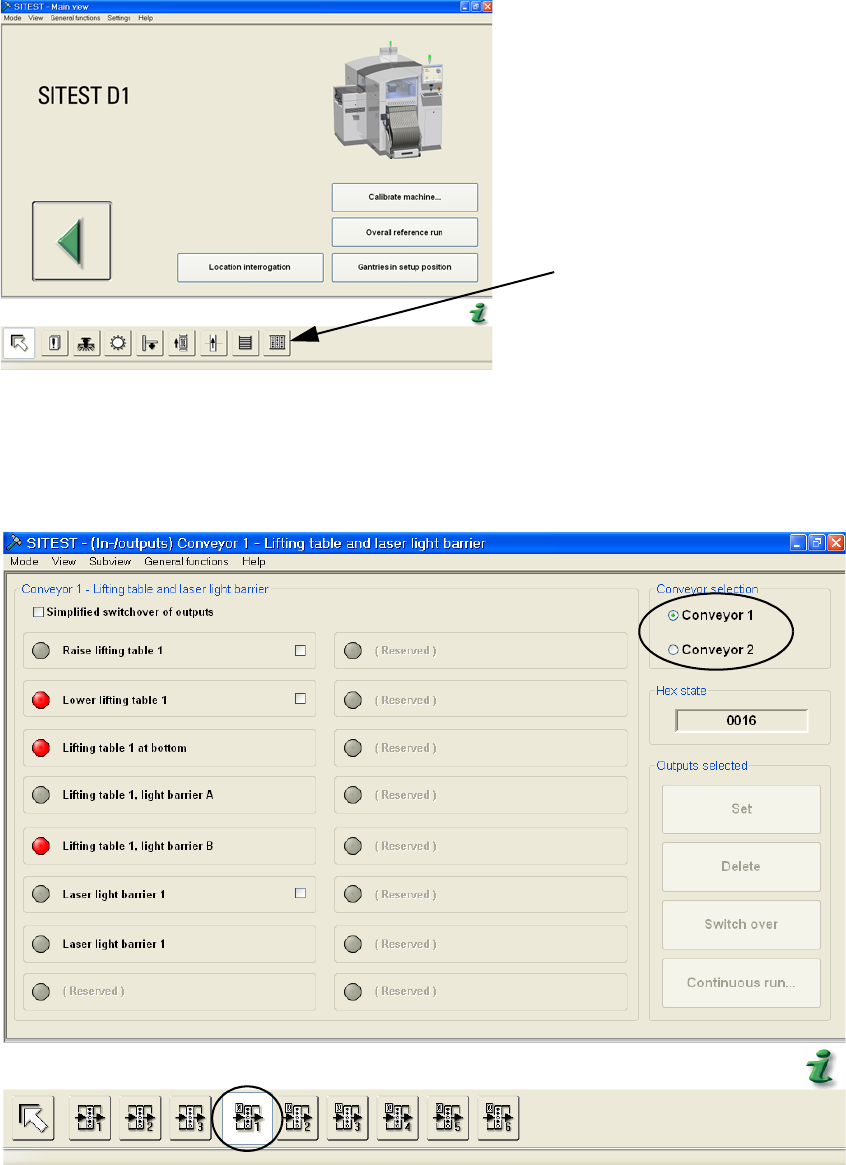
: Select "I/O Functions".
I/O Functions
2
2
: Click the buttons to take the settings for the laser light barrier
Choose the conveyor track.
2
2