PS288_OwnersMnl_PriorTo2009 - 第106页
Operation • Administrato r Functions 3—46 PS288 Owner’s Manual Figur e 3-63—Alarm message 1c) W rite down the axis (in this cas e, Y -axis), whether the minimum or maximum position has been exceeded (in this case, the mi…
Operation • Administrator Functions
PS288 Owner’s Manual 3—45
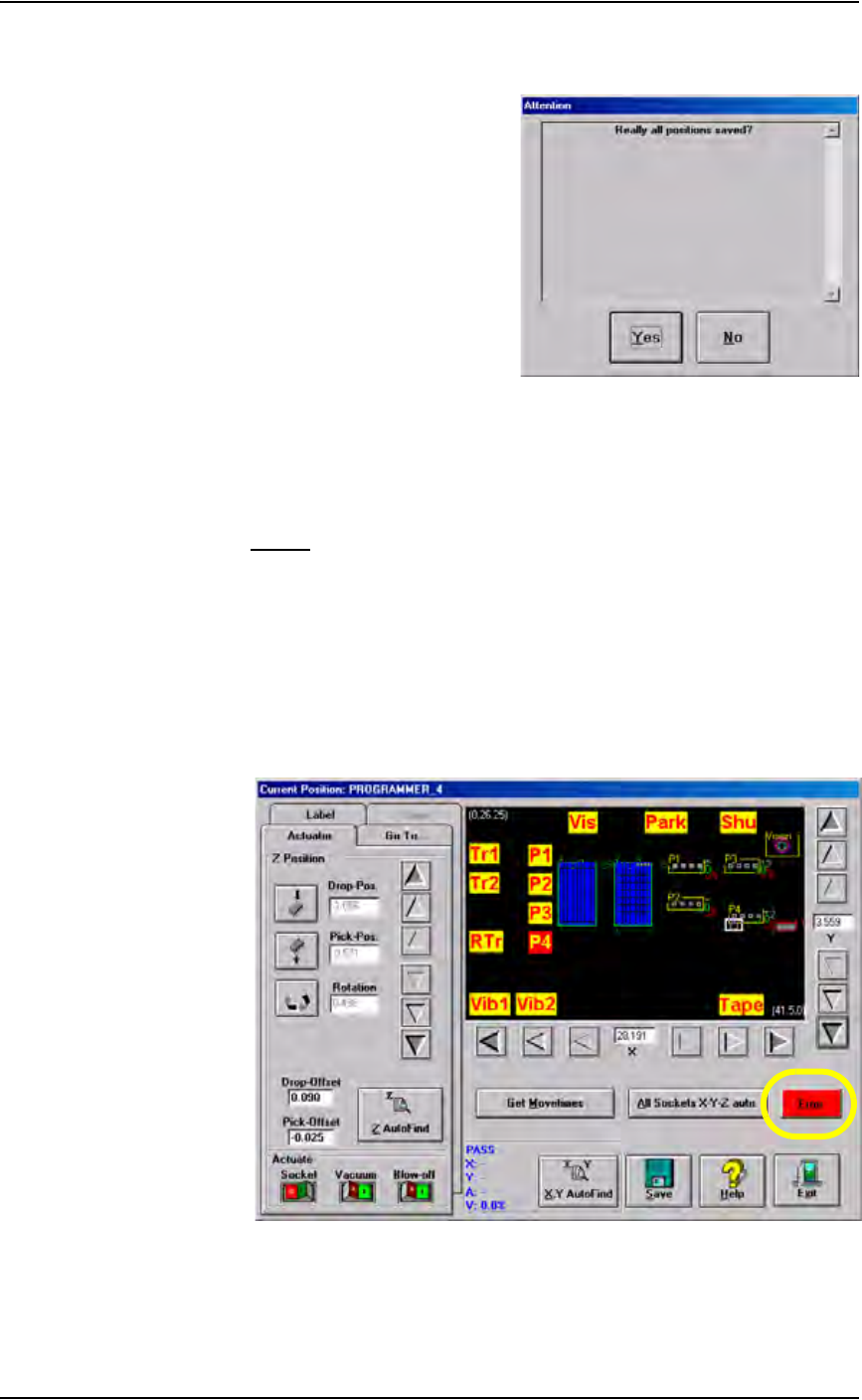
1b) Click Ye s when prompted to save positions.
Figure 3-61—Save positions
1c) Wait for the calculation to finish.
This completes the process of teaching the package file.
Errors
During the process of teaching the package file, you will be directing the
PNP head to move to various locations inside the work envelope. If the PNP
head is directed to move beyond its X-axis or Y-axis limits, you will see a
red error button.
To resolve axis limit errors:
1. Identify error—
1a) Click the Error button to see the error message.
.
Figure 3-62—Click red Error button
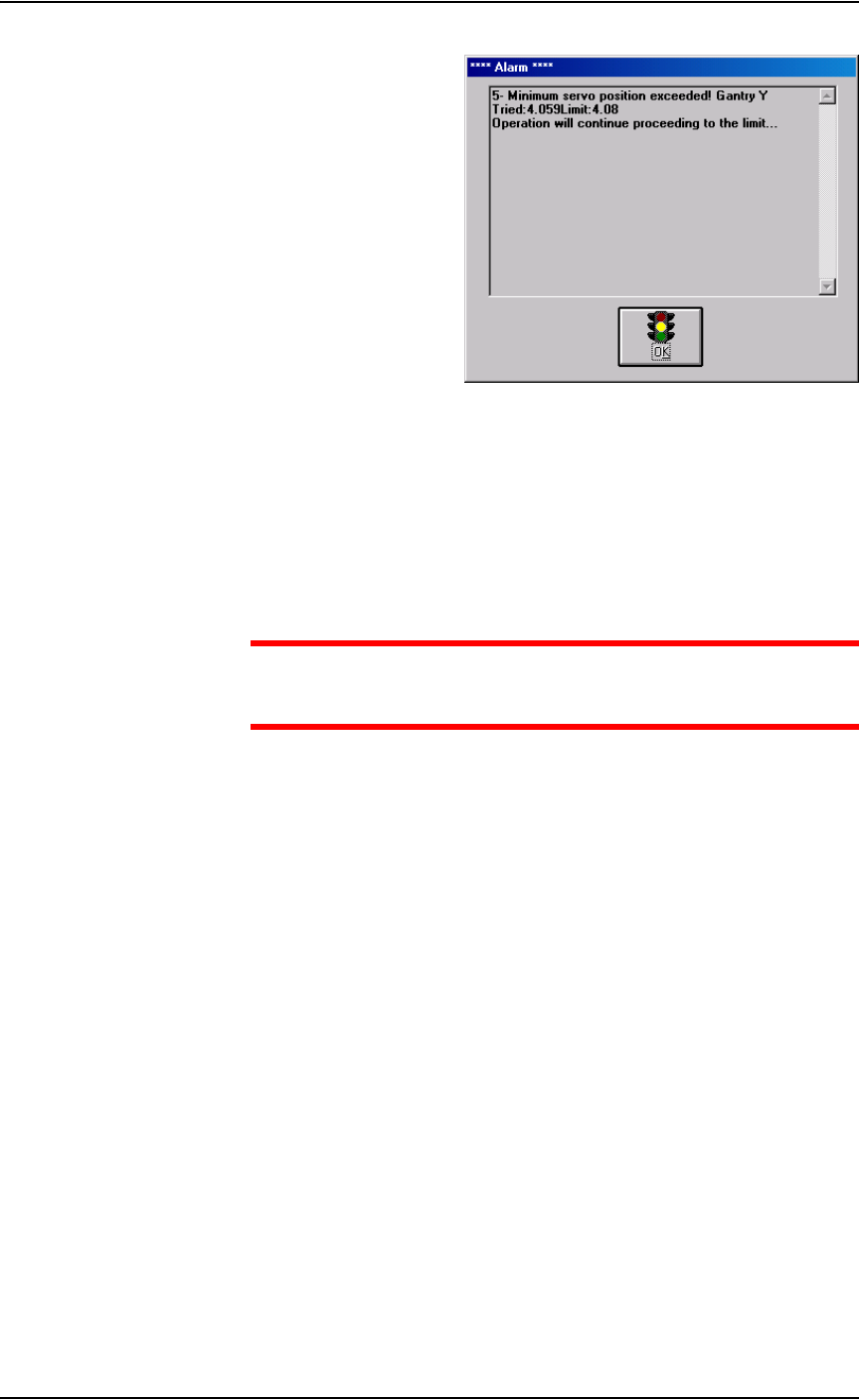
1b) A message similar to Figure 3-63 is displayed.
Operation • Administrator Functions
3—46 PS288 Owner’s Manual
Figure 3-63—Alarm message
1c) Write down the axis (in this case, Y-axis), whether the minimum or
maximum position has been exceeded (in this case, the minimum posi-
tion), and the “Tried” and “Limit” values (in this case, Tried = 4.059
and Limit = 4.08).
1d) Click OK.
2. Enter Service Mode—
CAUTION: Service Mode allows changes that could make the
PS288 inoperable. Do not make changes you are not sure about;
contact Data I/O Customer Support.
2a) Exit AH500 and return to the TaskLink Task/Kit Manager window.
2b) In the Task/Kit Manager window, re-select the Task and click Run.
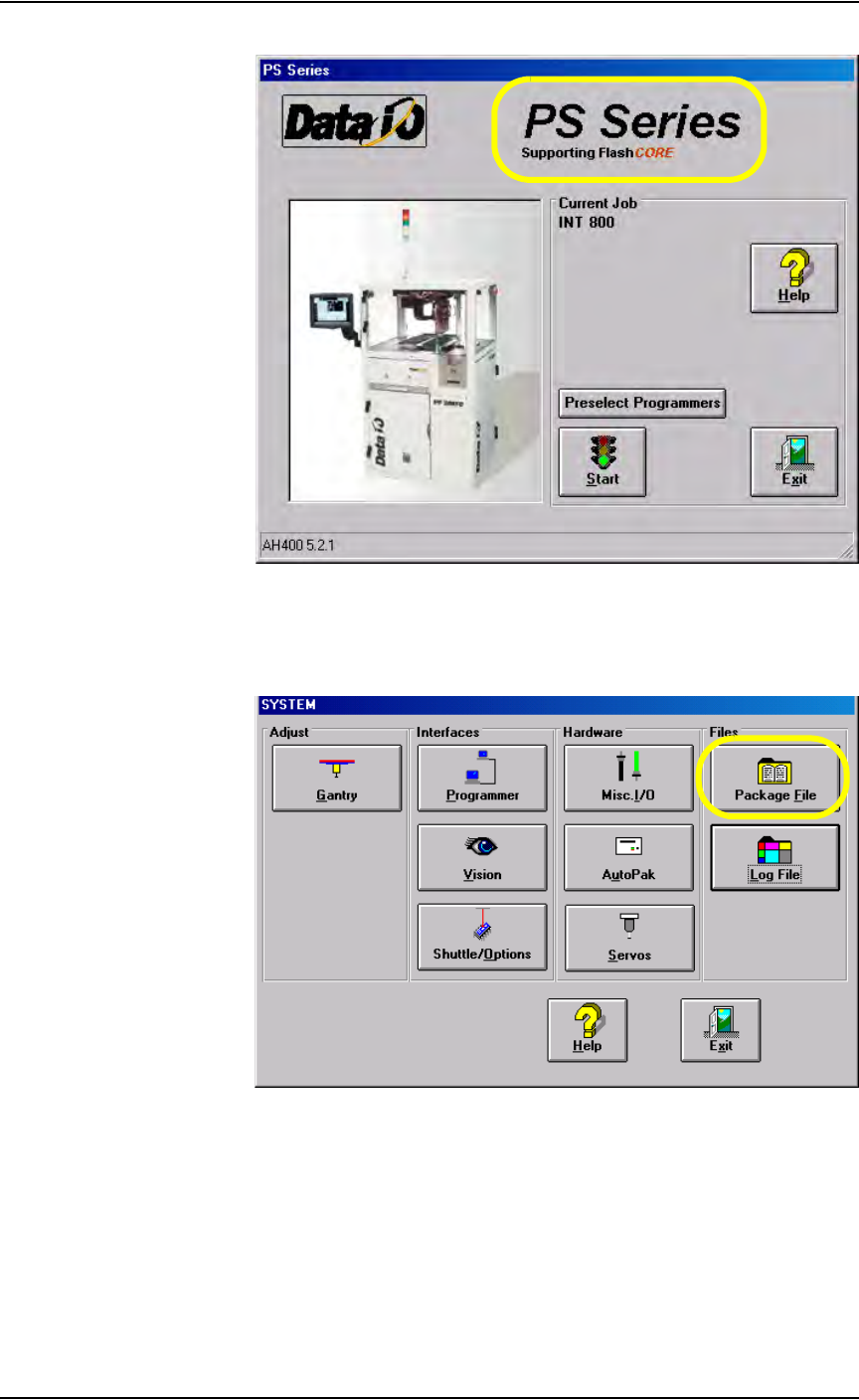
2c) When the AH500 main screen opens, double-click the “PS Series” area
(see Figure 3-64). This places the AH500 software in Service Mode.
Operation • Administrator Functions
PS288 Owner’s Manual 3—47
.
Figure 3-64—Double-click to enter Service Mode
2d) On the main screen, click Start.
2e) On the Setup window, click System.
2f) On the System window, click Package File.
Figure 3-65—Click Package File
3. Edit the package file—
3a) In the Package File window, locate the appropriate line.
In the example shown in Figure 3-63, the error is the Y-axis minimum.
Record No.16 displays the Y-axis minimum value:
“GANTRY Y MOTOR, MINIMUM”
The limit is 4080.