PS288_OwnersMnl_PriorTo2009 - 第108页
Operation • Administrato r Functions 3—48 PS288 Owner’s Manual Figur e 3-66—Edit package file 3b) Edit the appropriate Record No. line in the Package File window . In this example, the T ried value was 4.059. Change Reco…
Operation • Administrator Functions
PS288 Owner’s Manual 3—47
.
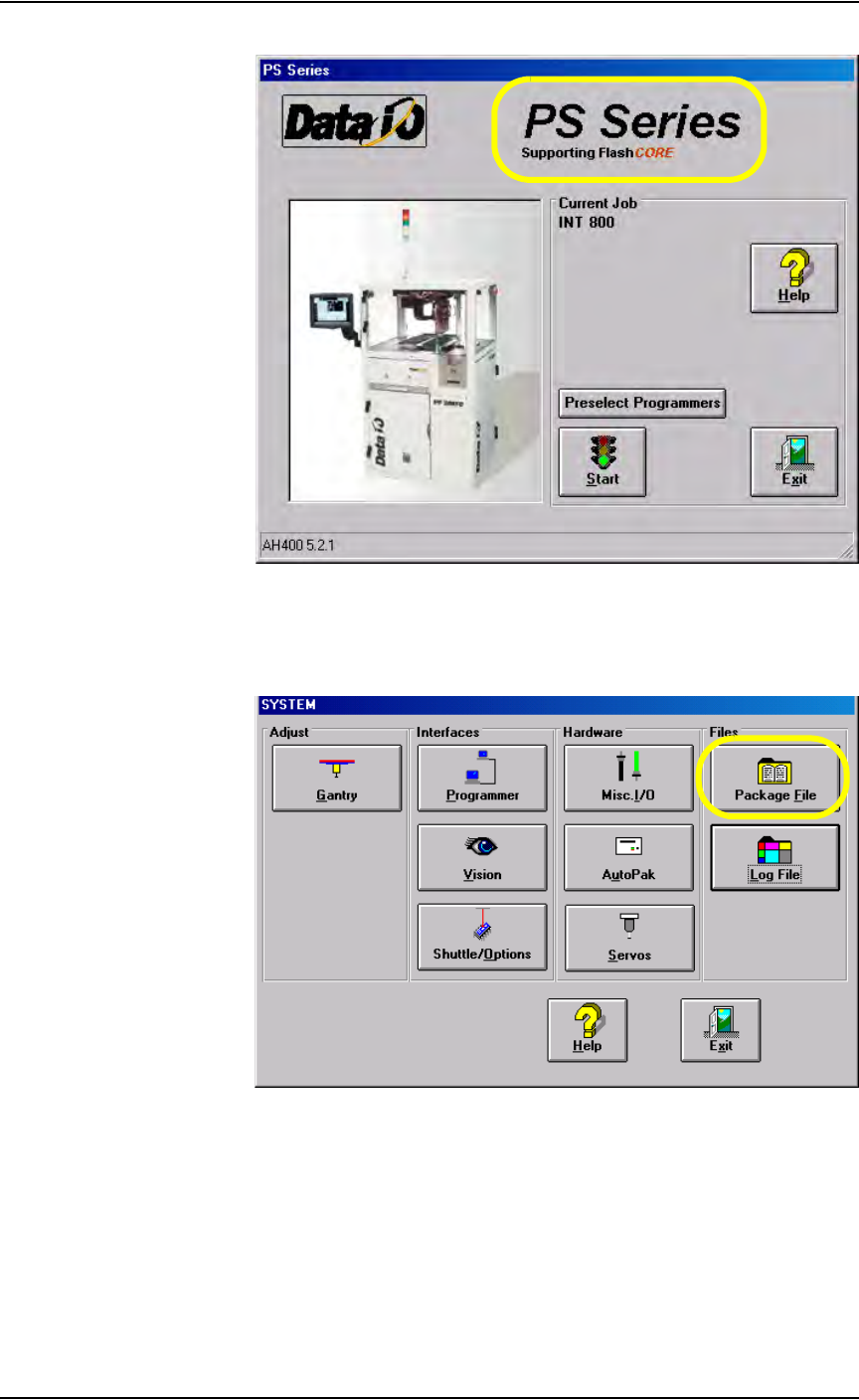
Figure 3-64—Double-click to enter Service Mode
2d) On the main screen, click Start.
2e) On the Setup window, click System.
2f) On the System window, click Package File.
Figure 3-65—Click Package File
3. Edit the package file—
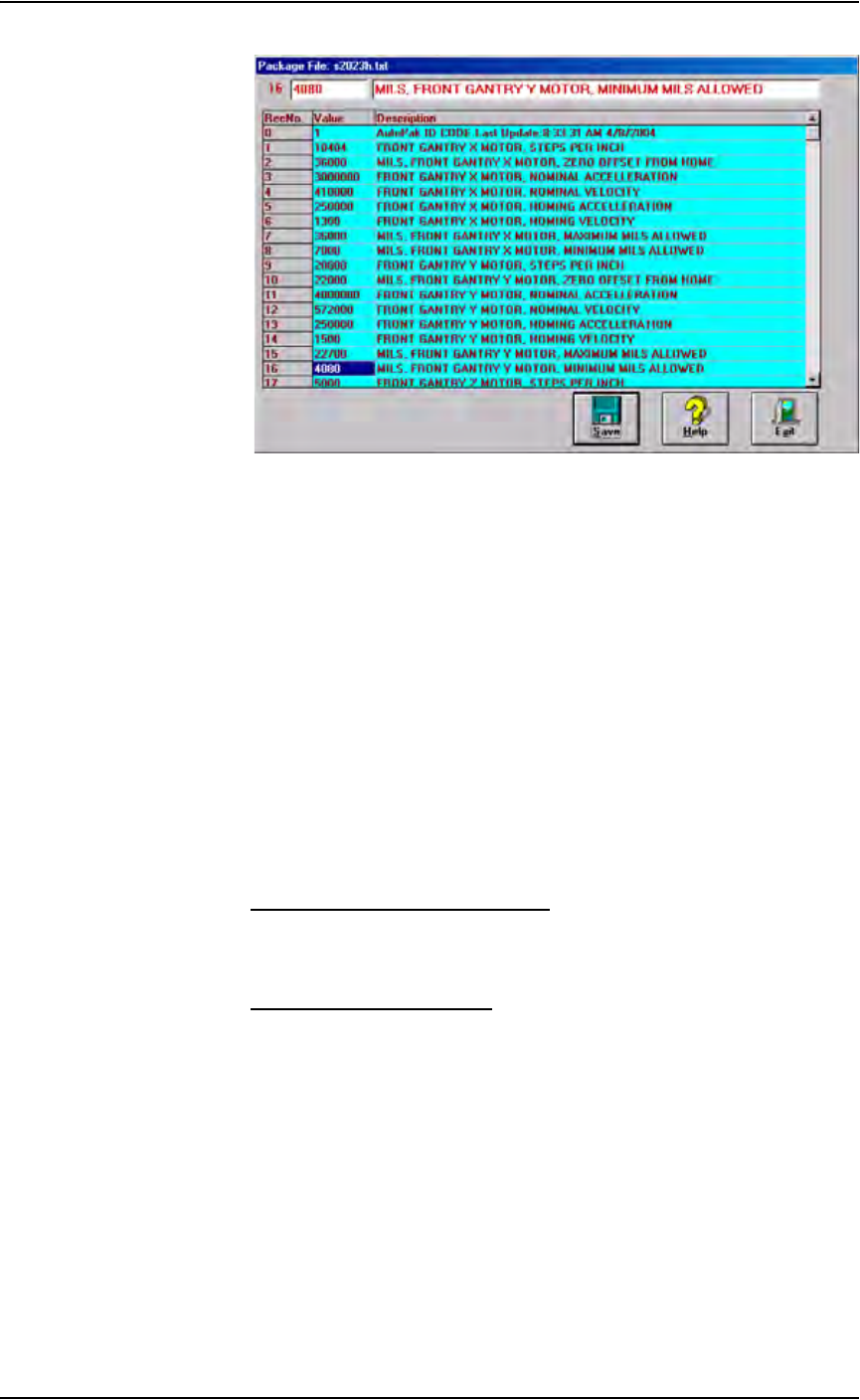
3a) In the Package File window, locate the appropriate line.
In the example shown in Figure 3-63, the error is the Y-axis minimum.
Record No.16 displays the Y-axis minimum value:
“GANTRY Y MOTOR, MINIMUM”
The limit is 4080.
Operation • Administrator Functions
3—48 PS288 Owner’s Manual
Figure 3-66—Edit package file
3b) Edit the appropriate Record No. line in the Package File window.
In this example, the Tried value was 4.059.
Change Record No. 16 value to 10% lower than the Tried value, for
example, 4040.
3c) Click Save.
3d) Click Exit.
Monitor Statistics
Occasionally, the system administrator may require statistics for a group of
devices for a given job. This is easily accomplished using any of three statis-
tics tools:
• TaskLink’s Session Data Logging Feature
• AH500’s Package Statistics Feature
• (Optional) Statistical Process Control Software (user-supplied)
TaskLink Session Data Logging
For complete instructions on enabling and using TaskLink’s Session Data
Logging option, see TaskLink online Help.
AH500 Package Statistics
To view programming statistics using the AH500 software:
1. Prepare the system—
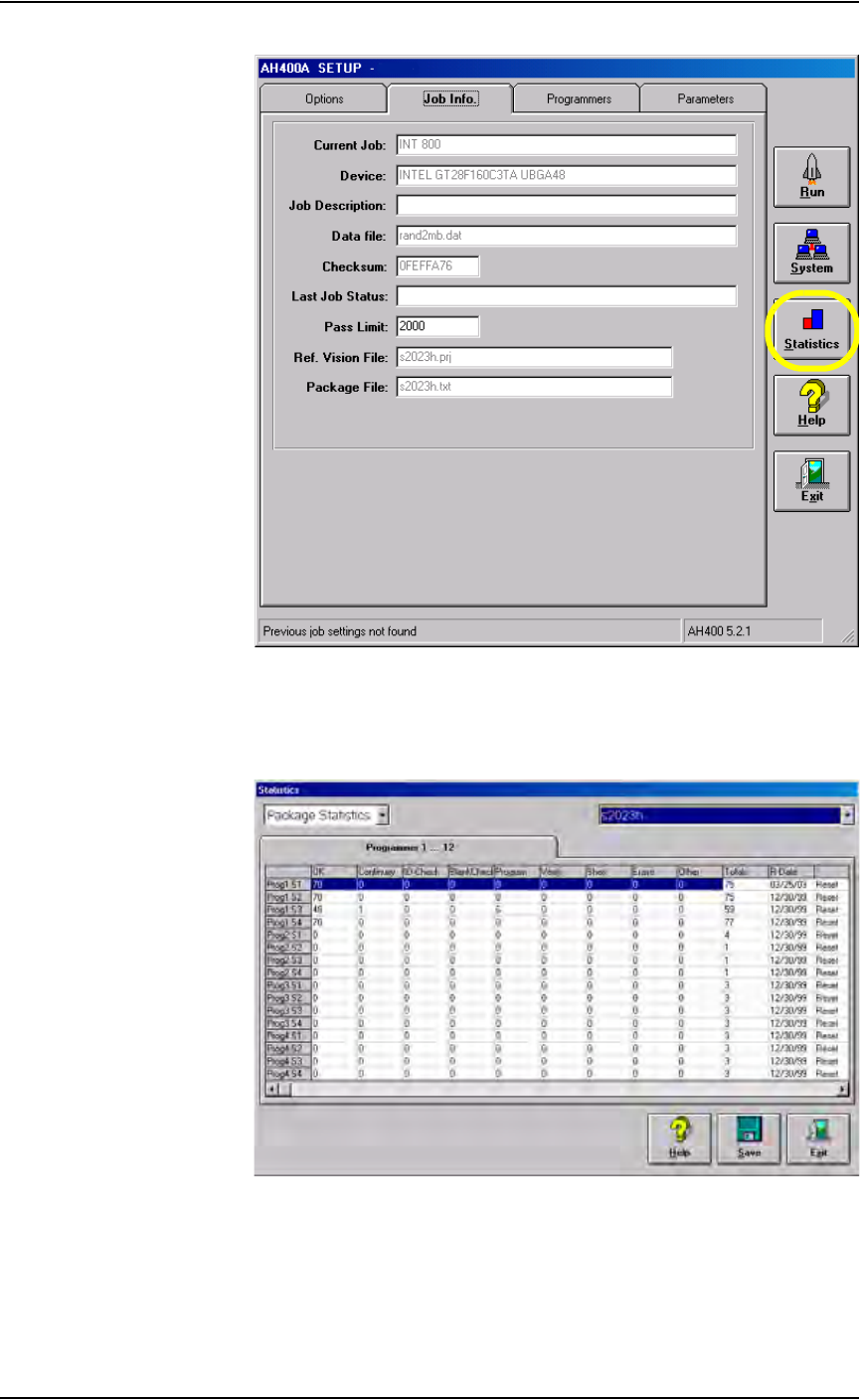
From the Setup window, select the Job Info tab. Click Statistics.
Operation • Administrator Functions
PS288 Owner’s Manual 3—49
Figure 3-67—Job Info tab
2. Review statistics information—
The statistics include such items as successful programs, continuity
failures, verify failures, etc.
Figure 3-68—Package statistics
Pass/fail criteria are logged for each individual programmer. This is
useful when attempting to identify a potential hardware problem with a
programmer.