PS288_OwnersMnl_PriorTo2009 - 第153页
Maintenance • Preventive Maintenance 5—18 PS288 Owner’s Manual Figur e 5-14—Center carrier scr ew locatio ns (one is hidden in this view) Check the V ision Camera W ARNING: Electric shock hazard. Shut down the PS288 (s e…
Maintenance • Preventive Maintenance
PS288 Owner’s Manual 5—17
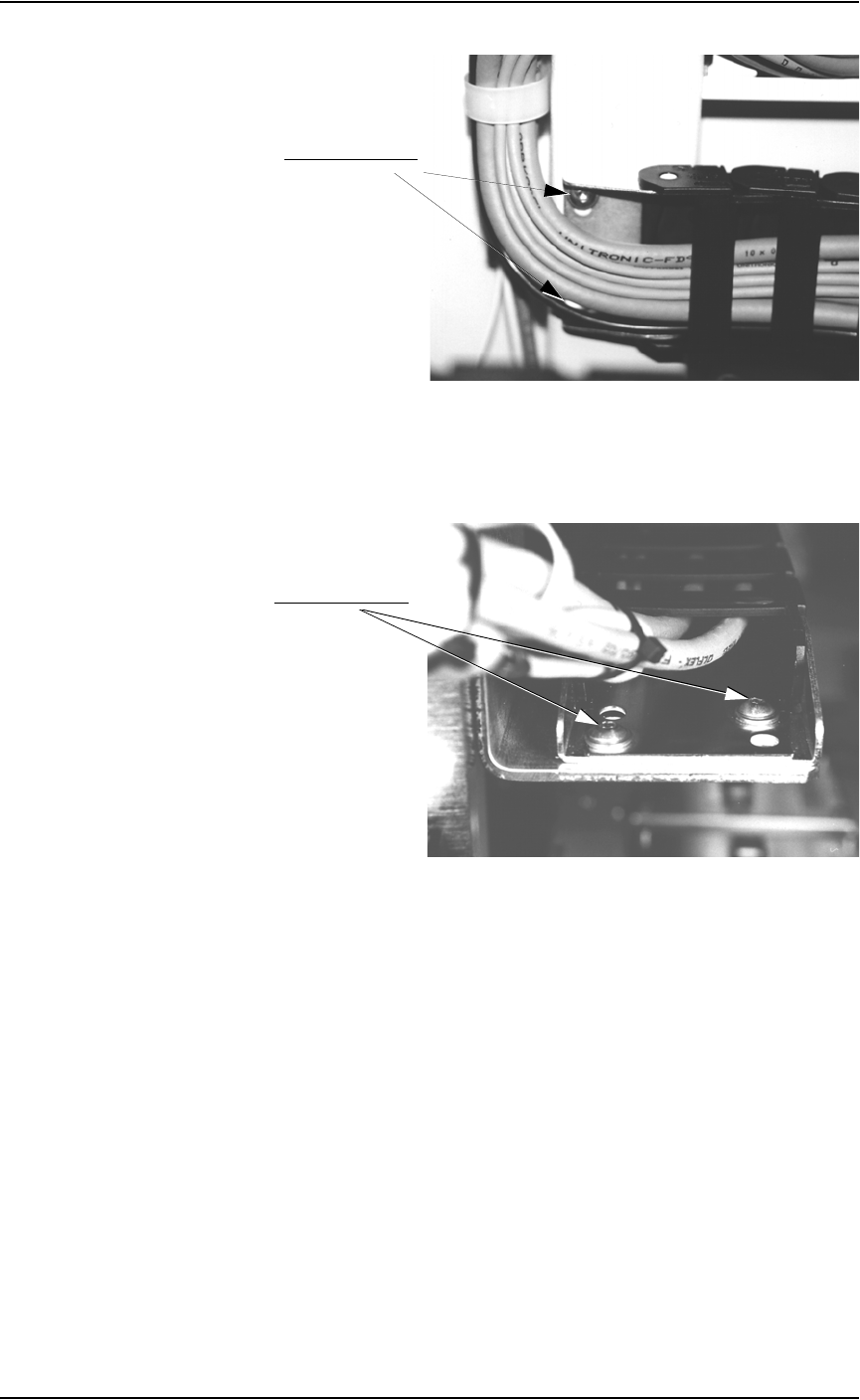
Figure 5-12—Upper carrier screw locations (one is hidden in this view)
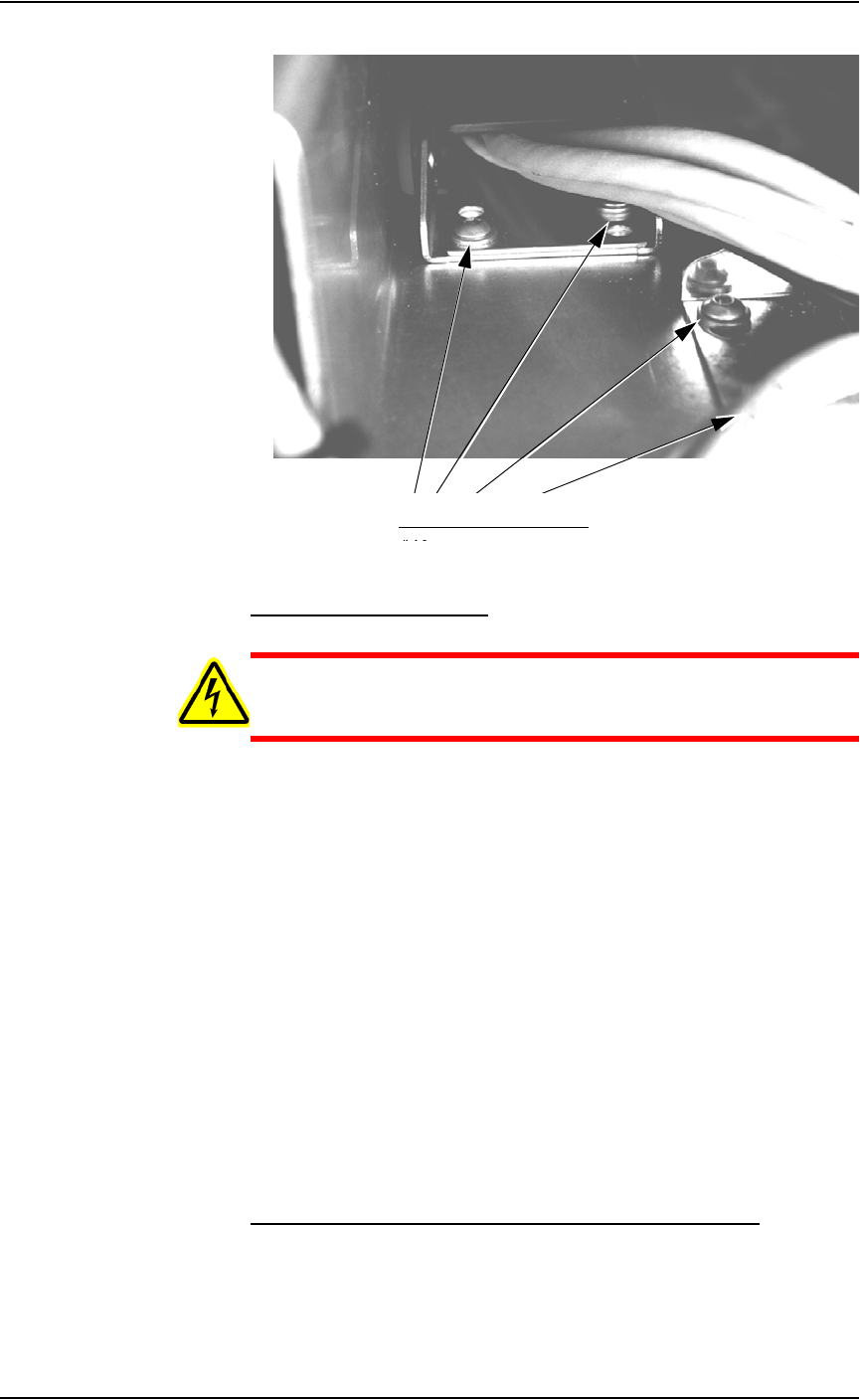
2c) Check the two screws on the lower carrier and tighten if necessary. See
Figure 5-13.
Figure 5-13—Lower carrier screw locations
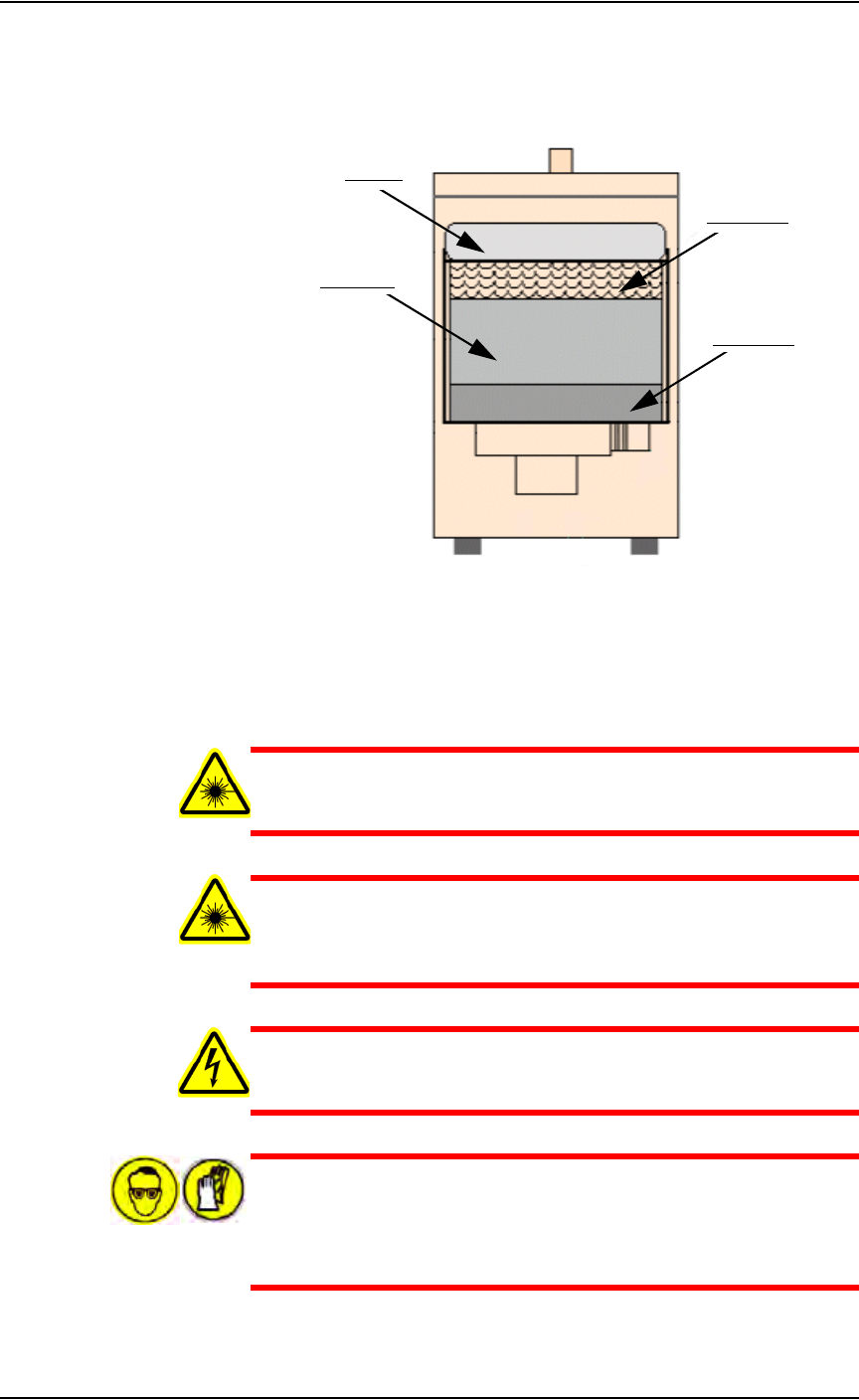
2d) Check the four screws on the center carrier and tighten if necessary.
See Figure 5-14.
Upper carrier screws
Lower carrier screws
Maintenance • Preventive Maintenance
5—18 PS288 Owner’s Manual
Figure 5-14—Center carrier screw locations (one is hidden in this view)
Check the Vision Camera
WARNING: Electric shock hazard. Shut down the PS288 (see
“Shut Down the System” on page 3-12) and turn off the main
power switch before removing any panels.
1. Prepare the system—
1a) Verify that the PS288 is shut down and the main power switch is in the
OFF position.
1b) Remove the right or rear cabinet panel, depending on where the camera
is mounted.
2. Check mounting bolts—
2a) Check the mounting bolts above the camera.
2b) Tighten if necessary.
3. Check knob—
3a) Check the knob behind the camera.
3b) Tighten if necessary.
4. Check thumb screws—
4a) Check the cable, aperture and focus thumb screws.
4b) Tighten if necessary.
4c) Reinstall all guards and panels.
Replace Pre-filter and Pleated Filter in Fume Extractor
The laser vacuum filters require changing on a regular basis. The mainte-
nance interval depends on the number of devices marked and the amount of
text marked. In general, the pre-filter and pleated filter should be changed
every six months, or more frequently if low air flow is detected. The carbon
Center carrier screw locations
Maintenance • Preventive Maintenance
PS288 Owner’s Manual 5—19
filter and HEPA (High Efficiency Particulate Air) filter should be changed
every twelve months. See Figure 5-15 for the location of the four replace-
able laser vacuum filters.
Figure 5-15—Laser vacuum filter locations
The Handler Computer software monitors the air flow sensor on the laser fil-
ter system. If the sensor detects low air flow, the error message "Laser filter
full" is displayed. When this error message displays, the laser system will
mark 10 more devices as defined in the WinAH400.ini file.
WARNING: Failure to replace the laser vacuum filters at the
appropriate intervals could create a hazardous operating environ-
ment.
WARNING: This procedure should be performed only by quali-
fied service personnel who have successfully completed
Data I/O's laser training class. This procedure involves exposure
to hazardous by-products from the laser marking process.
WARNING: Electric shock hazard. Shut down the PS288 (see
“Shut Down the System” on page 3-12) and turn off the main
power switch.
WARNING: Hazardous materials. Wear safety goggles and dis-
posable protective gloves. Do not clean the laser vacuum filters by
blowing with compressed air, shaking, or using any method that
allows the particulate trapped by the filters to be released into the
work environment.
Pleated filter
Carbon filter
Pre-filter
HEPA filter