PS288_OwnersMnl_PriorTo2009 - 第157页
Maintenance • Preventive Maintenance 5—22 PS288 Owner’s Manual Change the Laser Computer Air Filter The Laser Computer is located in th e Option Bay and can be accessed from the back of the Option Bay . See Figur e 5-20 …
Maintenance • Preventive Maintenance
PS288 Owner’s Manual 5—21
WARNING: Hazardous materials. Do not allow particulate mat-
ter in the vacuum hose to be released into the work environment.
3. Release spring clips—
3a) Release the four spring clips (one on each side) securing the extractor
top to the filter system. See Figure 5-19 for location of one spring clip.
3b) Remove the extractor top and set aside.
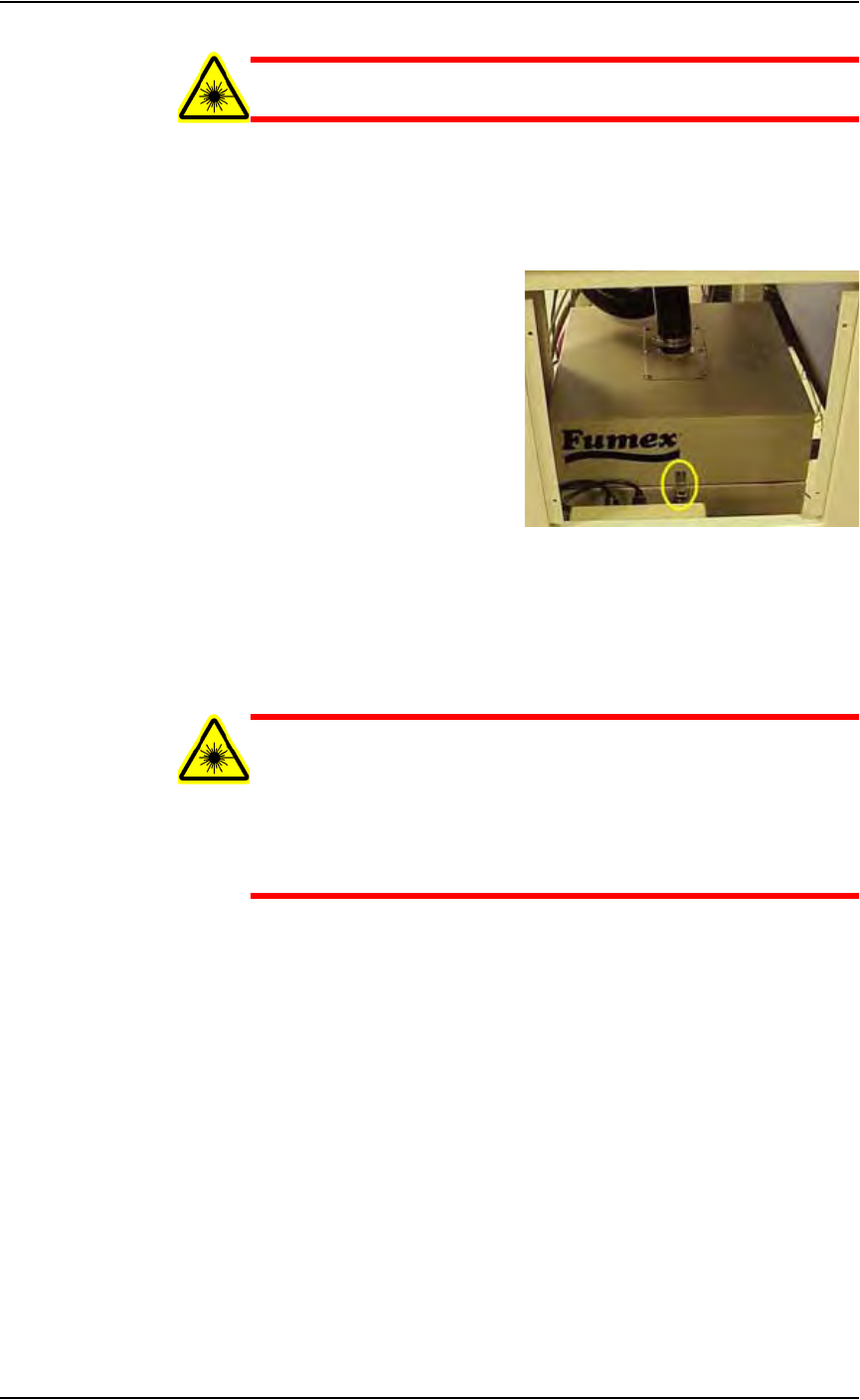
Figure 5-19—Filter system spring clip
4. Remove pre-filter and pleated filter—
4a) Remove pre-filter and pleated filter and carefully place in sealable bag.
4b) Pull off the disposable protective gloves and place in sealable bag.
4c) Seal the bag and dispose of as hazardous waste.
WARNING: Numerous government regulations apply to the stor-
age and disposal of hazardous waste. Ensure that contaminated
filters are properly labeled and stored in your hazardous waste
storage area. Also, make sure that they are not stored on your site
longer than government regulations allow (the typical limit is 90
days). Check your government (local, state, and federal) regula-
tions for hazardous waste storage requirements.
5. Replace pre-filter and pleated filter—
5a) Replace the pre-filter with Data I/O Model Name Pre-Filter, Polyester.
5b) Replace the pleated filter with Data I/O Model Name Filter, Panel,
Pleated.
6. Re-install extractor top—
6a) Carefully place the extractor top back on the filter system.
6b) Attach the four spring clips that secure the extractor top in place.
7. Re-install vacuum hose—
7a) Carefully attach the vacuum hose to the extractor top.
7b) Tighten the clamp that secures the vacuum hose in place.
8. Re-install panels—
Re-install lower back laser housing panel and side laser housing panel.
Maintenance • Preventive Maintenance
5—22 PS288 Owner’s Manual
Change the Laser Computer Air Filter
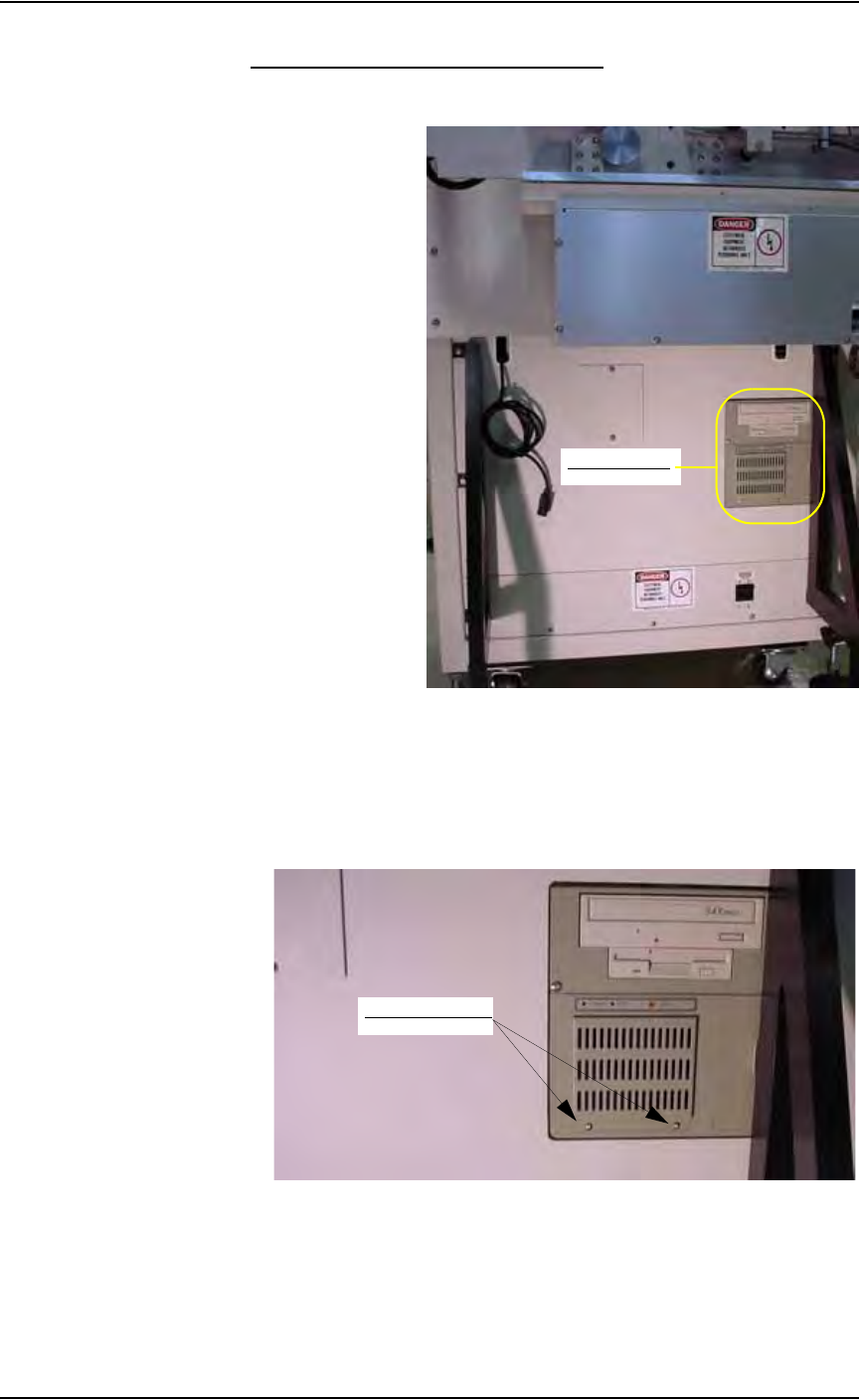
The Laser Computer is located in the Option Bay and can be accessed from
the back of the Option Bay. See Figure 5-20.
Figure 5-20—Location of Laser Computer
To change the Laser Computer air filter:
1. Remove cover—
Use a screwdriver to remove the two screws holding the filter cover to
the Laser Computer. See Figure 5-21.
Figure 5-21—Remove screws from Laser Computer filter cover
2. Replace air filter—
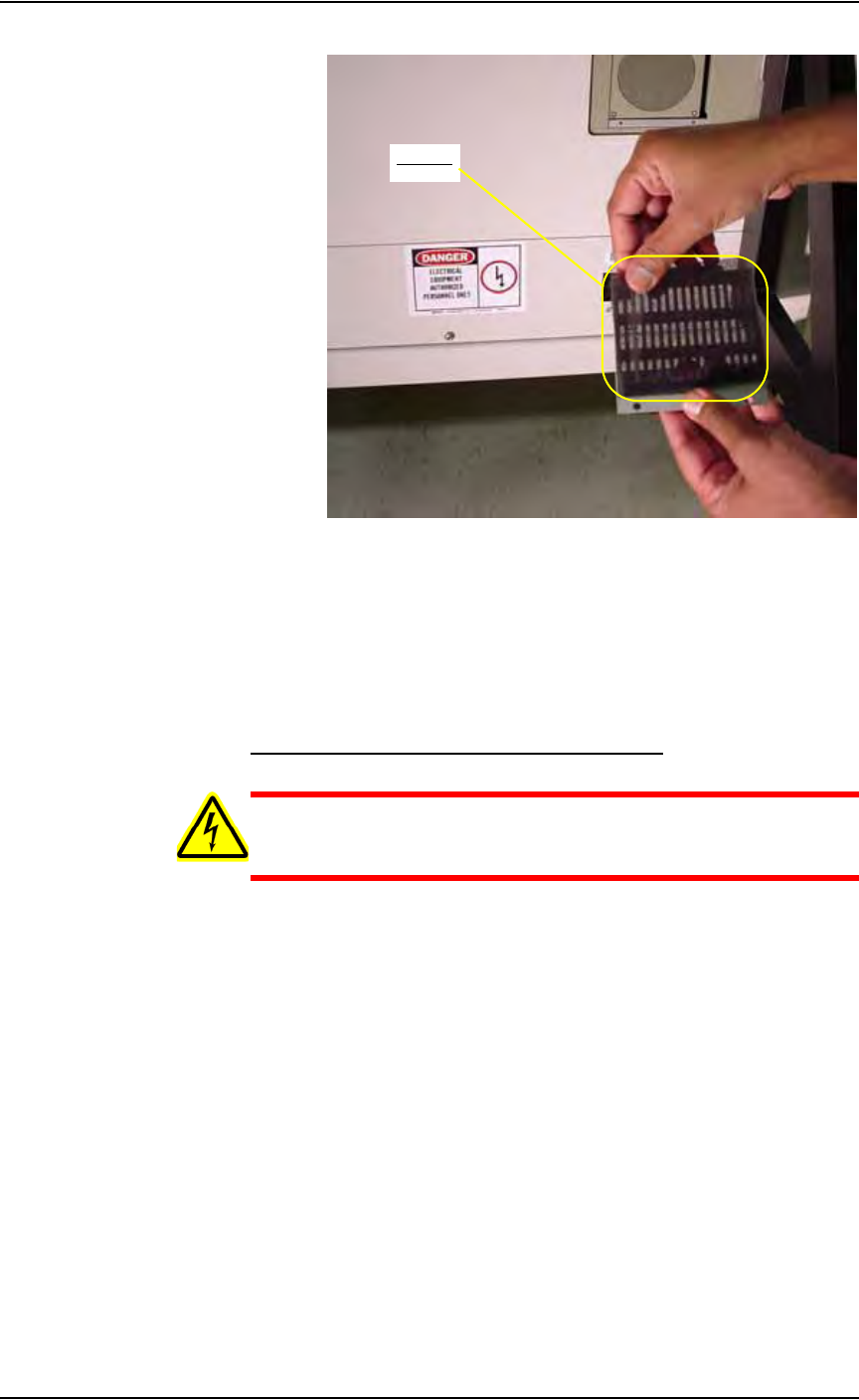
Remove the old air filter and replace with a new air filter. See Figure
5-22.
Laser Computer
Remove two screws
Maintenance • Preventive Maintenance
PS288 Owner’s Manual 5—23
Figure 5-22—Replace air filter
3. Reinstall cover—
Use a screwdriver to tighten the two screws holding the filter cover to
the Laser Computer.
Procedures Performed Once a Year
Lubricate the Gantry (X and Y) Lead Screws
WARNING: Electric shock hazard. Shut down the PS288 (see
“Shut Down the System” on page 3-12) and turn off the main
power switch before removing the lead screw shields.
1. Prepare the system—
1a) Verify that the PS288 is shut down and the main power switch is in the
OFF position.
1b) Remove the four bolts that hold the two lead screw shields to the gantry
rails.
1c) Remove the shields.
2. Remove old grease—
Using shop towels and isopropyl alcohol, remove the old grease and
dirt build up from the lead screws.
3. Apply new grease—
3a) Using a THK MG70 (or equivalent) grease gun, apply THK AFB Mul-
tipurpose lithium (or equivalent) grease to the lead screw grease fit-
tings. See Figure 5-23.
3b) Apply grease to the entire length of each lead screw.
Air filter