PS288_OwnersMnl_PriorTo2009 - 第159页
Maintenance • Preventive Maintenance 5—24 PS288 Owner’s Manual CAUTION: Do not over-apply the gr ease. Over-applying will cause gr ease to splatter inside the wor k envelope. Figur e 5-23—Gr ease fittings 3c) Reinstall t…
Maintenance • Preventive Maintenance
PS288 Owner’s Manual 5—23
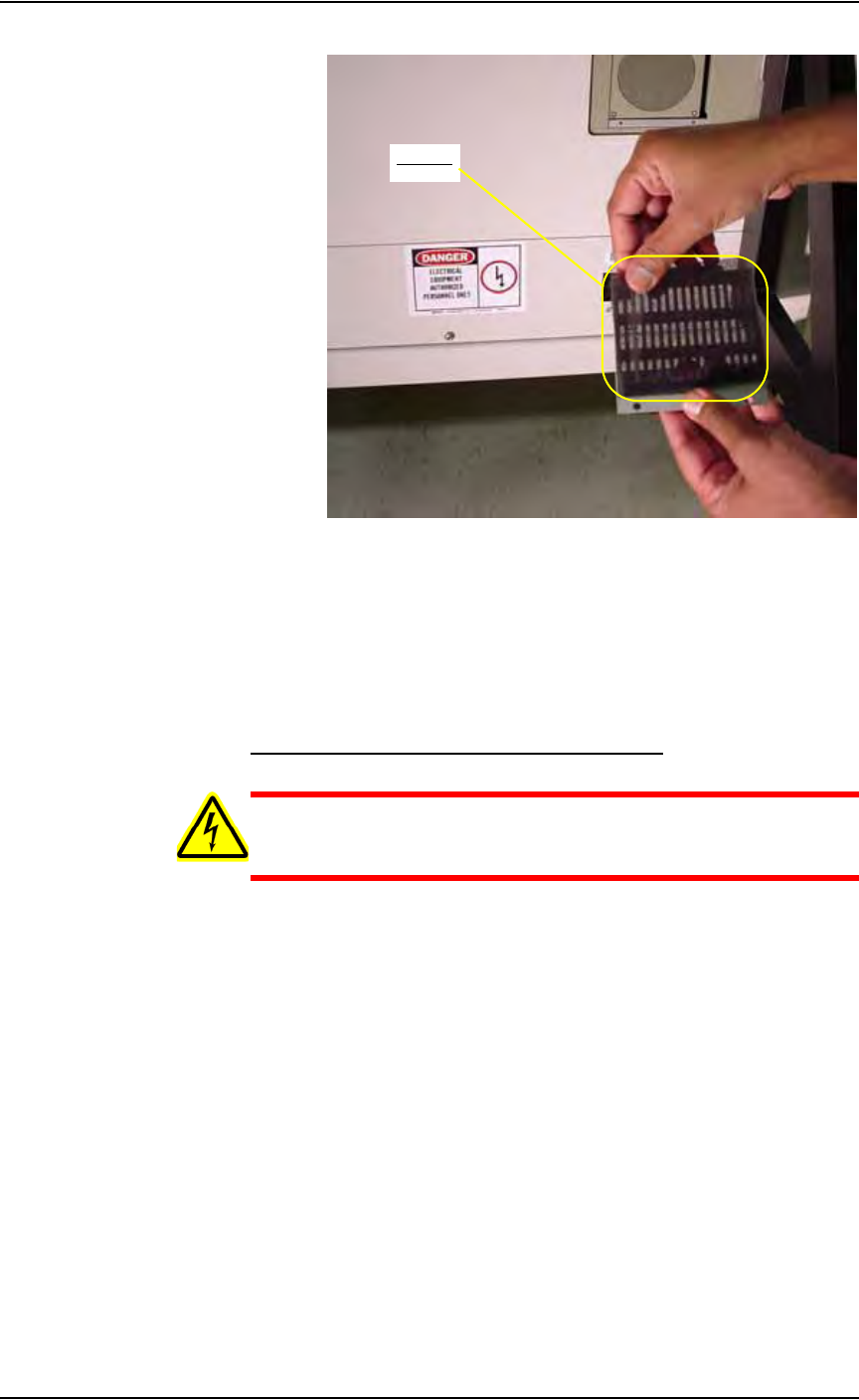
Figure 5-22—Replace air filter
3. Reinstall cover—
Use a screwdriver to tighten the two screws holding the filter cover to
the Laser Computer.
Procedures Performed Once a Year
Lubricate the Gantry (X and Y) Lead Screws
WARNING: Electric shock hazard. Shut down the PS288 (see
“Shut Down the System” on page 3-12) and turn off the main
power switch before removing the lead screw shields.
1. Prepare the system—
1a) Verify that the PS288 is shut down and the main power switch is in the
OFF position.
1b) Remove the four bolts that hold the two lead screw shields to the gantry
rails.
1c) Remove the shields.
2. Remove old grease—
Using shop towels and isopropyl alcohol, remove the old grease and
dirt build up from the lead screws.
3. Apply new grease—
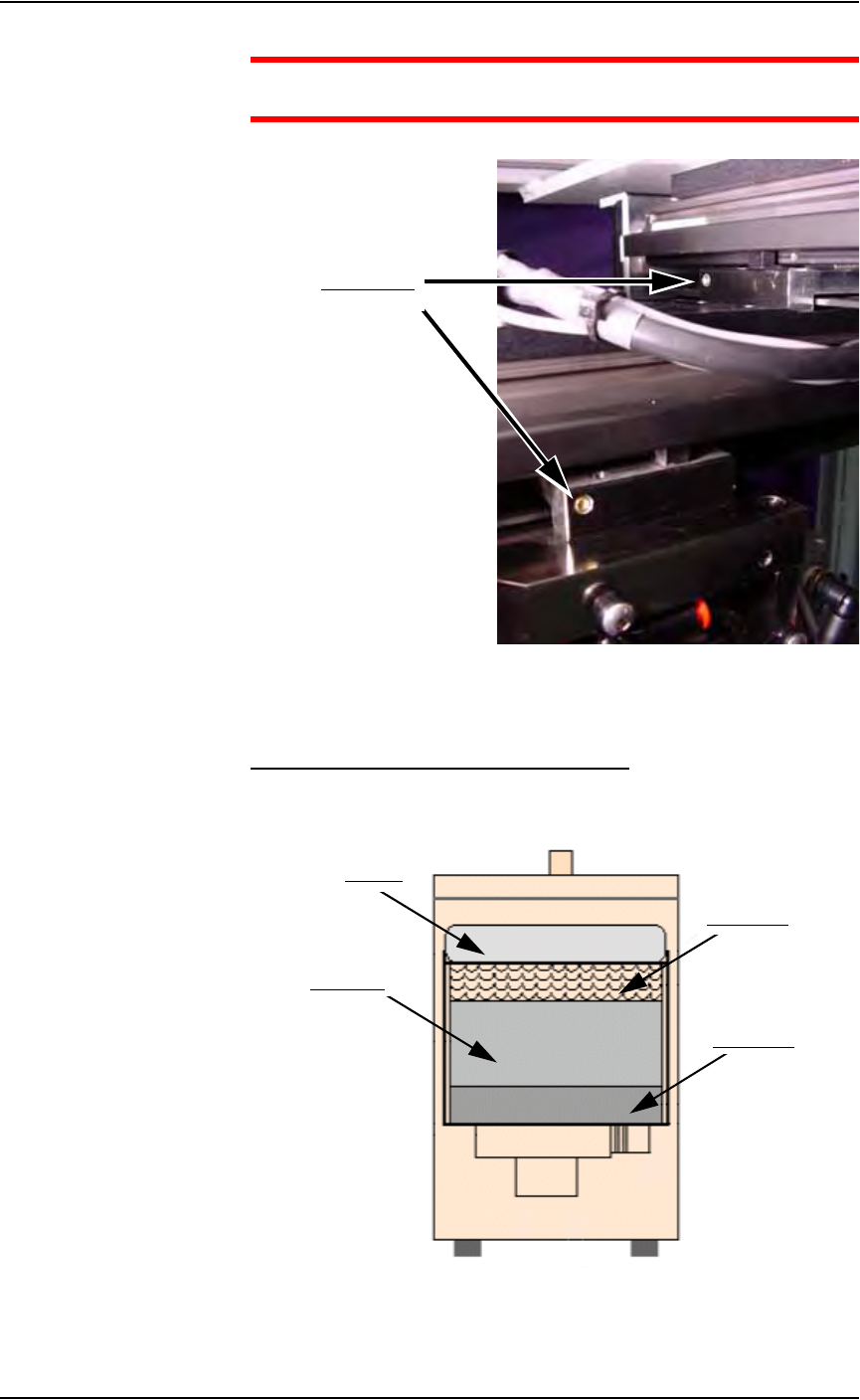
3a) Using a THK MG70 (or equivalent) grease gun, apply THK AFB Mul-
tipurpose lithium (or equivalent) grease to the lead screw grease fit-
tings. See Figure 5-23.
3b) Apply grease to the entire length of each lead screw.
Air filter
Maintenance • Preventive Maintenance
5—24 PS288 Owner’s Manual
CAUTION: Do not over-apply the grease. Over-applying will
cause grease to splatter inside the work envelope.
Figure 5-23—Grease fittings
3c) Reinstall the two lead screw shields.
Replace all Filters in the Fume Extractor
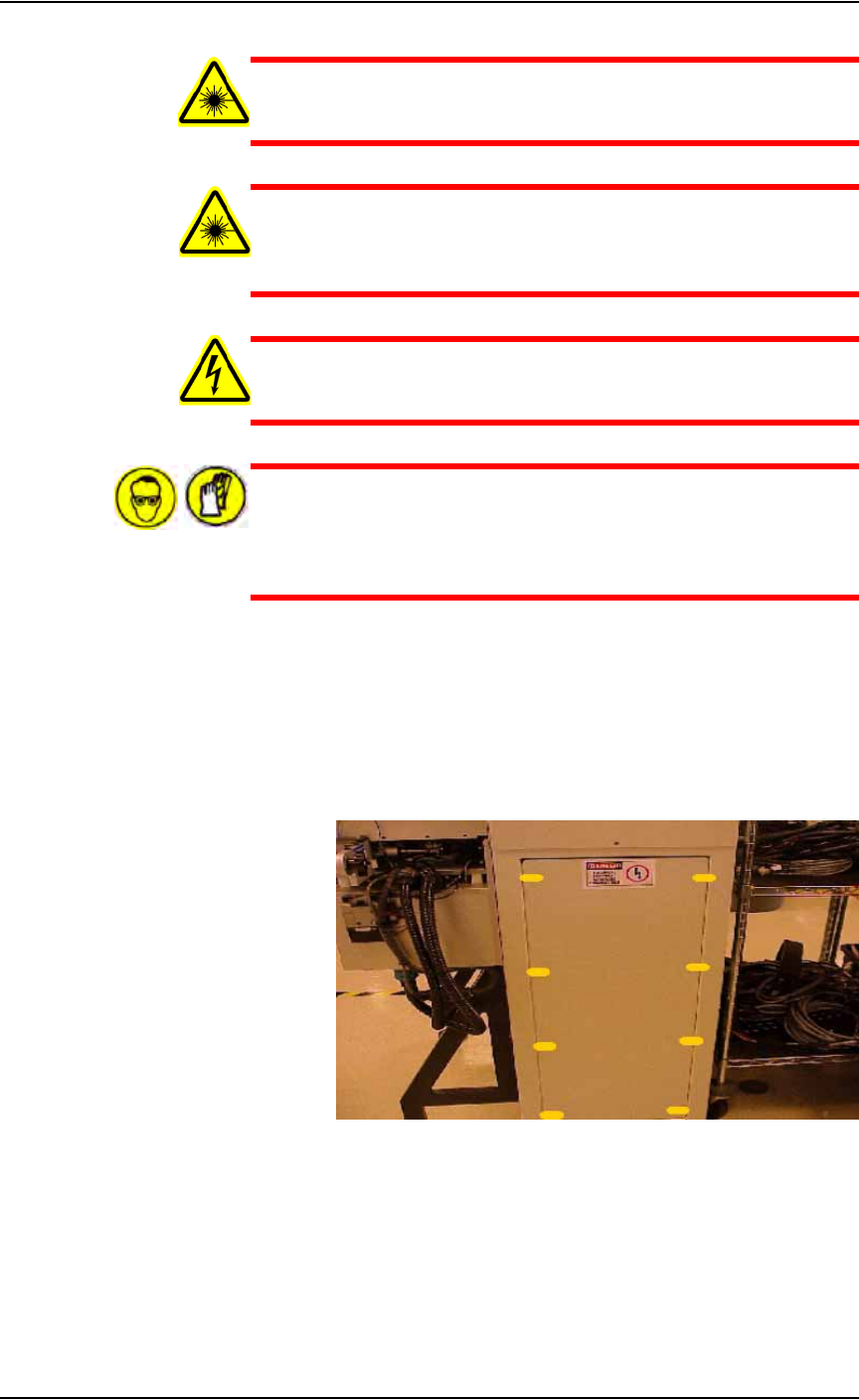
Once a year, replace all filters in the laser marker fume extractor. See
Figure 5-24 for the location of the four replaceable laser vacuum filters.
Figure 5-24—Laser vacuum filter locations
Grease fittings
Pleated filter
Carbon filter
Pre-filter
HEPA filter
Maintenance • Preventive Maintenance
PS288 Owner’s Manual 5—25
WARNING: Failure to replace the laser vacuum filters at the
appropriate intervals could create a hazardous operating environ-
ment.
WARNING: This procedure should be performed only by quali-
fied service personnel who have successfully completed
Data I/O's laser training class. This procedure involves exposure
to hazardous by-products from the laser marking process.
WARNING: Electric shock hazard. Shut down the PS288 (see
“Shut Down the System” on page 3-12) and turn off the main
power switch.
WARNING: Hazardous materials. Wear safety goggles and dis-
posable protective gloves. Do not clean the laser vacuum filters by
blowing with compressed air, shaking, or using any method that
allows the particulate trapped by the filters to be released into the
work environment.
To replace all filters:
1. Prepare the system—
1a) Verify that the PS288 is shut down and the main power switch is in the
OFF position.
1b) Remove lower back laser housing panel by removing the eight screws
highlighted in yellow in Figure 5-25.
Figure 5-25—Lower back laser housing panel screw locations
1c) Remove side laser housing panel by removing the four screws high-
lighted in yellow in Figure 5-26.