PS288_OwnersMnl_PriorTo2009 - 第167页
Maintenance • Adjustments, Calibrations, and Function al Tests 5—32 PS288 Owner’s Manual 3. Adjust the HYS and SET screws— 3a) Using a small flat screwdriver , turn the HYS screw all the way counter- clockwise. 3b) Then …
Maintenance • Adjustments, Calibrations, and Functional Tests
PS288 Owner’s Manual 5—31
• The PS288 has an adjustable vacuum generator sensor on the PNP
head. See “PNP Head Vacuum Generator Sensor” on page 31
• If the PS288 has the optional label or laser marking system, or the
optional tape output system, there are adjustable vacuum generator sen-
sors for the shuttle transfer system. See “Shuttle Ped 1 and 2 Vacuum
Generator Sensors” on page 32
• If the PS288 has the optional tape output system, there is an adjustable
vacuum generator sensor on the tape output PNP head. See “Tape Out-
put PNP Head Vacuum Generator Sensor” on page 34.
PNP Head Vacuum Generator Sensor
1. Gantry window—
1a) On the Gantry window, move the PNP head to either the Tape or Vision
location.
NOTE: To move the PNP head, on the touch screen place the arrow
over either the Tape or Vision location and right-click the touchpad.
1b) Click the Gantry Vacuum switch to ON.
2. Vacuum sensor—
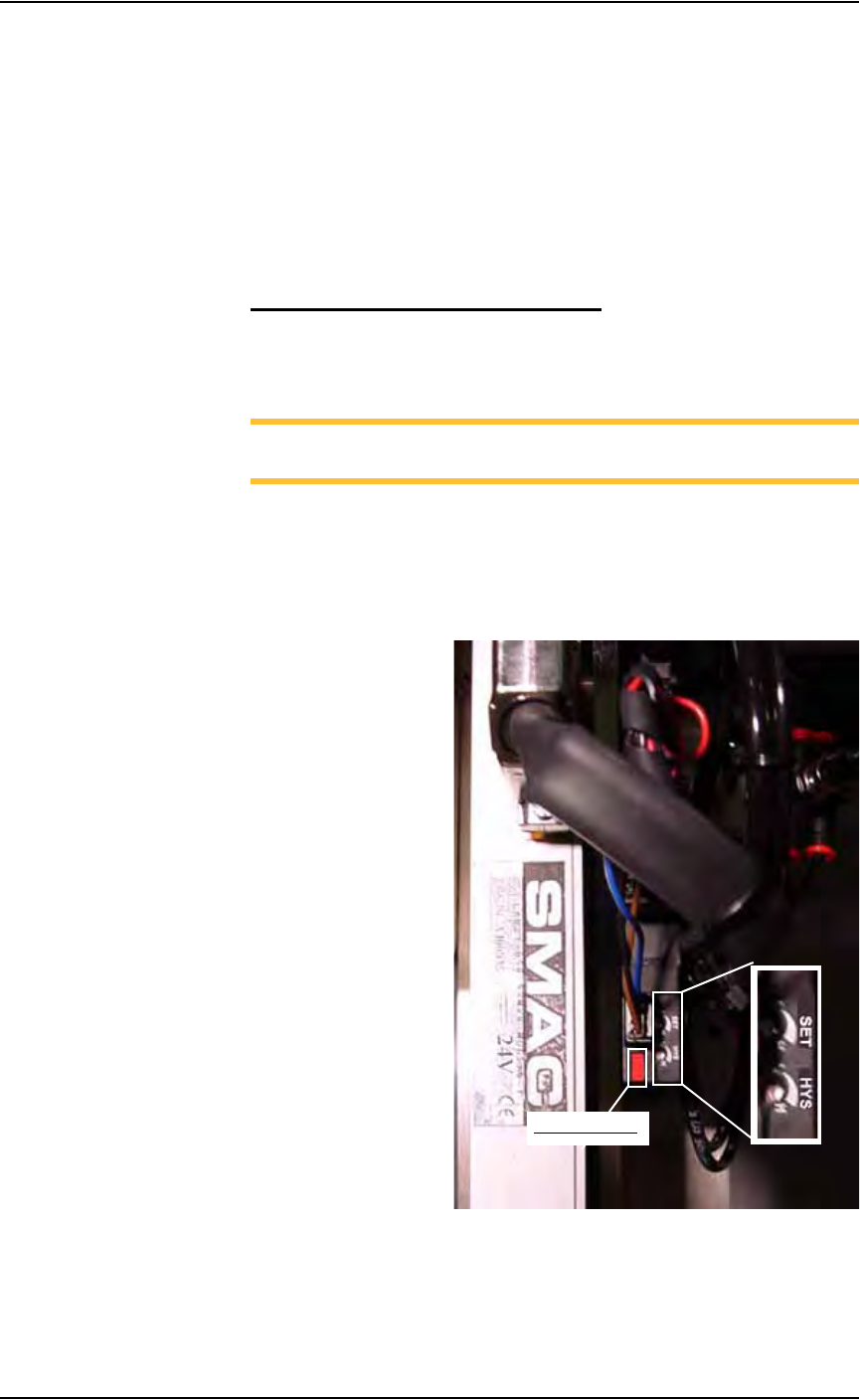
On the vacuum generator sensor, locate the adjustment screws labeled
HYS and SET. Locate the red sensor light. See Figure 5-30.
Figure 5-30—Vacuum sensor light. SET and HYS adjustment screws
Red sensor light
Maintenance • Adjustments, Calibrations, and Functional Tests
5—32 PS288 Owner’s Manual
3. Adjust the HYS and SET screws—
3a) Using a small flat screwdriver, turn the HYS screw all the way counter-
clockwise.
3b) Then turn the SET screw counterclockwise until the red sensor light
comes on.
3c) Then turn the SET screw clockwise until the red light goes off.
3d) Finally turn the SET screw another 1/8th turn clockwise.
4. Check adjustments—
4a) Block the hole on the PNP probe tip with a device. The red sensor light
should come on immediately.
4b) Unblock the hole. The red sensor light should go off immediately.
5. Repeat—
5a) Repeat Step 4 three times to ensure the red sensor light goes on and off
as described.
5b) If the red sensor light does not go off and on properly, turn the SET
screw slightly clockwise and retry.
Shuttle Ped 1 and 2 Vacuum Generator Sensors
1. Prepare the system—
1a) On the back of the PS288, turn the “SERVOS” circuit breaker OFF.
1b) Remove the right lower access cover of the Option Bay.
1c) Set the cover aside.
2. AH500 software—
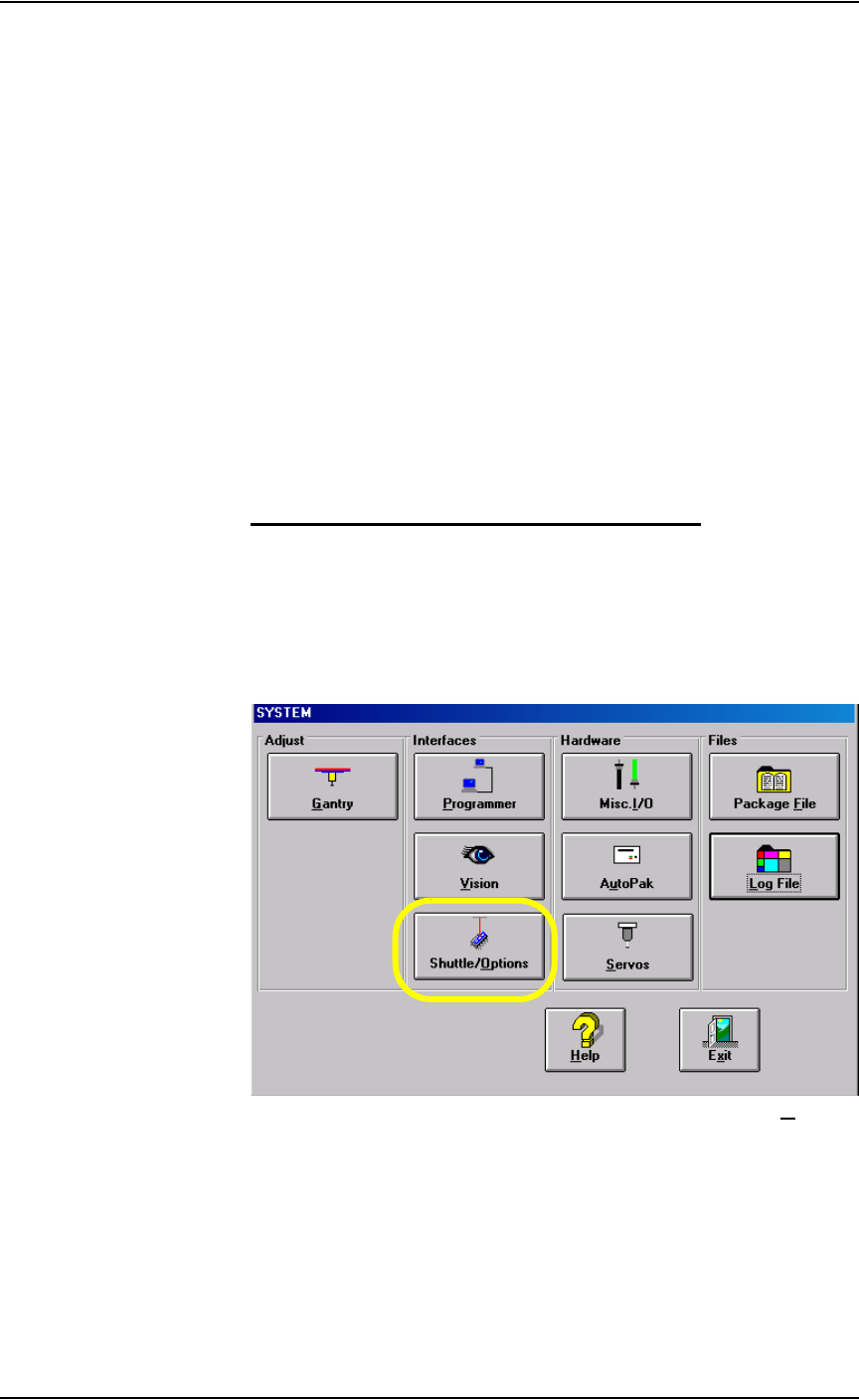
2a) On the System window, click Shuttle/Options.
Figure 5-31—Click Shuttle/O
ptions
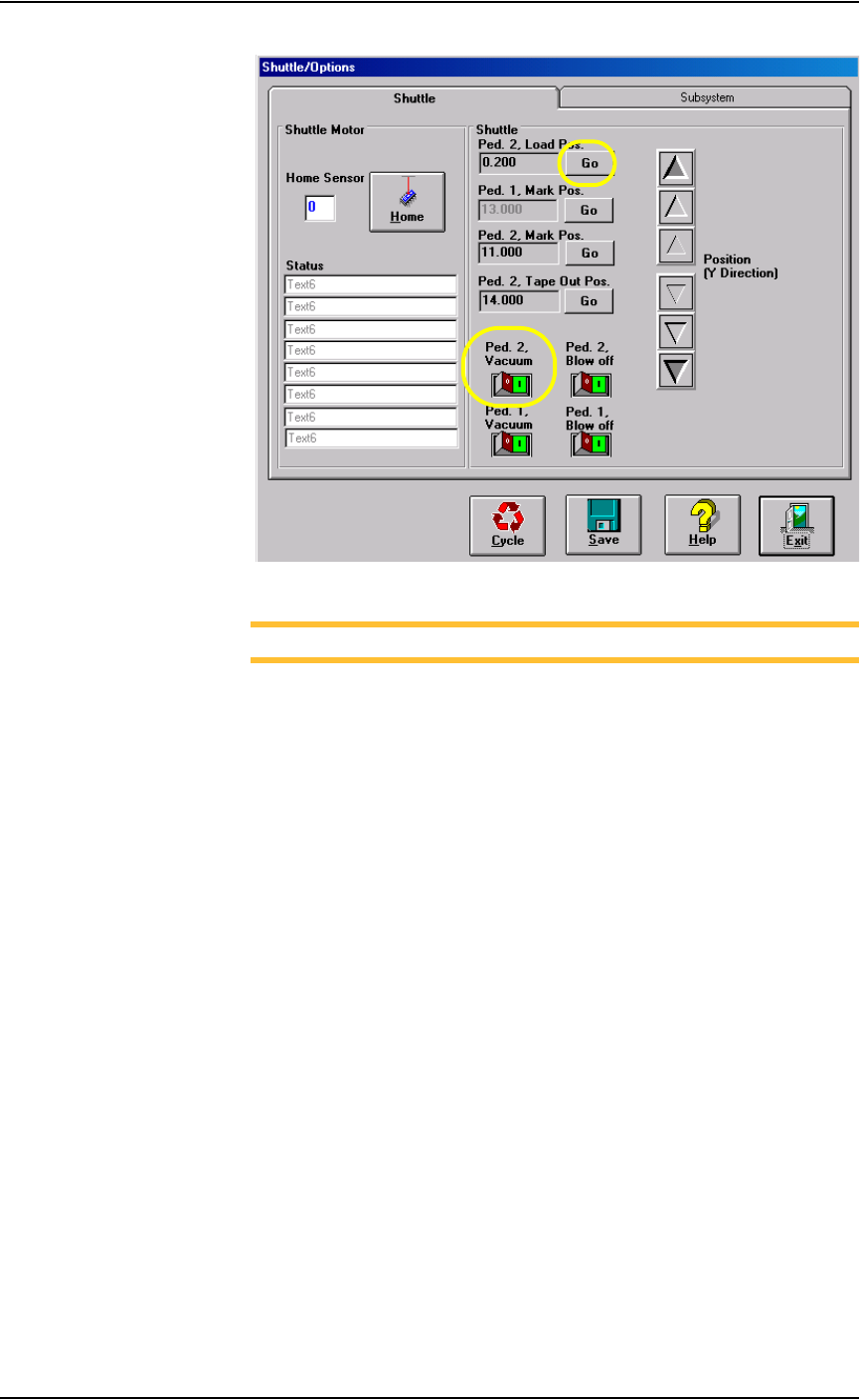
2b) On the Shuttle tab, click GO next to Ped 2 Load Pos. Then click the
Ped 2 Vacuum to ON. See Figure 5-32.
Maintenance • Adjustments, Calibrations, and Functional Tests
PS288 Owner’s Manual 5—33
.
Figure 5-32—Click Go and then turn Ped 2 Vacuum ON
NOTE: Refer to Figure 5-33 for Step 3 through Step 5.
3. Adjust Cup 2 HYS and SET screws—
3a) Using a small flat screwdriver, turn the HYS screw all the way counter-
clockwise.
3b) Then turn the SET screw counterclockwise until the red vacuum sensor
light comes on.
3c) Then turn the SET screw clockwise until the light goes off.
3d) Finally turn the SET screw another 1/8th turn clockwise.
4. Check adjustment—
4a) Block the hole on the shuttle pedestal. The red vacuum sensor light
should come on immediately.
4b) Unblock the hole. The red vacuum sensor light should go off immedi-
ately.
4c) Repeat check to ensure the red vacuum sensor light goes on and off as
described.
4d) If the red vacuum sensor light does not go off and on properly, turn the
SET screw slightly clockwise and retry.
5. Adjust Cup 1 HYS and SET screw—
Repeat Step 3and Step 4 for Cup 1.