PS288_OwnersMnl_PriorTo2009 - 第178页
Maintenance • Adjustments, Calibrations, and Function al Tests PS288 Owner’s Manual 5—43 2c) Bring the cursor anywhere inside the black and white vision image area shown below and d ouble-click. This o pens the acuWin32 …
Maintenance • Adjustments, Calibrations, and Functional Tests
5—42 PS288 Owner’s Manual
f
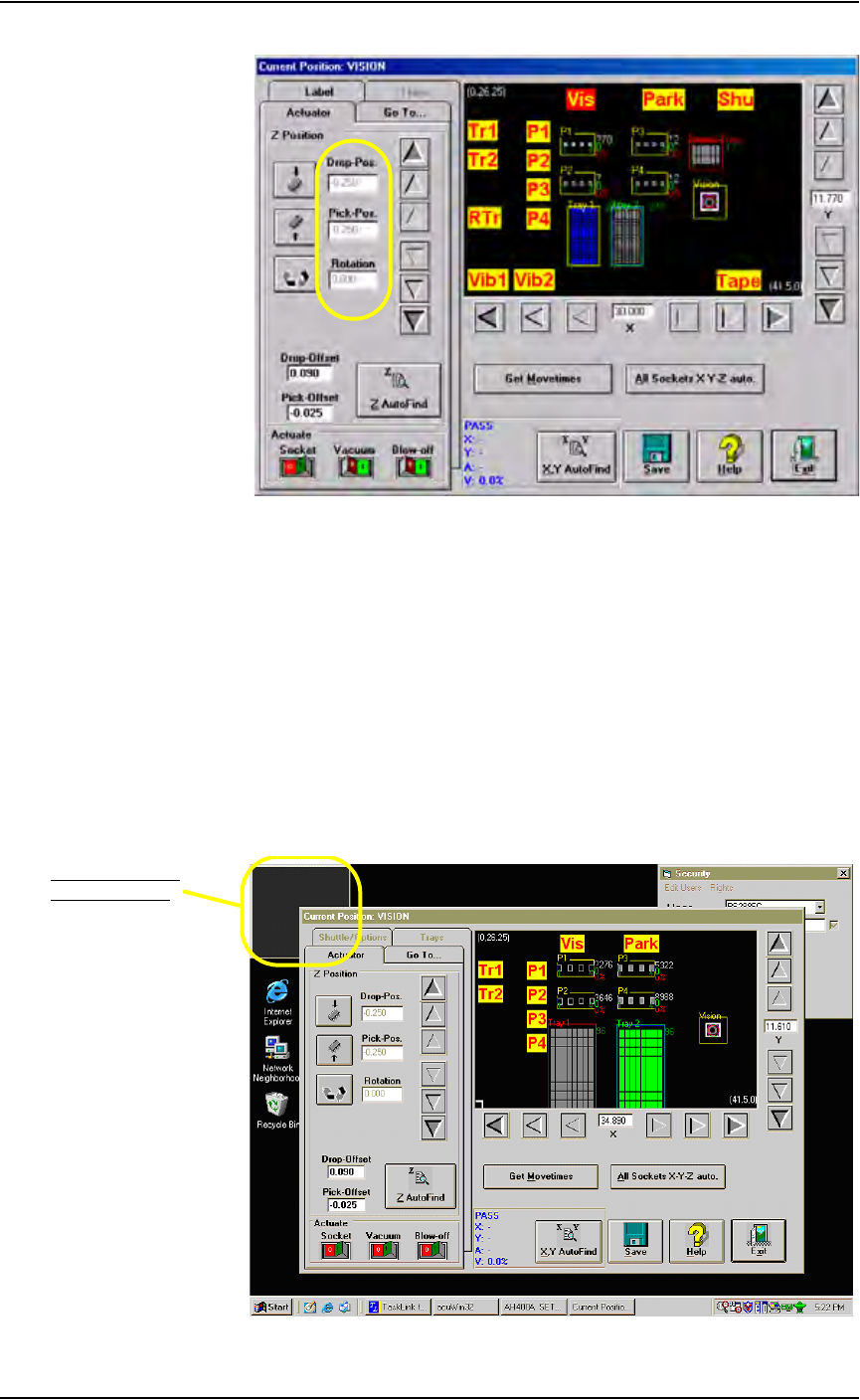
Figure 5-44—Verify values
1e) Open the package file for this job (for example: S273.txt) and
ensure the following value:
Record #22 = 0
1f) Remove the clear plastic vision cover disk on the camera hole at the
Vision position.
1g) Mark the center of the cover disk with a washable felt pen or dry erase
marker.
1h) Replace the cover disk over the camera hole.
2. Set up AcuWin32—
2a) Within the Gantry window, click Vis to bring the PNP head to Vision.
2b) Double-click inside the small acuWin32 window in the upper left cor-
ner of the desktop.
.
Figure 5-45—Double-click inside acuWin32 window
Double-click inside
acuWin32 window
Maintenance • Adjustments, Calibrations, and Functional Tests
PS288 Owner’s Manual 5—43
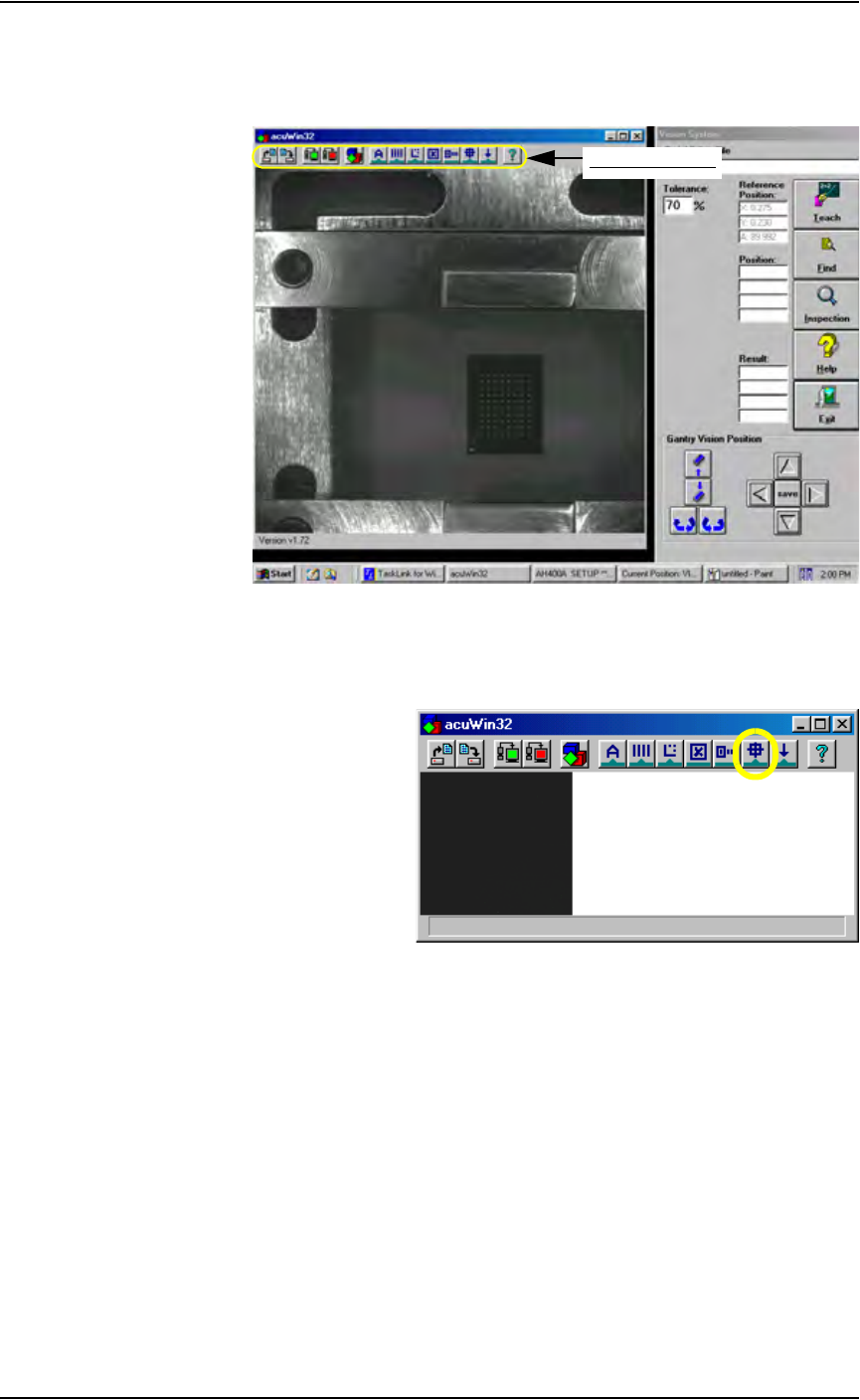
2c) Bring the cursor anywhere inside the black and white vision image area
shown below and double-click. This opens the acuWin32 tool bar. Fig-
ure 5-46 shows the tool bar open
Figure 5-46—Click inside black and white vision image area to open the
AcuWin32 tool bar
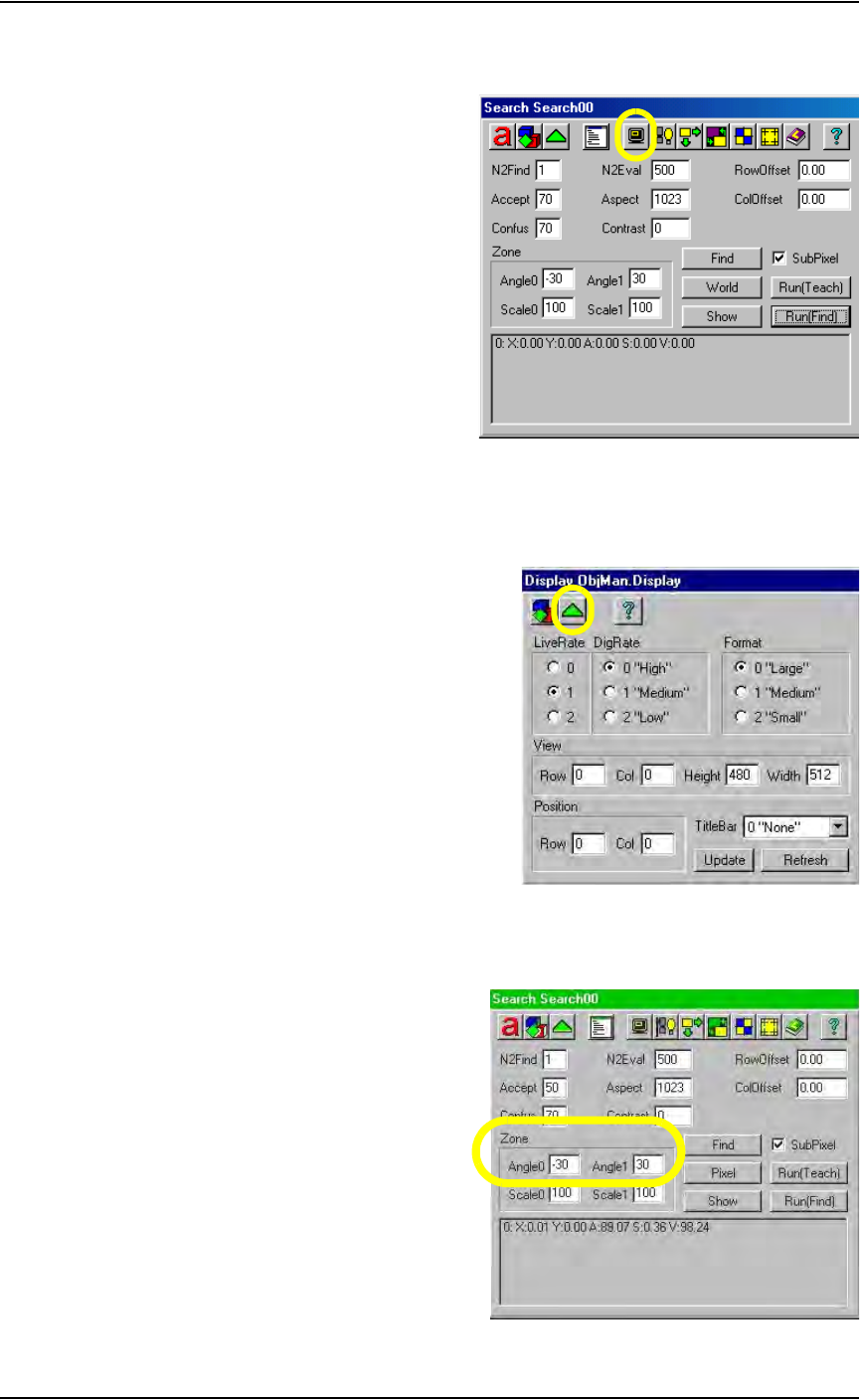
2d) On the acuWin32 tool bar, click the icon to open the Search Search dia-
log.
Figure 5-47— Click to switch to Search Search dialog
acuWin32 tool bar
Maintenance • Adjustments, Calibrations, and Functional Tests
5—44 PS288 Owner’s Manual
2e) On the Search Search dialog, click the icon to open the Display Obj-
Man. Display dialog.
Figure 5-48—Click to open Display ObjMan. Display dialog
2f) On the Display ObjMan.Display dialog, set the DigRate to 0 “High”
and the Format to 0 “Large.” Then press the green triangle to return to
the Search Search dialog. See Figure 5-49.
Figure 5-49—Display ObjMan.Display dialog settings
2g) On the Search Search dialog, set values in the Zone fields so that
Angle0 is -30 and Angle1 is 30. See Figure 5-50.
Figure 5-50—Set values in Zone fields