PS288_OwnersMnl_PriorTo2009 - 第18页
Introduction • Subassemblies 1—8 PS288 Owner’s Manual Automatic tray feed er (optional; not shown )— TF20 and TF30 automatic tray f eeders are available as options. Designed to automatical ly supply devices in trays to t…
Introduction • Subassemblies
PS288 Owner’s Manual 1—7
Marking system (optional; not shown)—
A label marking or laser marking system used to mark devices so they
may be identified at a later time. Installed in the Option Bay on the
right rear of the PS288.
The marking system uses a shuttle transfer assembly to move devices
to and from the marking stage. The shuttle transfer is a belt-driven
shuttle system that has two pedestals for holding devices. Initially, a
device is placed in the second pedestal and is transported to the mark-
ing area. After the device is marked, the shuttle moves it back to the
second pedestal. The PNP head places an unmarked device in the first
pedestal and then removes the marked device from the second pedestal
and routes it to the tray or tube output module. The device in the first
pedestal is then marked. This process continues, and alternates pedes-
tals throughout the remainder of the Job.
If the tape output system is selected, then only one of the pedestals is
used. Since both the marking system and the tape output system are
placed in the Option Bay on the rear of the PS288, both pedestals can-
not be used. Additionally, if the devices are marked with the label
printing system, only one pedestal is utilized.
The laser marking system uses a CO
2
laser to mark parts. The laser
applies a user-defined mark that can include letters, numbers, or draw-
ings. The laser marking system operates as a Class 1 laser system
(CDRH classification), and therefore uses integrated interlocks to pre-
vent the laser from firing while any cover is open. The laser should
never be operated without safety covers in place.
WARNING: Blindness hazard! Always wear eye protection when
the laser safety shields are open, such as during service. Direct or
diffuse laser radiation can damage eyes. Goggles must block
10.6 µm laser radiation. Goggles protect against scattered energy
but not against direct viewing of the laser beam or reflections
from metallic surfaces.
WARNING: Serious burn hazard! Direct or diffuse laser radia-
tion can cause serious burns. Keep hands and other parts of the
body out of the path of the laser bean when servicing.
WARNING: Toxic fume hazard! Laser marking generates vapors,
fumes, and particles that may be noxious, toxic, or even fatal.
Follow maintenance procedures on the fume extractor. Use
proper ventilation.
For additional safety information, see “Laser Safety” on page 1-16.

Introduction • Subassemblies
1—8 PS288 Owner’s Manual
Automatic tray feeder (optional; not shown)—
TF20 and TF30 automatic tray feeders are available as options.
Designed to automatically supply devices in trays to the PS288, the
TF20 accepts thin or thick JEDEC trays only and the TF30 accepts
semi-vendor matrix trays including JEDEC.
Tube input (optional; not shown)—
Tube input uses tubes to provide blank devices to the system for pro-
gramming. Vibration mechanisms keep devices sliding freely by gently
vibrating the tubes to reduce the likelihood of device jams.
Tube output (optional; not shown)—
Tube output uses tubes to collect devices following programming.
Vibration mechanisms keep devices sliding freely by gently vibrating
the tubes to reduce the likelihood of device jams.
Vibration adjustment controls (optional; not shown)—
Located on the front of the PS288 when the optional tube input or out-
put modules are installed, the vibration adjustment controls are used to
control vibration the tubes receive to reduce the likelihood of device
jams when unloading or loading the tubes.
Tape input (optional; not shown)—
Tape input uses a reel of sealed carrier tape containing unprogrammed
devices to provide devices for programming. Each device is picked
from a carrier tape pocket and placed into a programming socket after
alignment by the vision system. A sprocket wheel advances the tape
one carrier pocket to align the next device into the pick position. As the
carrier tape advances, the cover tape is peeled off so that the PNP head
can pick up the device.
Tape output (optional; not shown)—
Tape output uses a reel of empty carrier tape to hold devices after they
are programmed. Each programmed device is placed into an empty
pocket on the carrier tape. The carrier tape then advances through
either a heat seal or pressure seal unit that applies cover tape to the
filled carrier tape.
Fume extractor (optional; not shown)—
Used with the laser marking option, the fume extractor removes harm-
ful smoke and hazardous materials from the marking area and safely
stores them for proper disposal.
WARNING: Laser marking generates vapors, fumes, and parti-
cles that may be noxious, toxic, or even fatal. The fume extractor
is required for use with the laser marking option and must not be
disabled. Analysis of filter contents obtained following marking a
representative variety of devices has revealed a sufficient level of
hazardous materials, such as antimony and other heavy metals, to
require that the filter be treated as hazardous waste. Filters must
Introduction • Safety Systems
PS288 Owner’s Manual 1—9
be disposed of in accordance with government hazardous waste
regulations.
Input panel (not shown)—
Fittings on this panel, located on the rear of the PS288, allow for the
attachment of air (used to generate the necessary vacuum and posi-
tive-pressure air to manipulate devices and operate optional assem-
blies) and power. See Figure 2-2.
Circuit breakers (not shown)—
Circuit breakers located on the input panel provide circuit protection
and a source of power for the various assemblies in the PS288.
Main power switch (not shown)—
Located on the input panel, the main power switch is used to switch
primary power for the PS288.
Input/Output Options and Combinations
PS288 input and output options include static tray (manual), automatic tray
feeder, tube, and tape.
Standard configuration for the PS288 is static tray input/static tray output.
However, any combination of input and output options may be used. For
example, the PS288 can be configured with automatic tray feeder input com-
bined with tube output, or tape input combined with static tray output, or
tube input combined with tape output, etc.
Safety Systems
The PS288 has several safety systems to prevent personal injury and
machine damage. These systems include:
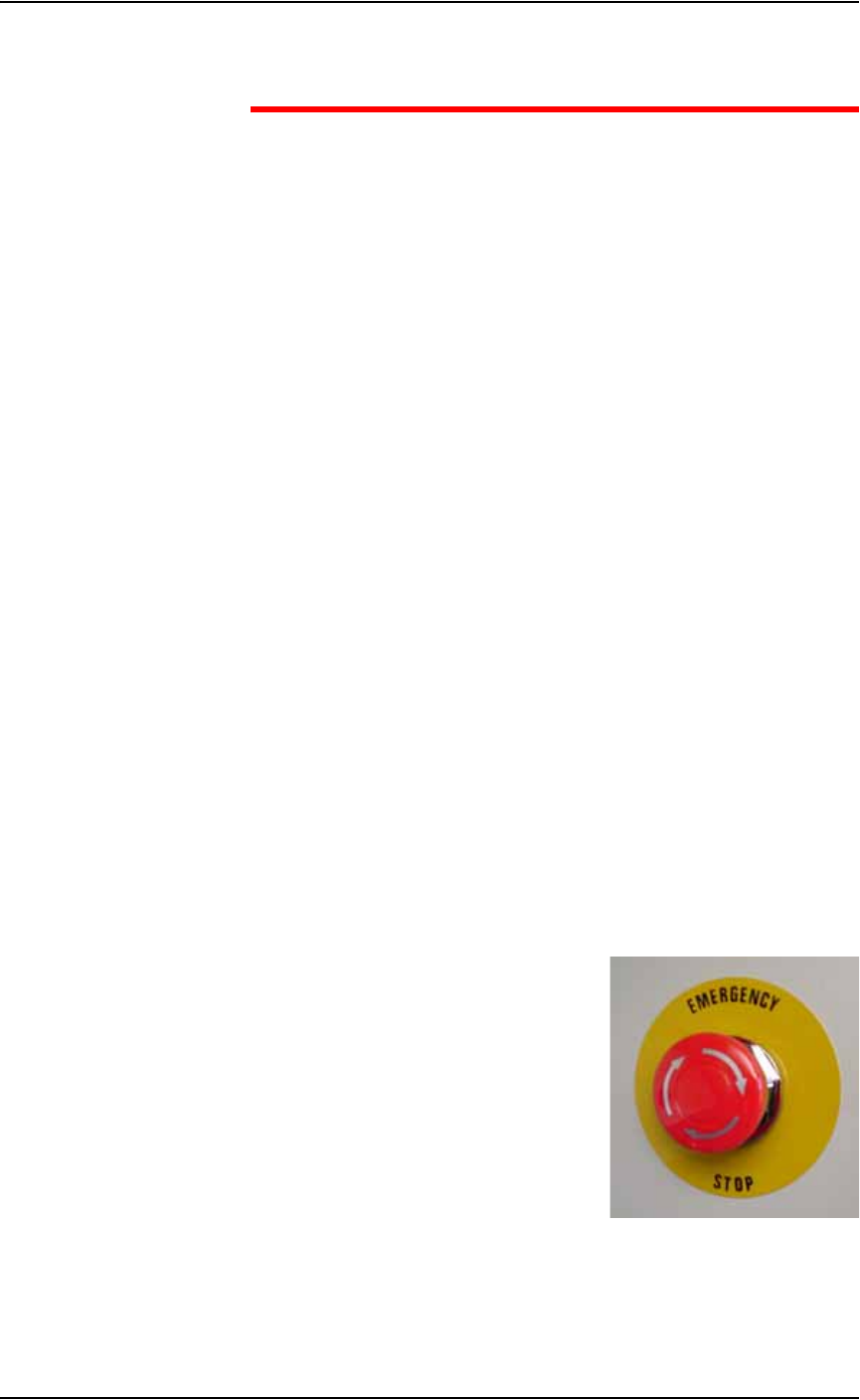
1. Emergency stop (E-Stop) buttons—
Two large, red Emergency Stop buttons are located near the top of the
PS288, one on either side of the machine. The buttons are easily
reached in an emergency. When an E-Stop button is pressed, the gantry
and PNP head stop moving immediately.
.
Figure 1-3—Emergency stop button