PS288_OwnersMnl_PriorTo2009 - 第187页
Maintenance • Replacing Major Assemblies 5—52 PS288 Owner’s Manual 3. Swing Socket Actuator away from guide— 3a) Using a 2.5 mm Allen wrench, remove the four screws that hold th e Socket Actuator to the guide. Figur e 5-…
Maintenance • Replacing Major Assemblies
PS288 Owner’s Manual 5—51
Replacing the Pick And Place Head
To replace the PNP head:
1. Prepare the system—
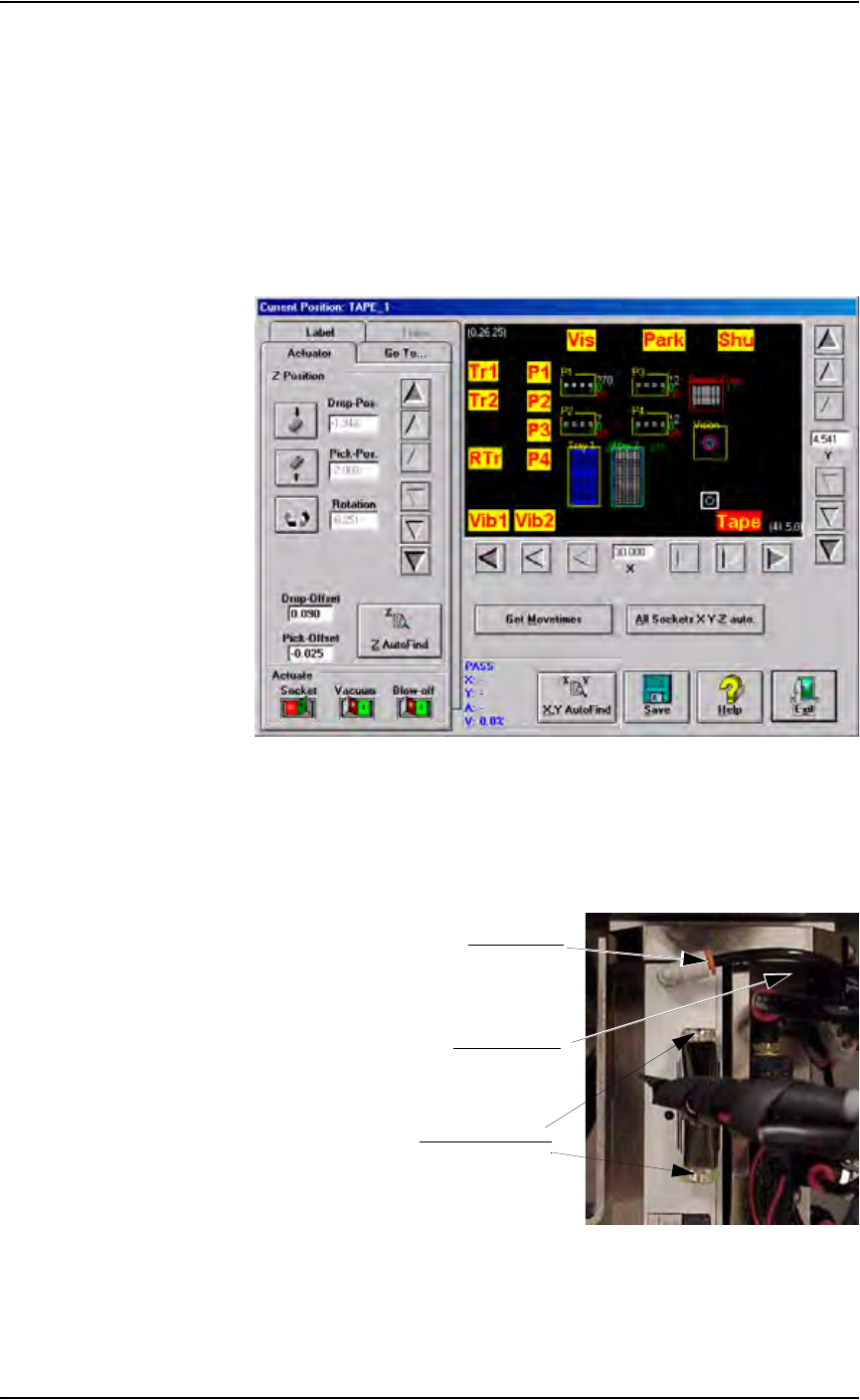
1a) From the Gantry window, move the PNP head to the front of the work
envelope so it can be easily reached. The Tape input location works
well. See Figure 5-61.
1b) Verify that the PS288 is shut down (see “Shut Down the System” on
page 3-12) and the main power switch is in the OFF position.
Figure 5-61— Move PNP head to Tape input location
2. Remove vacuum line and cable—
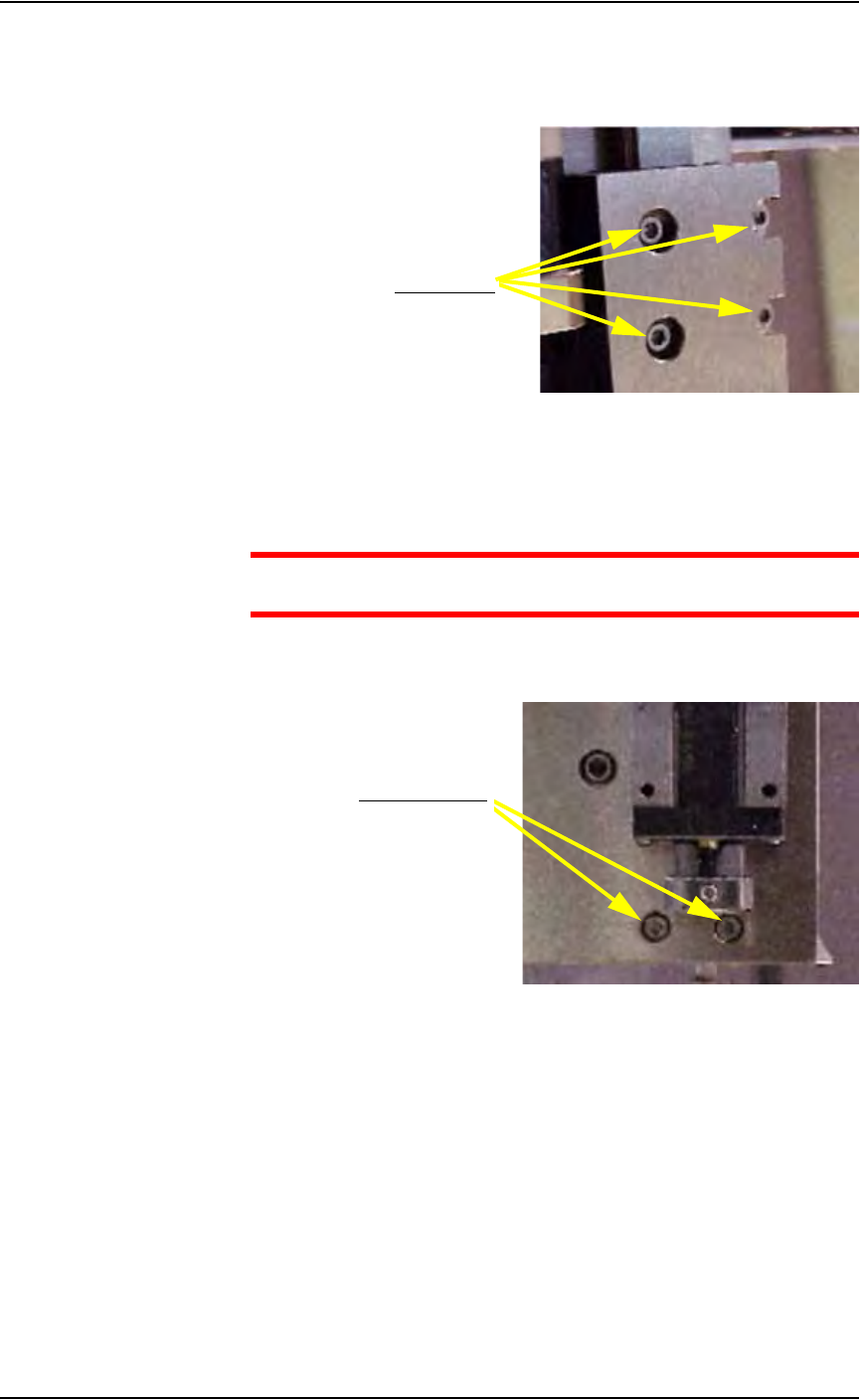
2a) Remove vacuum line by pulling the line gently while pushing the red
collar.
2b) Remove cable by loosening two screws (indicated in Figure 5-62).
Figure 5-62—Location of vacuum line and cable screws
Pull vacuum line
Push red collar
Loosen cable screws
Maintenance • Replacing Major Assemblies
5—52 PS288 Owner’s Manual
3. Swing Socket Actuator away from guide—
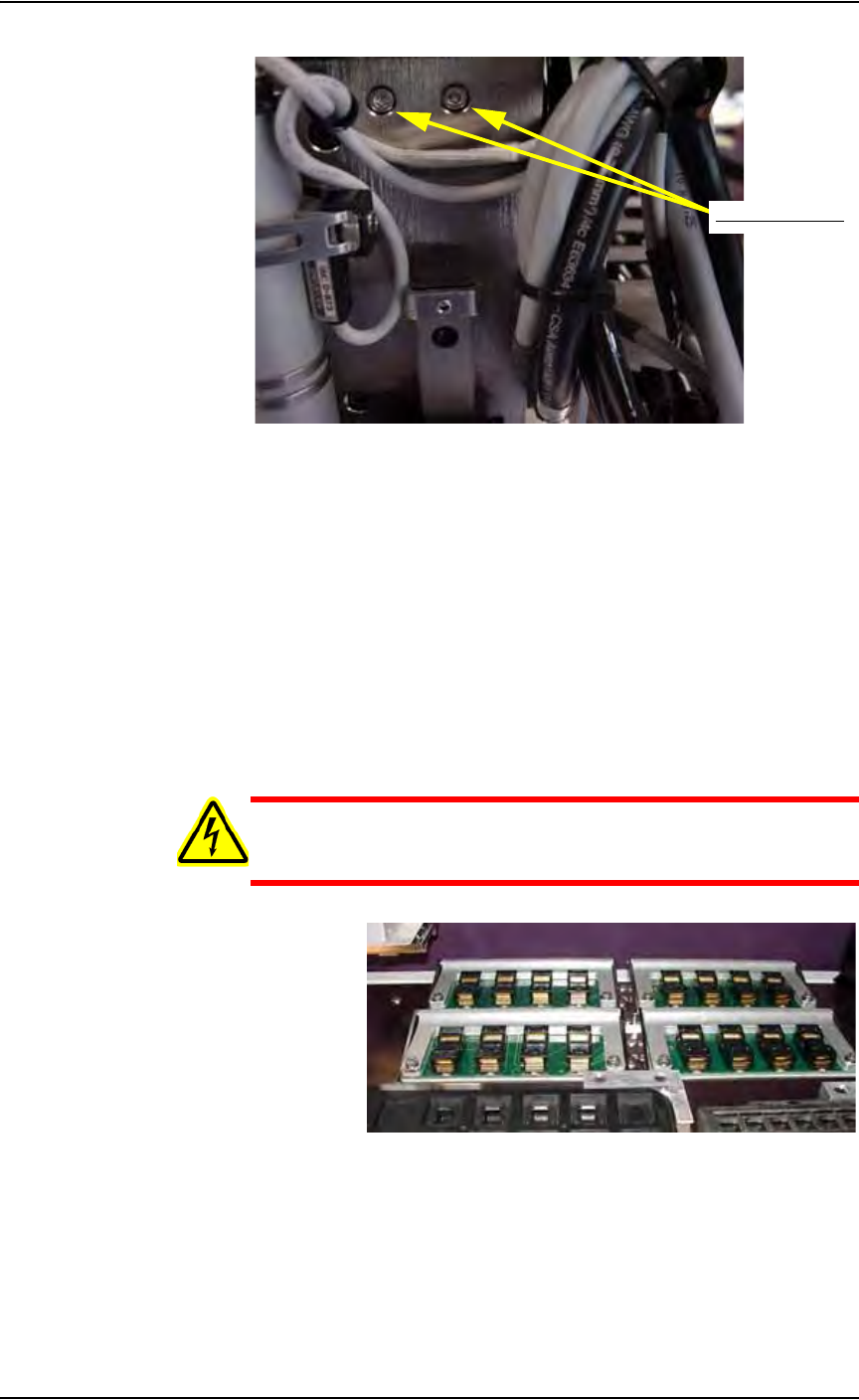
3a) Using a 2.5 mm Allen wrench, remove the four screws that hold the
Socket Actuator to the guide.
Figure 5-63—Removing four screws
3b) Swing the Socket Actuator away from the guide.
4. Remove old PNP head—
CAUTION: Hold the PNP head while removing the screws to pre-
vent the PNP head from falling.
4a) Using a 2.5 mm Allen wrench, remove the two lower screws that hold
the PNP head in place. See Figure 5-64.
Figure 5-64—Removing lower screws
4b) Using a 2.5 mm Allen wrench, remove the two upper screws that hold
the PNP head in place. See Figure 5-65.
Remove screws
Remove two screws
Maintenance • Replacing Major Assemblies
PS288 Owner’s Manual 5—53
Figure 5-65—Removing upper screws
5. Install new PNP head—
5a) Install new PNP head by securing the two upper and two lower screws.
5b) Reassemble in reverse order.
5c) Verify that all screws are tight.
Replacing FlashCORE Quad or FlashCORE Assem-
blies
The PS288 contains a FlashCORE Quad assembly. The FlashCORE Quad
assembly holds four individual FlashCORE programmer assemblies. Both
the FlashCORE Quad assembly and individual FlashCORE programmer
assemblies can be replaced.
WARNING: Electrocution hazard! Turn off the main power
switch before removing any panels. Servicing the PS288 involves
a significant risk of electric shock.
Figure 5-66—FlashCORE Quad assembly
To replace the FlashCORE Quad assembly:
1. Prepare the system—
1a) Verify that the PS288 is shut down and the main power switch is in the
OFF position.
1b) Open the outer access panel closest to the FlashCORE Quad assembly.
Remove two screws