PS288_OwnersMnl_PriorTo2009 - 第195页
Maintenance • Fixing Failures 5—60 PS288 Owner’s Manual Figur e 5-70—Y -axis and X-axis servo motor amps 2. Launch Windows Explor er— 2a) Go to C:\Install\Setup. 2b) Run MC_DSP_X P . 3. Add controller— 3a) If your window…

Maintenance • Fixing Failures
PS288 Owner’s Manual 5—59
Check this:
) Make sure that the four 30-connector ribbon cables labeled J1–J4 are
connected to the I/O Controller I/O Module from the PC AT Module.
) Make sure that the direction selection at that port’s jumper patch is not
missing or set for an input type of port.
Problem:
• An output relay is not activating, but the green LED on the front panel
indicates that it should be.
Check this:
) Check the voltage selection at that port’s jumper patch.
) Check the fuse on the case of the solid state relay.
Air Pressure Problems
Problem:
• There is no main air pressure.
Check this:
) Make sure that the main air switch on the input panel is in the ON posi-
tion.
) Check the fuse in the I/O Controller connector.
) Make sure that the sensor switch in the pneumatic control panel (+24V)
is on.
) Check the pico fuse in the sensor/dump bank inside of the I/O Control-
ler.
Problem:
• There is no or low vacuum on the PNP probe.
Check this:
) Make sure that there is voltage at the sensor mounted on the PNP head.
) Check the vacuum/blow-off solenoid.
) Check solenoid 4 (vacuum and blow-off) mounted on top of manifold.
) Check solenoid 1 (up/down) mounted of top of manifold.
) Check the PNP head probe to determine if it is clogged. Clean if neces-
sary.
Servo Motor Problems
When you need to reload the software on the motion controller card of the
PS288, complete this procedure:
You will need Software MC_DSP_XP (Windows version)
1. Prepare the system—
1a) Open the door on the right side of the PS288.
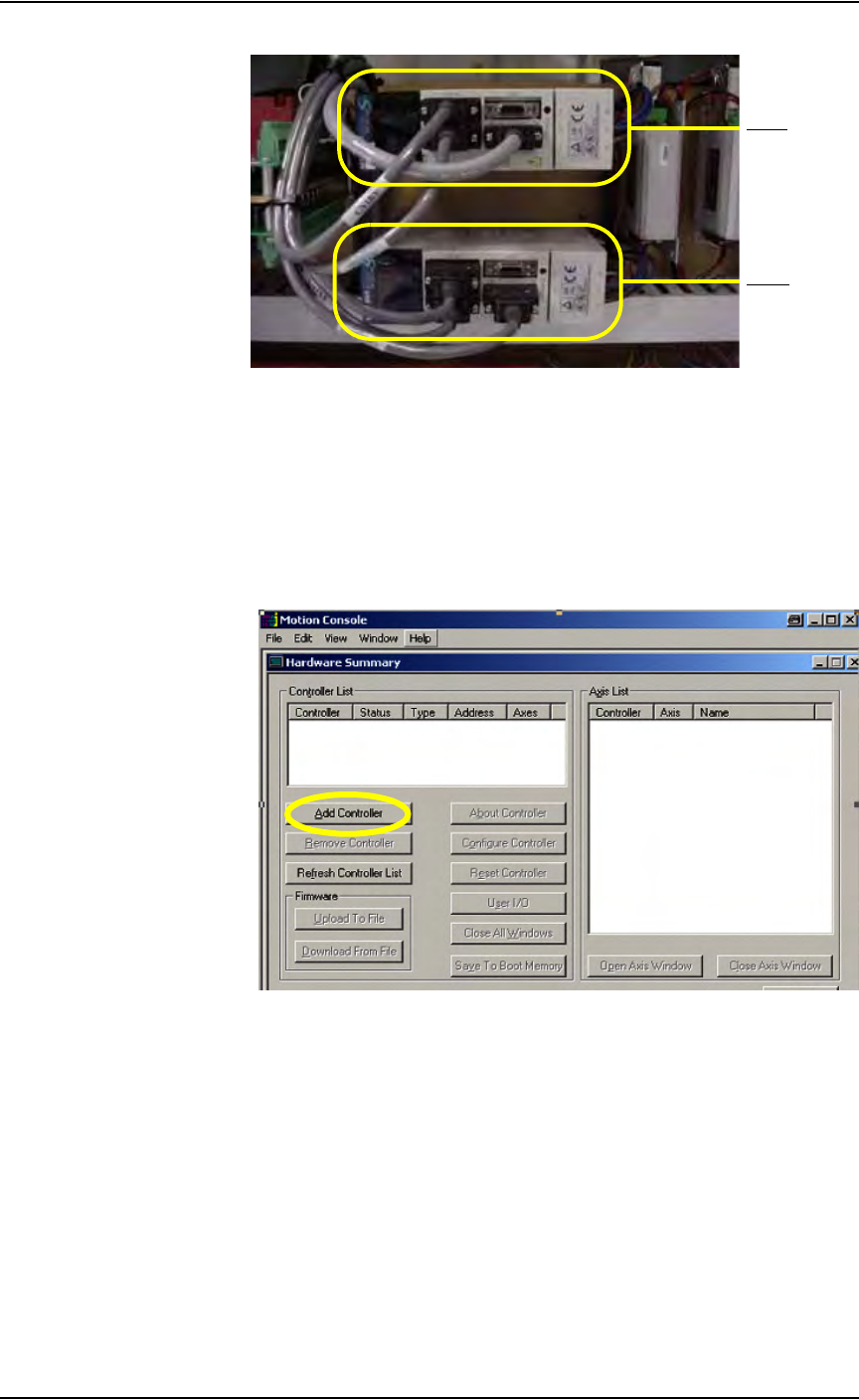
1b) Examine the Y-axis and X-axis servo motor amps.
Maintenance • Fixing Failures
5—60 PS288 Owner’s Manual
Figure 5-70—Y-axis and X-axis servo motor amps
2. Launch Windows Explorer—
2a) Go to C:\Install\Setup.
2b) Run MC_DSP_XP.
3. Add controller—
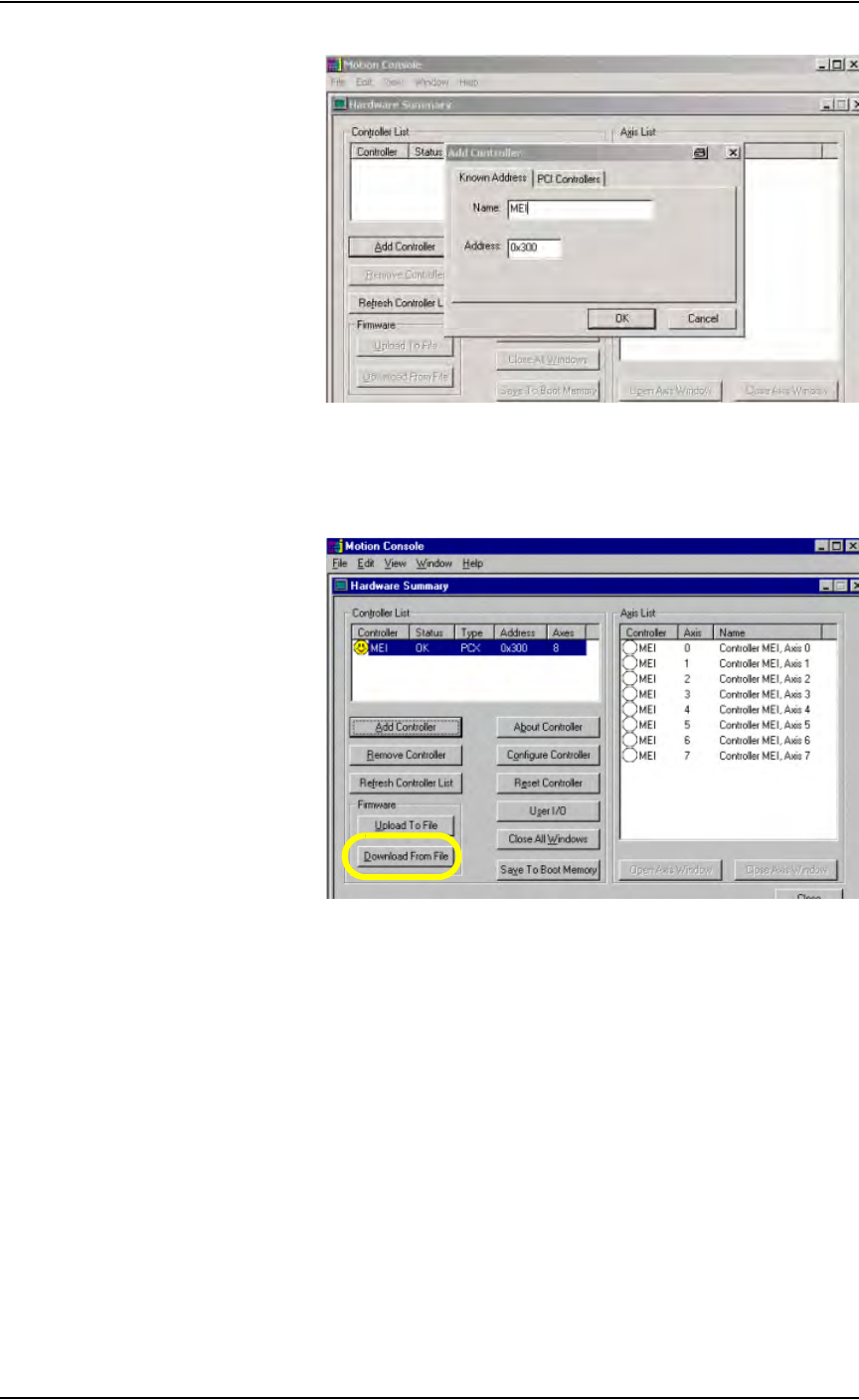
3a) If your window shows no controller in the Controller List field (see
Figure 5-71), click Add Controller.
Figure 5-71—No controller in list box
3b) In the Add Controller window, type MEI. Click OK. See Figure 5-72.
Y- ax i s
X-axis
Maintenance • Fixing Failures
PS288 Owner’s Manual 5—61
Figure 5-72—Add controller
4. Download file—
4a) On the Hardware Summary window, select Download From File. See
Figure 5-73.
Figure 5-73—Download from file
4b) Select the correct software file for the type of servo motor installed. For
Mitsubishi motors, select MEI1214M.ABS.
4c) Click Open.