PS288_OwnersMnl_PriorTo2009 - 第196页
Maintenance • Fixing Failures PS288 Owner’s Manual 5—61 Figur e 5-72—Add contr oller 4. Download file— 4a) On the Hardware Summary w indow , select Downl oad From File . See Figur e 5-73 . Figur e 5-73—Download from file…
Maintenance • Fixing Failures
5—60 PS288 Owner’s Manual
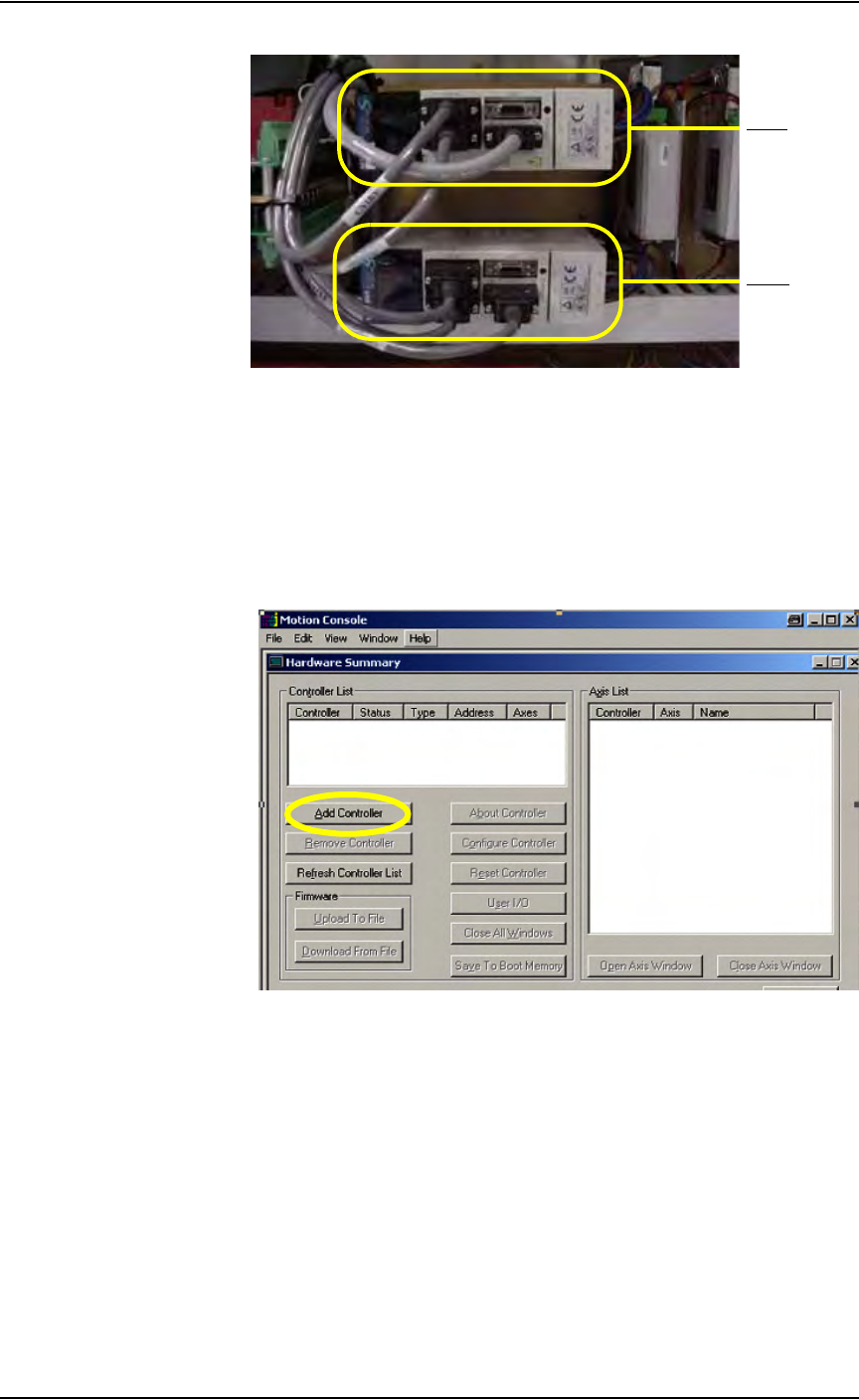
Figure 5-70—Y-axis and X-axis servo motor amps
2. Launch Windows Explorer—
2a) Go to C:\Install\Setup.
2b) Run MC_DSP_XP.
3. Add controller—
3a) If your window shows no controller in the Controller List field (see
Figure 5-71), click Add Controller.
Figure 5-71—No controller in list box
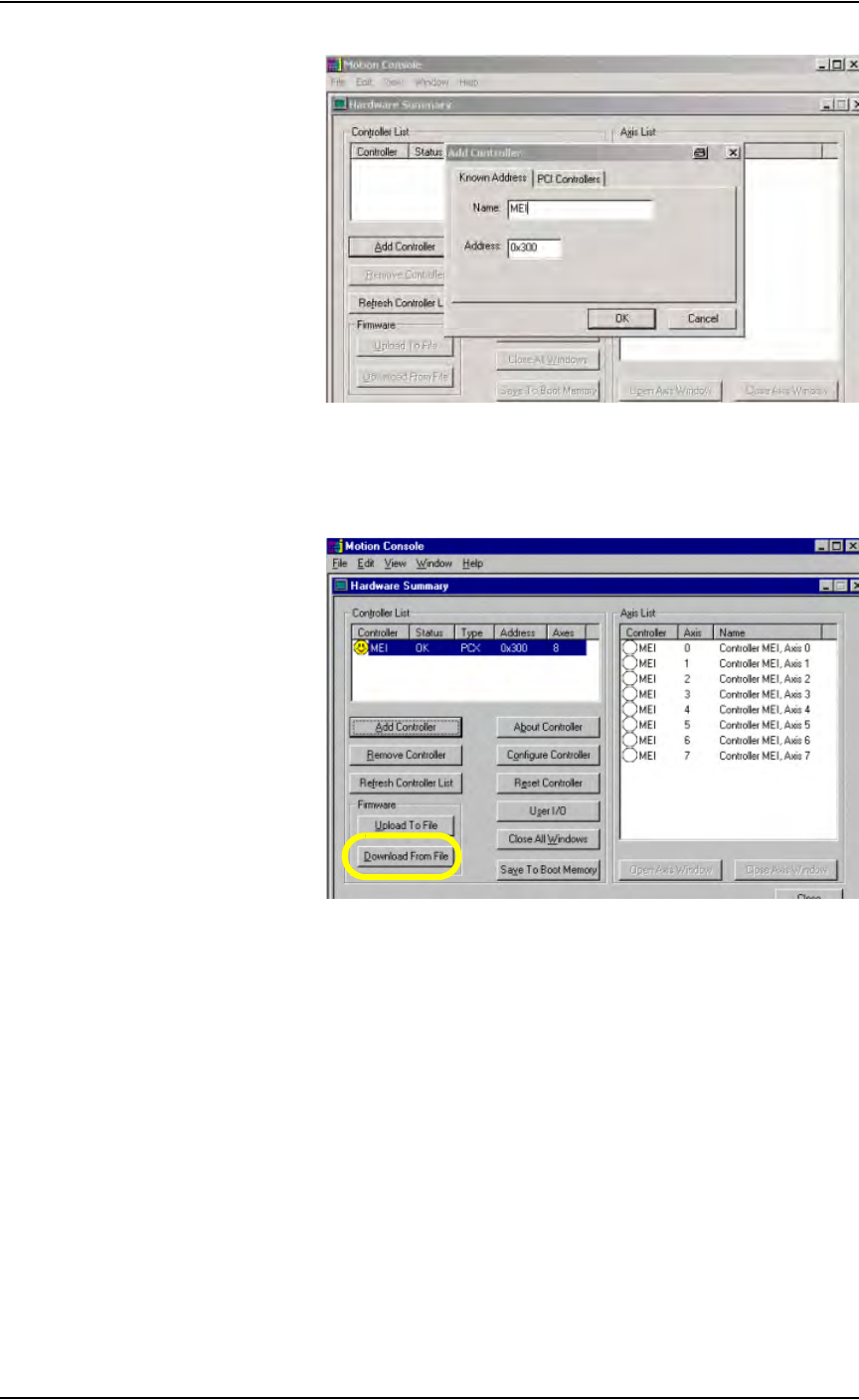
3b) In the Add Controller window, type MEI. Click OK. See Figure 5-72.
Y- ax i s
X-axis
Maintenance • Fixing Failures
PS288 Owner’s Manual 5—61
Figure 5-72—Add controller
4. Download file—
4a) On the Hardware Summary window, select Download From File. See
Figure 5-73.
Figure 5-73—Download from file
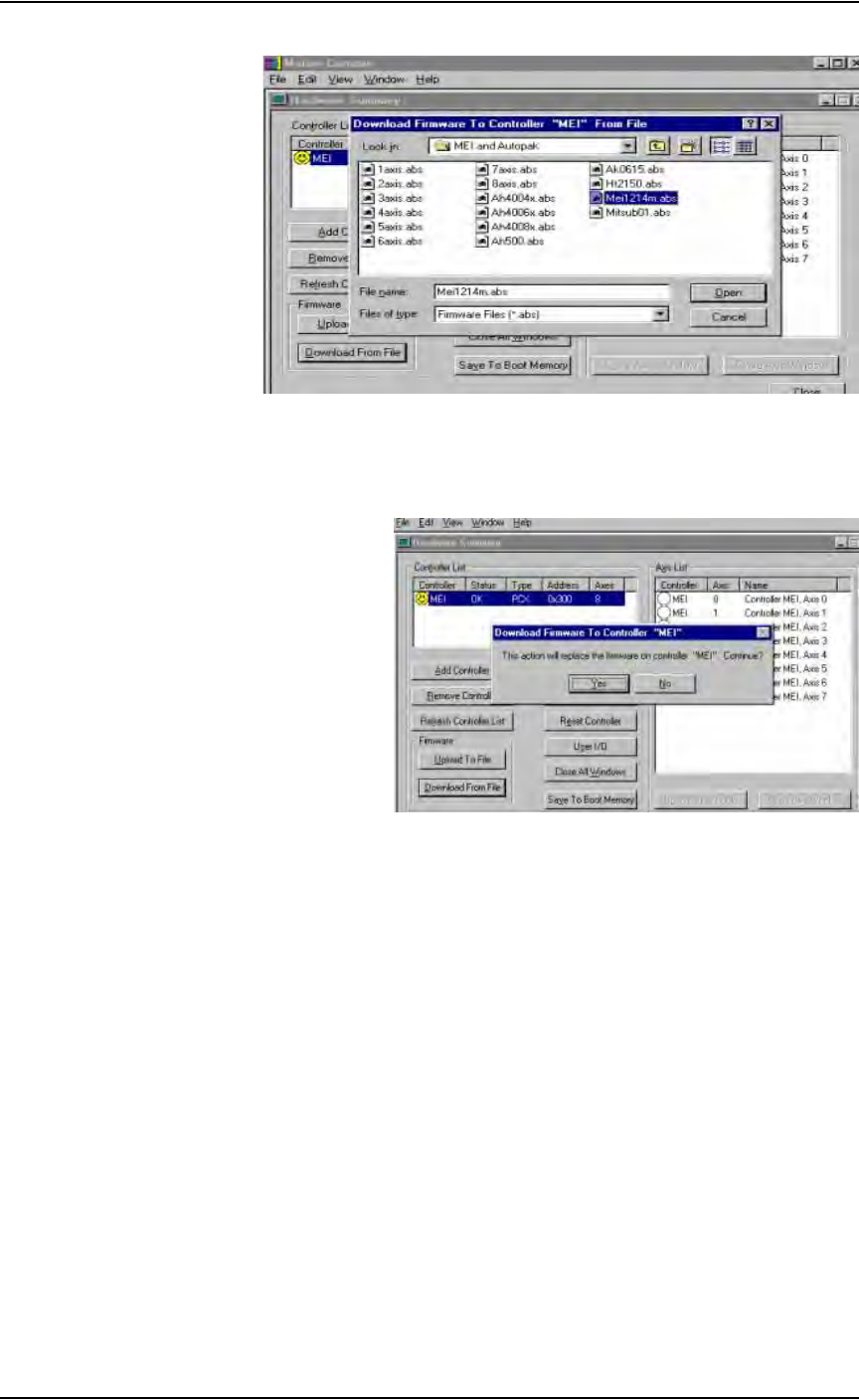
4b) Select the correct software file for the type of servo motor installed. For
Mitsubishi motors, select MEI1214M.ABS.
4c) Click Open.
Maintenance • (Optional) Tape Output System
5—62 PS288 Owner’s Manual
Figure 5-74—Select file
4d) Click Ye s to replace the firmware on controller “MEI,” as shown in
Figure 5-75.
Figure 5-75—Replace firmware
5. Complete process—
Press Alt-X to exit.
The motion controller card now has the new software loaded and the process
is complete.
(Optional) Tape
Output System
Cleaning the Pressure Seal Tape Output System
Pressure seal tape output systems require cleaning to prevent problems with
breaking the carrier tape or tearing the carrier tape sprocket holes. The clean-
ing process removes adhesive build up from the cover tape application roll-
ers and the drive sprocket top pressure idler wheel.
To clean the pressure seal tape output system:
TOOLS REQUIRED: Shop towel and alcohol or commercial alcohol wipes.