PS288_OwnersMnl_PriorTo2009 - 第204页
PS288 Owner’s Manual A-1 A A Appendix A I/O Controller LED St atus
Maintenance • (Optional) Automatic Tray Feeder
5—68 PS288 Owner’s Manual
(Optional)
Automatic Tray
Feeder
The TF20 automatic tray feeder is designed to keep a tray from stopping too
abruptly when it reaches the end of the conveyor nearest the PS288 or the
end of the conveyor nearest the TF20. (Abrupt stops can cause devices to
move on the tray.) You may need to adjust the conveyor speed if trays are
stopping too abruptly.
Conveyor Speed Adjustments
Two sensors control the speed of the conveyor.
• The "Return to Stack" sensor is located near the end of the conveyor
closer to the TF20 stack. When the leading edge of the tray passes this
sensor, the conveyor shifts to slow speed operation.
• The “Place in PS288” sensor is located near the end of the conveyor
closer to the PS288. When the leading edge of a tray passes this sensor,
the conveyor shifts to slow speed operation.
When either sensor is triggered, the conveyor shifts to slow speed operation.
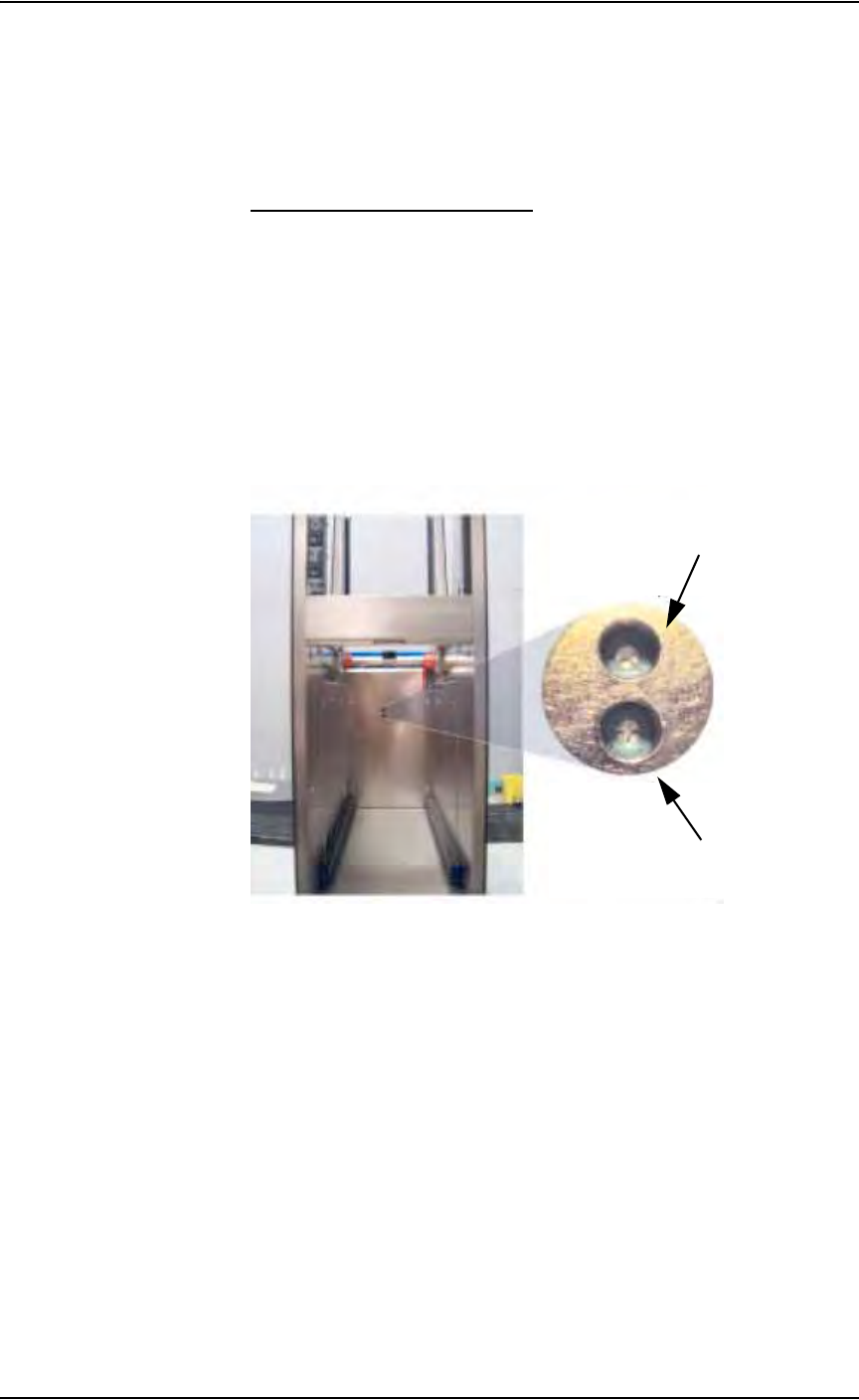
The speed of the conveyor is adjusted with the potentiometers shown in Fig-
ure 5-79.
Figure 5-79—Conveyor speed potentiometers
To adjust conveyor speed:
1. Press the Stop button on the TF20.
2. Adjust “Return to Stack” or “Place in PS288” potentiometer:
• To increase conveyor speed, turn potentiometer clockwise
• To decrease conveyor speed, turn potentiometer counterclockwise
3. Press the Reset button on the TF20.
"Return to Stack" potentiometer
(turn clockwise to increase speed)
“Place in PS288” potentiometer
(turn clockwise to increase speed)

PS288 Owner’s Manual A-1
A
AAppendix A
I/O Controller LED Status

Appendix A
A-2 PS288 Owner’s Manual