PS288_OwnersMnl_PriorTo2009 - 第22页
Introduction • Software an d User Interface Components 1—12 PS288 Owner’s Manual Extensive online Help is available for T askLink by selecting the Help menu on the main screen and clicking Help T opics . Figur e 1-5—T as…
Introduction • Software and User Interface Components
PS288 Owner’s Manual 1—11
In addition, customer-supplied Statistical Process Control software can be
installed on the Handler Computer. See “Statistical Process Control Software
(SPC)” on page 3-50 for more information.
The PS288 should never have other software added unless instructed to do
so by Data I/O Customer Support.
CAUTION: Adding software to the PS288 can cause damage
and/or cause it to operate improperly. Adding software without spe-
cific instruction from Data I/O Customer Support will void the war-
ranty and may incur service charges.
CAUTION: Windows system parameters and network parameters
should not be changed unless instructed to do so by Data I/O Cus-
tomer Support. Changing Windows or network system parameters
can cause failure and/or damage to these systems or cause
improper programming.
TaskLink Interface
Data I/O’s user interface is TaskLink
™
for Windows
®
. TaskLink uses a
Microsoft
®
Windows
®
-based system for Task creation and analysis and oper-
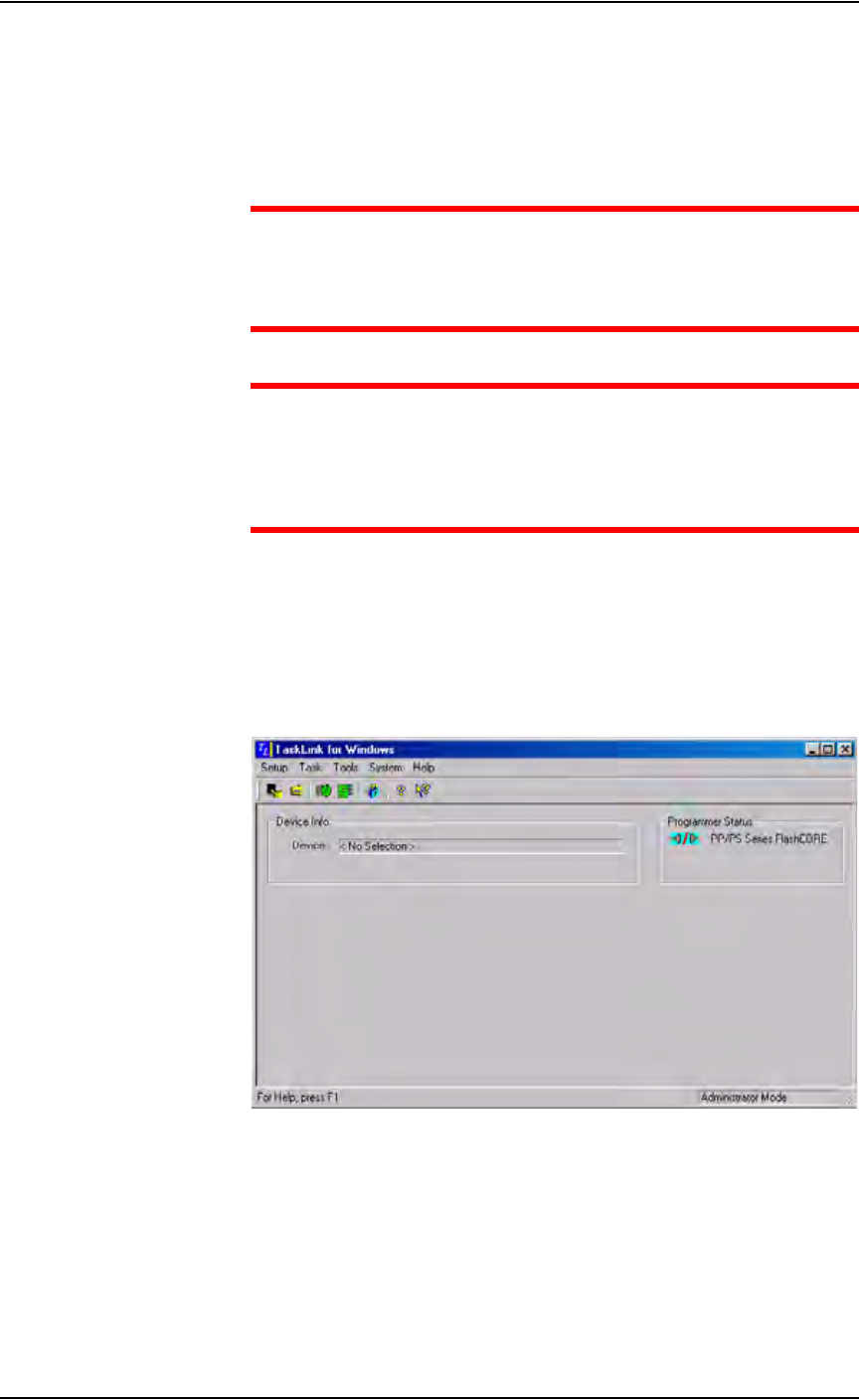
ates from the Handler Computer. TaskLink is used to create jobs to run on
the PS288. Figure 1-4 shows the TaskLink main screen.
Figure 1-4—TaskLink main screen
Introduction • Software and User Interface Components
1—12 PS288 Owner’s Manual
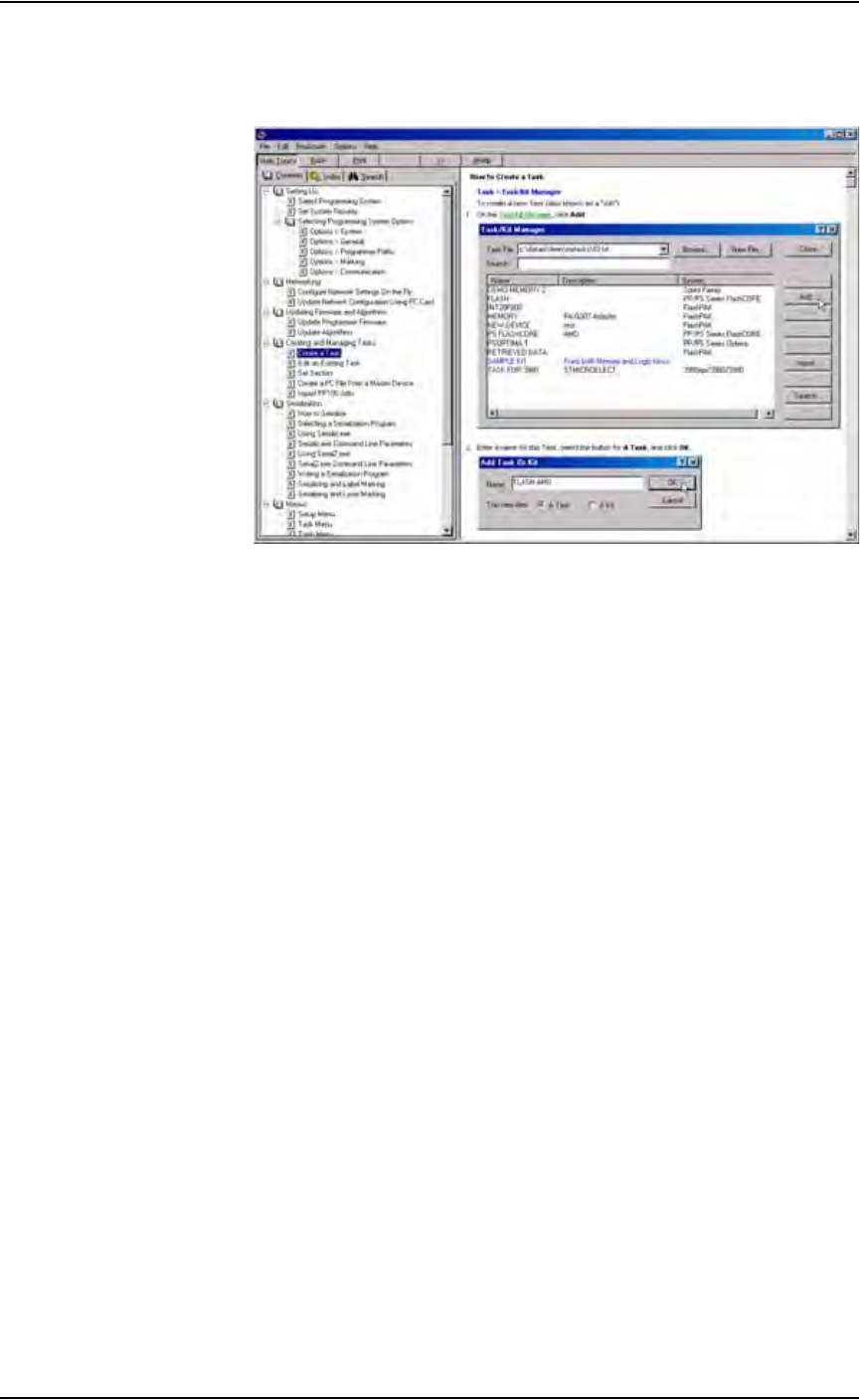
Extensive online Help is available for TaskLink by selecting the Help menu
on the main screen and clicking Help Topics.
Figure 1-5—TaskLink online Help
AH500 Interface
Data I/O’s Automated Handler (AH500) software is a Microsoft
®
Win-
dows
®
-based system used to set up various PS288 system parameters such as
input/output configurations, labeling options, vision system, and PNP head
calibration. These parameters are contained in the WinAH400.ini file.
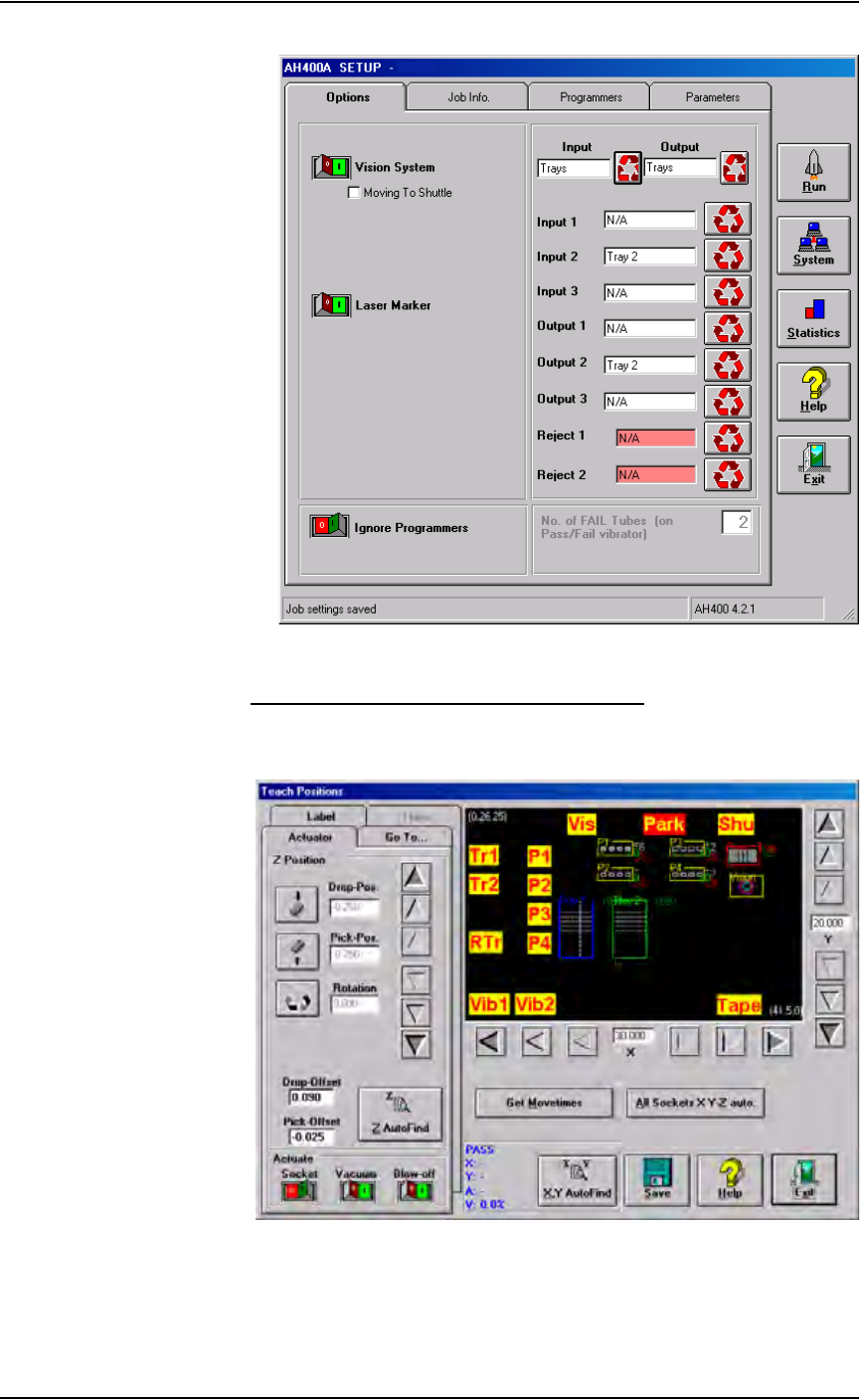
AH500 operates from the Handler Computer. Figure 1-6 shows a sample
AH500 user interface window.
Introduction • Software and User Interface Components
PS288 Owner’s Manual 1—13
Figure 1-6—AH500 user interface example
Understanding the AH500 Gantry Window
The AH500 Gantry window displays important information about the work
envelope of the PS288.
Figure 1-7—Gantry window
The yellow position labels on the Gantry window represent locations in the
work envelope. Clicking a yellow position label (for example, Tr1) moves