PS288_OwnersMnl_PriorTo2009 - 第28页
Introduction • Laser Safety 1—18 PS288 Owner’s Manual Laser Safety Interlocks The Option Bay has five laser safety interlocks that prevent the laser from firing when any safety shiel d on the Opti on Bay is remo ved. T o…
Introduction • Laser Safety
PS288 Owner’s Manual 1—17
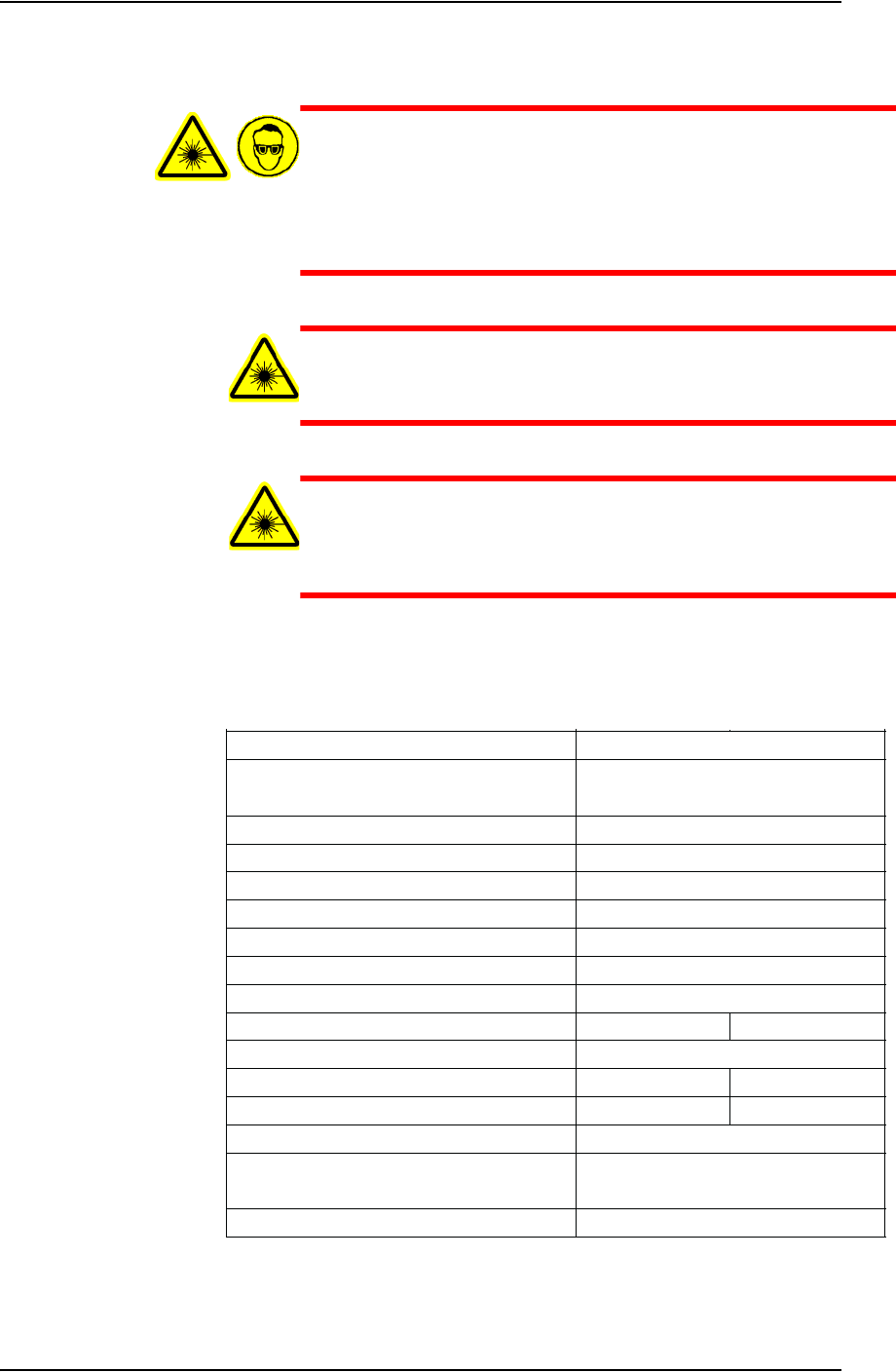
WARNING: Blindness hazard! Always wear eye protection when
the laser safety shields are open, such as during service. Direct or
diffuse laser radiation can damage eyes. Goggles must block
10.6 µm laser radiation. Goggles protect against scattered energy
but not against direct viewing of the laser beam or reflections
from metallic surfaces.
WARNING: Serious burn hazard! Direct or diffuse laser radia-
tion can cause serious burns. Keep hands and other parts of the
body out of the path of the laser bean when servicing.
WARNING: Toxic fume hazard! Laser marking generates vapors,
fumes, and particles that may be noxious, toxic, or even fatal.
Follow maintenance procedures on the fume extractor. Use
proper ventilation.
Laser Specifications
Specifications for laser Model 48-1(S) installed in the Option Bay are shown
in Figure 1-11.
Figure 1-11—Model 48-1(S) laser specifications
Weight
Output Power
Mode Quality
Ellipticity
Rise Time
Beam Diameter
Beam Divergence (full angle)
Wavelength
Power Stability, from cold start (guaranteed)
Polarization
Cooling
Air Water
Heat Load (max)
Flow Rate, Air
250 CFM x 2 N/A
Flow Rate, Water (18-22ºC)
N/A 0.5 GPM
Input Voltage / Current
Dimensions (in)
(mm)
3.5mm
4mR
10.57-10.63µm
Linear (Vertical)
±10
429 x 71 x 107
9 lbs / 4.1 kg
16.9 x 2.8 x 4.2
30 VDC / 7A
10W
300W
TEM
00
, 95% Purity
M
2
<1.2
<1.2
<150µsec
Introduction • Laser Safety
1—18 PS288 Owner’s Manual
Laser Safety Interlocks
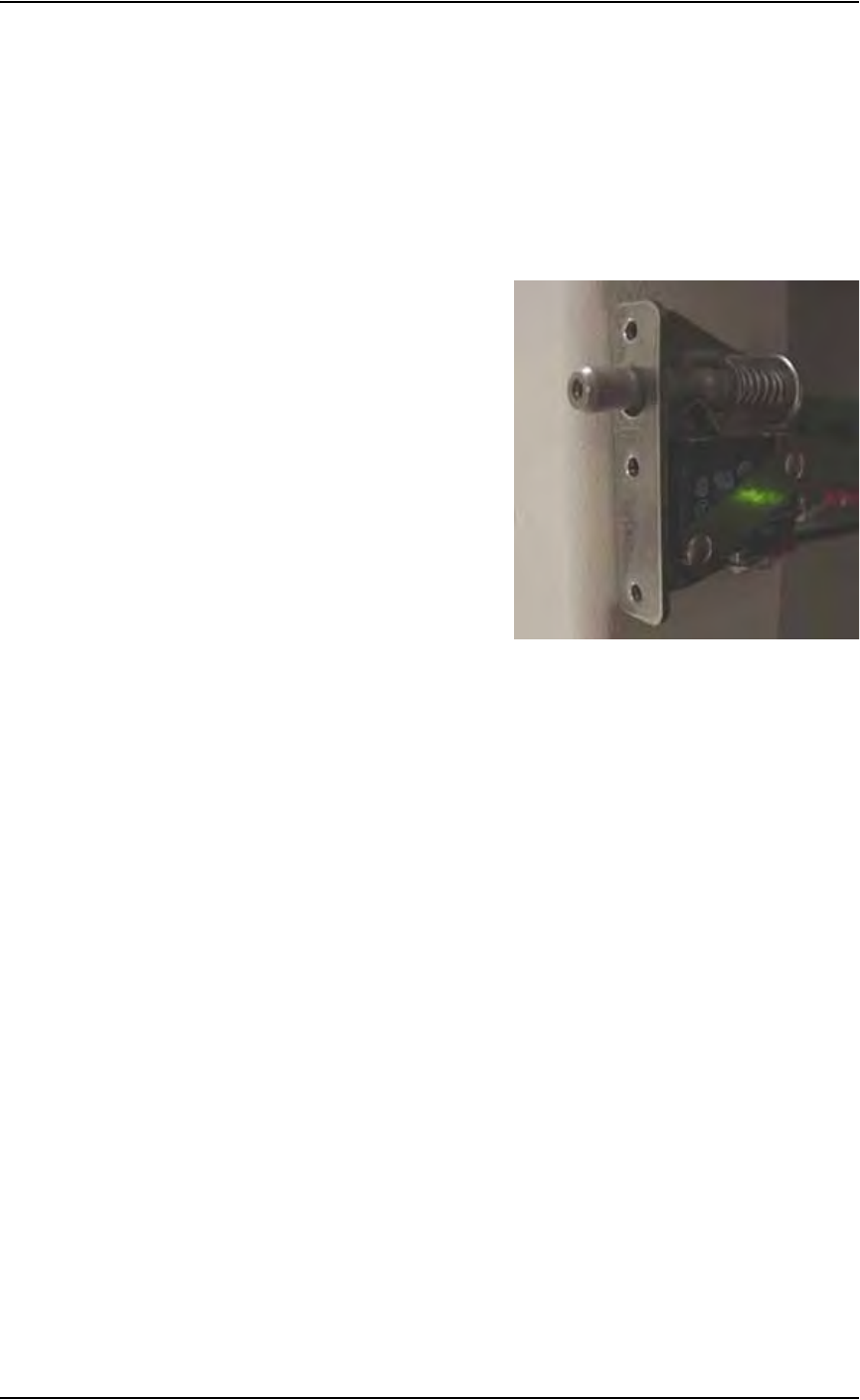
The Option Bay has five laser safety interlocks that prevent the laser from
firing when any safety shield on the Option Bay is removed. To physically
enable the laser, all laser safety interlocks must form a complete electrical
circuit to the laser’s safety inhibit input. When activated, (i.e., when any
safety shield is removed) the safety interlock disables the laser’s safety
inhibit circuit. Activation of the safety interlock prevents (via hardware in
the laser itself) the laser from firing. A laser safety interlock is shown in Fig-
ure .
Figure 1-12—Laser safety interlock
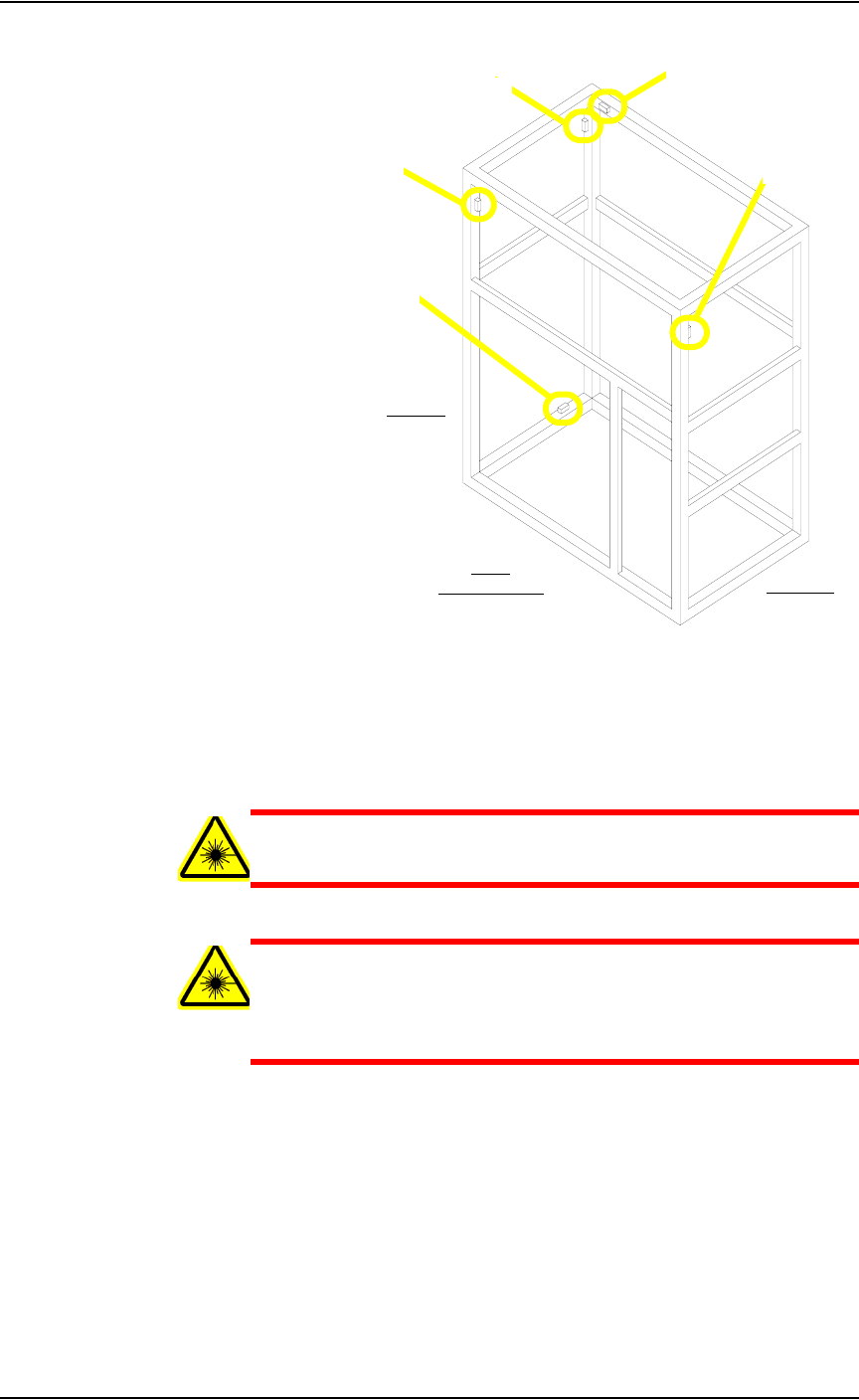
The five laser safety interlocks are located:
1. Behind the removable safety shield on the front (toward the PS288) of
the Option Bay
2. Behind the removable safety shield on the upper left side of the Option
Bay
3. Behind the removable safety shield on the top of the Option Bay
4. Behind the removable safety shield on the upper right side of the
Option Bay
5. Behind the removable safety shield on the lower left side of the Option
Bay
Introduction • Laser Safety
PS288 Owner’s Manual 1—19
Figure 1-13—Location of five safety interlocks
The laser safety interlocks can be overridden for service. To override a laser
safety interlock, pull out on the switch. The laser can now fire with the safety
shield removed.
WARNING: The laser safety interlocks should be overridden only
by qualified and trained service personnel.
WARNING: Never leave system unattended with safety shield
removed and safety interlocks overridden. Serious burn hazard!
Direct or diffuse laser radiation can cause serious burns. Blind-
ness hazard! Direct or diffuse laser radiation can damage eyes.
3
2
1
4
Front
(toward PS288)
Right side
Left side
5