PS288_OwnersMnl_PriorTo2009 - 第66页
Operation • Operator Functions 3—6 PS288 Owner’s Manual 2. Input 1, 2, 3 and Output 1, 2, 3 media— Select media for Input 1, 2, 3 and Output 1, 2, 3 with t he cycle buttons to the right of each field. Options vary depend…
Operation • Operator Functions
PS288 Owner’s Manual 3—5
.
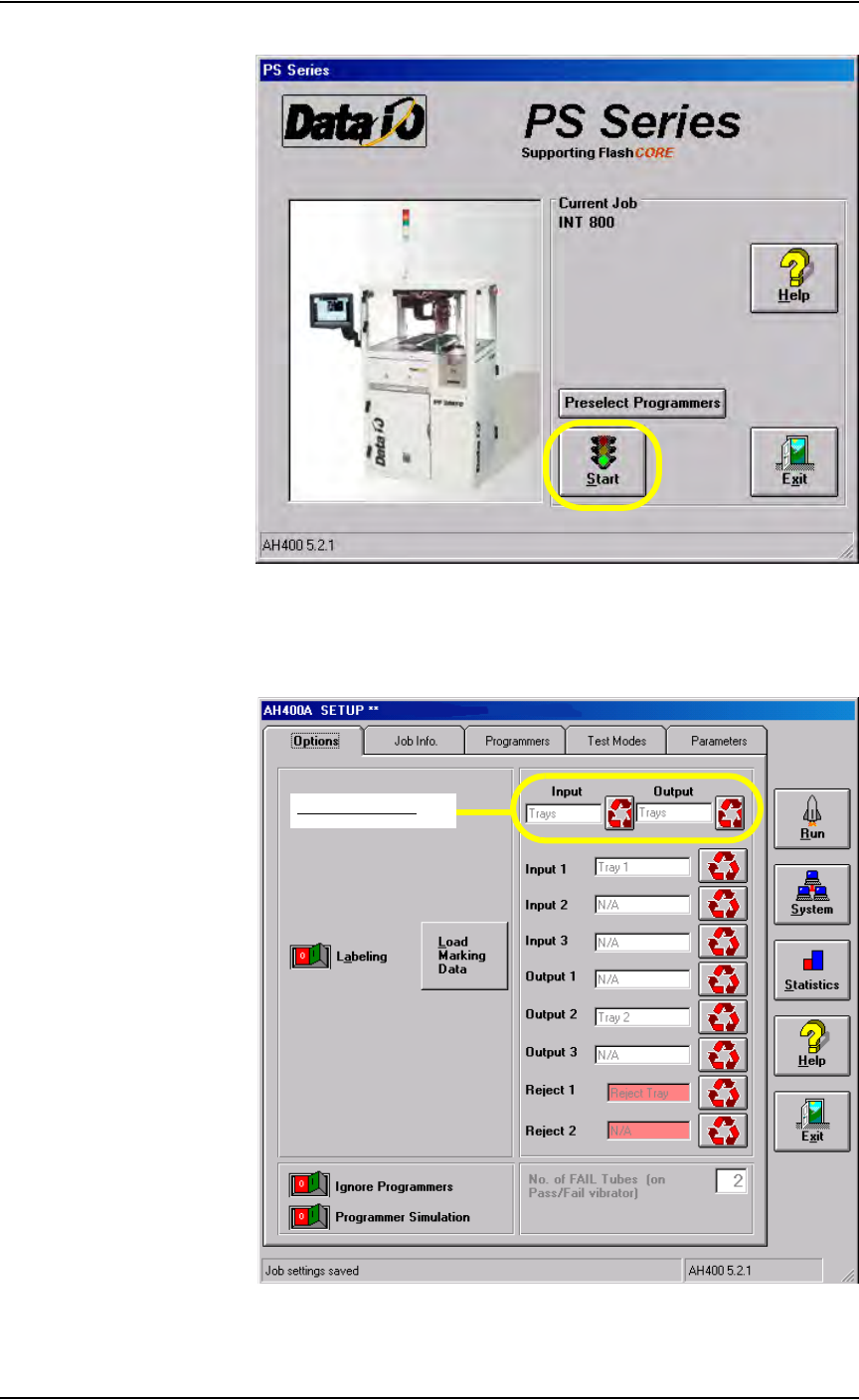
Figure 3-9—Click Start
1b) From the Setup window, select the Options tab.
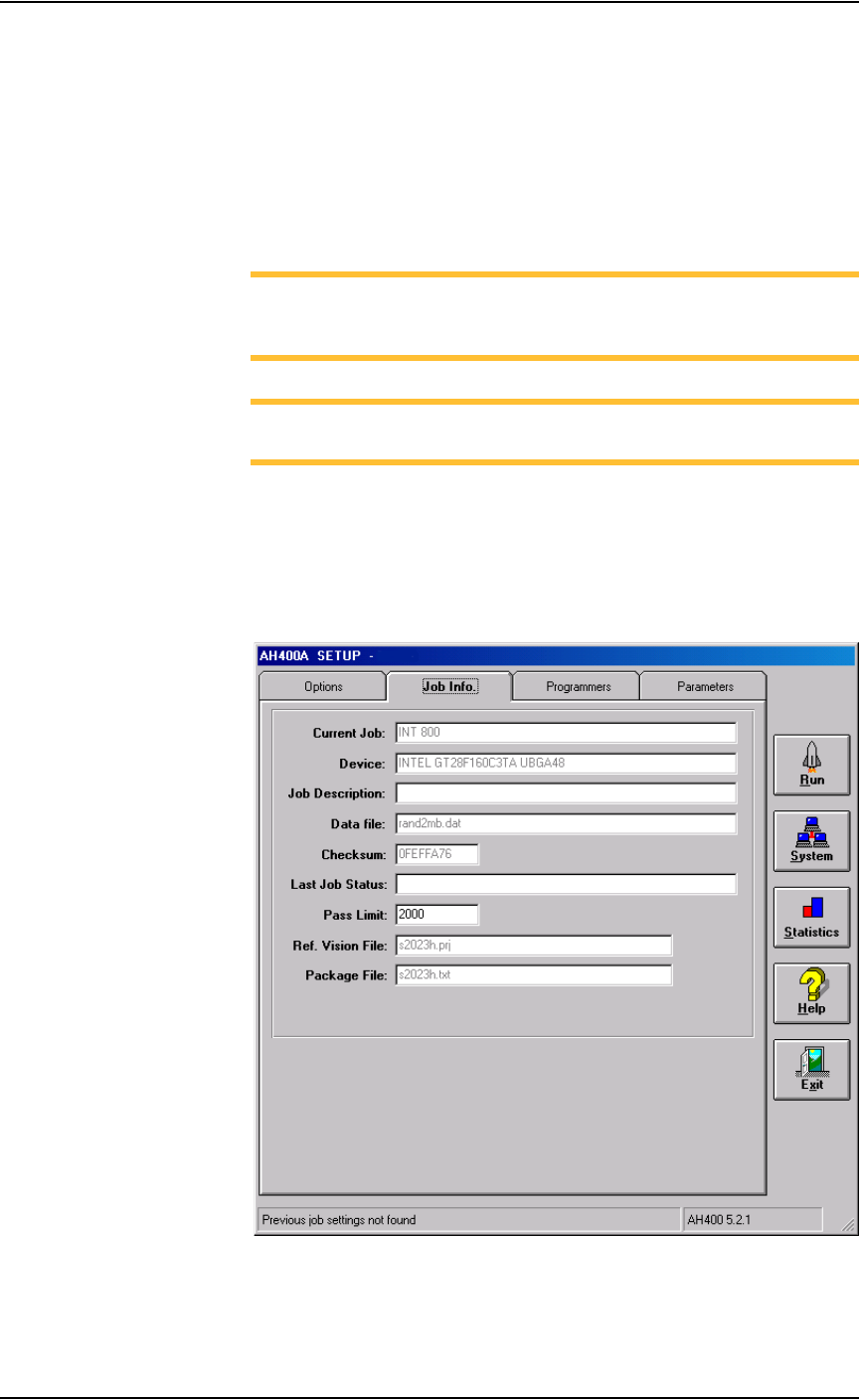
1c) With the cycle buttons, select the main Input and Output media. The
selections are Tube, Tape, and Tray.
Figure 3-10—Main Input/Output selections on Options tab
Main Input/Output
Operation • Operator Functions
3—6 PS288 Owner’s Manual
2. Input 1, 2, 3 and Output 1, 2, 3 media—
Select media for Input 1, 2, 3 and Output 1, 2, 3 with the cycle buttons
to the right of each field. Options vary depending on the selections
made for the main Input and Output media.
3. Reject media—
Select media for Reject 1 and Reject 2. These fields are highlighted in
red.
NOTE: When settings are changed for Input and Output media,
reject media are set to N/A. When Reject Media 1 is changed, Reject
Media 2 is set to N/A. Always set reject media last.
NOTE: Only applicable media are shown depending upon the
mode selected.
Verify Job Information
1. Select Job Info tab—
1a) On the Setup window, click the Job Info tab.
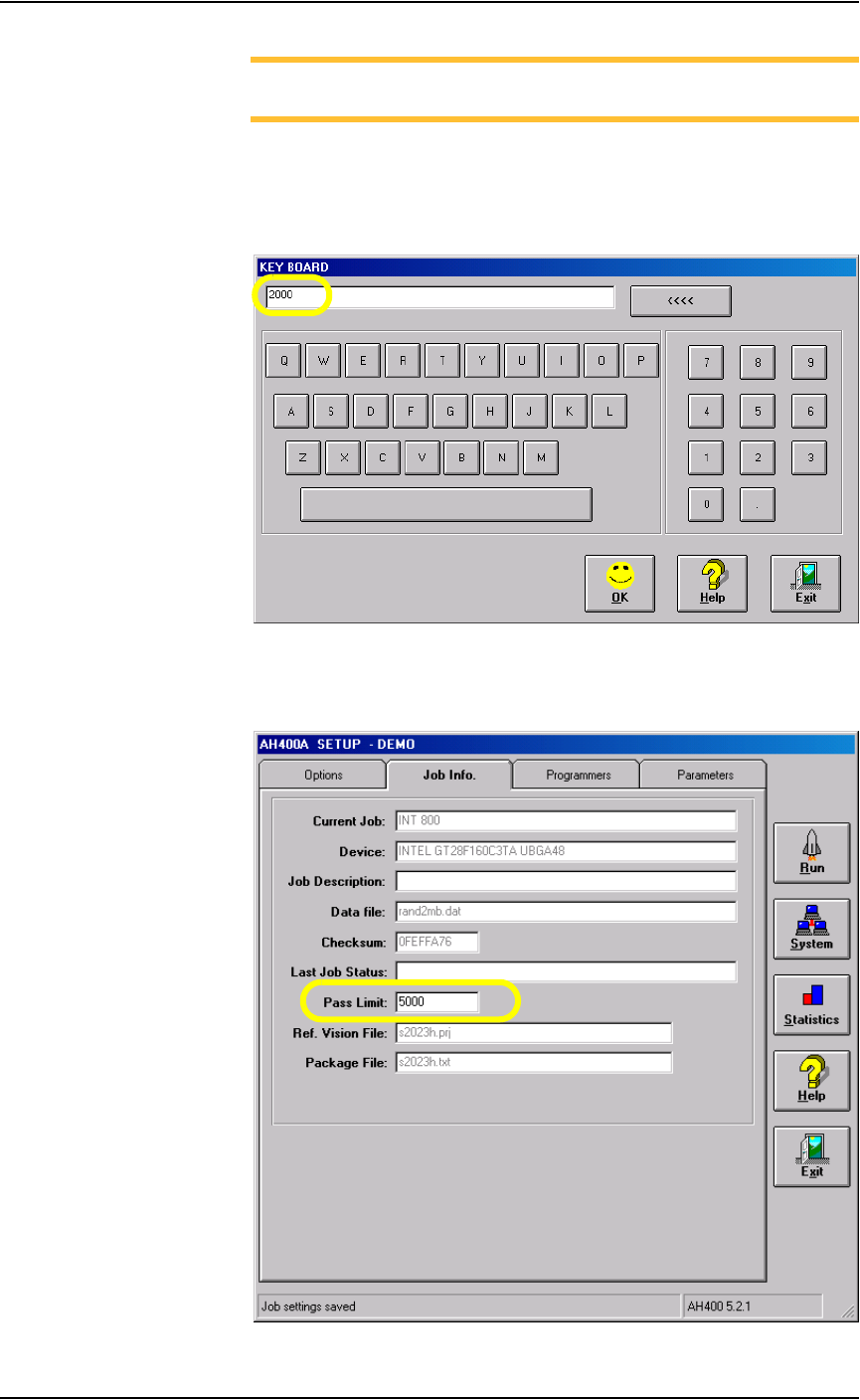
1b) Verify that all the information displayed matches the information for
this job. See Figure 3-11.
Figure 3-11—Job info
Operation • Operator Functions
PS288 Owner’s Manual 3—7
NOTE: Only the Pass Limit information displayed on the Job Info
tab is editable. To change the Pass Limit, complete Step 2 below.
2. Change Pass Limit (optional)—
2a) On the Job Info tab, click on the Pass Limit field. This opens the Key-
board window which displays the current Pass Limit (in this example,
2000).
Figure 3-12—Keyboard window
2b) Enter the new Pass Limit value (for example, 5000) and click OK. The
new Pass Limit is then displayed on the Job Info tab. See Figure 3-13.
Figure 3-13—New Pass Limit