PS288_OwnersMnl_PriorTo2009 - 第83页
Operation • Administrator Functi ons PS288 Owner’s Manual 3—23 • Press <Enter>. •C l i c k Save . •C l i c k Ye s to overwrite previous values. • Repeat for ALL input media (tray , tape and tube). NOTE: The R-axis …
Operation • Administrator Functions
3—22 PS288 Owner’s Manual
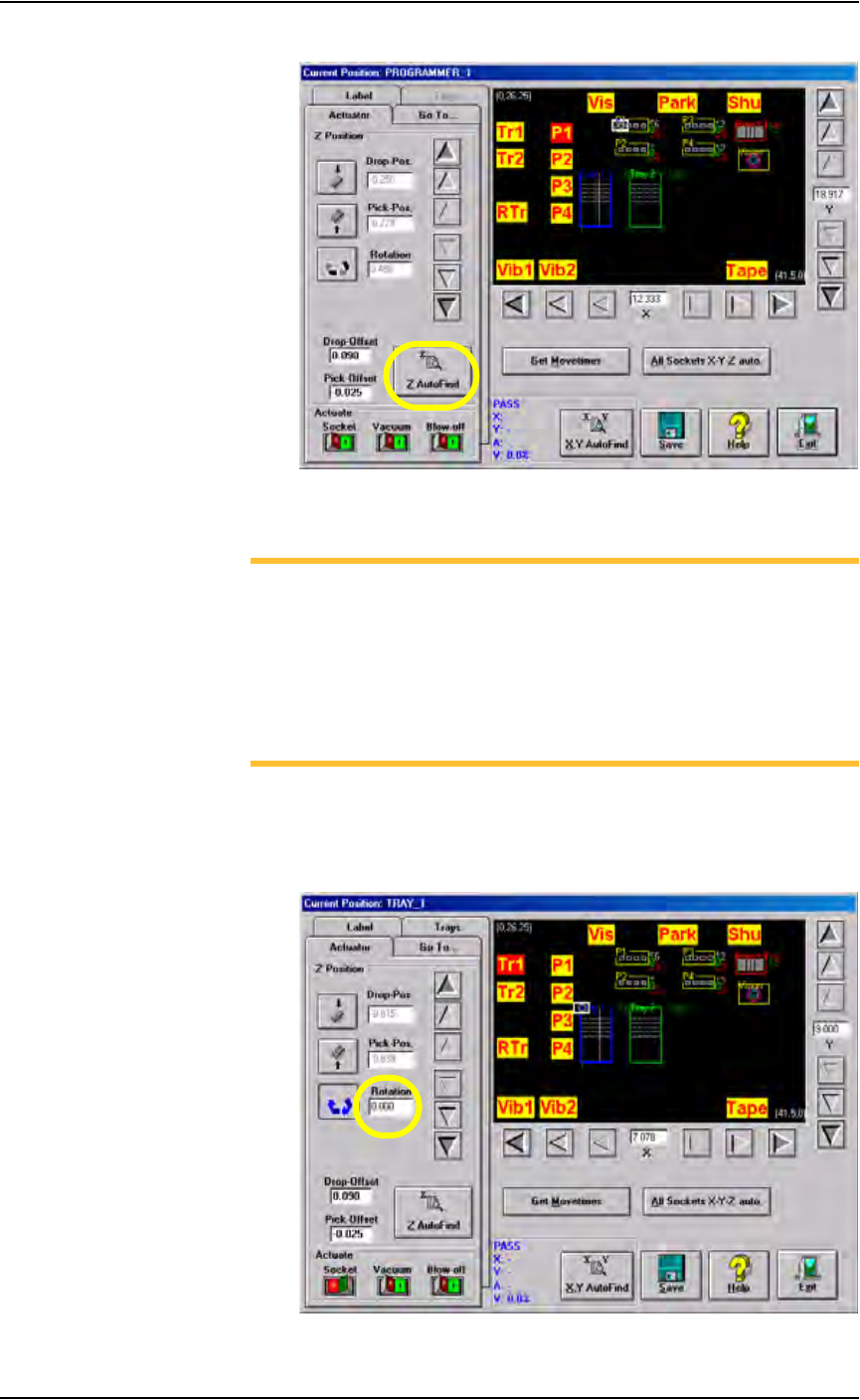
Figure 3-26—Click Z AutoFind
3. Set R-axis rotation values
NOTE: When a device is inserted into a socket, pin 1 of the device
must match pin 1 of the socket. For example, if pin 1 of the device
(in the input media) is the upper left corner, and pin 1 of the socket
is the upper left corner, no rotation is required. However, if pin 1 of
the device in the input media is not the same as pin 1 of the socket,
the PNP head must rotate the device. The R-axis value determines
how the PNP head rotates the device as it moves the device from the
input media to the socket or the Vision camera.
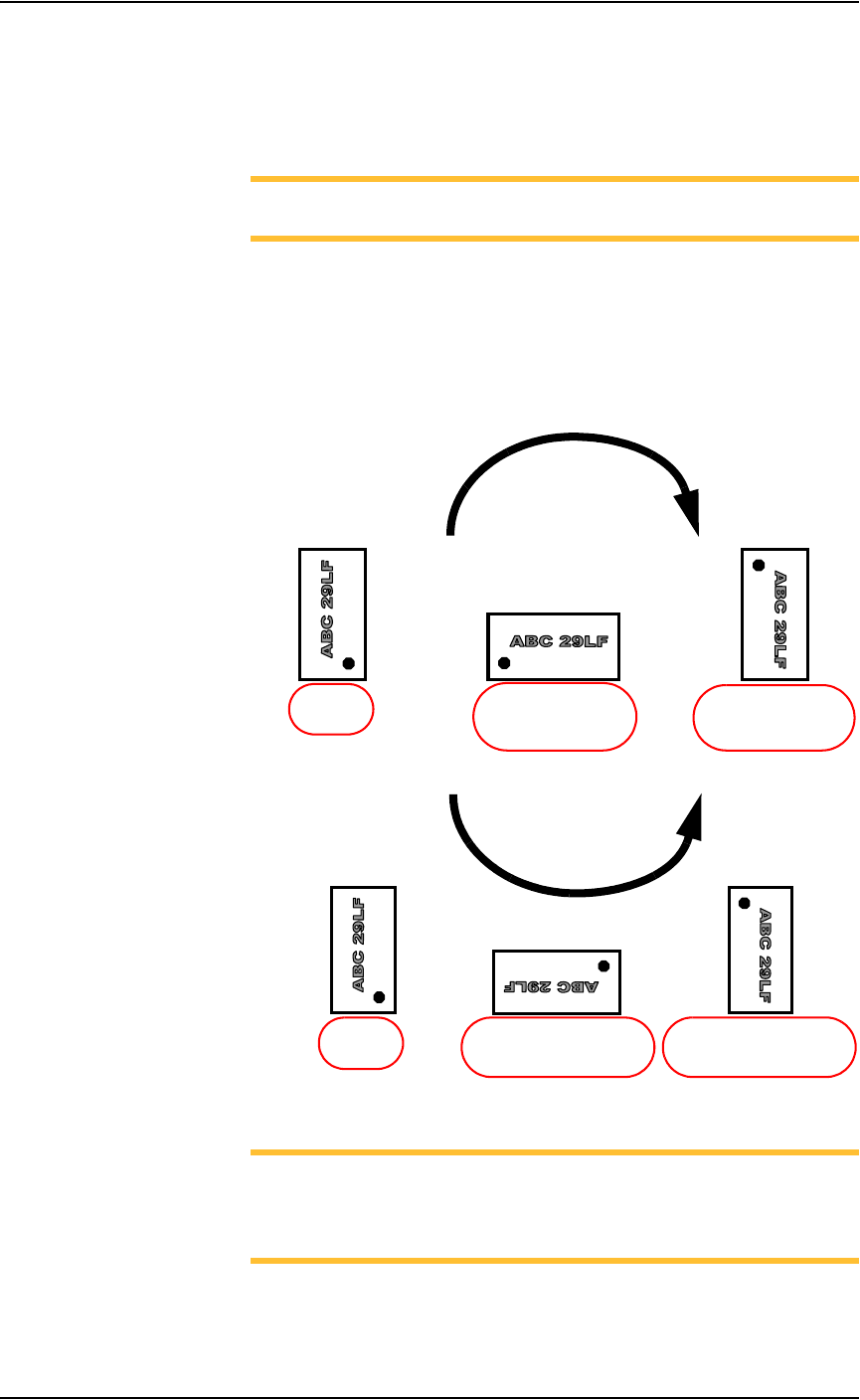
3a) Set R-axis of input media to 0.000:
•Click Tr1 to move the PNP head to the Tray 1 location.
• Click the Rotation icon.
• Enter the rotation value 0.000. See Figure 3-27.
Figure 3-27—Rotation set at 0.000 at Tr1
Operation • Administrator Functions
PS288 Owner’s Manual 3—23
• Press <Enter>.
•Click Save.
•Click Ye s to overwrite previous values.
• Repeat for ALL input media (tray, tape and tube).
NOTE: The R-axis rotation value at ALL input media must be
0.000.
3b) Set R-axis rotation at Vision and socket:
•Click Vis to move the PNP head to the vision location.
• Click the Rotation icon.
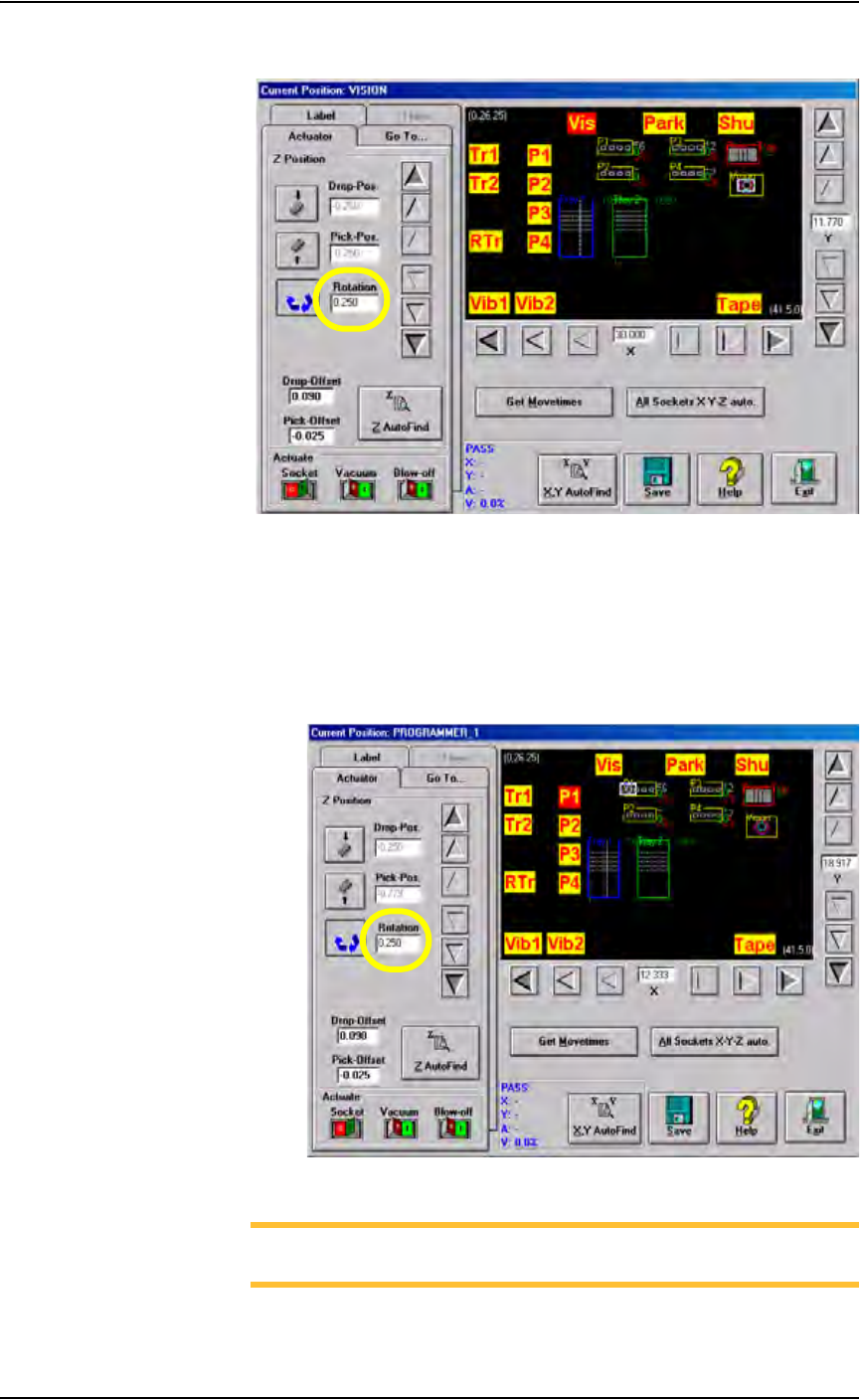
• Enter the R-axis rotation value required to rotate the device so that
pin 1 on the device matches pin 1 on the socket. See Figure 3-28:
Figure 3-28—R-axis values for rotation
NOTE: For example, if a device must be rotated a quarter turn in
the clockwise direction as it goes from the input media to the socket,
set the R-axis at the socket to -0.250. In this example, 0.250 is
entered. See Figure 3-29.
• Press <Enter>.
•Click Save.
R =
-
0.250
(quarter turn clockwise
with respect to Origin)
R =
-
0.500
(half turn clockwise
with respect to Origin)
R = 0.000
(at Origin)
CLOCKWISE
R = 0.250
(quarter turn counterclockwise
with respect to Origin)
R = 0.000
(at Origin)
R =
0.500
(half turn counterclockwise
with respect to Origin)
COUNTERCLOCKWISE
Operation • Administrator Functions
3—24 PS288 Owner’s Manual
•Click Ye s to overwrite previous values.
Figure 3-29— Rotation value at Vision
•Click P1. The gantry moves the PNP head to Programmer 1 location.
• Click the Rotation icon.
• Enter the same R-axis rotation value entered at the Vision location.
• Press <Enter>.
•Click Save.
•Click Ye s to overwrite previous values.
Figure 3-30—Rotation value at P1
NOTE: The R-axis value at ALL programmer locations and the
Vision location must be the same.
• Repeat for ALL programmer locations.