Apollo1_Operators_Manuel.pdf - 第28页
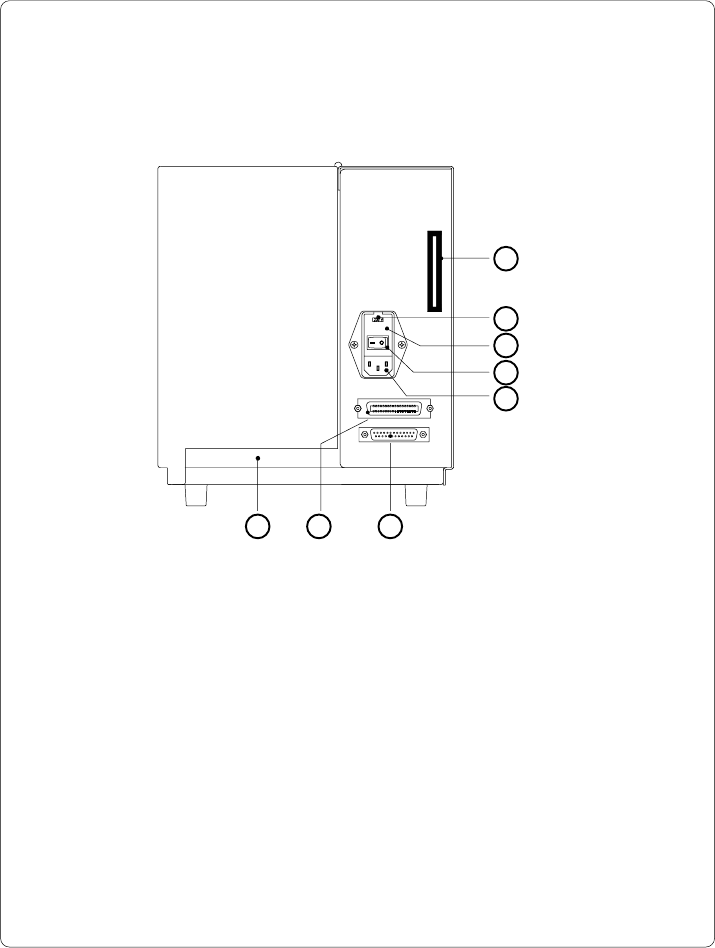
28 cab - Produkttechnik GmbH / Tharo Systems, Inc. 1 - Memory card module slot 2 - Parallel interface port 3 - Serial interface port 4 - Input voltage selector/ Fuse holder 5 - Input voltage selector cover 6 - Power swit…
27cab - Produkttechnik GmbH / Tharo Systems, Inc.
1 - Memory card module slot
2 - Input voltage selector/ Fuse holder
3 - Input voltage selector cover
4 - Power switch
5 - Power supply connector
6 - Serial interface port
7 - Parallel interface port
8 - Slot for fanfold paper
Fig. 4 f Back view Apollo 1/2
1
2
3
5
4
8 7 6
28 cab - Produkttechnik GmbH / Tharo Systems, Inc.
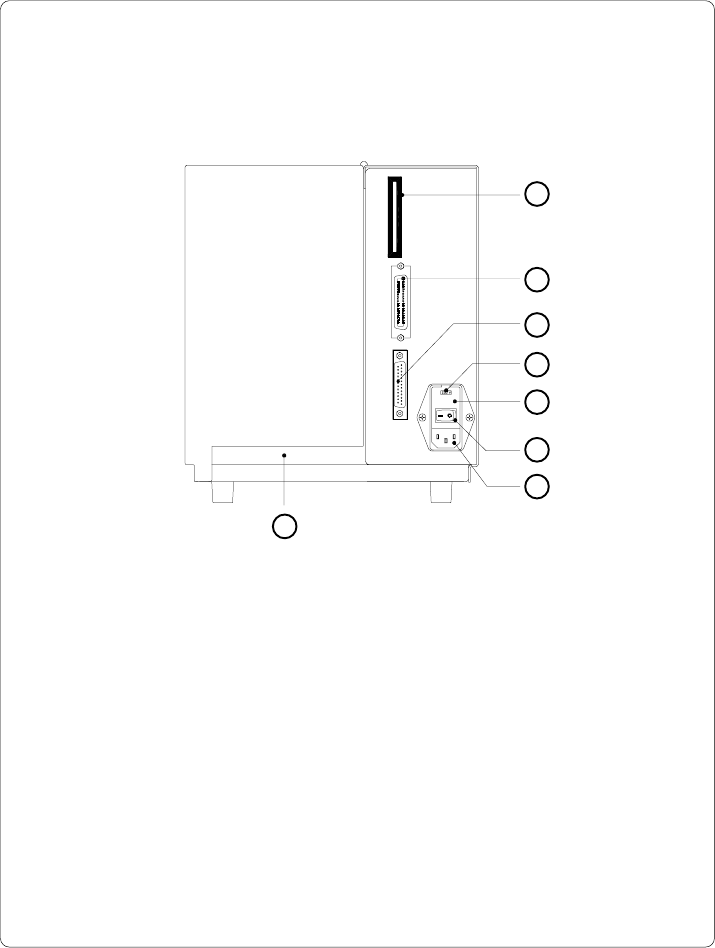
1 - Memory card module slot
2 - Parallel interface port
3 - Serial interface port
4 - Input voltage selector/ Fuse holder
5 - Input voltage selector cover
6 - Power switch
7 - Power supply connector
8 - Slot for fanfold paper
Fig. 4 g Back view of Apollo 3
1
2
3
4
5
8
6
7
29cab - Produkttechnik GmbH / Tharo Systems, Inc.
5 Connecting the Printer
Connection to Power Supply
1
2
4
3
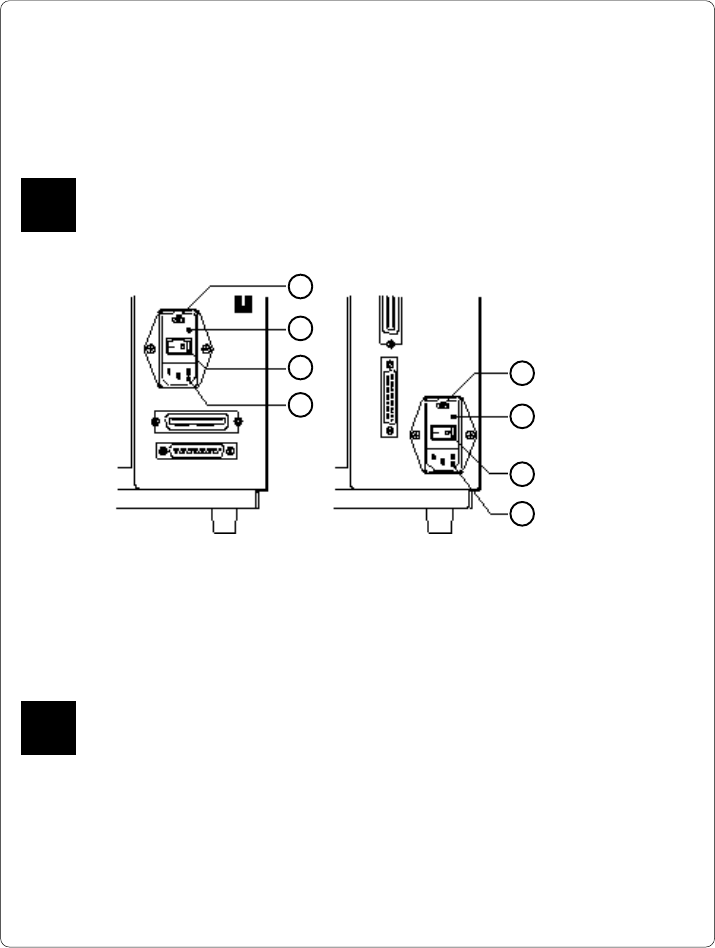
Fig. 5 a Power supply module (detailed view/ rear of the printer)
To change the voltage setting, open the cover (2) and remove the voltage
selector from the power unit.
If you have changed the operating voltage of your printer the fuses need
replacing as stated below !
Apollo 1/2 : 230V - 2 x T 3.15A 115V - 2 x T 6.3A
Apollo 3 : 230V - 2 x T 1.6A 115V - 2 x T 3.15A
When delivered, the correct fuses for the pre-selected operative voltage are
installed. You will find the necessary fuses for the other voltage in the
accessories package.
Slide the voltage selector back into the power supply module so that the
correct voltage is visible in the lid window (2).
Connect the printer to a grounded outlet using the power cable supplied in the
accessories package.
F
1
2
3
4
1 - Voltage selector
2 - Voltage selector
cover
3 - Power switch
4 - Power supply
connector
Apollo 1/2 Apollo 3
The Apollo is designed for use with 230V A.C/ 50Hz (standard) or 115V A.C/
60Hz.
Before connecting the printer to the power supply, make sure that the
voltage selected on the power supply module of the printer is the same as
your main power supply !
F