Apollo1_Operators_Manuel.pdf - 第53页
53 cab - Produkttechnik GmbH / Tharo Systems, Inc. T ransfer Print The parameter "Transfer print" is used to set the Apollo to the print mode, either direct thermal printing or thermal transfer printing. This s…
52 cab - Produkttechnik GmbH / Tharo Systems, Inc.
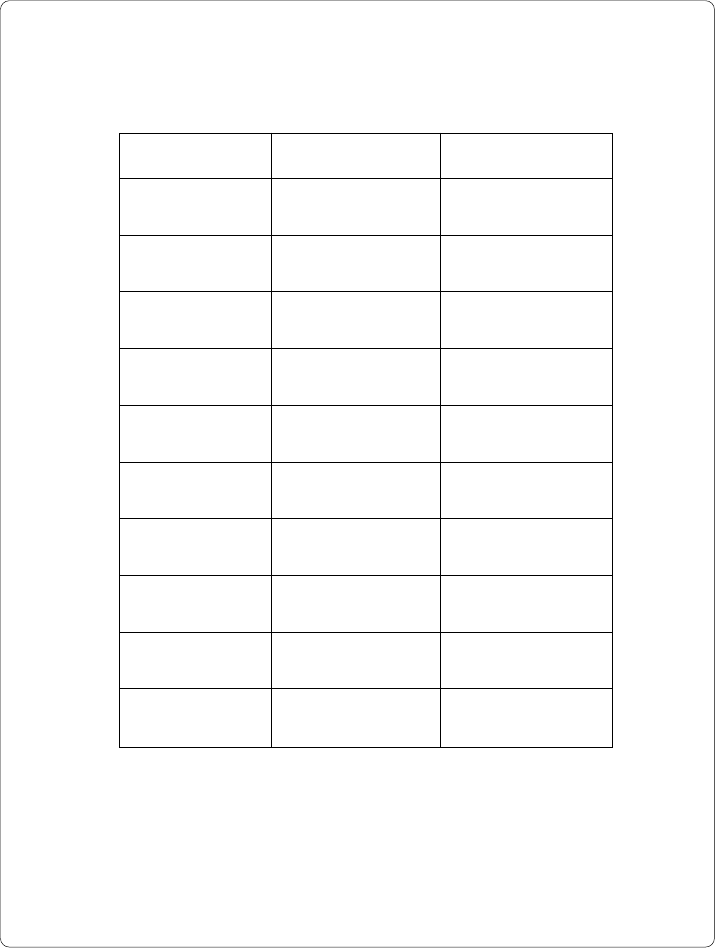
The following table shows the specific settings for the date format and
the time format of all countries available.
Date Time
Land
Deutschland 29.12.1996 20:15:56
Pays
France 29.12.1996 20:15:56
Country
United Kingdom 29/12/1996 20:15:56
Country
USA 12-29-1996 08:15:56 pm
Land
Schweiz 29.12.1996 20,15,56
Pays
Suisse 29.12.1996 20,15,56
Pays
Belgie 29/12/1996 20:15:56
Maa
Suomi 29.12.1996 20:15:56
Nazione
Italia 29-12-1996 20:15:56
Pais
España 29-12-1996 20:15:56
Table 9 Specific format settings for date and time
53cab - Produkttechnik GmbH / Tharo Systems, Inc.
Transfer Print
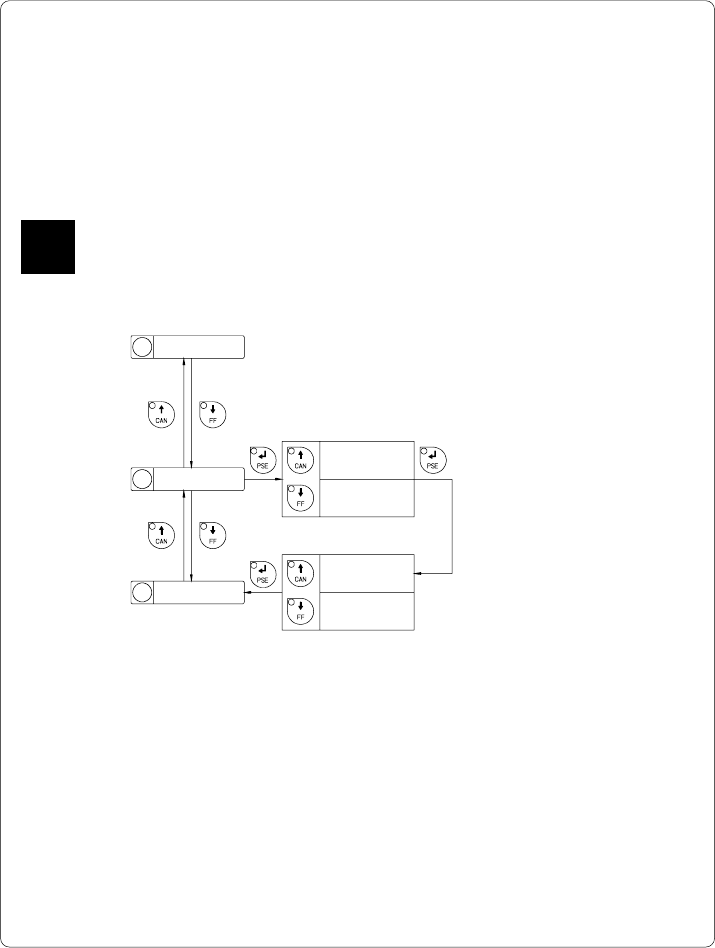
The parameter "Transfer print" is used to set the Apollo to the print mode, either
direct thermal printing or thermal transfer printing.
This setting has an influence on two factors. On one hand, in thermal transfer
mode the printer works at a lower heat level compared to the direct thermal
printing mode. On the other hand, the ribbon sensor is only active in thermal
transfer printing mode.
This parameters can also be changed via software. For different print jobs it is
recommended that you carry out all changes in the software.
Default Setting : Transfer print ON
Transfer print
On
Transfer print
Off
Transfer print
xxx Ye s
Transfer print
xxx No
Selection
Confirmation
Fig. 9 c Set "Transfer print" parameter
F
1 Country
2 Transfer print
3 Label sensor
54 cab - Produkttechnik GmbH / Tharo Systems, Inc.
Label Sensor
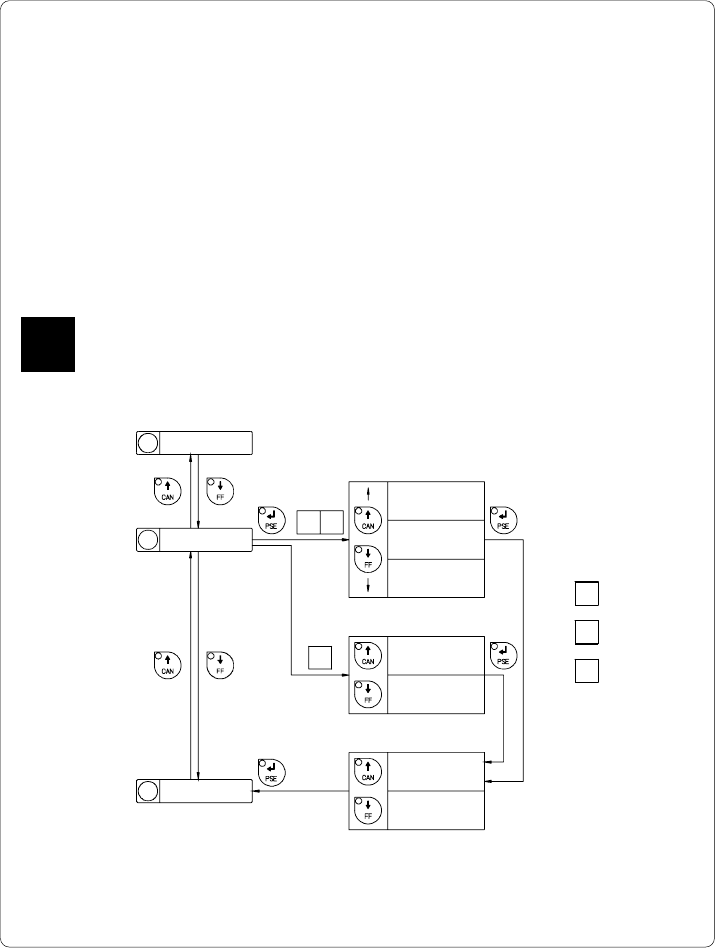
The printers of the Apollo series offer different methods for recognizing the
front edge of the label.
In most cases, the label edge sensor photocell can be used in the see-through
mode ("Gap sensor" mode), where the different transparency of the material is
used to distinguish between the labels and the gaps.
In certain cases, for instance when pre-printed continuous paper is used, the
label edge can also be recognized through reflective marks. (see also section
about label formats; page 20) All versions of the Apollo offer the see-through
mode and reflective mark recognition on the bottom side of the material. In
addition, Apollo 1 and Apollo 2 are also able to recognize reflective marks on
the top of the material.
This parameter can also be changed via software. For different print jobs it is
recommended that you do the changes in the software.
Default Setting : Gap sensor
F
2 Transfer print
3 Label sensor
4 Interface
Selection
Label sensor
Gap sensor
Label sensor
Bottom-Reflect
Label sensor
Top-Reflect
Label sensor
xxx Ye s
Label sensor
xxx No
Confirmation
Selection
Label sensor
Gap sensor
Label sensor
Bottom-Reflect
1 Apollo 1
2 Apollo 2
3 Apollo 3
12
3
Fig. 9 d Set "Label sensor" parameter