Apollo1_Operators_Manuel.pdf - 第63页
63 cab - Produkttechnik GmbH / Tharo Systems, Inc. Character Set Before starting to operate the Apollo , the "Character set" of the printer should be adapted to the character set of the computer . Adjustment vi…
62 cab - Produkttechnik GmbH / Tharo Systems, Inc.
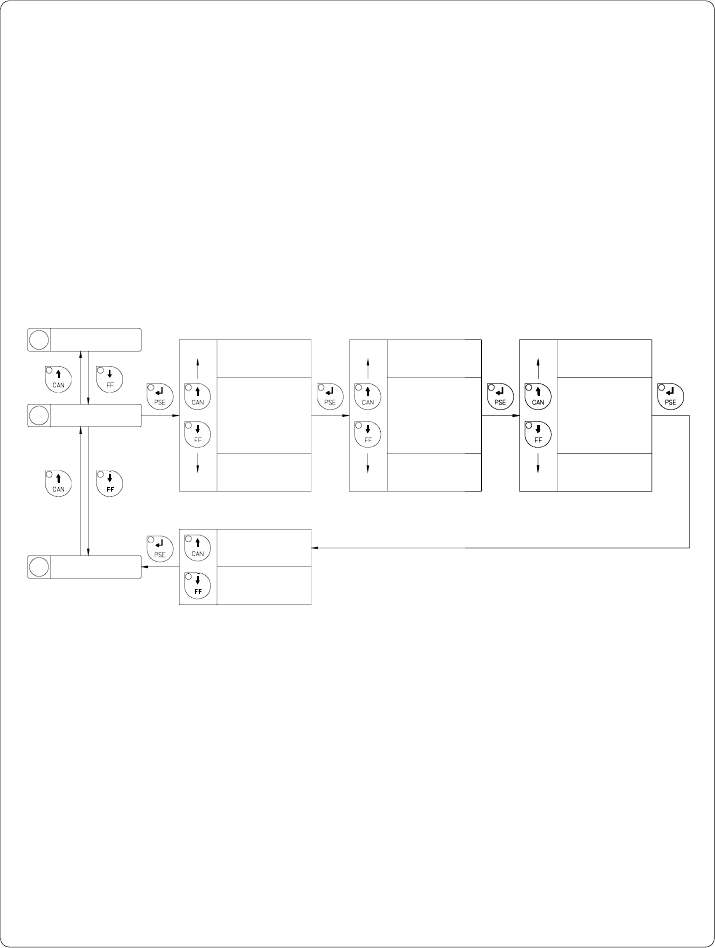
Set Time
The "Set time" parameter allows you to change the system time of the Apollo.
The time format shown in the display depends on the selected "Country"
parameter.
Time changes in the software will only influence the printout but not affect the
system time of the printer. The changed time will neither be shown in the
display nor be stored in the printer setup.
The current field to be changed is flashing in the display.
Hour
Minute
Second
Confirmation
*
*
*
*
*
*
Set time
xx.59.xx
Set time
xx.00.xx
Set time
xx.xx.59
Set time
xx.xx.00
Set time
23.xx.xx
Set time
00.xx.xx
Set time
xx.xx.xx Yes
Set time
xx.xx.xx No
*
*
*
Fig. 9 m Set system time
10 Set date
11 Set time
12 Character set
63cab - Produkttechnik GmbH / Tharo Systems, Inc.
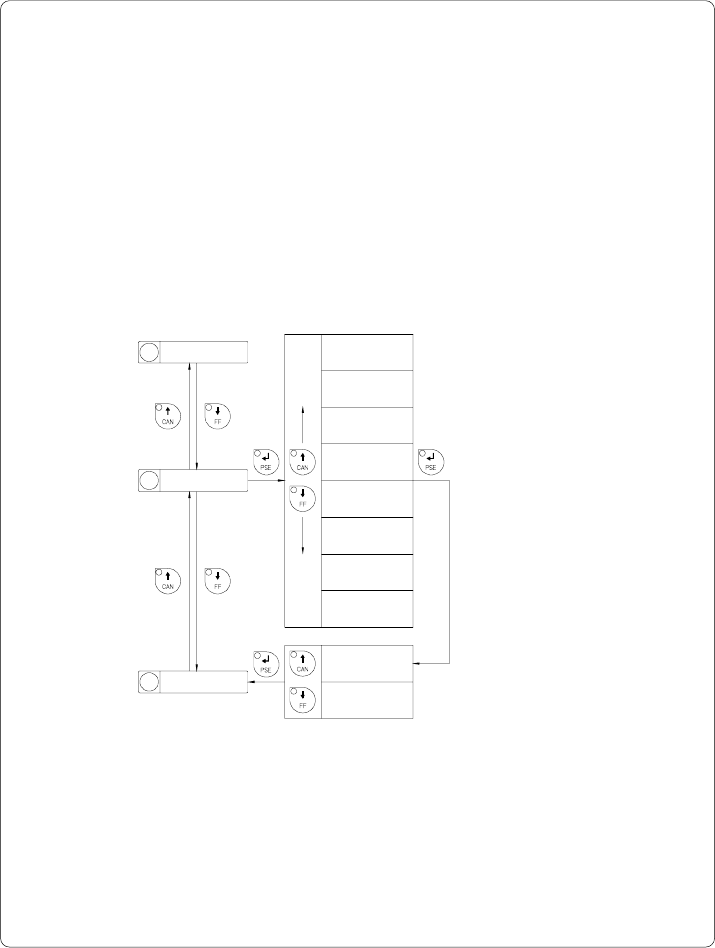
Character Set
Before starting to operate the Apollo, the "Character set" of the printer should
be adapted to the character set of the computer.
Adjustment via software is not possible, however, for characters which are not
included in the selected fonts the Unicode character table can be used.
The character set tables are included in Appendix A.
Default Setting : Windows 1252
11 Set time
Selection
Character set
ISO 8859-1
Character set
Codepage 850
Character set
Macintosh
Character set
ISO 8859-8
Character set
Codepage 852
Character set
EBCDIC
Fig. 9 n Set "Character set" parameter
12 Character set
13 Format card
Character set
xxxxxxx Yes
Character set
xxxxxxx No
Confirmation
Character set
Windows 1252
Character set
Windows 1250
64 cab - Produkttechnik GmbH / Tharo Systems, Inc.
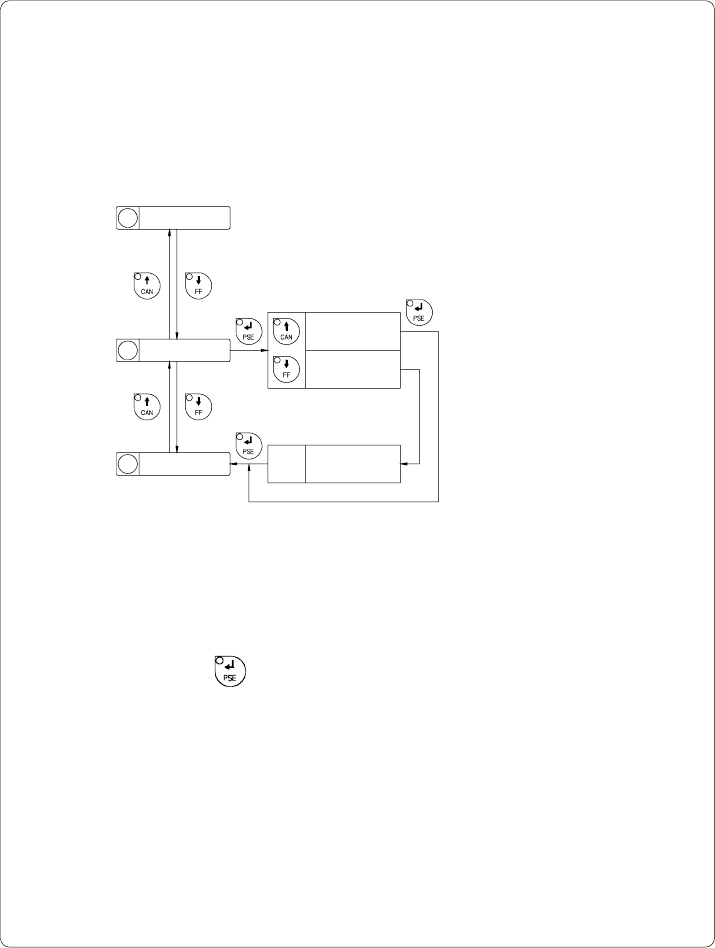
Format Card
The "Format card" facility may be used to delete all stored data from a memory
card, for instance PC card, PCMCIA card, etc. (optional)
The delete process will format the card. Therefore, this option may also be
used to prepare new memory cards for operation.
12 Character set
13 Format card
14
Copy memory card
Format card
No
Format card
Yes
Format card
xxxx yyyy OK
Fig. 9 o Delete/Format a memory card
If the procedure has been started without having a card installed the display will
show "No card".
Pressing the key will skip to the following parameter.
xxxx ... Type of card
(e.g. sRAM)
yyyy ... Memory capacity
(e.g. 128 kB)