Apollo1_Operators_Manuel.pdf - 第64页
64 cab - Produkttechnik GmbH / Tharo Systems, Inc. Format Card The "Format card" facility may be used to delete all stored data from a memory card, for instance PC card, PCMCIA card, etc. (optional) The delete …
63cab - Produkttechnik GmbH / Tharo Systems, Inc.
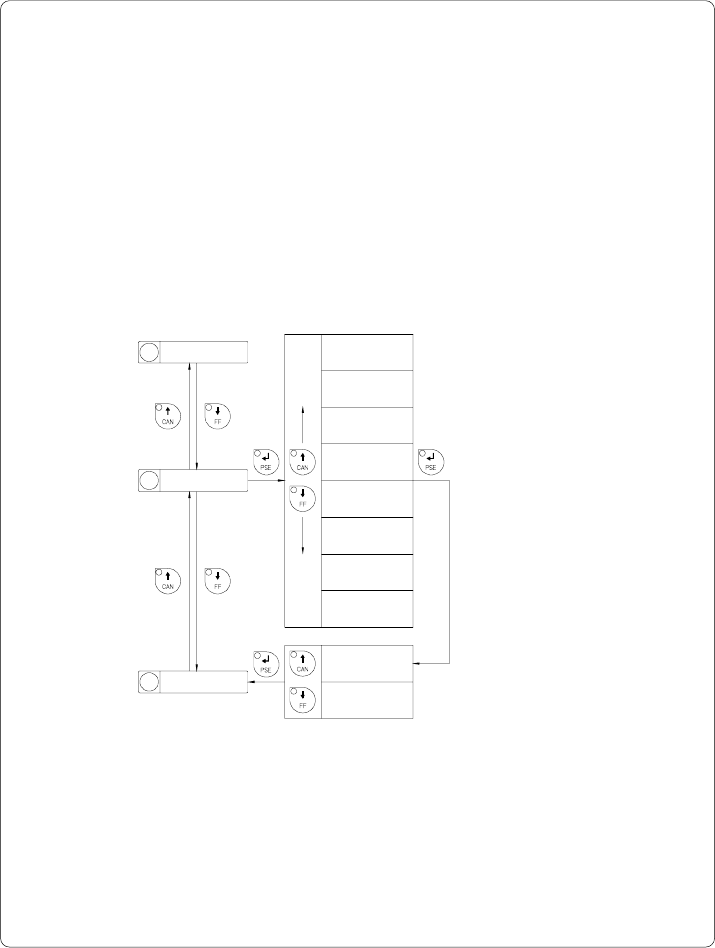
Character Set
Before starting to operate the Apollo, the "Character set" of the printer should
be adapted to the character set of the computer.
Adjustment via software is not possible, however, for characters which are not
included in the selected fonts the Unicode character table can be used.
The character set tables are included in Appendix A.
Default Setting : Windows 1252
11 Set time
Selection
Character set
ISO 8859-1
Character set
Codepage 850
Character set
Macintosh
Character set
ISO 8859-8
Character set
Codepage 852
Character set
EBCDIC
Fig. 9 n Set "Character set" parameter
12 Character set
13 Format card
Character set
xxxxxxx Yes
Character set
xxxxxxx No
Confirmation
Character set
Windows 1252
Character set
Windows 1250
64 cab - Produkttechnik GmbH / Tharo Systems, Inc.
Format Card
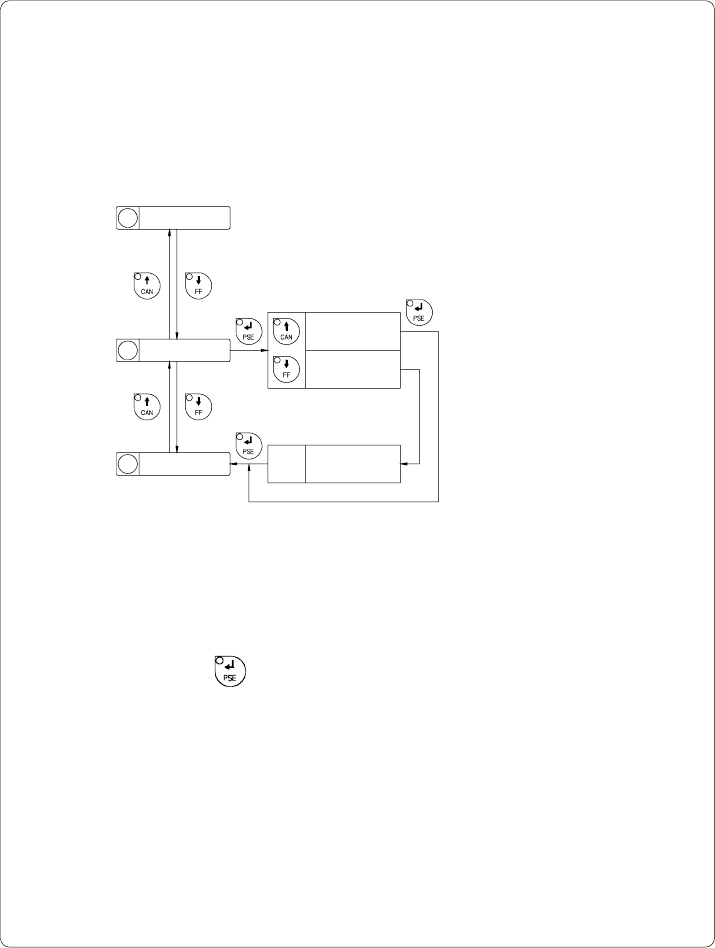
The "Format card" facility may be used to delete all stored data from a memory
card, for instance PC card, PCMCIA card, etc. (optional)
The delete process will format the card. Therefore, this option may also be
used to prepare new memory cards for operation.
12 Character set
13 Format card
14
Copy memory card
Format card
No
Format card
Yes
Format card
xxxx yyyy OK
Fig. 9 o Delete/Format a memory card
If the procedure has been started without having a card installed the display will
show "No card".
Pressing the key will skip to the following parameter.
xxxx ... Type of card
(e.g. sRAM)
yyyy ... Memory capacity
(e.g. 128 kB)
65cab - Produkttechnik GmbH / Tharo Systems, Inc.
Copy Memory Card
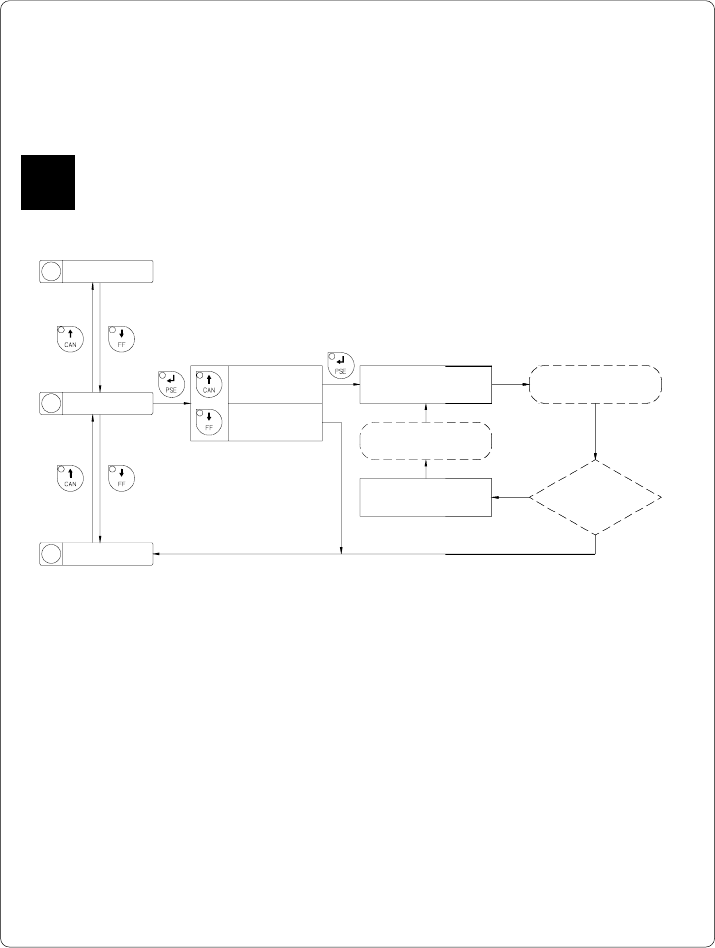
The "Copy memory card" facility may be used to copy information from one
memory card, for instance PC card, PCMCIA card, etc., onto another one.
Before starting the duplication, the source card has to be installed.
F
15 Backfeed
Selection
Insert card
to be copied
no
yes
Fig. 9 p Copy memory card
The duplication is carried out file by file. This allows the usage of memory
cards with different capacities.
When the duplicate card cannot store any more information the display shows
"Card full".
If data with a capacity of more than 1Megabyte has to be copied, the
duplication process will be divided into several cycles. Alternately, the printer
display will ask to insert either the source card or the duplicate card.
14
Copy memory card
13 Format card
Copy memory card
Yes
Copy memory card
No
Copy memory card
Insert dest.
Insert source
card
Copy memory card
Insert source
All files
copied?