YG200_200L_E.pdf - 第44页
1-16 1 Part names and functions 7 . B l o w s t a t i o n I n t h e n o z z l e s h a f t b l o w f u n c t i o n , a b l o w s t a t i o n i n s t a l l e d t o t h e r e a r o f t h e m o v a b l e c o n v e y o r r a …
1-15
1
Part names and functions
6. Axis configuration
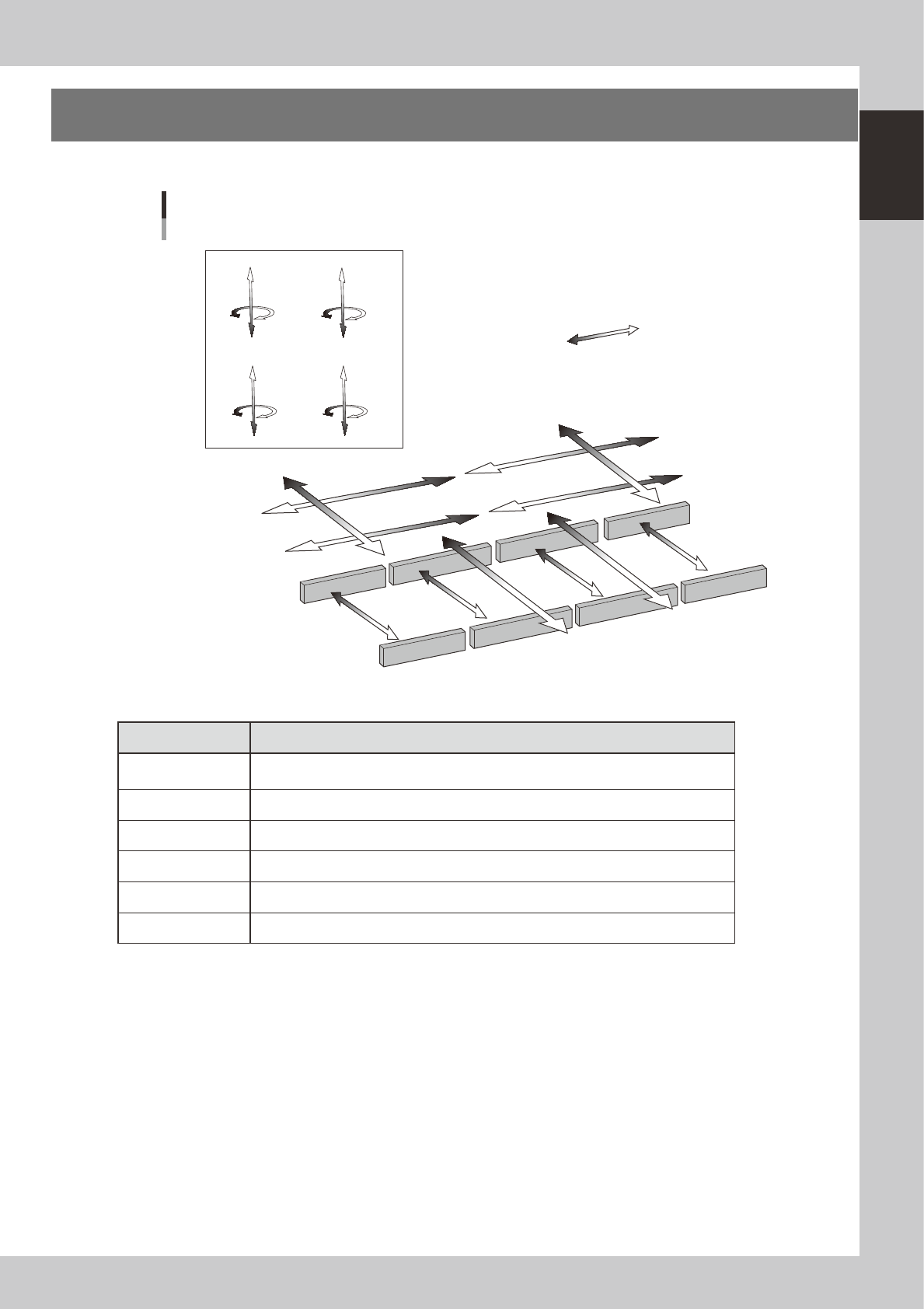
The machine axis configuration and operation are shown in the drawing and table below.
Plus direction
Minus direction
Y1 axis
Y2 axis
X4 axis (D table)
X1 axis (A table)
X3 axis (C table)
X2 axis (B table)
YT1 axis
YT2 axis
W1 axis
W2 axis
W3 axis
W4 axis
Z4 axis
R4 axis
Z3 axis
R3 axis
Z1 axis
R1 axis
Z2 axis
R2 axis
Axis configuration
Head unit CHead unit D
Head unit BHead unit A
23114-M2-00
n
Function of each axis
Axis Function
X1, X2, X3, X4
Moves the head assembly above the conveyor table in parallel with the board flow
direction
Y1, Y2 Moves the head assembly perpendicular to the board flow direction.
YT1, YT2 Moves the conveyors (W2, W3) in the Y-axis direction.
Z1 to Z8 Controls the height of each component pick-and-place head.
R1, R2, R3, R4, Rotates the nozzle shafts of each head
W1, W2, W3, W4 Changes the conveyor width.
1-16
1
Part names and functions
7. Blow station
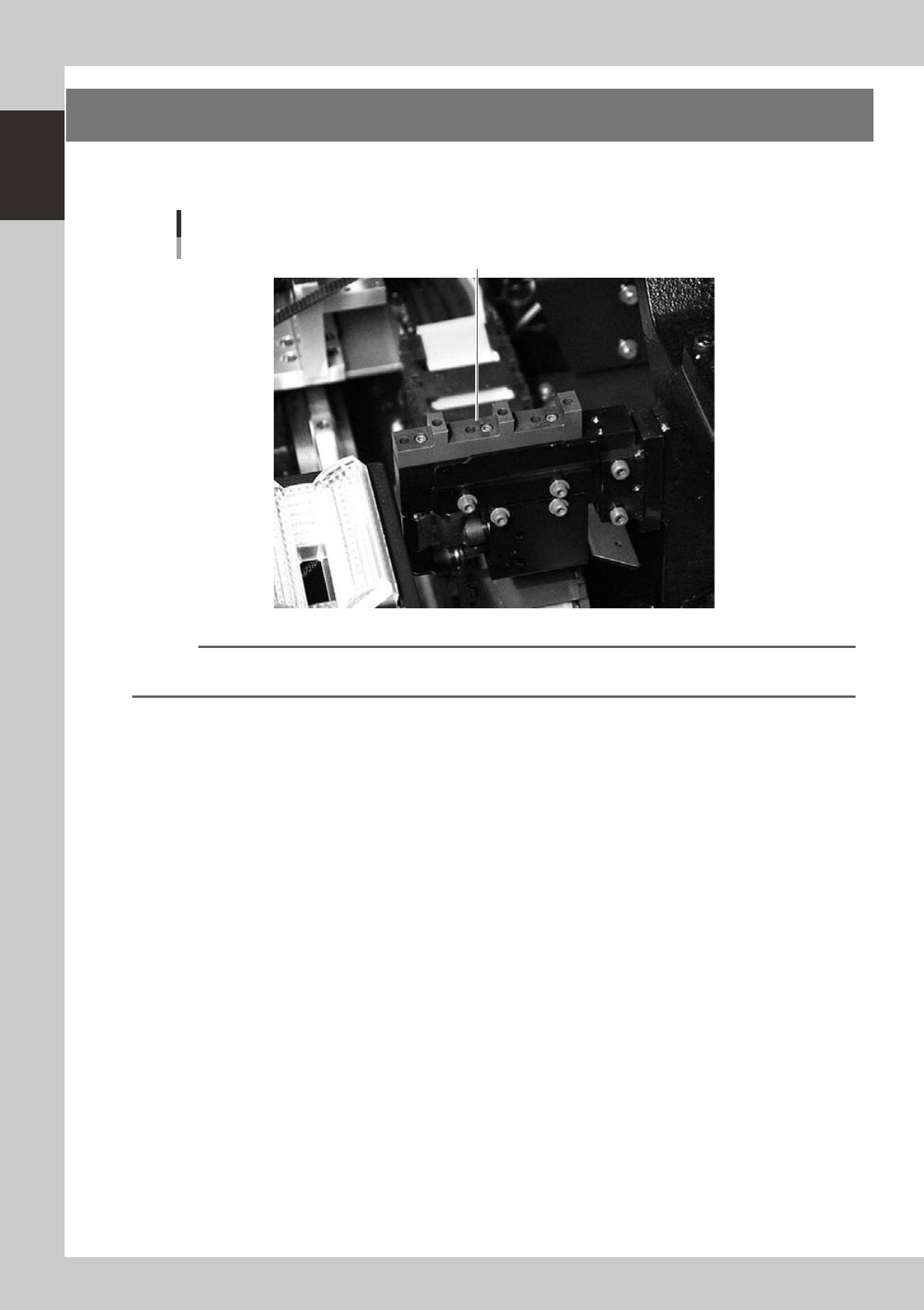
In the nozzle shaft blow function, a blow station installed to the rear of the movable conveyor rail blows
high-pressure air internally through the nozzles and shafts to blow away dust and grit and clean the nozzles.
Blow station
Blow station
Example of YG200
23115-M2-00
NOTE
The blow station is installed in the YG200L as a standard feature.
The blow station can be installed in the YG200 as an option.
1-17
1
Part names and functions
7.1 Performing a nozzle shaft blow
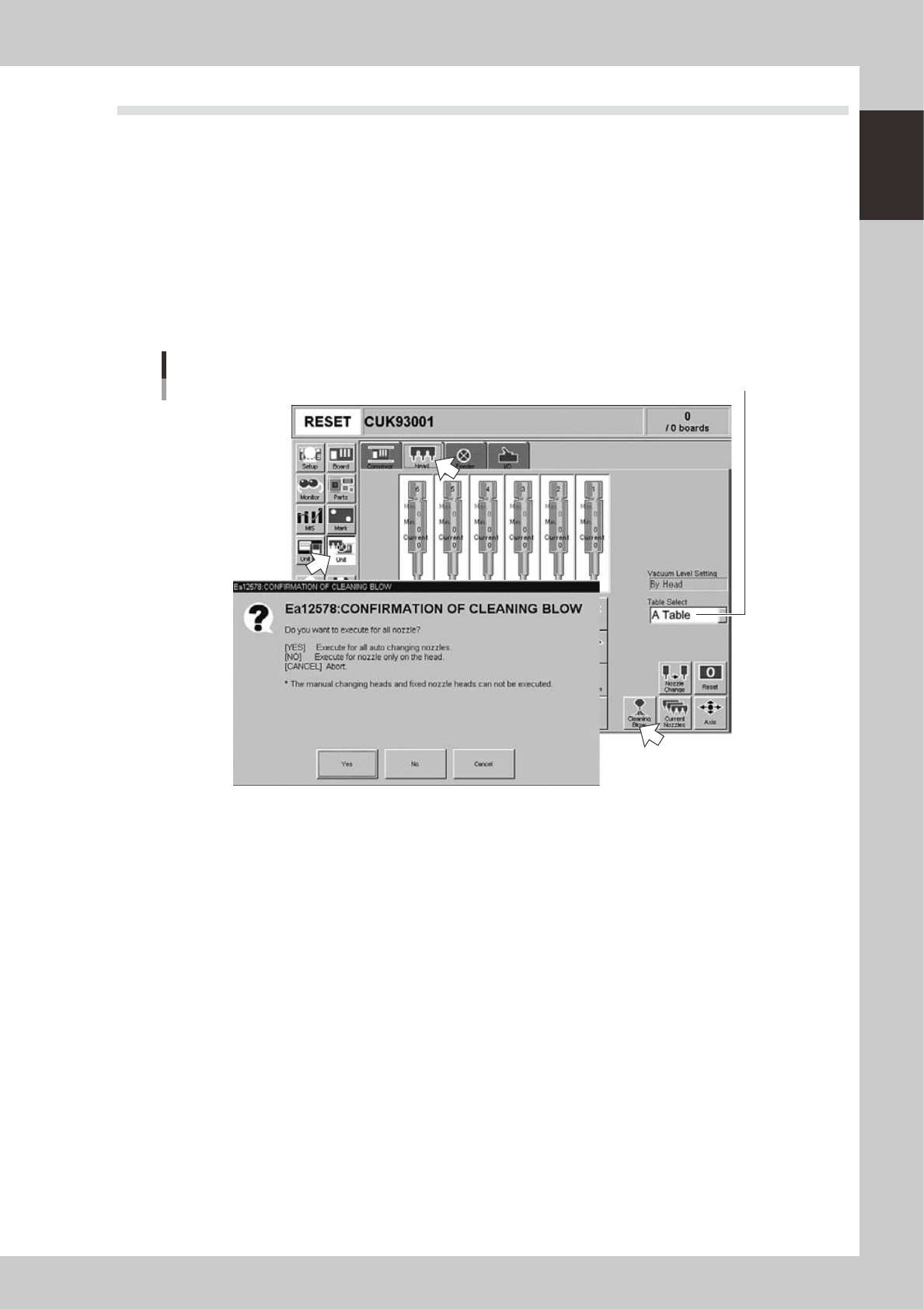
This section explains how to manually perform a nozzle shaft blow at any desired timing.
1
Open the [Unit] – [Head] tab screen.
2
Select the table and press the [Cleaning Blow] button.
A confirmation dialog box appears asking how you want to perform nozzle shaft blow, so press [Yes] or
[No]. (Press [Cancel] if you want to cancel nozzle blow.)
Pressing [Yes]:
Cleans all nozzles that are automatically changeable and set for cleaning blow.
Pressing [No]:
Makes a cleaning of nozzles that are currently attached to the head and set for cleaning blow.
Nozzle shaft blow
Select the conveyor table.
24100-M2-00
n
Safety checks
The nozzle shaft blow function also contains the following safety checks.
• Nozzle shaft blow interruption alarm
The head immediately rises if operation stops during nozzle shaft blow due to emergency stop or an interlock triggering.
If the head rises but the air blow still continues, then the nozzle might come loose from the head. To prevent this, a
confirmation dialog box appears if the machine operation stopped during nozzle shaft blow.
• Nozzle sensors to check whether a nozzle is left on the blow station
The nozzle shaft blow function forces high-pressure air through the nozzles during cleaning, so the nozzles might come
loose from the head if machine operation stops during nozzle blow. If a nozzle comes loose from the head and remains
on the blow station while the automatic operation still continues, then the nozzle left on the blow station might interfere
with other heads or with the multi-max unit. To prevent this, nozzle sensors are installed so that the machine constantly
monitors whether a nozzle is left on the blow station.
An “interlock error” is issued if any of these sensors detects a nozzle on the blow station at any time other than when the
head is lowered during nozzle blow. The machine operation is then disabled.