00193796-08.pdf - 第22页
Installation Manual Station Software Version 505.04 22 of 156 4.1.3 Installing the station com puter and the machine controller Note: The installation requires approximately 30 minutes. 4.1.3.1 Installation program → Swi…
Installation Manual, Station Software Version 505.04 Edition 07/2006
21 of 156
4.1.2 Definitions
4.1.2.1 Initial installation
The first time the station software is installed on a SIPLACE placement machine is known as the
initial installation.
4.1.2.2 Update
If an initial installation has already been performed and a more recent release version of the
station software is to be loaded, then this procedure is referred to as an update.
The release version is identified by the last two digits of the complete version number.
4.1.2.3 Upgrade
The range of functions of the software is indicated by the three digit number contained within the
complete version number.
Example:
505.01 = The number 505 identifies the software functions
The number 01 is the release version 1.
The installation of a software version with a version number higher than the existing, installed
version is known as an upgrade procedure.
Example:
Changing software from 504.01 to 505.01 = upgrade
Installation Manual Station Software Version 505.04
22 of 156
4.1.3 Installing the station computer and the machine controller
Note:
The installation requires approximately 30 minutes.
4.1.3.1 Installation program
→ Switch on the SIPLACE placement machine.
→ Log in to the station computer as the Administrator.
(Keep the Shift key pressed as soon as the XP logo appears)
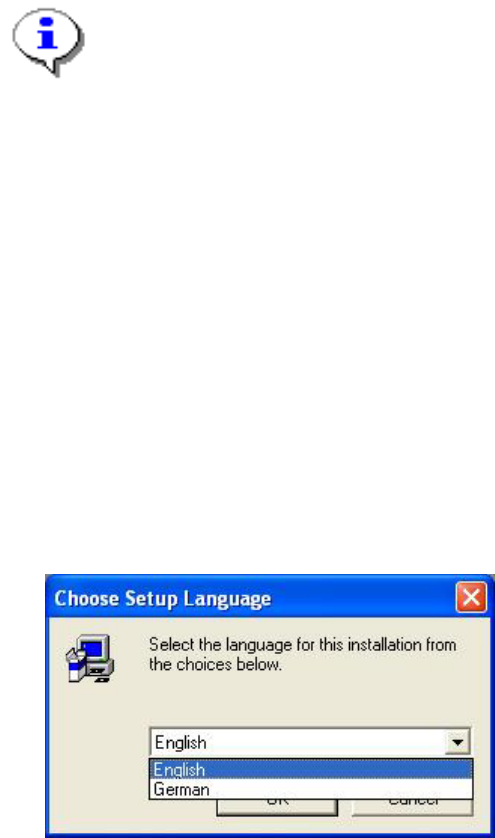
Put the CD into the CD drive and wait until the machine starts to read it. The installation begins by
asking you to select a language.
Language selection
→ Select the language which is to be used during the installation.
You can choose between German and English.
Fig. 4-4: Language selection
→ Click the OK button.
Installation Manual, Station Software Version 505.04 Edition 07/2006
23 of 156
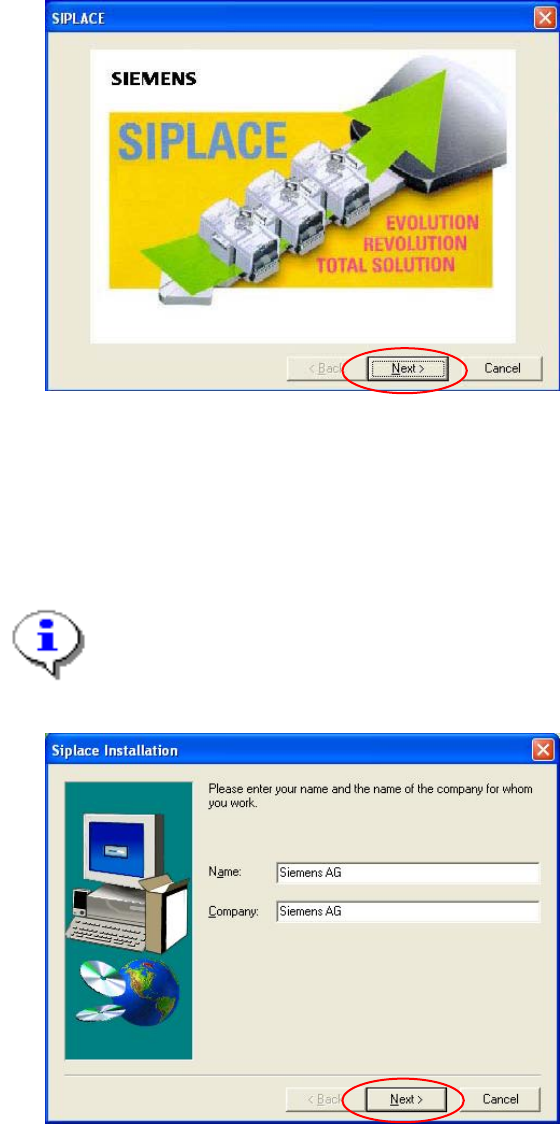
Welcome screen
Fig. 4-5 Welcome screen
→ Click the Next button.
Registration
→ Enter the Name and the Company.
Note:
The information which you enter here is saved in a log file. This log file is created by the
installation program.
Fig. 4-6: Registration
→ Click the Next button.